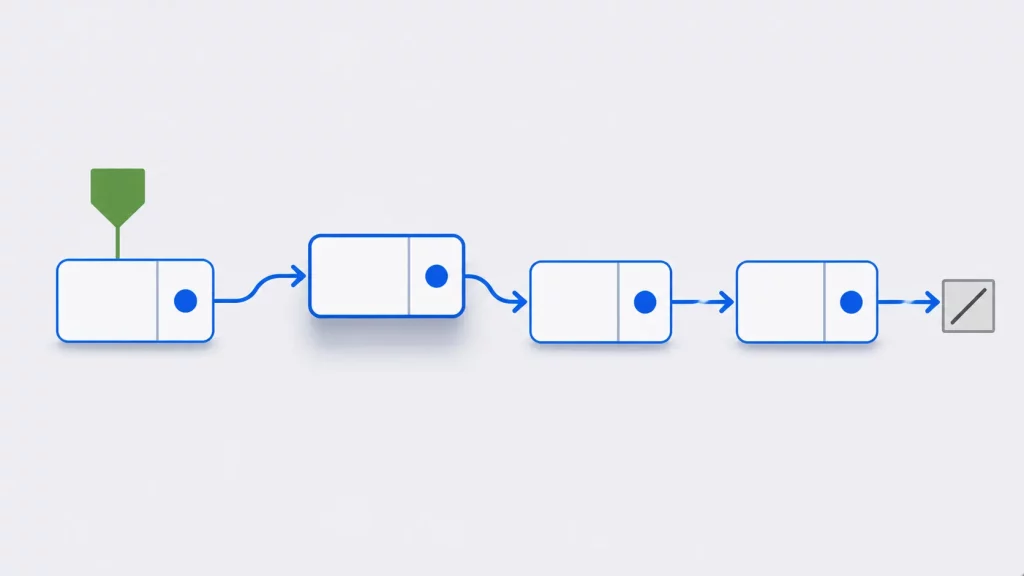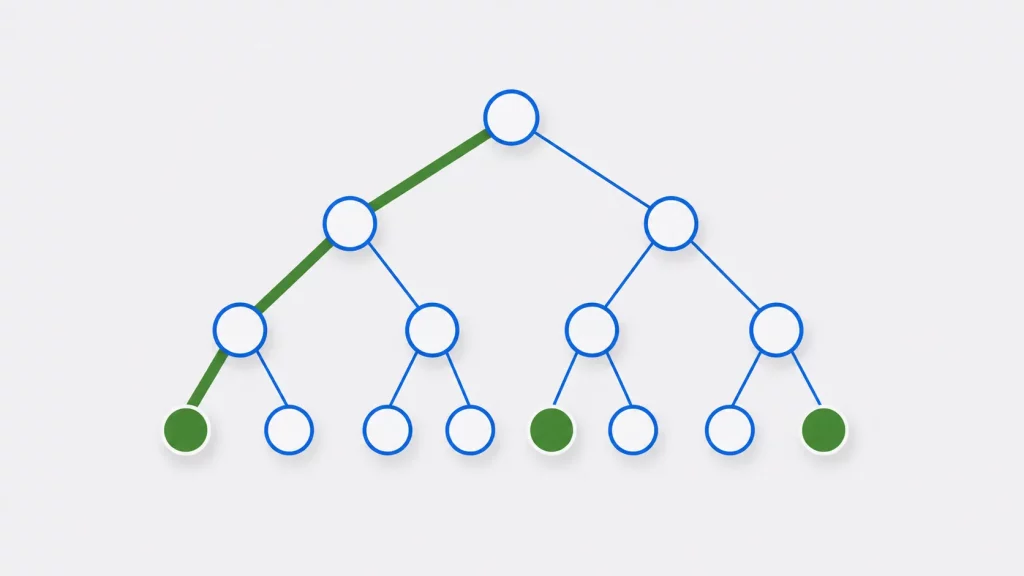
C and C++ give you two kinds of data structure: the ones built into the language, and the ones you build from them. Arrays, structures, unions and — in C++ — classes come with the language. Stacks, queues, linked lists, trees and graphs are assembled out of those pieces.
The array is the first of them worth understanding properly, because so much else is built on it. A std::vector keeps its elements in one contiguous block that it reallocates as it grows. A common hash-table design is an array of buckets. A binary heap is a tree stored in an array. The behavior described here shows up again in each of them.
This tutorial covers declaring and initializing arrays, one-dimensional and multidimensional, and the operations you perform on them: access and update, traversal, search, insertion, deletion, and finding the size.
What is an array?
Arrays are built into C and C++, and several of the structures covered later in this series are built on them. Let’s talk about an example scenario where we need to store ten employees’ data in our C/C++ program including name, age and salary. Declaring ten separate variables for ten employees would work, but nothing connects them: you cannot loop over them, pass them as a group, or index one by a number computed at run time. An array gives that set of values a single name and a numeric index.
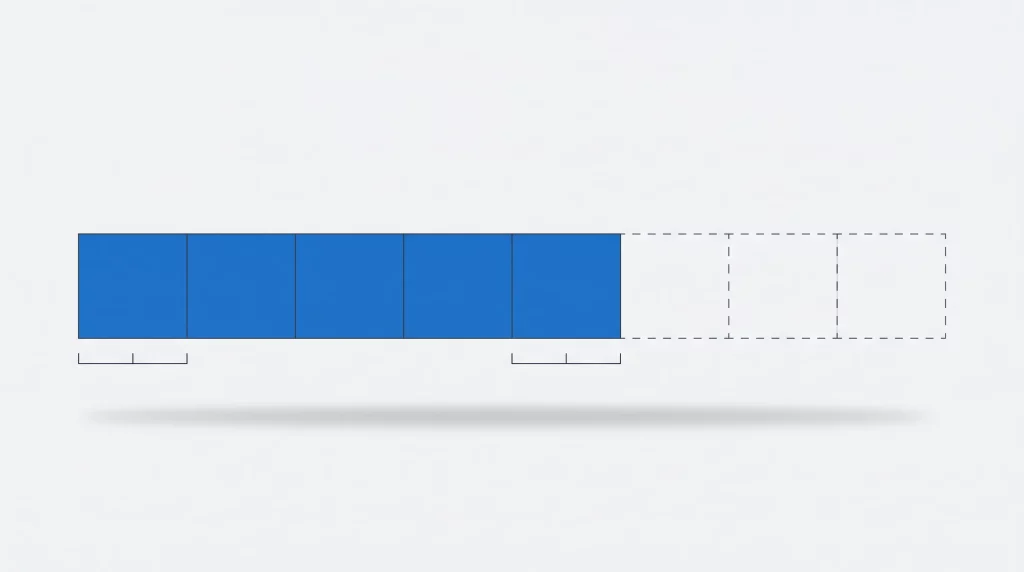
An array is a fixed number of elements of the same type, stored next to each other in memory and reached through a single name and an integer index that starts at zero. Because the elements are the same size and contiguous, the address of any element can be computed directly from its index. That is what makes indexing fast, and it is also why an array cannot grow in place.
How to declare an array in C?
The general form of declaring a simple (one dimensional) array is:
array_type variable_name[array_size];
So in your C/C++ program you can declare an array like
int Age[10];
array_type is the type of each element, variable_name is the name, and array_size is the number of elements. Indexing starts at zero, so the valid indices of int Age[10] are 0 through 9.
Nothing checks that index: C performs no bounds checking on built-in arrays. Writing Age[10] or Age[-1] is not a diagnosed error; it reads or writes memory outside the array, and the behavior is undefined — the program may appear to work, may corrupt an unrelated variable, or may crash. Keeping every index in range is the program’s job.
When the size is a constant, as here, it is part of the array’s type: int[10] and int[5] are different types, and the size cannot change while the program runs. C99 added variable-length arrays, which are real arrays whose size is an ordinary run-time value; C11 made them an optional feature, so a conforming implementation may not provide them. malloc is different: it returns a block of storage of the size you request, reached through a pointer. You index that block like an array, but it has no array type, so sizeof cannot recover its length.
| Age 0 | Age 1 | Age 2 | Age 3 | Age 4 | Age 5 | Age 6 | Age 7 | Age 8 | Age 9 |
|---|---|---|---|---|---|---|---|---|---|
| 30 | 32 | 54 | 32 | 26 | 29 | 23 | 43 | 34 | 5 |
Note: One good practice is to declare array length as a constant identifier. This will minimize the required work to change the array size during program development.
Considering the array we declared above we can declare it like
#define NUM_EMPLOYEE 10
int Age[NUM_EMPLOYEE];
How to initialize an array in C?
An array can get its values in two ways:
- In the declaration, with a brace-enclosed list of values.
- After the declaration, by assigning each element.
Both forms below produce the same five values. Strictly, only the first is initialization; the second declares the array and then assigns to it, which is why it is not available for a const array.
  int Age [5] = {30, 22, 33, 44, 25};
   int Age [5];
   Age [0]=30;
   Age [1]=22;
   Age [2]=33;
   Age [3]=44;
   Age [4]=25;
If the size is omitted, the compiler counts the initializers and uses that as the size:
int Age [] = {30, 22, 33, 44, 25};
Listing fewer initializers than the array has elements is allowed, and the rest are set to zero:
int Age[5] = { 30, 22 };     /* the last three elements are 0 */
int Zero[5] = { 0 };         /* every element is 0 */
An array with no initializer at all is different. At block scope its elements start with indeterminate values, and reading one before assigning it is a bug in either language: in C++ the read is undefined behavior, and in C the value you get is not specified.
Let’s write a simple program that uses arrays to print out number of employees having salary more than 3000.
Program to demonstrate arrays in C
#include <stdio.h>

#define NUM_EMPLOYEE 10

int main(void)
{
    int    salary[NUM_EMPLOYEE];
    size_t above = 0, below = 0;

    printf("Enter %d employee salaries:\n", NUM_EMPLOYEE);

    for (size_t i = 0; i < NUM_EMPLOYEE; ++i) {
        printf("  salary %zu: ", i + 1);

        /* scanf returns the number of items converted. Without this check,
           a non-numeric entry leaves salary[i] unset and the program goes
           on to read an uninitialized value. */
        if (scanf("%d", &salary[i]) != 1) {
            fprintf(stderr, "expected a whole number\n");
            return 1;
        }
    }

    for (size_t i = 0; i < NUM_EMPLOYEE; ++i) {
        if (salary[i] > 3000)
            ++above;
        else
            ++below;
    }

    printf("\n%zu earn more than 3000, %zu do not\n", above, below);
    return 0;
}
Output with the ten salaries used later in this tutorial:
6 earn more than 3000, 4 do notFour things are worth pointing at. main takes void because the program does not use its arguments. size_t is the type for indices and counts — unsigned, and wide enough for any array the implementation supports. %zu is the conversion for size_t; using %d for it is a mismatch. And the loop counts to NUM_EMPLOYEE, the same constant used in the declaration, so changing the size in one place changes it everywhere.
Program to demonstrate arrays in C++
#include <array>
#include <cstddef>
#include <iostream>

constexpr std::size_t NUM_EMPLOYEE = 10;

int main()
{
    std::array<int, NUM_EMPLOYEE> salary{};
    std::size_t above = 0, below = 0;

    std::cout << "Enter " << NUM_EMPLOYEE << " employee salaries:\n";

    for (std::size_t i = 0; i < salary.size(); ++i) {
        std::cout << "  salary " << i + 1 << ": ";

        // Reading into an int fails if the input is not a number. The
        // stream converts to false, so the check reads naturally.
        if (!(std::cin >> salary[i])) {
            std::cerr << "expected a whole number\n";
            return 1;
        }
    }

    for (const int s : salary) {
        if (s > 3000)
            ++above;
        else
            ++below;
    }

    std::cout << '\n' << above << " earn more than 3000, "
              << below << " do not\n";
}
This is the same program written the way C++ offers. constexpr std::size_t replaces #define: the constant has a type and obeys scope, which a macro does not. std::array carries its length, so the loop can ask salary.size() instead of referring to the constant again, and the range-based for needs no index at all. A built-in int salary[10] still works in C++ and behaves exactly as it does in C.
How to declare and initialize multidimensional arrays?
Tabular data needs two indexes: one for the row and one for the column. If each employee gets a 20% raise and the program has to keep both the salary and the increment, a two-dimensional array holds them, with one row per employee and one column per figure. By convention the first index is the row and the second is the column. C and C++ allow arrays of any number of dimensions.
Multidimensional Arrays in C
Suppose you need to keep the previous salary, the increment and the new salary for each of ten employees. That is three values per employee, so it is a two-dimensional array of ten rows and three columns — int pay[10][3] — not a three-dimensional one. A dimension is not a value; it is an axis you index along. A three-dimensional array would be needed for something like ten employees × three values × twelve months.
The declaration gives both dimensions:
int Salary[10][2];
This declares an array of 10 elements, each of which is itself an array of two ints: 20 ints in all. Reaching one int takes two indexes, Salary[r][c], the row first and then the column.
Elements of multidimensional arrays
A two-dimensional array is the usual way to represent a matrix, or any other table of values: a rectangular arrangement indexed by row and column. The table below shows the salary data that way.
The table below has ten rows and two columns, so its dimensions are 10 × 2. The first index selects the row and the second selects the column.
| Row | Column 0 — Salary | Column 1 — Increment |
|---|---|---|
| 0 | 2300 | 460 |
| 1 | 3400 | 680 |
| 2 | 3200 | 640 |
| 3 | 1200 | 240 |
| 4 | 3450 | 690 |
| 5 | 3800 | 760 |
| 6 | 3900 | 780 |
| 7 | 2680 | 536 |
| 8 | 3340 | 668 |
| 9 | 3000 | 600 |
The rows are stored one after another in memory, not as ten separate blocks. In a two-column array such as the int pay[10][2] used below, pay[1][0] sits immediately after pay[0][1]; with three columns it would follow pay[0][2]. That layout is why the column count has to be part of the type whenever a two-dimensional array is passed to a function: without it, the compiler cannot work out where a row begins.
Initializing multidimensional arrays
A two-dimensional array is initialized the same two ways. In the declaration, each row usually gets its own inner pair of braces:
int Salary [5][2] = {
	{2300, 460},
	{3400, 680},
	{3200, 640},
	{1200, 240},
	{3450, 690}
};

int Salary [5][2] ={0};  //This will  initialize all the array elements to 0

int Salary [5][2];
Salary [0][0]=2300;
Salary [1][0]=3400;
Salary [2][0]=3200;
Salary [3][0]=1200;
Salary [4][0]=3450;
Salary [0][1]=460;
Salary [1][1]=680;
Salary [2][1]=640;
Salary [3][1]=240;
Salary [4][1]=690;
The inner braces are optional — int Salary[5][2] = { 2300, 460, 3400, 680 }; fills the same elements in the same order, because the initializers are applied in memory order. Writing the braces out is still worth it. It makes the shape visible, the compiler warns about a row with too many values, and a short row is zero-filled in place. Without the braces, one missing value shifts every value after it into the wrong row, and nothing is diagnosed unless the total overflows the array.
Demonstration of two-dimensional arrays
The program below uses the ten salaries above, computes a 20% increment for each, and prints the salary, the increment and the total.
Two dimensional array in C
#include <stdio.h>

#define EMPLOYEES 10
#define COLUMNS    2        /* column 0 = salary, column 1 = increment */

int main(void)
{
    int pay[EMPLOYEES][COLUMNS] = {
        { 2300, 0 }, { 3400, 0 }, { 3200, 0 }, { 1200, 0 }, { 3450, 0 },
        { 3800, 0 }, { 3900, 0 }, { 2680, 0 }, { 3340, 0 }, { 3000, 0 }
    };

    /* Integer division truncates, so multiply before dividing: the
       truncation then happens once, at the end. */
    for (size_t r = 0; r < EMPLOYEES; ++r)
        pay[r][1] = pay[r][0] * 20 / 100;

    printf("%8s %10s %8s\n", "salary", "increment", "total");
    for (size_t r = 0; r < EMPLOYEES; ++r)
        printf("%8d %10d %8d\n", pay[r][0], pay[r][1], pay[r][0] + pay[r][1]);

    return 0;
}
Output:
  salary  increment    total
    2300        460     2760
    3400        680     4080
    3200        640     3840
    1200        240     1440
    3450        690     4140
    3800        760     4560
    3900        780     4680
    2680        536     3216
    3340        668     4008
    3000        600     3600
pay[r][0] * 20 / 100 and pay[r][0] / 100 * 20 are not the same calculation. The first divides once, at the end; the second truncates first and loses up to 99 of every 100 units before multiplying. Both are integer arithmetic throughout — there are no fractional currency amounts here, which is usually what you want when money is stored in whole units.
Two dimensional array in C++
#include <array>
#include <cstddef>
#include <iomanip>
#include <iostream>

constexpr std::size_t EMPLOYEES = 10;
constexpr std::size_t COLUMNS   = 2;   // column 0 = salary, 1 = increment

int main()
{
    std::array<std::array<int, COLUMNS>, EMPLOYEES> pay = { {
        { 2300, 0 }, { 3400, 0 }, { 3200, 0 }, { 1200, 0 }, { 3450, 0 },
        { 3800, 0 }, { 3900, 0 }, { 2680, 0 }, { 3340, 0 }, { 3000, 0 }
    } };

    for (auto &row : pay)
        row[1] = row[0] * 20 / 100;

    std::cout << std::setw(8) << "salary" << std::setw(11) << "increment"
              << std::setw(9) << "total" << '\n';

    for (const auto &row : pay)
        std::cout << std::setw(8) << row[0] << std::setw(11) << row[1]
                  << std::setw(9) << row[0] + row[1] << '\n';
}
This prints the same table. A std::array of std::array stores every row inside one object, with no separate allocation per row, just as int pay[10][2] does, and keeps both dimensions in the type — pay.size() is the row count and pay[0].size() the column count. The outer braces are doubled because the initializer initializes the single array member inside std::array.
Operations on Arrays
A built-in array in C is a fixed block of memory and nothing more. It does not record how many elements it holds, it cannot change size, and it does not check the indexes you use. Every operation below follows from those three facts.
Two numbers have to be tracked separately, and confusing them is the source of most array bugs:
- Capacity — how many elements the array can hold. Fixed when the array is declared.
- Count — how many of those elements currently hold data. Changes as you insert and delete.
The examples use an array declared with a capacity of ten, holding five elements to begin with:
#define CAPACITY 10

int    data[CAPACITY] = { 10, 20, 30, 40, 50 };
size_t n = 5;                       /* elements in use, not capacity */
size_t is the type for counts and indexes. It is unsigned and wide enough for the largest object the implementation supports, which is why it appears throughout rather than int.
Access and update
An element is read and written through its index, counting from zero:
printf("data[2] is %d\n", data[2]);     /* read  */
data[2] = 35;                           /* write */
The index is not checked. data[12] on this array is not an error the compiler or the runtime reports —it reads or writes memory that does not belong to the array, and the behavior is undefined. Keeping every index below the current count is the program’s job.
Traversal
Visit the elements in order by counting from zero up to the count, not the capacity:
for (size_t i = 0; i < n; ++i)
    printf("%d ", data[i]);
Using CAPACITY here instead of n would print five elements that are not part of the data. In this array they are zeros, because a partial initializer zero-fills the rest. After a few deletions they would be stale copies of earlier values, and in an array with no initializer at all they would be indeterminate.
Linear search
Walk the elements comparing each one. The return convention is worth a moment:
int array_find(const int *a, size_t n, int key, size_t *index)
{
    for (size_t i = 0; i < n; ++i) {
        if (a[i] == key) {
            if (index != NULL)
                *index = i;
            return 1;
        }
    }
    return 0;
}
Returning the index directly would need a value meaning “not found”, and -1 does not do what it looks like: size_t is unsigned, so -1 converts to SIZE_MAX. That can work as a sentinel (std::string::npos is exactly that), but every caller has to remember to compare against it, and a caller that forgets gets an index far past the end of the array. Reporting success separately from the index means the not-found case has to be handled. The caller can pass NULL when only the answer matters.
A linear search examines every element until it finds a match, so the work grows with the count. A sorted array can be searched faster with a binary search, at the cost of keeping it sorted.
Insertion
To insert an element into the middle of a sequence stored in an array, every element after the insertion point has to move one place right:
int array_insert(int *a, size_t *n, size_t cap, size_t pos, int value)
{
    if (pos > *n)        /* pos == *n appends; beyond that is a gap */
        return -1;
    if (*n == cap)       /* an array cannot grow */
        return -1;

    /* memmove, not memcpy: source and destination overlap. */
    memmove(&a[pos + 1], &a[pos], (*n - pos) * sizeof a[0]);

    a[pos] = value;
    ++*n;
    return 0;
}
Three details matter here. memmove, not memcpy — the source and destination ranges overlap, and memcpy has undefined behavior when they do. pos > *n is rejected while pos == *n is allowed, since appending at the end is valid but leaving a gap is not. And the capacity check is what stands in for growing the array, because a built-in array cannot be resized.
Deletion
Removing an element closes the gap by moving everything after it back one place:
int array_remove(int *a, size_t *n, size_t pos)
{
    if (pos >= *n)
        return -1;

    memmove(&a[pos], &a[pos + 1], (*n - pos - 1) * sizeof a[0]);

    --*n;
    return 0;
}
The elements beyond the new count still hold their old values in memory. They are not erased, and they are no longer part of the array’s contents — reading them would be reading data the count says is not there.
Array size
The element count of an array can be computed from its type:
sizeof data / sizeof data[0] /* 10: 40 / 4 where int is 4 bytes */This works only where the array’s type is visible. Pass the array to a function and the parameter is a pointer, not an array, so sizeof gives the size of a pointer:
static size_t count_from_pointer(const int *a)
{
    return sizeof a;                /* the size of a pointer, not of the array */
}
Where pointers are 8 bytes, as on typical 64-bit platforms, that returns 8 regardless of how many elements the array has. Writing the parameter as const int a[10] does not change this — the parameter is still a pointer, and both GCC and Clang warn about it under -Wall. GCC’s message:
warning: 'sizeof' on array function parameter 'a' will return size of 'const int *'
         [-Wsizeof-array-argument]
This is why the length has to travel with the array as a separate argument.
Multi-dimensional arrays
Elements of a two-dimensional array are laid out one row after another, which is why the column count is part of a parameter’s type: the compiler needs it to work out where row r begins.
#define COLS 3

static void matrix_print(int m[][COLS], size_t rows)
{
    for (size_t r = 0; r < rows; ++r) {
        for (size_t c = 0; c < COLS; ++c)
            printf("%4d", m[r][c]);
        putchar('\n');
    }
}
Access and update work as they do for one dimension, with one index per dimension: grid[1][2] = 60;.
The sizeof division extends to rows as well, again only where the type is visible:
sizeof grid / sizeof grid[0]        /* number of rows    */
sizeof grid[0] / sizeof grid[0][0]  /* number of columns */
One detail that catches people out: the parameter above is not const-qualified. Before C23, ISO C does not allow passing an int (*)[N] to a const int (*)[N] parameter — the qualifier conversion that works for pointers to objects does not apply to pointers to arrays. GCC 13 warns about it under -pedantic in C11 and C17 mode; Clang 18 accepts it without a diagnostic; C23 permits it (WG14 paper N2607).
Running the operations
Output of the C demo in the repository. The byte counts depend on the platform (this run has 4-byte int and 8-byte pointers); the element counts do not.
-- traverse
[10, 20, 30, 40, 50]

-- access and update
data[2] is 30
after data[2] = 35: [10, 20, 35, 40, 50]

-- linear search
40 found: yes, index 3
99 found: no

-- insertion
insert 25 at index 2: [10, 20, 25, 35, 40, 50]
append 60:            [10, 20, 25, 35, 40, 50, 60]

-- deletion
remove index 0:       [20, 25, 35, 40, 50, 60]

-- array size
sizeof data = 40 bytes, 10 elements
same array seen through a parameter: 8 bytes
elements in use: 6 of 10

-- multi-dimensional
   1   2   3
   4   5   6
grid[1][2] is 6
after grid[1][2] = 60:
   1   2   3
   4   5  60
sizeof grid = 24, sizeof grid[0] = 12, rows = 2
The Same Operations in C++
C++ can use built-in arrays exactly as above, and the same rules apply to them. It also provides containers that carry their own length, which changes how several of these operations are written.
std::array is a fixed-size array that knows its size. It does not decay to a pointer, so size() is available wherever the object is:
std::array<int, 5> fixed = { 10, 20, 30, 40, 50 };

fixed[2] = 35;                      // unchecked, like a built-in array
fixed.at(9);                        // throws std::out_of_range

for (const int v : fixed)           // traversal
    std::cout << v << ' ';

std::cout << fixed.size();          // 5; sizeof fixed is 20 where int is 4 bytes
std::vector owns a resizable buffer, so insertion and deletion are member calls rather than manual shifting:
std::vector<int> dyn(fixed.begin(), fixed.end());

dyn.insert(dyn.begin() + 2, 25);    // shifts the rest right
dyn.push_back(60);                  // appends
dyn.erase(dyn.begin());             // shifts the rest left
The shifting still happens — it is the same work, moved into the library. What a vector adds is the ability to grow, and it tracks both numbers from the Operations section for you: size() is the count and capacity() is the capacity. When an insertion exceeds the capacity, the vector allocates a larger buffer and moves the elements across, which invalidates any existing iterators, pointers and references into the vector.
For search, std::find returns an iterator. Converting that to an index runs into the same unsigned problem as in C, and std::optional solves it without a sentinel:
template <typename Container, typename T>
std::optional<std::size_t> find_index(const Container &c, const T &value)
{
    const auto first = std::begin(c);
    const auto last  = std::end(c);
    const auto it    = std::find(first, last, value);

    if (it == last)
        return std::nullopt;

    return static_cast<std::size_t>(std::distance(first, it));
}
For two dimensions, std::array<std::array<int, 3>, 2> keeps the shape in the type and holds every row inside one object, like a built-in 2D array. A std::vector<std::vector<int>> is more flexible — rows can differ in length and be resized independently — but the rows are separate allocations rather than one block.
Running the C++ demo prints:
-- traverse
[10, 20, 30, 40, 50]

-- access and update
fixed[2] is 30
after fixed[2] = 35: [10, 20, 35, 40, 50]
fixed.at(9) threw std::out_of_range

-- linear search
40 found at index 3
99 not found

-- insertion
insert 25 at index 2: [10, 20, 25, 35, 40, 50]
append 60:            [10, 20, 25, 35, 40, 50, 60]

-- deletion
erase index 0:        [20, 25, 35, 40, 50, 60]

-- array size
fixed.size() = 5, sizeof fixed = 20 bytes
dyn.size() = 6, dyn.capacity() >= size() = true

-- multi-dimensional
 1 2 3
 4 5 6
after grid[1][2] = 60: 60
rows = 2, cols = 3
Choosing between them
| Property | Built-in array | std::array | std::vector |
|---|---|---|---|
| Size fixed at | compile time | compile time | run time, can change |
| Knows its own length | no | yes | yes |
| Decays to a pointer | yes | no | no |
| Bounds-checked option | none | at() | at() |
| Insert and delete | by hand, within a fixed capacity | by hand, within a fixed capacity | insert(), erase() |
| Storage | one contiguous block | one contiguous block | one contiguous block, reallocated on growth |
A built-in array is what you have when writing C, or when interfacing with C from C++. In C++ otherwise, std::array covers a fixed size and std::vector covers a size that changes.
Source code
The examples and their test suites are in the MYCPLUS example repositories.

C++ — arrays/array-operations

Each repository’s workflow builds the example with warnings treated as errors, runs its tests on each change to the example, and runs the demo under AddressSanitizer and UndefinedBehaviorSanitizer. The C++ workflow also builds with MSVC at /W4 /WX.
Arrays as Data Structure (2.2 KiB, 11,878 hits)
Conclusion
An array is a fixed block of memory holding elements of one type, reached by an index that starts at zero. Everything else follows from two properties: the block does not change size, and it does not record how many of its elements are in use.
That is why the length travels separately, why insertion and deletion move their neighbors, why a program tracks a count alongside a capacity, and why an index out of range is undefined behavior rather than a reported error. C++ containers do not repeal any of this — std::array keeps its length in its type and std::vector reallocates when it runs out of room, but the elements are still contiguous and the work of shifting them is still done.
The array is also where several other structures begin. A vector keeps its elements in a contiguous block it replaces as it grows; a common hash-table design is an array of buckets; a binary heap is a tree stored in an array. Time spent on the details here is repaid whenever one of those turns up.