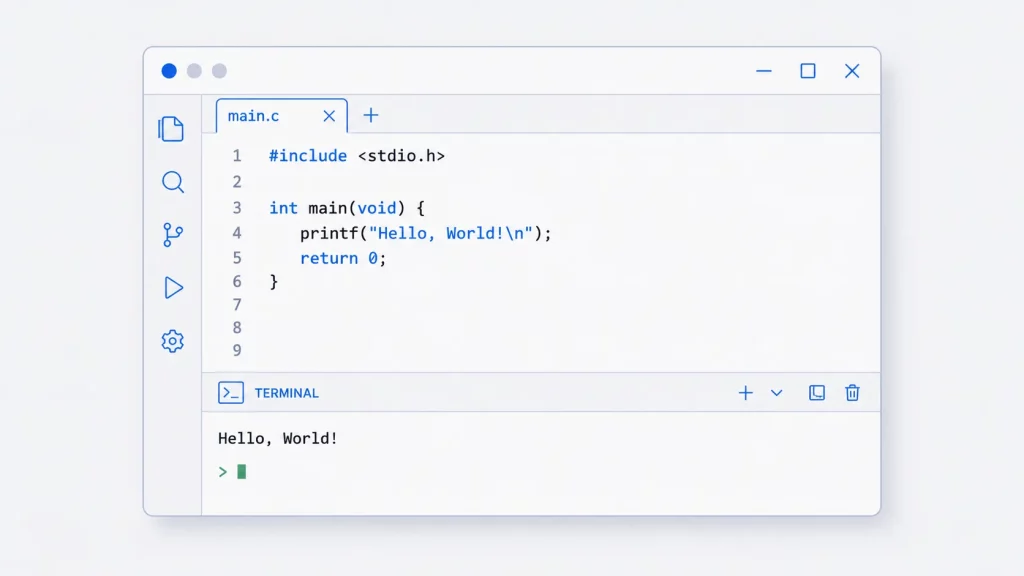
Every C programmer’s journey begins with the same few lines: the “Hello, World!” program, which simply displays the text “Hello, World!” on the screen. It’s the traditional first program in any language — a quick way to confirm your setup works and to introduce the basic structure of a program. It’s also the starting point of our C programming tutorials series, and if you’re curious how it looks elsewhere, see our list of Hello World programs in 300 programming languages.
This guide walks through the C version line by line — explaining what each part does, how to compile and run it on Windows, Linux and macOS, the errors beginners hit most often, and a few variations to try next. Let’s take a look.
The Complete Program
#include <stdio.h>

int main(void)
{
    printf("Hello, World!\n");
    return 0;
}
When you compile and run this program, it prints:
Hello, World!
Line-by-Line Explanation
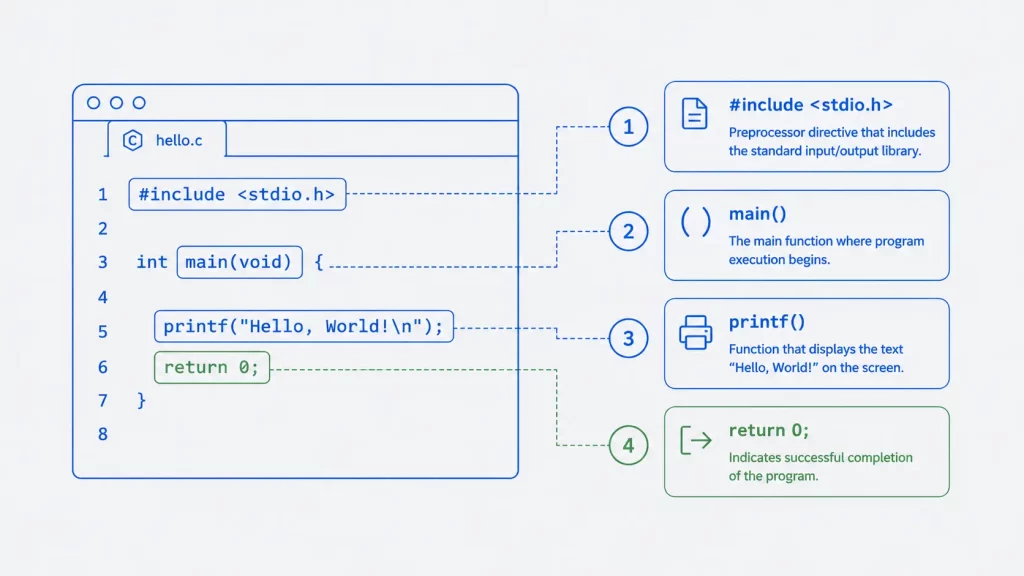
#include <stdio.h>— This line tells the compiler to include the standard input/output library, which containsprintf(). Without it, the program can’t print anything. Lines beginning with#are handled by the preprocessor before compilation.int main(void)— Every C program starts running frommain()function. Theintmeans it returns an integer to the operating system;voidmeans it takes no input arguments.printf("Hello, World!\n");—printf(“print formatted”) is the standard library function that writes text to the screen. The\nis an escape sequence that adds a newline so the next output starts on a fresh line. The semicolon ends the statement.return 0;— Returns0to the operating system, signalling that the program finished successfully. A non-zero value would indicate an error.
Understanding the printf Function
Because printf is the first function most C beginners meet, it’s worth understanding a little more. printf can do far more than print fixed text — it can format and insert values using format specifiers:
#include <stdio.h>

int main(void)
{
    int year = 2026;
    printf("Hello, World! It is %d.\n", year);
    return 0;
}
Here %d is replaced by the value of year. Common specifiers include %d (integer), %f (float), %c (character) and %s (string). You’ll use printf in almost every C program you write.
How to Compile and Run
Save your code in a file called hello.c, then compile and run it for your system:
| System | Compile | Run |
|---|---|---|
| Linux / macOS (GCC/Clang) | gcc hello.c -o hello | ./hello |
| Windows (MinGW GCC) | gcc hello.c -o hello.exe | hello.exe |
| Windows (Turbo C) | Press Ctrl+F9 in the IDE | Output shows in the console |
If you don’t have a compiler yet, see our guide to the best C and C++ compilers or how to set up Turbo C on Windows 10/11.
Common Errors Beginners Hit
| Error message | Cause | Fix |
|---|---|---|
undefined reference to 'printf' | Missing #include <stdio.h> | Add the include line at the top |
expected ';' before... | Missing semicolon | End the statement with ; |
'printf' was not declared | Typo (e.g. Printf, print) | C is case-sensitive — use lowercase printf |
| Output runs into the next line | Missing \n | Add \n inside the quotes |
Variations to Try
Once the basic program works, try these small modifications to build confidence:
// Ask for the user's name, then greet them
#include <stdio.h>

int main(void)
{
    char name[50];
    printf("What is your name? ");
    scanf("%49s", name);
    printf("Hello, %s!\n", name);
    return 0;
}
// Print Hello, World! five times with a loop
#include <stdio.h>
int main(void)
{
for (int i = 0; i < 5; i++)
printf("Hello, World!\n");
return 0;
}printf vs puts
You can also print text with puts(), which automatically adds a newline:
#include <stdio.h>

int main(void)
{
    puts("Hello, World!");
    return 0;
}
Use puts() for simple lines of text and printf() when you need formatting or to insert values. (Note: always include return 0; and use int main(void) — the earlier int main(int argc, char** argv) form is for programs that read command-line arguments, which you don’t need yet.)
FAQ
Next Steps
Now that your first program runs, continue with: