
GamePlay3D, usually written simply GamePlay, is an open-source C++ framework for making 2D and 3D games for desktop and mobile. It was created by Research In Motion (RIM), the company behind BlackBerry, and released in 2011 under the permissive Apache 2.0 licence to attract game developers to the BlackBerry PlayBook and BlackBerry 10. It went on to support Windows, macOS, Linux, iOS and Android, and its clean, compact codebase made it a favourite for learning how a game engine works.
This profile covers where GamePlay came from, how it works, a small game we built and ran with it, and where it stands in 2026. The short version: the code still builds and runs, but there has been no release since version 3.0 in 2015. Facts were checked against the GamePlay source repository, RIM’s 2011 announcement and news coverage in November 2026.
What Is GamePlay3D?
GamePlay3D is an open-source, cross-platform C++ game framework for 2D and 3D games, created by Research In Motion in 2011 and licensed under Apache 2.0. It provides an OpenGL and OpenGL ES renderer, a scene graph, Bullet physics, 3D audio, animation, a UI system and Lua scripting, for Windows, macOS, Linux, iOS and Android. The last release is v3.0.0 (2015).
GamePlay3D at a glance
| Also called | GamePlay, gameplay3d |
|---|---|
| Created by | Research In Motion (BlackBerry), 2011 |
| Lead developer | Sean Paul Taylor |
| Type | Code-first C++ framework for 2D and 3D games |
| Rendering | OpenGL (desktop), OpenGL ES (mobile) |
| Physics and scripting | Bullet physics; Lua bindings |
| Platforms | Windows, macOS, Linux, iOS, Android |
| Licence | Apache 2.0 |
| Last release | v3.0.0 (January 2015) |
| Status | Inactive; v4 rewrite stopped in 2021 |
From BlackBerry to Open Source
On October 18, 2011, at its DevCon Americas conference, RIM announced the Native Open Source Components Initiative: ports of popular open-source libraries and games to the QNX-based BlackBerry Tablet OS. Alongside ports such as Box2D, Bullet, Cocos2d-x and SDL, RIM released two components it had written itself, and one of them was GamePlay, “a gaming framework” (RIM’s 2011 announcement).
GamePlay was led by RIM developer Sean Paul Taylor, who remains its most active contributor, with a small RIM team including Darryl Gough and Steve Grenier. Development moved fast:
- 2012: a burst of more than 2,200 commits. Version 1.5, in October 2012, added Linux as a development platform (GameFromScratch on GamePlay 1.5).
- 2013: versions 1.6 and 1.7, then v2.0.0 in December 2013, adding Visual Studio 2013, iOS 7 and BlackBerry 10.2 support. RIM renamed itself BlackBerry that year.
- 2015: v3.0.0, tagged in January 2015, added 2D sprites, tilesets and text, C++11, 64-bit macOS, Android gamepads and Bullet Physics 2.82. The final changes reached the main branch in March 2016.
After that, BlackBerry moved away from its own smartphone platform, and GamePlay continued as a community project, with Taylor still committing from his personal accounts. In 2020 Taylor started a ground-up rewrite, v4 (the “super” branch), but its last commit was in February 2021, and it was never released.
How GamePlay Works
GamePlay is a framework, not an editor-based engine: you write a C++ class that derives from Game, and the framework calls it every frame. It includes:
- Rendering: OpenGL on desktop and OpenGL ES on mobile, with a shader-based material system and a built-in shader library.
- Scene graph: nodes with models, lights, cameras, audio sources, physics and particle emitters, loaded from declarative
.scene,.materialand animation files. - Content pipeline: the gameplay-encoder tool converts FBX models and TrueType fonts into GamePlay’s optimised binary
.gpbformat. - Physics from Bullet, with rigid bodies, characters, vehicles and ghost objects.
- Animation: skeletal character animation, with blending and clips.
- Terrain: heightmap terrains with multiple surface layers and level of detail.
- 2D: sprites, tilesets and text rendering.
- UI: a themeable 2D/3D user interface system with built-in controls and layouts.
- Audio: 3D audio with WAV and OGG support, through OpenAL.
- Input: mouse, keyboard, touch, gestures and gamepads.
- Scripting: Lua bindings for the whole API, plus a binding generator for your own classes.
- Gameplay helpers: AI agents, state machines and messaging.
The repository includes a new-project script and a “sample browser” with dozens of examples, from basic triangles and sprites to water, terrain and physics.
Hello, GamePlay: An Orbiting Ring
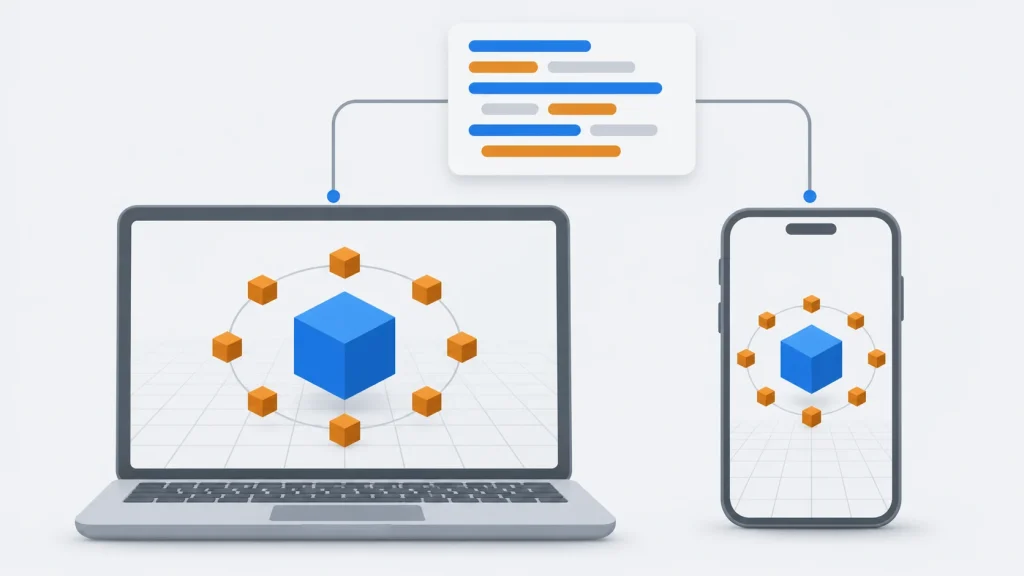
This small game loads the starter scene that GamePlay’s new-project template provides (a single box), clones the box eight times to make a ring, and spins the centre box one way and the ring the other:
// OrbitGame.cpp: a ring of boxes orbiting a spinning centre box in GamePlay 3.0
#include "gameplay.h"

using namespace gameplay;

class OrbitGame : public Game
{
public:
    OrbitGame() : _scene(NULL), _ring(NULL), _frames(0) {}

protected:
    void initialize()
    {
        _scene = Scene::load("res/demo.scene");
        _scene->getActiveCamera()->setAspectRatio(getAspectRatio());

        // Clone the scene's box eight times and arrange the copies in a ring
        Node* box = _scene->findNode("box");
        _ring = _scene->addNode("ring");
        for (int i = 0; i < 8; i++)
        {
            Node* copy = box->clone();
            float angle = MATH_DEG_TO_RAD(i * 45.0f);
            copy->setScale(0.35f);
            copy->setTranslation(cosf(angle) * 2.5f, 0.0f, sinf(angle) * 2.5f);
            _ring->addChild(copy);
            SAFE_RELEASE(copy);
        }
        print("Ring built with %u boxes\n", _ring->getChildCount());
    }

    void finalize()
    {
        SAFE_RELEASE(_scene);
    }

    void update(float elapsedTime)
    {
        float seconds = elapsedTime / 1000.0f;
        _scene->findNode("box")->rotateY(MATH_DEG_TO_RAD(90.0f * seconds));
        _ring->rotateY(MATH_DEG_TO_RAD(-30.0f * seconds));   // the ring orbits

        if (++_frames % 300 == 0)
            print("Frame %u, %u fps\n", _frames, getFrameRate());
    }

    void render(float elapsedTime)
    {
        clear(CLEAR_COLOR_DEPTH, Vector4(0.09f, 0.14f, 0.18f, 1.0f), 1.0f, 0);
        _scene->visit(this, &OrbitGame::drawNode);
    }

    void keyEvent(Keyboard::KeyEvent evt, int key)
    {
        if (evt == Keyboard::KEY_PRESS && key == Keyboard::KEY_ESCAPE)
            exit();
    }

private:
    bool drawNode(Node* node)
    {
        if (Drawable* drawable = node->getDrawable())
            drawable->draw();
        return true;
    }

    Scene* _scene;
    Node* _ring;
    unsigned int _frames;
};

OrbitGame game;
A few things to notice:
Gameprovides the loop: GamePlay callsinitialize()once, thenupdate()andrender()every frame, with the elapsed time in milliseconds.Scene::load()reads the declarative scene file, andfindNode()gets the box by the name it has in that file.clone()copies a node with its model and material. Adding the copies as children of theringnode means rotatingringmoves all eight at once.- GamePlay uses reference counting, so
SAFE_RELEASEdrops our reference once the ring owns the copy.
How we tested it: we built GamePlay’s main branch (v3.0) from source with CMake and gcc 13 on Ubuntu 24.04, created a project from its template, and ran this game under a virtual display with software OpenGL. It printed “Ring built with 8 boxes”, then reported a steady 56 frames per second every 300 frames, and the centre box and the ring spun in opposite directions as intended.
Games Made with GamePlay
GamePlay was mostly used by hobbyists, students and small studios, and few commercial games credit it publicly. Its best-known descendants are other projects built from its code:
- GPlayEngine, a community fork of GamePlay 3.0 that replaces its OpenGL renderer with the bgfx graphics library (GPlayEngine on GitHub).
- More than 1,300 forks of the GamePlay repository on GitHub, many of them personal engines and learning projects.
GamePlay in 2026
- No releases since 3.0. The main branch’s last code change was in March 2016; the only commit since is a one-line README edit in February 2025. The v4 rewrite stopped in February 2021.
- It still builds. We built the main branch with CMake on a current Linux system, as described in our test above. The repository’s prebuilt third-party libraries are from the 2010s, so other platforms may need more work.
- The website has changed hands. gameplay3d.org still describes the framework, but it now also carries unrelated advertising text, so the GitHub repository and its wiki are the reliable sources (GamePlay on GitHub).
- BlackBerry targets are gone. The framework once supported BlackBerry PlayBook and BlackBerry 10; the README now lists Windows, macOS, Linux, iOS and Android.
Common Misconceptions About GamePlay
- “GamePlay is still actively developed.” It isn’t. Version 3.0 (2015) is the last release, and the v4 rewrite stopped in 2021.
- “Guts and Glory was made with GamePlay.” It was made with Unity.
- “GamePlay has an editor like Unity or Godot.” It doesn’t. It’s a code-first framework; scenes come from files and the FBX encoder.
- “GamePlay is a BlackBerry-only engine.” It started at RIM, but it has supported iOS, Android and the major desktop systems since its early versions.
GamePlay Alternatives
- Godot: a free, open-source engine with an editor and a large community, if you want an actively developed engine. See our Godot engine profile.
- Horde3D: another small, readable open-source C++ 3D engine that’s still maintained. See our Horde3D profile.
- raylib: a simple, free C library for games, if you want a code-first framework that’s actively developed (raylib).
For more open-source engines, browse our directory of open-source C++ game engines.
Key Takeaways
- GamePlay3D is an open-source C++ game framework created by Research In Motion (BlackBerry) and announced in October 2011.
- It’s Apache 2.0-licensed, so you can use and change it freely in commercial games.
- It covers 2D and 3D, with OpenGL rendering, Bullet physics, animation, terrain, UI, audio and Lua scripting.
- Its last release is v3.0.0 (2015), and a v4 rewrite stopped in 2021.
- It still builds and runs today, as our test showed, and its compact code makes it good for learning.
- For new commercial projects, an actively maintained engine is the safer choice.
Conclusion
GamePlay is a reminder of a moment when phone makers competed for game developers by giving away engines. BlackBerry’s platform is gone, but the framework it funded is still a clean, well-organised C++ codebase that compiles and runs today. It’s no longer the right choice for a new commercial game, but for learning how a cross-platform engine is built, from its scene graph to its content pipeline, it’s still worth reading.
For more engines across every genre, browse our game development hub.