
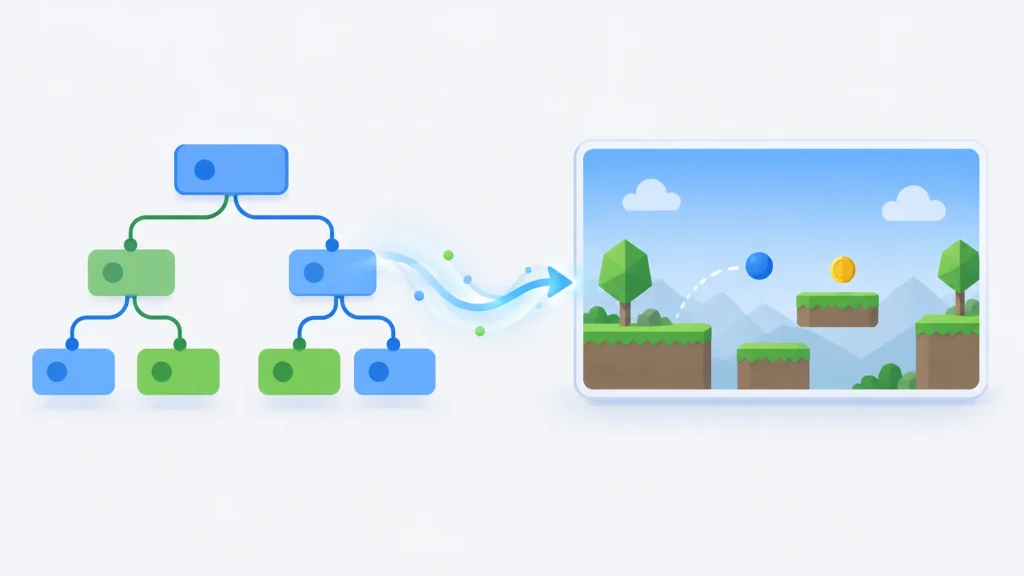
Godot is a free, open-source engine for making 2D and 3D games. You design games in its own editor, script them in GDScript, C# or C++, and export them to desktop, mobile and the web with a click. It’s released under the MIT licence, so there are no fees or royalties, and it’s developed by a large volunteer community supported by the not-for-profit Godot Foundation. In 2026 it’s behind hit games such as Slay the Spire 2, and the current release is Godot 4.7.
This profile covers what Godot is, how its scene and node system works, a short tested GDScript example, its renderers and platforms, the games made with it, and how it compares with other engines. Versions and dates were checked against Godot’s source repository and official documentation in October 2026, and the example was run on Godot 4.7.2.
What Is Godot?
Godot is a free, open-source 2D and 3D game engine released under the MIT licence. Its editor runs on Windows, macOS and Linux, and games are scripted in GDScript, C# or C++ (via GDExtension) and exported to desktop, Android, iOS and the web, with consoles available through third-party ports. The latest version is Godot 4.7 (June 2026); 4.7.2 shipped in August 2026.
Godot at a glance
| Created by | Juan Linietsky and Ariel Manzur; open-sourced February 2014 |
|---|---|
| Supported by | The Godot Foundation (not-for-profit) and community contributors |
| Latest release | Godot 4.7 (June 2026); patch 4.7.2 (August 2026) |
| Next release | Godot 4.8, estimated Q4 2026 |
| Long-term branch | Godot 3.x, latest 3.6.3 (August 2026) |
| Licence | MIT: free, no fees or royalties |
| Engine written in | C++ |
| Scripting | GDScript, C# (.NET) and C++ via GDExtension |
| Renderers | Forward+ and Mobile (Vulkan, Direct3D 12, Metal); Compatibility (OpenGL) |
| Editor runs on | Windows, macOS, Linux; Android; web (experimental) |
| Exports to | Windows, macOS, Linux, Android, iOS, web; consoles via third-party ports |
| 3D physics | Jolt Physics by default for new projects (since 4.6) |
| Notable games | Slay the Spire 2, Brotato, Dome Keeper, Cassette Beasts, Buckshot Roulette |
A Short History of Godot
Godot started as an in-house engine. Juan Linietsky and Ariel Manzur developed it for several years and used it on work-for-hire projects before releasing it as open source in February 2014; the commit that opened the code is titled simply “GODOT IS OPEN SOURCE” (Godot on GitHub).
The major releases since then:
| Version | Released | Highlights |
|---|---|---|
| 1.0 | December 2014 | First stable open-source release |
| 2.0 | February 2016 | Major editor and workflow update |
| 3.0 | January 2018 | Physically based rendering, C# support, VR |
| 4.0 | March 2023 | Rewritten renderer on Vulkan, GDScript 2.0, GDExtension for C++ |
Godot 4.7.2 (August 2026) is the latest patch release; the Godot 4.7 release page covers that version’s features in detail. The older 3.x branch is still maintained for projects that can’t move to Godot 4, with 3.6.3 released in August 2026.
What Changed in Each Godot 4 Release
Godot 4.0 was a rewrite of large parts of the engine, and every release since has filled gaps and smoothed edges. The highlights, from Godot’s own release announcements:
| Version | Released | Headline changes |
|---|---|---|
| 4.0 | March 2023 | New Vulkan-based renderer, GDScript 2.0, GDExtension for C++ and other languages |
| 4.1 | July 2023 | A release focused on stability, performance and polish |
| 4.2 | November 2023 | AMD FSR 2 upscaling, native file dialogs on desktop; more than 1,800 improvements from 359 contributors |
| 4.3 | August 2024 | New TileMapLayer node, 2D physics interpolation, interactive music, an overhauled visual shader editor and single-threaded web export; over 3,500 commits from more than 500 contributors |
| 4.4 | March 2025 | Jolt Physics built in (opt-in), the game window embedded in the editor with in-game editing, typed dictionaries, ubershaders to remove shader-compilation stutter, 3D physics interpolation |
| 4.5 | September 2025 | Stencil buffer, screen-reader support for UI (experimental, via AccessKit), a shader baker that precompiles shaders at export, script backtracing |
| 4.6 | January 2026 | New “Modern” editor theme, Jolt as the default 3D physics for new projects, a new inverse kinematics (IK) framework, movable floating docks, LibGodot for embedding the engine |
| 4.7 | June 2026 | AreaLight3D real-time area lights, HDR output, a new Asset Store, standalone Android export, Android XR and Steam Frame support |
Godot’s documentation estimates Godot 4.8 for Q4 2026.
How Godot Works: Scenes and Nodes
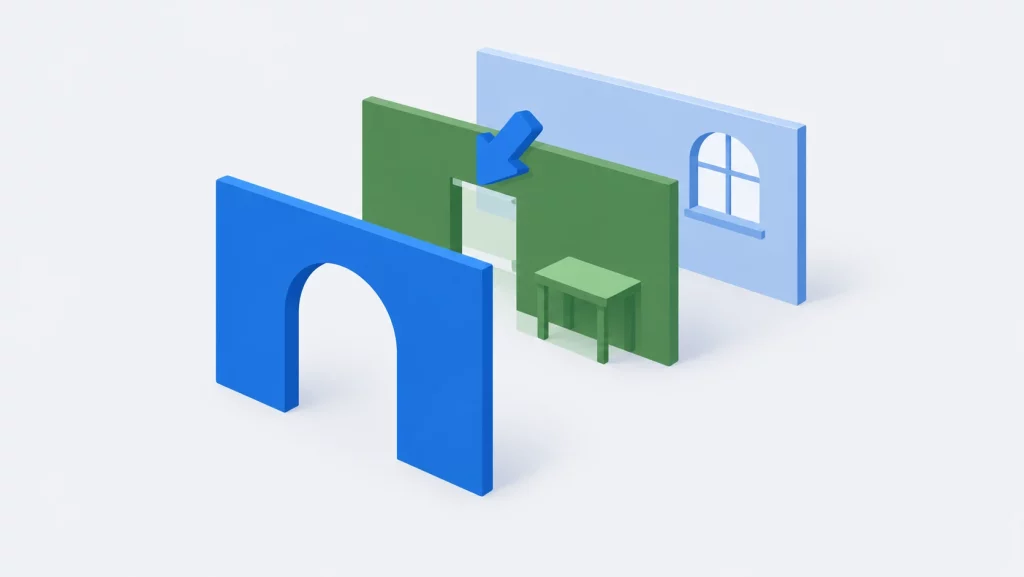
Everything in Godot is built from nodes, small objects that each do one job: draw a sprite, play a sound, detect collisions, follow the player with a camera. You arrange nodes into a tree and save it as a scene. A scene can be a whole level or a single reusable piece, such as a player, an enemy or a menu button, and scenes can be placed inside other scenes.
Behaviour comes from scripts attached to nodes, and nodes talk to each other through signals: one node emits a signal (“I was hit”, “button pressed”) and others react to it without being tightly coupled.
Inside the Godot Editor
The Godot editor is one window built from docks. Here’s the example project from this article open in Godot 4.7.2:
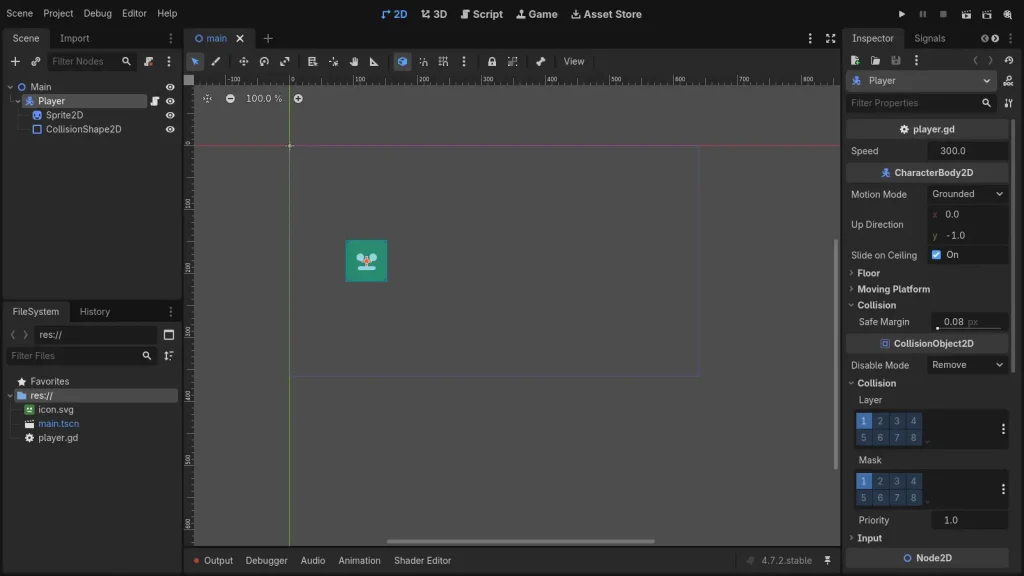
- Scene dock (top left): the node tree of the open scene. Here it’s Main, with the Player body and its sprite and collision shape.
- FileSystem dock (bottom left): every file in the project, from scenes (
.tscn) to scripts (.gd) and assets. - Viewport (centre): the 2D or 3D view where you place and edit nodes.
- Workspace tabs (top centre): switch between 2D, 3D and Script. There’s also Game, which embeds the running game in the editor (since 4.4), and Asset Store (new in 4.7).
- Inspector (right): the properties of the selected node. Because
player.gdmarksspeedwith@export, the value 300 appears here under the script’s name. You can change it without opening the code.
You press F5 (or the play button at top right) to run the game, and the editor’s bottom panel shows output, the debugger, audio buses, animation and the shader editor.
Programming Languages
Godot officially supports three languages:
- GDScript, Godot’s own Python-like language, built for the engine and recommended for beginners. It supports optional static typing, as in the example below.
- C#, through .NET. Godot’s documentation notes that C# projects in Godot 4 can’t yet export to the web, and C# on Android and iOS is still marked experimental.
- C++, through GDExtension, for performance-critical code. According to the documentation, C++ is almost always faster than GDScript or C#, but slower to develop with.
Community bindings add other languages, such as Rust, through GDExtension. The VisualScript visual-programming language was removed in Godot 4.0.
Hello, Godot: A Minimal GDScript Example
This script moves a character with the arrow keys (or a gamepad stick). Attach it to a CharacterBody2D node that has a Sprite2D and a CollisionShape2D as children, as in the diagram above:
extends CharacterBody2D

## Movement speed in pixels per second. Editable in the Inspector.
@export var speed: float = 300.0

func _physics_process(_delta: float) -> void:
	# Read the arrow keys (or a gamepad stick) as a direction vector.
	var direction := Input.get_vector("ui_left", "ui_right", "ui_up", "ui_down")
	velocity = direction * speed
	move_and_slide()  # Move, sliding along any walls it hits.
Input.get_vector() turns the four built-in ui_ actions into a direction, and move_and_slide() moves the body and handles collisions for you. The @export line makes speed editable in the Inspector without touching the code.
We ran this script on Godot 4.7.2 (official Linux build) in a minimal project. Holding the right arrow for 30 physics frames, half a second at Godot’s default 60 physics ticks per second, moved the character from x = 120 to x = 270: exactly 150 pixels at 300 pixels per second. The screenshot below is the running scene.

Renderers and Platforms
Godot 4 includes three renderers:
- Forward+, the most advanced, used by default on desktop. It runs on Vulkan, Direct3D 12 or Metal.
- Mobile, with fewer features but faster on simple scenes, used by default on mobile. It also runs on Vulkan, Direct3D 12 or Metal.
- Compatibility, based on OpenGL, for low-end hardware and the web.
The editor runs on Windows, macOS and Linux, with an Android editor and an experimental web editor. Games export to those platforms plus iOS and the web. Consoles aren’t built in, because console makers’ SDKs are confidential and can’t be included in an open-source engine. Instead, developers ship on Nintendo Switch, PlayStation and Xbox through third-party porting companies and middleware, such as W4 Games (Godot’s console support page).
System Requirements
Godot’s editor is light. According to the official documentation, the minimum for working on a simple 2D or 3D project is:
| Minimum for the desktop editor | |
|---|---|
| CPU | x86_64 with SSE4.2 (or x86_32 with SSE2) on Windows and Linux; Intel or Apple Silicon on macOS; ARM on Windows and Linux too |
| GPU | Integrated graphics with Vulkan 1.0 for the Forward+ and Mobile renderers, or OpenGL 3.3 for Compatibility |
| RAM | 4 GB (8 GB for the web editor) |
| Storage | 200 MB, plus up to 1.5 GB of export templates |
| OS | Windows 10, macOS 11 or later (Intel, Compatibility) / macOS 13 (Apple Silicon), or a Linux distribution released after 2018 |
The Android editor runs on 3 GB of RAM. iOS can run exported games but not the editor. If your graphics only support OpenGL, choose the Compatibility renderer when you create a project.
Games Made with Godot
Godot’s official showcase lists dozens of commercial games (Godot showcase). Some of the best known:
| Game | Developer | Notes |
|---|---|---|
| Slay the Spire 2 | Mega Crit | Deck-building roguelike; entered Early Access on March 5, 2026, and sold 3 million copies in its first week (GamingOnLinux) |
| Brotato | Blobfish | Arena shooter roguelite |
| Dome Keeper | Bippinbits | Mining and tower-defence roguelike |
| Cassette Beasts | Bytten Studio | Open-world monster-collecting RPG |
| Buckshot Roulette | Mike Klubnika | Tense, pared-back horror game |
| The Case of the Golden Idol | Color Gray Games | Detective puzzle game |
| Halls of Torment | Chasing Carrots | Retro-styled action roguelite |
Who Funds and Builds Godot
Godot has no owner. Each contributor keeps the copyright to their own code, all of which is under the MIT licence. Since 2022 the project’s home has been the Godot Foundation, a not-for-profit in the Netherlands. It replaced the Software Freedom Conservancy as Godot’s legal home, following the model of Blender and Krita. The Foundation pays a small team of developers from donations, collected since September 2023 through the Godot Development Fund.
The fund arrived at a turning point. Days after Unity announced a per-install Runtime Fee in September 2023, Terraria developer Re-Logic donated $100,000 to Godot, plus $1,000 a month. A Godot Foundation developer later said the engine’s user base doubled in a month, growth that usually took about a year (Game World Observer’s report). Unity later dropped the fee, but many studios that moved stayed.
The work itself is done in the open on GitHub. Godot’s git history shows the scale: more than 87,000 commits since 2014, from about 3,900 author addresses, and around 700 contributors in each full year since 2023.
Godot vs Unity and Unreal
- Cost and licence: Godot is free under MIT, with no fees, revenue share or royalties at any size. Unity and Unreal are proprietary, with their own licence terms for commercial releases.
- Size and setup: the Godot editor is a single small download with no installer or account required.
- 2D: Godot has a dedicated 2D engine, not a 3D engine viewed from one side, which makes it a strong choice for 2D games.
- 3D: Godot 4’s renderer has improved a lot, but Unreal remains the leader for high-end 3D, and Unity has a larger asset store and more third-party tools.
- Consoles: Unity and Unreal support consoles directly; Godot relies on third-party ports.
For a deeper comparison of the other two, see our Unreal Engine vs Unity comparison and our Unity engine profile.
Godot Alternatives
If Godot doesn’t fit your project, consider:
- Unity: a large ecosystem and direct console support, with C# scripting. See our Unity engine profile.
- Unreal Engine: the leading choice for high-end 3D, with C++ and Blueprints. See our Unreal Engine profile.
- GDevelop or Construct: if you’d rather build 2D games with events instead of code. See our Construct profile.
For more open-source engines, see our directory of open-source C++ game engines.
Key Takeaways
- Godot is a free, open-source 2D and 3D engine under the MIT licence, with no fees or royalties.
- The latest version is Godot 4.7 (June 2026), with 4.7.2 released in August 2026; the 3.x branch is still maintained.
- Games are built from nodes and scenes, and scripted in GDScript, C# or C++ via GDExtension.
- It exports to Windows, macOS, Linux, Android, iOS and the web, with consoles through third-party ports.
- It powers hits such as Slay the Spire 2, which sold 3 million copies in its first Early Access week.
- A moving character takes about 10 lines of GDScript, as the tested example shows.
- Godot 4 has shipped a feature release every four to nine months since 2023, with Jolt physics, an embedded game window, a shader baker and a new IK framework along the way.
- It’s funded by donations to the not-for-profit Godot Foundation, and its contributor base roughly doubled between 2020 and 2024.
Godot FAQ
Can I sell a game made with Godot, and do I have to credit it?
Yes, you can sell it, and you owe no fees or royalties. The MIT licence’s only requirement is that the licence text is included somewhere in your game, such as a credits screen or a licence file shipped with it. Godot’s documentation gives the exact wording and also covers third-party library notices (Godot’s licence compliance guide). Your game itself can use any licence you like.
Which Godot version should I use in 2026?
For a new project, Godot 4.7, the latest stable branch. Godot 4.7 and 4.6 receive bug and security fixes, while 4.5 receives security and platform fixes only. Godot 3.6 is still maintained for older projects, and new 3.x features are in a beta 3.7 branch with no release date.
Can I upgrade a Godot 3 project to Godot 4?
Yes, but it’s real work. Godot includes a conversion tool that handles most of the change automatically, and the remaining adjustments are manual, such as GDScript 2.0 syntax and renamed nodes. Within Godot 4, moving to a new minor version (4.6 to 4.7) rarely needs more than testing.
Will Godot run on my old laptop?
Very likely. The editor needs 4 GB of RAM and 200 MB of disk space. Any GPU with OpenGL 3.3 can use the Compatibility renderer, and Vulkan 1.0 integrated graphics are enough for Forward+.
Conclusion
Godot has grown from a small studio’s in-house engine into one of the most popular engines in game development, and it’s done it without fees, royalties or a company owning the code. For 2D games, smaller 3D projects and anyone who wants full control of their tools, it’s one of the best places to start in 2026.
For more engines across every genre, browse our game development hub.