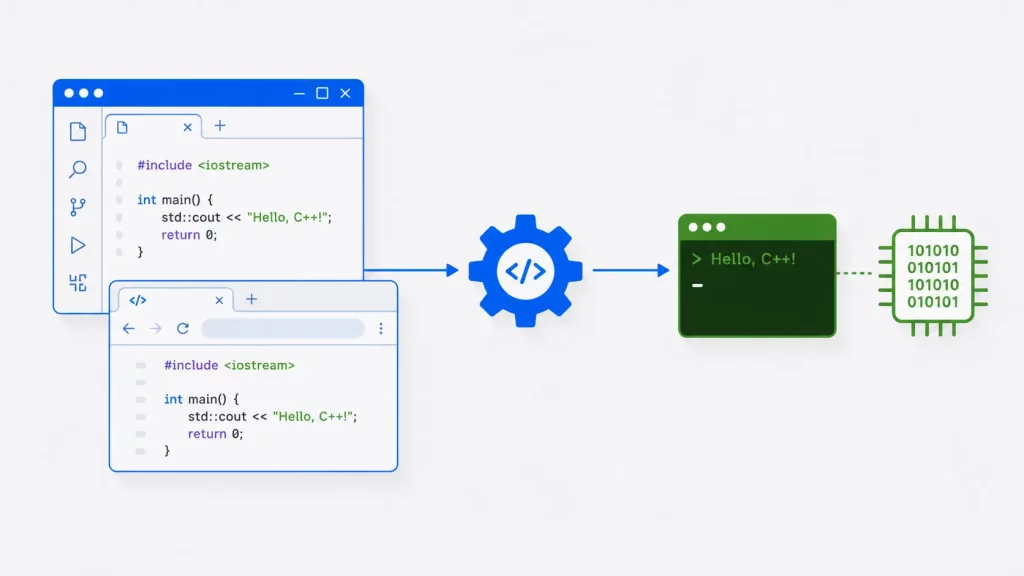
Choosing the right C++ compiler shapes your entire development workflow — how fast your code builds, which language features you can use, and how helpful your error messages are. With options ranging from free cross-platform toolchains to browser-based compilers, finding the best fit can be a challenge, especially as the language keeps evolving.
As we move into 2026, that evolution continues with C++26, the next ISO standard following C++23. C++26 is expected to be finalized this year, bringing major additions like native contracts, static reflection, and more powerful compile-time features. Because these capabilities change how developers write modern C++, it’s more important than ever to choose a compiler that offers strong — or at least experimental — support for the latest standards.
This guide compares the best C and C++ compilers, IDEs, and online tools available today, with clear recommendations for beginners and experienced developers alike. All the top compilers here — GCC, Clang, and MSVC — compile both C and C++, so it serves C programmers equally well. Whether you want cross-platform compatibility, the fastest builds, or the best Windows debugging experience, there’s a right tool here for you.
A C++ compiler is an application that translates C or C++ source code into the machine code a computer executes directly, while an IDE (Integrated Development Environment) bundles that compiler with an editor, debugger, and build tools in one application.
Every compiler in this guide has been checked against its latest 2026 release, with current version numbers, standards support, and official download links verified as of this update.
Best C++ Compilers at a Glance
| Compiler / IDE | Platform | Cost | C++ standard support | Best for |
|---|---|---|---|---|
| GCC 16 | Linux, Windows (MinGW), macOS | Free | C++23 full, C++26 experimental | Cross-platform, production, Linux |
| Clang / LLVM 22 | Linux, Windows, macOS | Free | C++23, initial C++26 | Fast builds, great diagnostics, tooling |
| MSVC (Visual Studio 2026) | Windows | Free (Community) | C++23, C++26 features | Windows and game development |
| Intel oneAPI DPC++ | Windows, Linux, macOS | Free | C++23 (Clang-based) | HPC, Intel-optimized numerical code |
| Compiler Explorer (Godbolt) | Browser | Free | GCC/Clang/MSVC (all) | Learning, sharing, viewing assembly |
| OnlineGDB / replit | Browser | Free | Recent GCC/Clang | Beginners, quick tests, no install |
| Embarcadero C++ Builder | Windows, macOS, iOS, Android | Paid (free trial) | Modern C++ | RAD, commercial GUI apps |
Quick takeaway: for most developers, GCC or Clang is the best default — both are free, cross-platform, and track the latest standards closely. On Windows, MSVC (Visual Studio Community) is the natural choice. To just start coding with zero setup, use an online compiler like Compiler Explorer or OnlineGDB.
What are the common uses of an IDE?
- Writing, editing, and debugging source code in different programming languages.
- Building and managing software applications and projects.
- Automating the software development process.
- Integrating with version control systems (such as Git and Subversion).
- Providing set of tools and resources to help programmers be more productive and efficient.
What is C++ Compilation Process
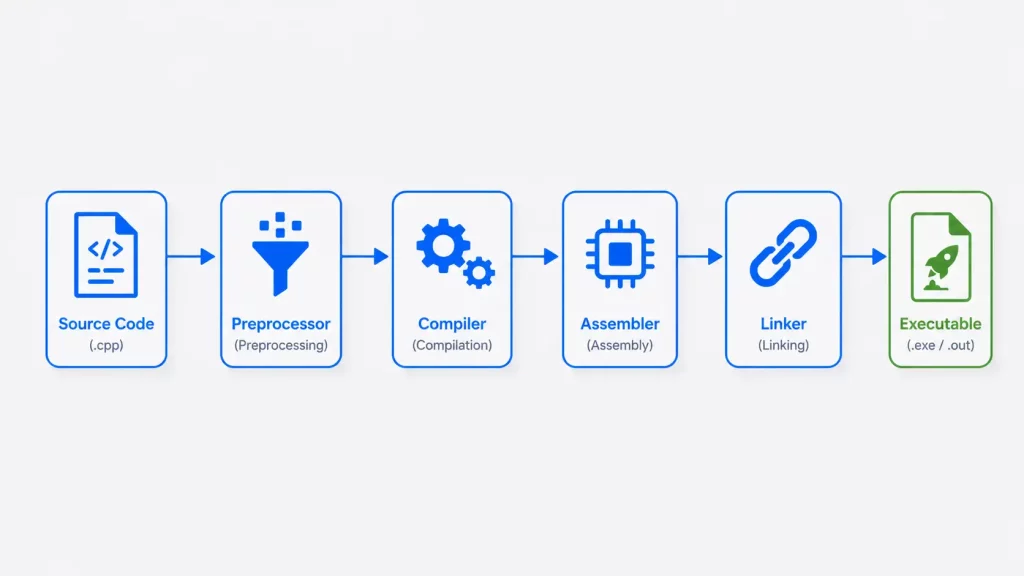
C++ Compiler transforms source code into machine readable code to execute directly by the computer. The following are the steps involved in the C++ compilation process:
- Pre-processing: First, the pre-processor reads the source code and performs macro expansions, inclusion of header files, and other operations as specified by pre-processor directives (#include, #define, #ifndef, etc.).
- Compilation: Second step performs the actual translation of the source code into object code. The object code is a machine-readable representation of the source code, but it is not yet executable.
- Assembly: The compiler then passes the object code to an assembler, which converts the object code into assembly code.
- Linking: The linker then combines assembly code with any library functions that are required by the program and resolves any references to external symbols/libraries. The linker produces an executable file to run on the target platform.
- Execution: Finally, the compiler produces and executable file that runs on the computer system.
Note that the exact steps involved in the C++ compilation process may vary slightly depending on the specific compiler and development environment. Some compilers, for example, may perform the pre-processing, compilation, and linking stages in a single step.
What are the main features of C++ Compiler?
- C++ Compiler translates C or C++ source code into machine readable code to execute directly by the computer.
- It optimizes the machine code to improve its performance by dead code elimination, register allocation, and instruction scheduling.
- Checks the source code for syntax and semantic errors before execution, and providing error/warning messages that helps programmer fix the issues.
- C++ Compiler proves a bridge between the high-level abstractions of C++ code and the underlying hardware.
Best C++ Compilers/IDE
Here are ten of the best C++ compilers and IDEs to use in 2026, in no particular order.
1) GCC (GNU Compiler Collection)

GCC (GNU Compiler Collection) is a free and open-source compiler for various programming languages including C, C++, Objective-C, FORTRAN, Ada, and others. It is widely used for various platforms including Linux, UNIX, and macOS.
Main features of GCC:
- Cross-platform Compatibility: GCC supports multiple platforms and operating systems, including Windows, Linux, macOS, and various other Unix-like systems.
- High Performance: GCC uses advanced optimization techniques to produce highly optimized code, making it a popular choice for high-performance computing and embedded systems.
- Standard C++ Compliance: GCC implements a large number of language standards, including ISO C11, ISO C++17, full C++23 support, and experimental C++26 support. C++26 features have been available since GCC 14, with GCC 16 the current release.
- Debugging and Profiling: GCC includes a powerful debugger, GDB, and a profiler, which can be used to analyze and optimize code performance.
- Inter-language Support: GCC provides support for compiling and linking code written in multiple programming languages, making it a popular choice for projects that involve multiple languages.
- Active Community: GCC is an active open-source project with a large and dedicated community of developers, ensuring that it continues to improve and evolve over time.
Homepage URL: GCC (GNU Compiler Collection)
2) LLVM Clang

Clang is a C, C++, and Objective-C compiler that is developed by the LLVM Project. It is known for its high performance, good diagnostics, and compatibility with the latest language standards.
Main features of Clang:
- Fast Compile Times: Clang has a reputation for fast compile times, making it a popular choice for large, complex projects.
- High-quality Diagnostics: Provides clear and concise error messages, making it easier to identify and fix problems in your code.
- Standard C++ Compliance: Clang implements the latest language standards, including full C++23 and initial C++26 support (current release: Clang 22), alongside C and Objective-C, with best-in-class diagnostics.
- Inter-language Support: Clang provides support for compiling and linking code written in multiple programming languages. This makes it a popular choice for projects that involve multiple languages.
- Active Community: It has an active open-source project with a large and dedicated community of developers, ensuring that it continues to improve and evolve over time.
- Clang Static Analyzer: It includes a static code analyzer tool, which can be used to analyze your code and identify potential problems such as memory leaks and undefined behavior.
- Auto Code Format: It includes a tool called Clang-Tidy, which can be used to automatically format and clean up code, making it easier to maintain and improve.
- Integration with other Tools: Clang integrates well with other development tools, such as IDEs and build systems, making it a popular choice for many developers.
- Open-source and Cross-platform: Makes it accessible and usable on a wide range of systems and platforms.
- Optimizing Code Generation: By using advanced code generation techniques of the tool, it is possible to produce highly optimized code.
Homepage URL: LLVM Clang
3) Microsoft Visual C++
Microsoft Visual C++ is a C and C++ compiler that is part of Microsoft’s Visual Studio Integrated Development Environment (IDE). Some of its key features related to C++ compilation are listed below.
Main features of Microsoft Visual C++:
- Code Editing: Visual Studio provides a rich code editor that supports syntax highlighting, code navigation, and IntelliSense, making it easier to write, debug, and maintain C++ code.
- Build System: Build system automates the process of compiling, linking, and building C and C++ applications.
- Debugging: Integrated debugger makes it easy to find and fix bugs in your code. The debugger supports breakpoints, watches, and other advanced debugging features.
- Standard Library Support: Microsoft Visual C++ includes Standard Library, which provides a comprehensive set of classes and functions for C and C++ development.
- Standard Compliance: Visual Studio implements the latest standards, including full C++23 and ongoing C++26 feature support in Visual Studio 2026, ensuring compatibility with the newest language specifications.
- Cross-platform Development: Programmers use it to develop code for a variety of platforms. For example, Windows, iOS, and Android.
- Advanced Code Generation: Visual C++ uses advanced code generation techniques to produce highly optimized code, ensuring that your code runs as fast as possible.
- Support for Parallel Programming: VC++ includes support for parallel programming, making it easier to write code that takes advantage of multi-core processors and hardware acceleration features.
- Dynamic Memory Management: Visual C++ includes support for dynamic memory management, making it easier to write code that is both efficient and robust.
Homepage URL: Microsoft Visual C++
Download Free Microsoft Visual Studio IDE with C++
4) C++ Builder
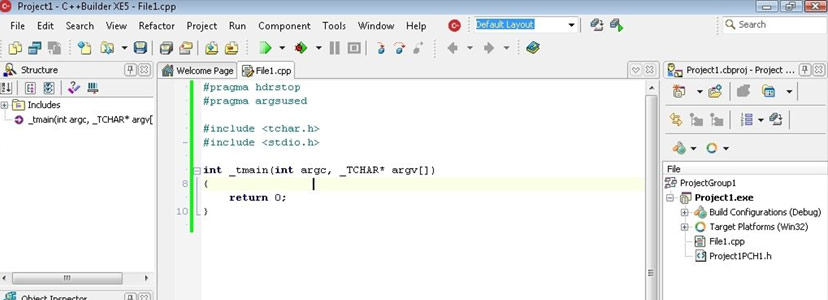
C++ Builder is a rapid application development (RAD) environment for developing applications in the C++ programming language. It is developed by Embarcadero Technologies and is part of the RAD Studio suite. Some of its main features include:
Main features of C++ Builder:
- Modern C++ language Support: Supports the modern C++ standards including C++17, C++20, and C++23.
- Visual Component Library (VCL): C++ Builder has a collection of visual and non-visual components for building Windows applications.
- Cross-platform development: Allows you to develop applications for Windows, macOS, iOS, and Android.
- High-performance UI: Includes visual design tools for creating high-performance and visually appealing user interfaces.
- Database Support: Integrates with popular database systems such as SQL Server, Oracle, and InterBase.
- Debugging and Profiling Tools: Includes integrated debugging and profiling tools for optimizing application performance.
- Cloud and Web development: Includes support for developing cloud and web-based applications, including RESTful services and web-based user interfaces.
Homepage URL: C++ Builder
Download Free Trial of C++ Builder
5) Dev C++
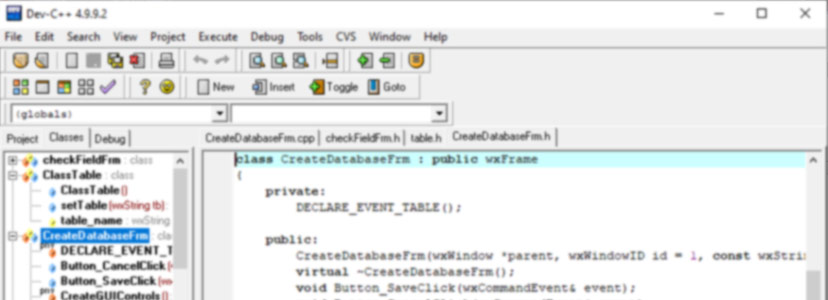
Dev-C++ is a free, open-source IDE for C++. The original Bloodshed version has been discontinued; the actively maintained version is the Embarcadero Dev-C++ fork.
Main features of Dev C++:
- Syntax Highlighting: Automatically highlights C++ keywords, comments, and other language elements for improved code readability.
- Code Completion: Dev C++ suggests code snippets based on the context of what you are typing, making it easier to write code quickly and efficiently.
- Integrated Debugger: A built-in debugger that allows you to step through your code and inspect variables, making it easier to find and fix bugs.
- Project Management: Lets you organize and manage multiple projects within the same IDE, making it easy to switch between different projects.
- Compiler Support: Includes support for the GCC compiler, which is widely used for compiling C++ code.
- Plug-in Support: Dev C++ supports plug-ins, which are programs that extend the IDE to provide additional functionality.
- Source Code Control: Includes support for version control systems such as Git, making it easier to manage and track changes to your code.
- Active Community: Has a large and active community of users and developers who provide support and resources for using Dev C++.
Homepage URL: Dev-C++
6) Digital Mars C/C++
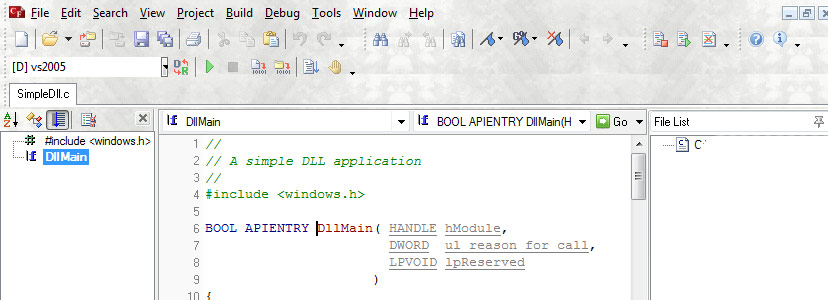
Digital Mars C/C++ is a fast and efficient C++ compiler for Windows, Linux, and macOS. It is developed by Digital Mars Company and multiple tools are available for C and C++ Development. Here are some of the main features of Digital Mars C/C++.
Main features of Digital Mars C/C++:
- Fast Compilation: Known for its fast compilation speed and often used for large projects where quick build times are important.
- Standard Compliance: It follows the ANSI standard for the C and C++ programming languages, ensuring compatibility with a wide range of systems and applications.
- Portability: Supports multiple platforms, including Windows, Linux, and macOS, making it easy to write and maintain cross-platform code.
- Optimization: It includes several optimization options for generating high-performance code such as minimizing code size and maximizing runtime performance.
- Standard library Support: Includes support for the Standard C++ Library, making it easy to use common functions and data structures in your code.
- Large project Support: Designed to handle large projects, it can compile and link code with many thousands of lines of code with ease.
- Modern C++ Support: Supports C++11 and C++14 (it has not kept pace with modern C++ standards).
Homepage URL: Digital Mars C/C++
Download Free Digital Mars C/C++
7) Eclipse IDE – CDT (C/C++ Development Tools)
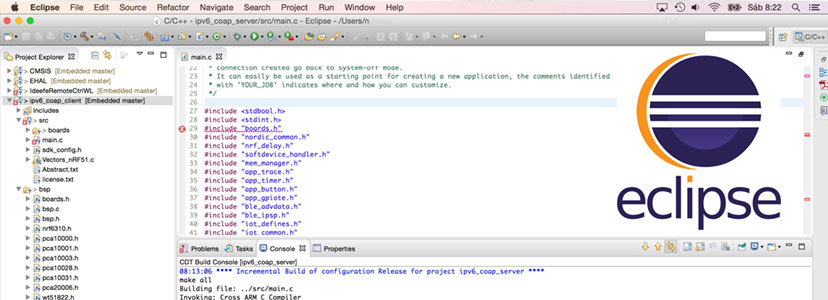
Eclipse IDE is a free, open-source integrated development environment (IDE) for the C++ programming language. It is part of the Eclipse platform and is developed by the Eclipse Foundation.
Main features of Eclipse IDE for C++
- Cross-platform Compatibility: Eclipse runs on multiple platforms, including Windows, Linux, and macOS, making it a popular choice for cross-platform development.
- Code Editing: Eclipse IDE has an advanced code editing features, such as syntax highlighting, code folding, and code completion, to help you write code more efficiently.
- Integrated Debugger: Includes an integrated debugger that allows you to step through your code, inspect variables, and find and fix bugs.
- Project Management: This IDE lets you manage multiple projects at once, making it easy to switch between different projects.
- Plug-in Support: Supports plug-ins, which are small programs that can be added to the IDE to provide additional functionality.
- Version Control: Includes support for version control systems, such as Git and Subversion, making it easier to manage and track changes to your code.
- Build and Deployment: Includes a powerful build system that can handle complex build and deployment processes.
- Active Community: Has a large and active community of users and developers who provide support and resources for using Eclipse IDE for C++.
Homepage URL: Eclipse IDE for C++
8) Qt Creator for C++
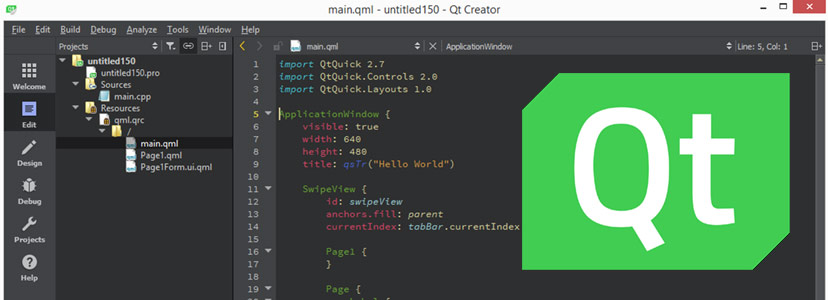
Qt Creator is a free, open-source, and cross-platform integrated development environment (IDE) designed specifically for the development of applications using the Qt framework. It is written in C++ and provides a wide range of features to help developers create applications quickly and efficiently.
Main features of Qt Creator include:
- Code Editor: Qt Creator provides a code editor with syntax highlighting, code completion, and refactoring support.
- Debugging: The IDE has an integrated debugger that allows you to debug your application as you develop it.
- Project Management: Qt Creator provides a project management system that makes it easy to organize and manage your code.
- UI Design: The IDE includes a drag-and-drop interface designer for creating user interfaces for your applications.
- Efficient Build System: Qt Creator provides a flexible build system that supports multiple compilers and build configurations.
- Version Control: Qt Creator integrates with popular version control systems, such as Git, Subversion, and Mercurial, to provide an integrated development workflow.
- Cross Platform Support: Qt Creator supports multiple platforms, including Windows, Linux, macOS, and others.
Homepage URL: Qt Creator
9) Intel C++ Compiler

The Intel C++ Compiler, also known as the Intel oneAPI DPC++/C++ Compiler, is a commercial-grade compiler that is designed to optimize C++ code for Intel architecture. It is part of the Intel open oneAPI industry standards initiative and is available for Windows, Linux, and macOS platforms.
The main features of the Intel C++ Compiler include:
- OpenMP support: The compiler supports the OpenMP programming model for shared memory parallel programming.
- High-level optimizations: The compiler includes optimizations for performance-critical libraries, such as the Intel Math Kernel Library and Threading Building Blocks.
- Floating-point precision: The compiler provides flexible floating-point precision options, allowing developers to choose the level of precision for their application.
- Code optimization: The compiler uses the latest Intel processors, vectorization, and auto-parallelization capabilities to improve code performance.
- Compatibility: The Intel C++ Compiler is compatible with the latest C++ standard and supports both Microsoft Visual Studio and GCC development environments.
- Debugging and Profiling: The Intel C++ Compiler includes tools for debugging and profiling, including Intel VTune Amplifier, Intel Advisor, and Intel Inspector.
- Vectorization Advisor: The Vectorization Advisor helps developers identify and optimize loops in their code to take advantage of vector processing capabilities.
Homepage URL: The Intel C++ Compiler
Download oneAPI DPC++ compiler
10) NetBeans IDE for C++
NetBeans IDE is a free, open-source, and cross-platform integrated development environment (IDE) designed for C++ development, as well as other programming languages such as Java, PHP, and HTML5. It is written in Java and provides a range of features to help developers create applications quickly and efficiently.
Main features of NetBeans IDE for C++ include:
- Code Editor: NetBeans provides a code editor with syntax highlighting, code completion, and code folding.
- Debugging: The IDE has an integrated debugger that allows you to debug your application as you develop it.
- Project Management: NetBeans provides a project management system that makes it easy to organize and manage your code.
- Refactoring: NetBeans provides code refactoring support, which makes it easier to restructure your code and make it more maintainable.
- C++11 Support: Works with modern compilers (GCC, Clang) and the C++ standards they support.
- Cross-platform Compatibility: NetBeans supports multiple platforms, including Windows, Linux, macOS, and others.
- Version Control: NetBeans integrates with popular version control systems, such as Git, Subversion, Mercurial, and others, to provide an integrated development workflow.
- Plug-in Support: NetBeans has a plug-in architecture that allows you to extend its functionality by installing additional plug-ins from the NetBeans plug-in portal.
Homepage URL: Apache NetBeans IDE
Best Online C++ Compilers (No Installation Needed)
Sometimes you don’t want to install anything — you just want to write and run C++ in a browser. These online compilers are ideal for learning, quick experiments, interviews, and sharing code.
- Compiler Explorer (godbolt.org) — the developer favorite. It shows your code’s compiled assembly side by side, lets you switch between GCC, Clang, MSVC and dozens of versions, and is the standard tool for understanding what the compiler actually does. Invaluable for learning optimization and modern C++.
- OnlineGDB — a full online compiler and debugger. You can set breakpoints and step through C++ in the browser, which most online tools can’t do.
- Programiz and replit — beginner-friendly environments with a clean editor, good for writing your first programs without any local setup.
Online compilers are perfect for beginners and quick tests, but for real projects you’ll eventually want a local compiler (GCC, Clang, or MSVC) for full control, larger builds, and library support.
Which C++ Compiler Should You Choose?
If you’re a beginner, start with an online compiler so you can write code immediately, then install GCC or use Visual Studio Community — and work through our C++ tutorials as you go. New to the language itself? Begin with our complete guide to C++ programming basics before choosing a toolchain.
If you’re on Windows and building Windows apps: MSVC in Visual Studio 2022 is the natural choice — the best Windows debugging experience and tight platform integration.
If you want cross-platform or work on Linux/macOS: GCC or Clang are the standards. Clang is often preferred for its clearer error messages and faster builds; GCC for its broad platform reach and mature optimization.
If you’re doing high-performance or numerical work: the Intel oneAPI DPC++ Compiler adds Intel-specific optimizations on top of an LLVM/Clang base.
If you want a full IDE with a modern editor: pair any of these compilers with VS Code (free, works with GCC/Clang/MSVC via extensions), Visual Studio (Windows, MSVC built in), or CLion (JetBrains, cross-platform, works with GCC/Clang/MSVC).
C++ Standard Support by Compiler
| Standard | GCC | Clang | MSVC |
|---|---|---|---|
| C++11 / C++14 | ✅ Full | ✅ Full | ✅ Full |
| C++17 | ✅ Full | ✅ Full | ✅ Full |
| C++20 | ✅ Full | ✅ Full | ✅ Full |
| C++23 | ✅ (GCC 11+) | ✅ (Clang 17+) | ✅ (VS 2022+) |
| C++26 | 🧪 Experimental (GCC 14+; current 16) | 🧪 Initial (Clang 20+, current 22) | 🧪 In progress (VS 2026) |
To enable a specific standard, pass the flag: -std=c++23 (or -std=c++26) on GCC and Clang, or set the C++ Language Standard in Visual Studio’s project properties.
Digital Mars, NetBeans, and Dev-C++ are legacy choices for modern C++; for C++17/20/23/26 development, we recommend the top IDEs above, and Dev-C++ users should prefer the maintained Embarcadero fork over the discontinued Bloodshed version. These older tools are worth knowing about historically — and if you want the classic DOS-era experience specifically, see our guide to Turbo C on Windows 10 and 11 — but for modern C++ development, default to GCC, Clang, or MSVC.
Frequently Asked Questions
Conclusion
There's no single "best" C++ compiler — the right choice depends on your platform and goals. For most developers, GCC or Clang is the ideal default: free, cross-platform, and current with the latest standards. On Windows, MSVC in Visual Studio 2022 gives the smoothest experience, and for high-performance numerical work, Intel oneAPI is worth the setup. If you're just starting out, skip the installation entirely and begin with Compiler Explorer or OnlineGDB in your browser. Whichever you pick, choosing a compiler that tracks C++23 and C++26 ensures your skills — and your code — stay current as the language evolves.