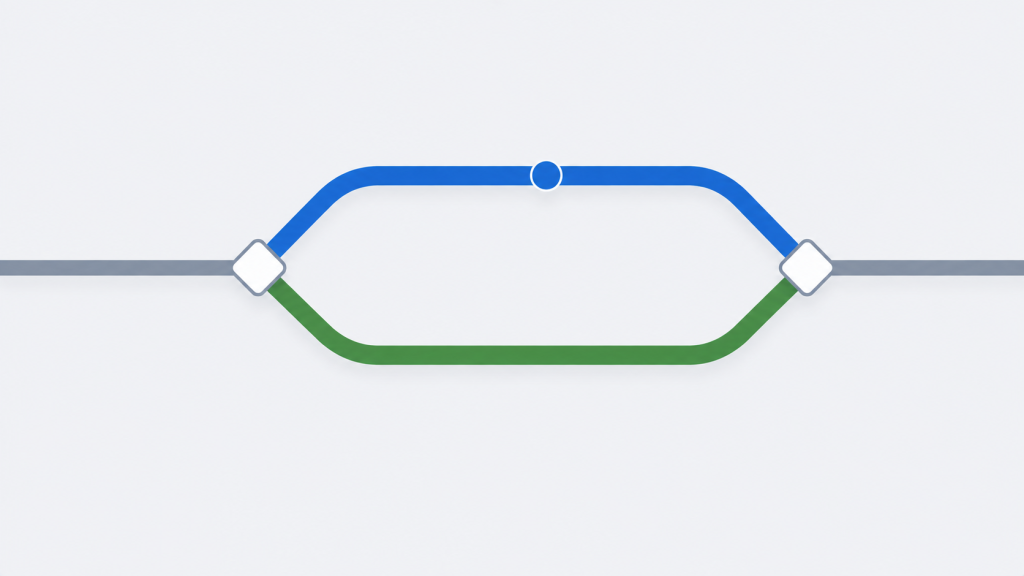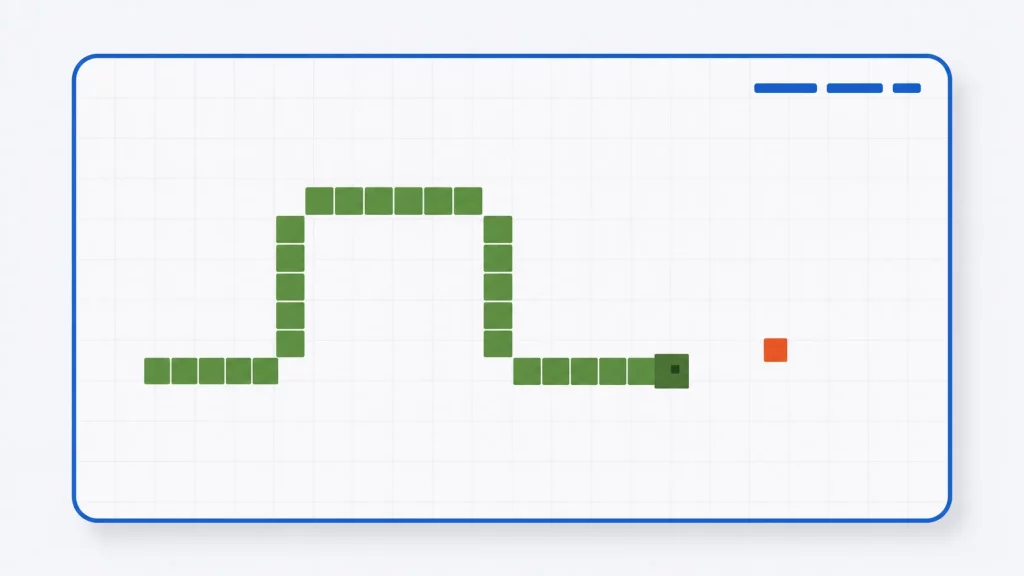
Snake is the perfect first game to program: the rules fit in a sentence, the graphics fit in a terminal, and yet building it teaches you a real game loop, input handling, collision detection, and the one data-structure insight that makes the whole thing click. This page gives you a complete, modern Snake in portable C — playable on Windows, Linux, and macOS — followed by a section-by-section walkthrough of how it works and ideas for making it your own.
The program below compiles clean with gcc -std=c11 -Wall -Wextra — verified on Linux and cross-verified for Windows with MinGW — and it was genuinely play-tested: steering, wall collisions, and the eat-and-grow scoring path were all exercised in real runs before publishing.
How the Game Works
Snake is a grid game driven by a timed loop. Each tick, the game reads any pending key presses, moves the snake one cell in its current direction, checks for collisions with the walls or its own body, and redraws the screen. Eating food (*) grows the snake by one cell and speeds the game up; hitting anything ends it.
The snake itself is just two arrays — snake_x[] and snake_y[] — holding the grid position of every segment, with index 0 as the head. That representation makes movement almost embarrassingly simple, as the walkthrough shows below.
Controls
| Key | Action |
|---|---|
W | Steer up |
S | Steer down |
A | Steer left |
D | Steer right |
Q | Quit immediately |
One rule the input code enforces: the snake can turn but never reverse — pressing A while moving right is ignored, because reversing would mean instant self-collision.
The Complete Source Code
Save this as snake.c. It is a single file with no dependencies beyond the standard library and your platform’s console API:
/* snake.c -- classic Snake for the terminal, in portable C11.
 * Controls: W A S D to steer, Q to quit.
 * Build (Linux/macOS):  gcc -std=c11 -Wall -Wextra snake.c -o snake
 * Build (Windows):      gcc -std=c11 -Wall -Wextra snake.c -o snake.exe
 */
#define _POSIX_C_SOURCE 200809L   /* for nanosleep on Linux/macOS */
#include <stdio.h>
#include <stdlib.h>
#include <time.h>

#define WIDTH  40
#define HEIGHT 20
#define MAX_LEN (WIDTH * HEIGHT)

/* ---- platform layer: kbhit/getch/sleep --------------------------- */
#ifdef _WIN32
#include <conio.h>
#include <windows.h>
static void platform_init(void)
{
    /* let classic cmd.exe understand ANSI escape codes */
    HANDLE h = GetStdHandle(STD_OUTPUT_HANDLE);
    DWORD mode = 0;
    GetConsoleMode(h, &mode);
    SetConsoleMode(h, mode | ENABLE_VIRTUAL_TERMINAL_PROCESSING);
}
static void platform_restore(void) {}
static int  key_pressed(void) { return _kbhit(); }
static int  read_key(void)    { return _getch(); }
static void sleep_ms(int ms)  { Sleep(ms); }
#else
#include <termios.h>
#include <unistd.h>
#include <sys/select.h>
static struct termios saved;
static void platform_init(void)
{
    struct termios raw;
    tcgetattr(STDIN_FILENO, &saved);
    raw = saved;
    raw.c_lflag &= ~(ICANON | ECHO);   /* no line buffering, no echo */
    tcsetattr(STDIN_FILENO, TCSANOW, &raw);
}
static void platform_restore(void)
{
    tcsetattr(STDIN_FILENO, TCSANOW, &saved);
}
static int key_pressed(void)
{
    struct timeval tv = { 0, 0 };
    fd_set fds;
    FD_ZERO(&fds);
    FD_SET(STDIN_FILENO, &fds);
    return select(STDIN_FILENO + 1, &fds, NULL, NULL, &tv) > 0;
}
static int  read_key(void)   { return getchar(); }
static void sleep_ms(int ms)
{
    struct timespec ts = { ms / 1000, (ms % 1000) * 1000000L };
    nanosleep(&ts, NULL);
}
#endif

/* ---- game state --------------------------------------------------- */
static int snake_x[MAX_LEN], snake_y[MAX_LEN];
static int snake_len;
static int dir_x, dir_y;          /* current direction, one cell/frame */
static int food_x, food_y;
static int score, delay_ms, alive;

static void place_food(void)
{
    int on_snake;
    do {                                    /* never spawn on the snake */
        on_snake = 0;
        food_x = 1 + rand() % (WIDTH  - 2);
        food_y = 1 + rand() % (HEIGHT - 2);
        for (int i = 0; i < snake_len; i++)
            if (snake_x[i] == food_x && snake_y[i] == food_y)
                on_snake = 1;
    } while (on_snake);
}

static void reset_game(void)
{
    snake_len = 3;
    for (int i = 0; i < snake_len; i++) {   /* start mid-screen, heading right */
        snake_x[i] = WIDTH / 2 - i;
        snake_y[i] = HEIGHT / 2;
    }
    dir_x = 1; dir_y = 0;
    score = 0;
    delay_ms = 120;
    alive = 1;
    place_food();
}

static void handle_input(void)
{
    while (key_pressed()) {
        int k = read_key();
        /* rule: the snake may turn, but never reverse into itself */
        if      ((k == 'w' || k == 'W') && dir_y !=  1) { dir_x = 0; dir_y = -1; }
        else if ((k == 's' || k == 'S') && dir_y != -1) { dir_x = 0; dir_y =  1; }
        else if ((k == 'a' || k == 'A') && dir_x !=  1) { dir_x = -1; dir_y = 0; }
        else if ((k == 'd' || k == 'D') && dir_x != -1) { dir_x =  1; dir_y = 0; }
        else if  (k == 'q' || k == 'Q' || k == EOF) { alive = 0; return; }
    }
}

static void update(void)
{
    int new_x = snake_x[0] + dir_x;
    int new_y = snake_y[0] + dir_y;

    /* collision: walls */
    if (new_x <= 0 || new_x >= WIDTH - 1 || new_y <= 0 || new_y >= HEIGHT - 1) {
        alive = 0;
        return;
    }
    /* collision: own body */
    for (int i = 0; i < snake_len; i++) {
        if (snake_x[i] == new_x && snake_y[i] == new_y) {
            alive = 0;
            return;
        }
    }

    int ate = (new_x == food_x && new_y == food_y);
    if (ate && snake_len < MAX_LEN) {
        snake_len++;                         /* grow: keep the tail */
        score += 10;
        if (delay_ms > 50) delay_ms -= 5;    /* speed up every meal */
    }

    /* move: shift every segment toward the tail, then write new head */
    for (int i = snake_len - 1; i > 0; i--) {
        snake_x[i] = snake_x[i - 1];
        snake_y[i] = snake_y[i - 1];
    }
    snake_x[0] = new_x;
    snake_y[0] = new_y;

    if (ate) place_food();
}

static void draw(void)
{
    static char frame[HEIGHT][WIDTH + 1];

    for (int y = 0; y < HEIGHT; y++) {       /* borders and empty space */
        for (int x = 0; x < WIDTH; x++) {
            int edge = (y == 0 || y == HEIGHT - 1 || x == 0 || x == WIDTH - 1);
            frame[y][x] = edge ? '#' : ' ';
        }
        frame[y][WIDTH] = '\0';
    }
    frame[food_y][food_x] = '*';
    for (int i = 1; i < snake_len; i++)
        frame[snake_y[i]][snake_x[i]] = 'o';
    frame[snake_y[0]][snake_x[0]] = 'O';     /* head drawn last, on top */

    printf("\033[H");                        /* ANSI: cursor to top-left */
    for (int y = 0; y < HEIGHT; y++)
        puts(frame[y]);
    printf("Score: %d   (WASD to steer, Q to quit)\n", score);
}

int main(void)
{
    srand((unsigned) time(NULL));
    platform_init();
    printf("\033[2J");                       /* ANSI: clear screen once */
    reset_game();

    while (alive) {
        handle_input();
        update();
        draw();
        sleep_ms(delay_ms);
    }

    platform_restore();
    printf("\nGame over -- final score: %d\n", score);
    return 0;
}
Build and run:
Linux / macOS:  gcc -std=c11 -Wall -Wextra snake.c -o snake && ./snake
Windows (MinGW): gcc -std=c11 -Wall -Wextra snake.c -o snake.exe && snake.exe
A few seconds into a game, the screen looks like this (borders #, food *, head O, body o):
########################################
#                                    * #
#                                      #
#              ooooO                   #
#                                      #
########################################
Score: 10   (WASD to steer, Q to quit)
Code Walkthrough
The platform layer: one game, two consoles
The only genuinely non-portable parts of a terminal game are reading a key without waiting and sleeping between frames. The program isolates all of it in four tiny functions behind an #ifdef:
- Windows uses
<conio.h>‘s_kbhit()/_getch()andSleep(), plus oneSetConsoleModecall so that classiccmd.exeunderstands the ANSI escape codes used for drawing (Windows Terminal understands them out of the box). - Linux/macOS has no
conio.h— the equivalent is switching the terminal into raw mode withtermios(no line buffering, no echo) and pollingstdinwithselect(). Theplatform_restore()call at exit puts the terminal back the way it was found — forget that, and your shell stops echoing what you type after the game ends.
Everything below the platform layer is identical on every OS. This is the same architecture real games use, just in miniature: a thin platform layer under a portable core.
Movement: the insight that makes Snake easy
Beginners often imagine snake movement as “move every segment along the path,” which sounds complicated. The actual algorithm is simpler:
Write a new head one cell ahead, shift every segment one index toward the tail, and just… stop drawing the old tail cell. From the player’s perspective the whole snake slithered forward; in memory, three lines of array shifting did it. And growth falls out for free: eat food, skip the tail removal — snake_len++ and the tail stays where it was. That is the entire growth mechanic.
(That shift is O(length) each frame — perfectly fine at terminal sizes. If you have read our linked list guide, you will recognize this as the classic arrays-versus-lists trade-off: a linked list or ring buffer makes the move O(1), which is exactly the kind of upgrade suggested in the modifications section.)
Input: buffered keys and the no-reverse rule
handle_input() drains all pending keys each tick rather than reading just one — otherwise fast key-mashing builds a queue and the snake responds to your inputs seconds late. Each direction change checks the current direction first (&& dir_y != 1 and friends) to enforce the no-reverse rule.
Collision and food
Wall collision is a bounds check against the border cells. Self-collision walks the body arrays comparing positions — the same loop place_food() uses in reverse, re-rolling random positions until the food lands on an empty cell so it can never spawn inside the snake. Score increments by 10 per meal, and the frame delay drops 5 ms per meal (floored at 50 ms), which is the classic difficulty curve: the better you do, the faster it gets.
Rendering without flicker
Many beginner snake games call system("cls") every frame and flicker horribly, because clearing the whole console and reprinting is slow and unsynchronized. This version does two things instead: it builds each frame in a character buffer first, then prints it in one pass after moving the cursor home with the ANSI code \033[H — overwriting the previous frame in place. The screen is cleared exactly once, at startup. No flicker, no third-party library.
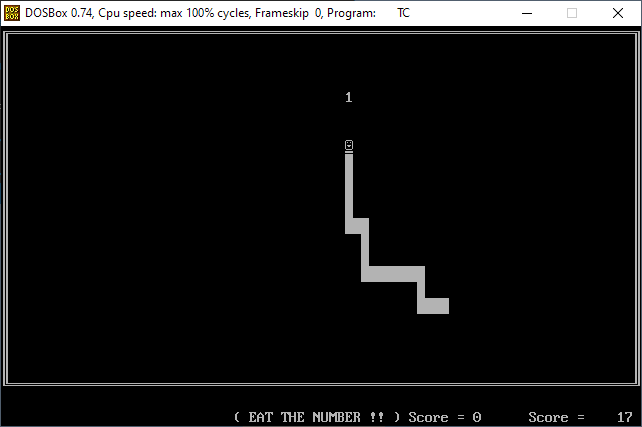
The Classic 2008 Version
The original Snake published on this page in 2008 — downloaded over 63,000 times — is still available below. It is a DOS-era implementation with one feature the modern version leaves as an exercise: save and load, so a game could be suspended and resumed. It compiles with the classic Turbo C toolchain (our Turbo C on Windows guide covers setting that up in DOSBox) and is worth reading as a snapshot of how the same game was written for a very different machine.
Snake Game (2.8 KiB, 66,183 hits)
Make It Your Own: Modification Ideas
The best way to learn from this code is to change it. Roughly in order of difficulty:
- Pause key — add a
Pcase that loops onread_key()untilPis pressed again. - High score file — on game over, read a
highscore.txt, compare, rewrite. (You will meetfopen/fscanf/fprintf— and the NULL-check habit.) - Arrow-key support on Windows —
_getch()returns 224 followed by a second code for arrows (72 up, 80 down, 75 left, 77 right); add a two-byte read in the Windows branch. - Levels — every 50 points, clear the board, drop obstacles (
#cells stored in their own array), and check collisions against them. - Two food types — a rare
$worth 50 points that despawns after a few seconds forces risk/reward decisions. - O(1) movement — replace the shifting arrays with a ring buffer (head and tail indices) so moving costs the same at length 3 and length 300.
- Save/load — the classic version’s signature feature: serialize the state arrays to a file and restore them. Combine with the high-score exercise.
Going Further: OOP and Graphics
A C++ object-oriented version maps naturally onto three classes: a Snake owning its segments (a std::deque makes the move-and-grow logic two lines), a Board owning the grid and food placement, and a Game running the loop and holding the score. If you have worked through our C++ classes guide, Snake is the ideal first project to apply it — same logic as above, but with the state encapsulated instead of global.
A graphical version is one library away. raylib in particular turns this exact game logic into a windowed, colored, 60 FPS game with only the rendering section rewritten — our graphics programming in C guide covers raylib and the other options. More game-programming material lives in our game development section.
Key Takeaways
- Snake is a timed loop: read input → move → check collisions → draw, once per tick — the same skeleton as every real-time game.
- The snake is two position arrays; movement is “new head + shift + drop tail,” and growth is just skipping the tail drop.
- The no-reverse rule and drain-all-pending-keys input handling are the two details that make the game feel right.
- Flicker-free terminal rendering = build the frame in a buffer, reprint in place with ANSI cursor-home — never
system("cls")per frame. - Cross-platform console games need only a four-function platform layer (
kbhit,getch, sleep, init/restore) — everything else is portable C. - Speed-per-meal is the classic Snake difficulty curve; high scores, levels, and save/load are natural next exercises.
Frequently Asked Questions
Conclusion
There is a reason Snake keeps being every generation’s first game, from 1970s arcade cabinets to Nokia phones to programming tutorials: it sits exactly at the point where a program stops being an exercise and starts being software someone wants to use. Every concept in this implementation — the loop, the platform layer, the buffer-then-draw rendering — scales up directly to games hundreds of times this size.
So compile it, play it, and then break it on purpose: change a constant, add a feature from the list, make the tail drop twice and watch what happens. When the terminal starts feeling small, the graphical and object-oriented versions are waiting — and our game development section covers the engines and languages that come after that.