The most-copied line in beginner C code is scanf("%s", name). Given thirty characters and an eight-byte buffer, it writes all thirty — AddressSanitizer reports a stack buffer overflow of exactly 31 bytes. The second most-copied is fflush(stdin), which is undefined behaviour and, on the machine used for this article, silently does nothing at all.
This guide covers C’s input and output properly: complete printf and scanf specifier tables, why output sometimes appears in the wrong order, and which input functions are safe to use in 2026 — with the unsafe ones demonstrated failing rather than merely described. Every program was compiled and run on Ubuntu 24.04 with GCC 13.3 under -std=c11 and -std=c17, with -Wall -Wextra. The overflow and the compiler diagnostics are captured verbatim.
Streams: The Model Behind C I/O
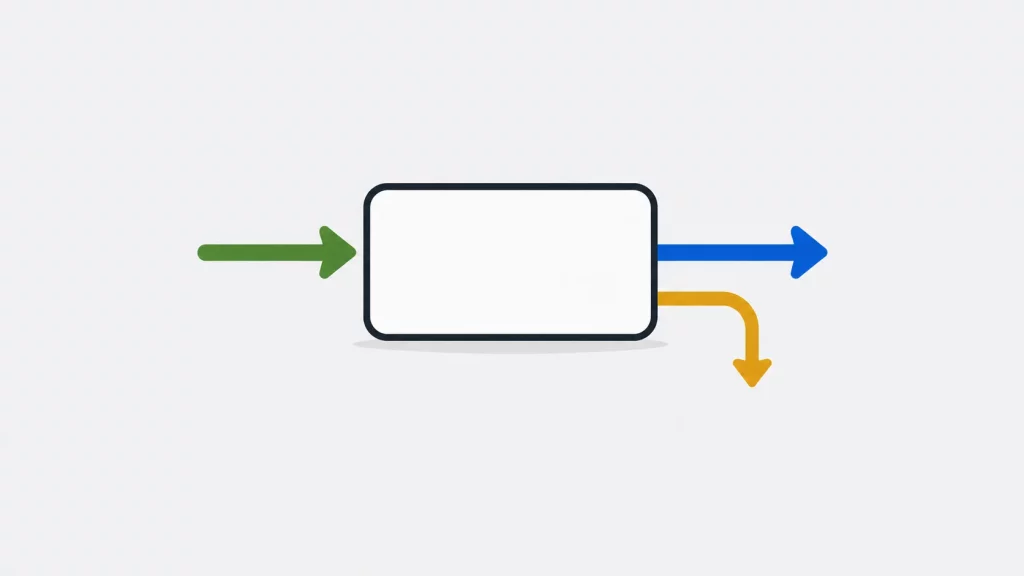
In C, all input and output happens through streams. A stream is a sequence of bytes flowing into or out of your program, and the same functions work whether that stream is connected to the keyboard, a file, or another program — which is what makes C I/O device-independent. Three streams open automatically: stdin (input, normally the keyboard), stdout (output, normally the screen), and stderr (errors, also the screen but separately redirectable). All three are declared in <stdio.h>.
| Stream | Purpose | Default | Typical behavior |
|---|---|---|---|
stdin | Input | Keyboard | Often associated with interactive input |
stdout | Normal output | Screen | Often line-buffered on terminals, more heavily buffered when redirected |
stderr | Errors and warnings (Diagnostics) | Screen | Not fully buffered by default |
The header is <stdio.h> — standard I/O. It is not <stdlib.h>. Compiling a printf call with only <stdlib.h> included produces:
warning: implicit declaration of function 'printf' [-Wimplicit-function-declaration]Two older streams, stdprn and stdaux, appear in pre-1995 tutorials. They were DOS extensions, never part of standard C, and do not exist on any current platform.
For the complete function list and their exact guarantees, cppreference’s <cstdio> reference is the authority.
printf: Formatted Output
printf writes a format string to stdout, substituting each conversion specification with the corresponding argument.
#include <stdio.h>

int main(void) {
    printf("Hello, world\n");                 /* literal text */
    printf("%d apples\n", 5);                 /* one integer */
    printf("%d plus %d is %d\n", 2, 3, 2+3);  /* several */
    return 0;
}
Conversion specifiers
| Specifier | Prints | Example output |
|---|---|---|
%d, %i | Signed decimal integer | 42 |
%u | Unsigned decimal integer | 42 |
%o | Unsigned octal | 52 |
%x, %X | Unsigned hexadecimal | 2a, 2A |
%f | Decimal floating point | 3.141590 |
%e, %E | Scientific notation | 1.234568e+04 |
%g, %G | Shorter of %e or %f | 1.23e-05 |
%c | Single character | A |
%s | String | hello |
%p | Pointer address | 0x7ffc56a9e370 |
%% | A literal percent sign | % |
Length modifiers — the part that causes bugs
Passing the wrong-width argument is undefined behaviour, not a formatting quirk:
| Type | Specifier |
|---|---|
short | %hd |
long | %ld |
long long | %lld |
unsigned long | %lu |
double | %f (same as float — it promotes) |
long double | %Lf |
size_t | %zu |
ptrdiff_t | %td |
int32_t, int64_t | "%" PRId32 / "%" PRId64 using macros from <inttypes.h> |
%zu for size_t is the one people miss most often, because %d appears to work on 32-bit builds and then prints garbage on 64-bit. GCC catches many mismatches under -Wall, so there is no reason to guess.
A note for anyone reading older tutorials: the claim that “on a PC, short is the same as int, so %hd is never needed” was true on 16-bit DOS and is false today. Measured here: sizeof(short) is 2, sizeof(int) is 4.
Width, precision, and flags
printf("%-10s|%s\n", "left", "right");
printf("%10.3f|%+d|%05d|%#x|%#o\n", 3.14159, 42, 42, 255, 8);
left |right
3.142|+42|00042|0xff|010- Width (
%10f) sets a minimum field width, padding with spaces. - Precision (
%.3f) sets digits after the decimal point. -left-justifies,+forces a sign,0pads with zeros,#adds the0xor0prefix.
Why Your Output Appears in the Wrong Order
A prompt without a newline sometimes appears after the thing it was supposed to prompt for. This is not a bug in your code — it is buffering.
stdout is commonly line-buffered when connected to a terminal and more heavily buffered when redirected to a file or pipe. The exact buffering mode is implementation-dependent.
Same program, piped to a file:
Enter your name:
[1 second passed before this line]
Both lines arrived together at exit, in a single block.
Two fixes, in order of preference:
printf("Enter your name: ");
fflush(stdout);              /* flush output explicitly - well defined */
or end the prompt with \n. Note this is fflush(stdout), which is entirely valid — unlike fflush(stdin), covered below.
stderr is not fully buffered by default, so diagnostics are commonly made visible promptly, although exact buffering behavior is implementation-dependent.
Reading Input Safely
This is the section where most C tutorials, including the previous version of this one, actively cause harm.
gets() — removed from the language
gets() cannot be used safely. It has no way to know the size of your buffer, so any input longer than the buffer overwrites whatever follows it. This is the kind of unbounded input vulnerability associated with the 1988 Morris worm, and the C standards committee removed gets() from the language in C11.
Compiling the published example under -std=c11:
warning: implicit declaration of function 'gets'; did you mean 'fgets'?It is not declared, because it no longer exists. And if you force it through, the GNU linker adds its own verdict:
warning: the `gets' function is dangerous and should not be used.On this GNU toolchain, the linker adds a second warning explicitly identifying gets() as dangerous.
scanf(“%s”) — unbounded by default
scanf("%s", buf) has exactly the same flaw. Reading thirty characters into char name[8]:
ERROR: AddressSanitizer: stack-buffer-overflow
WRITE of size 31
The fix is a field width, one character less than the buffer to leave room for the terminator:
char name[8];
if (scanf("%7s", name) == 1)
    printf("read: %s\n", name);
read: AAAAAAAAlways check the return value. scanf returns the number of items successfully assigned — not the number you asked for. Ignoring it means using variables that were never written.
fgets() — the one to reach for
char line[128];
if (fgets(line, sizeof line, stdin) != NULL) {
    line[strcspn(line, "\n")] = '\0';   /* strip the trailing newline */
    printf("You typed: %s\n", line);
}
fgets takes the buffer size, so it cannot overflow. It reads a whole line including spaces, which scanf("%s") cannot. The one thing to remember is that it keeps the newline — strcspn is the tidiest way to remove it.
fflush(stdin) Does Not Work
After scanf("%d", &age) reads a number, everything else the user typed is still sitting in the input buffer, waiting to be misread by the next call. Countless tutorials — including the one this replaces — recommend fflush(stdin) to clear it.
fflush on an input stream is undefined behaviour. The C standard defines fflush only for output streams. Microsoft’s runtime happens to implement it as an extension; glibc does not.
Tested with the input 21 and never older followed by Sam:
=== with fflush(stdin) ===
age? name? age=21 name=and

=== with the portable fix ===
age? name? age=21 name=Sam
fflush(stdin) is undefined behaviour and did nothing in testing. The leftover text was read as the name — precisely the bug it was supposed to prevent.
The portable fix reads and discards characters up to the newline:
static void discard_line(void) {
    int c;
    while ((c = getchar()) != '\n' && c != EOF) { }
}
Call that after any scanf whose leftovers might matter. It is defined behaviour on every platform.
Character and Line Functions
| Function | Reads/writes | Notes |
|---|---|---|
getchar() | One character from stdin | Returns int, not char, so it can return EOF |
putchar(c) | One character to stdout | |
fgetc(fp), fputc(c, fp) | One character, any stream | |
fgets(buf, n, stdin) | One line, bounded | Preferred for line input |
puts(s) | String plus a newline | Adds \n automatically |
fputs(s, fp) | String, any stream | Does not add \n |
ungetc(c, fp) | Pushes one character back | Only one is guaranteed |
getchar() returns int for a reason. It must be able to return every possible character and the distinct value EOF. Storing the result in a char makes the EOF test unreliable:
int c;                       /* correct */
while ((c = getchar()) != EOF) { ... }
EOF is negative, but the standard does not guarantee it is exactly −1. Compare against EOF rather than a literal.
stderr and Redirection
Send diagnostics to stderr; reserve stdout for normal program output:
fprintf(stderr, "Error: could not open %s\n", filename);That keeps error text out of redirected output, so ./prog > results.txt still shows problems on screen.
stderr can be redirected — older DOS-era tutorials claim otherwise. In any modern shell:
./prog > out.txt 2> errors.txt     # stdout and stderr separately
./prog > combined.txt 2>&1         # both to one file
One security point worth stating plainly:
fprintf(stderr, msg);              /* WRONG - format string vulnerability */
fprintf(stderr, "%s", msg);        /* correct */
If msg contains user input with a %s or %n in it, the first form interprets it as a format specification and reads arguments that were never passed. %n in particular can write to memory. Always supply the format string yourself.
Common Beginner Errors
| Symptom | Cause | Fix |
|---|---|---|
| Prompt appears after the input | stdout buffered, no newline | fflush(stdout) after the prompt |
Second scanf skipped entirely | Newline left in the buffer | discard_line() after reading numbers |
| Garbage or crash on long input | scanf("%s") or gets() | fgets, or scanf("%7s") |
| String has a trailing newline | fgets keeps it | line[strcspn(line, "\n")] = '\0'; |
Variable unchanged after scanf | Return value not checked | if (scanf(...) != 1) { ... } |
| Wrong numbers printed | Specifier/type mismatch | %zu for size_t, %ld for long |
while (!feof(fp)) reads twice | feof is true only after a failed read | Test the read call itself |
Key Takeaways
gets()was removed from C in C11. GCC no longer declares it, and the linker warns that it “is dangerous and should not be used.”scanf("%s")is unbounded — it wrote 31 bytes into an 8-byte buffer in testing. Use a field width, or usefgets.fflush(stdin)is undefined behaviour and did nothing in testing. Read and discard to the newline instead.- Always check
scanf‘s return value. It reports how many items were assigned, which may be fewer than you asked for. stdoutis commonly line-buffered when connected to a terminal and more heavily buffered when redirected; exact buffering is implementation-dependent.%zuforsize_t,%ldforlong. Mismatches are undefined behaviour, and-Wallcatches many commong cases.- Never pass a variable as a format string.
fprintf(stderr, msg)is a vulnerability;fprintf(stderr, "%s", msg)is not.
Frequently Asked Questions
Conclusion
C’s I/O functions are older than most of the people using them, and the internet’s collective memory of how to use them has not aged well. gets() is not merely discouraged; it was deleted from the language. fflush(stdin) does not do what a generation of tutorials claims. scanf("%s") is the same buffer overflow as gets() wearing different clothes.
The safe subset is small and easy to remember: fgets for lines, bounded scanf with a checked return value for numbers, printf with a specifier that matches the type, fflush(stdout) for prompts, and stderr for anything that went wrong. Compile with -Wall -Wextra to catch many common mistakes, but don’t treat warnings as a substitute for correct input handling. Once keyboard I/O behaves, the same stream model extends directly to disk — the guide to file handling in C picks up exactly where this leaves off, and the C programming section covers the language features these functions operate on.