Redrawing the whole screen on every tick of this brick breaker game sends 1,351 bytes to the terminal. Redrawing only the characters that changed sends 22.6 bytes per tick on average over a full game, about sixty times less. A second number matters as much: a game loop that sleeps 50 ms after each tick, with 6 ms of work per tick, ran at 56.0 ms per tick, 12% slower than intended. Scheduling ticks by deadline instead brought it back to 50.0 ms. Both fixes are a few lines of C.
This guide gives you a complete brick breaker (Breakout-style) game in C, playable in a terminal on Windows, Linux and macOS, and the same game in modern C++. The game rules are standard C; only the small terminal layer has separate Windows and POSIX code. It then walks through the parts that decide whether a small game feels right: collision order, paddle aiming, redrawing, timing and restoring the terminal on exit. The C code was compiled on Ubuntu 24.04 with GCC 13.3 and Clang 18.1.3 under -std=c11 and -std=c17, the C++ code under -std=c++17 and -std=c++20, all with -Wall -Wextra -pedantic and no warnings, and both were cross-compiled for Windows with MinGW-w64 GCC 13 using the same flags. The game was exercised in a pseudo-terminal by a script that presses keys, quits and interrupts it; the Windows and macOS builds were not run on the test machine. Every output block is captured verbatim, and the code is in two GitHub repositories whose workflows run these tests, plus MSVC and macOS builds, on each commit.
What Is a Brick Breaker Game?
A brick breaker game is a paddle-and-ball game in which the player moves a paddle along the bottom of the screen to bounce a ball into rows of bricks. Each brick the ball touches disappears and scores points. The ball bounces off the walls and ceiling, and a ball that falls past the paddle is lost. Clearing every brick wins.
The design comes from Atari’s Breakout, released in arcades in May 1976. It is a good second game to write after Snake in C: the rules are as short, but the ball moves diagonally, so collisions have more cases, and the bricks give you a two-dimensional array to manage.
How the Game Works
| Rule | This version |
|---|---|
| Playfield | 60 × 20 characters inside the walls |
| Bricks | 5 rows of 20, each 3 characters wide: 100 bricks |
| Scoring | 5 points per brick, so a perfect game scores 500 |
| Balls | 3; a lost ball costs 20 points, and the score never goes below 0 |
| Paddle | 7 characters wide, moves 2 columns per key press |
| Paddle aiming | The two left cells send the ball left, the two right cells send it right |
| Speed | One ball step per tick: 70 ms (novice), 50 ms (advanced), 35 ms (expert) |
| Controls | Left/Right arrows or A/D to move, P or Space to pause, Q to quit |
Here is the board after 300 ticks of a game played by the built-in autopilot. The bricks are [#], the ball is O and the paddle is =======:
After 300 ticks (score 75):
+------------------------------------------------------------+
|                                                            |
|                                                            |
|[#][#][#][#][#][#][#][#][#][#][#][#][#][#][#][#][#][#][#][#]|
|[#][#][#][#][#][#][#][#][#][#][#][#][#][#][#][#][#][#][#][#]|
|[#][#][#][#][#][#][#][#][#][#][#][#]   [#][#][#][#]      [#]|
|[#][#][#][#]   [#][#][#][#][#][#][#]      [#][#][#]      [#]|
|[#][#][#]      [#][#][#][#][#]            [#][#][#][#]   [#]|
|                                                            |
|                                                            |
|                                                            |
|                                                            |
|                                                            |
|       O                                                    |
|                                                            |
|                                                            |
|                                                            |
|                                                            |
|                                                            |
|                                                            |
|            =======                                         |
How the Code Is Organized
The C version is four small modules, and only one of them knows what platform it runs on:
| Module | Job | Platform code? |
|---|---|---|
breakout.h / breakout.c | Rules: movement, collisions, scoring, and the board as text | No |
screen.h / screen.c | Turns two text frames into the ANSI escape sequences that change one into the other | No |
term.h / term.c | Raw keyboard input, output and a millisecond clock | Yes: Windows and POSIX |
main.c | The game loop | No |
Keeping the rules free of input and output is what makes the game testable. A test can build a board, place the ball by hand, call breakout_step() and check the result, with no terminal involved. The bricks are a two-dimensional bool array, the same row-and-column layout described in the guide to arrays in C and C++.
The Complete C Source Code
breakout.h
/* breakout.h - game rules for a terminal brick game. No I/O. */
#ifndef BREAKOUT_H
#define BREAKOUT_H

#include <stdbool.h>
#include <stddef.h>
#include <stdint.h>

enum {
    BOARD_W     = 60,   /* playfield columns, inside the walls        */
    BOARD_H     = 20,   /* playfield rows; the paddle is on the last   */
    BRICK_W     = 3,    /* columns per brick                           */
    BRICK_COLS  = BOARD_W / BRICK_W,   /* 20 bricks per row            */
    BRICK_ROWS  = 5,
    BRICK_TOP   = 2,    /* first brick row; rows 0-1 are open space    */
    PADDLE_W    = 7,
    PADDLE_STEP = 2,    /* columns moved per key press                 */
    START_BALLS = 3,
    BRICK_POINTS = 5,
    LOST_BALL_PENALTY = 20
};

typedef enum { INPUT_NONE, INPUT_LEFT, INPUT_RIGHT } Input;

/* Bit flags returned by breakout_step() describing what happened. */
enum {
    EV_WALL = 1, EV_PADDLE = 2, EV_BRICK = 4,
    EV_BALL_LOST = 8, EV_WIN = 16, EV_GAME_OVER = 32
};

typedef struct {
    bool     bricks[BRICK_ROWS][BRICK_COLS];
    int      bricks_left;
    int      ball_x, ball_y;   /* cell coordinates inside the walls */
    int      dx, dy;           /* each -1 or +1                     */
    int      paddle_x;         /* leftmost paddle column            */
    int      score;
    int      balls;            /* balls left, including the one in play */
    uint32_t rng;              /* xorshift state for serve direction    */
    bool     over;
} Game;

void breakout_init(Game *g, uint32_t seed);
int  breakout_step(Game *g, Input in);      /* one tick; returns EV_* flags */

/* (BOARD_W + 3) * (BOARD_H + 1) characters plus the NUL. */
enum { BREAKOUT_FRAME_SIZE = (BOARD_W + 3) * (BOARD_H + 1) + 1 };
size_t breakout_render(const Game *g, char *buf, size_t cap);

#endif
breakout.c
/* breakout.c - brick game rules: movement, collisions, scoring, rendering
 * to a text buffer. No terminal or keyboard code lives here.
 */
#include "breakout.h"

#include <stddef.h>
#include <string.h>

typedef enum { CELL_EMPTY, CELL_WALL, CELL_BRICK, CELL_PADDLE, CELL_OUT } Cell;

static uint32_t next_random(uint32_t *state)      /* xorshift32 */
{
    uint32_t x = *state;
    x ^= x << 13;
    x ^= x >> 17;
    x ^= x << 5;
    return *state = x;
}

static void serve(Game *g)
{
    g->ball_x = g->paddle_x + PADDLE_W / 2;
    g->ball_y = BOARD_H - 2;                        /* just above the paddle */
    g->dx = (next_random(&g->rng) & 1) ? 1 : -1;
    g->dy = -1;
}

void breakout_init(Game *g, uint32_t seed)
{
    memset(g, 0, sizeof *g);
    for (int r = 0; r < BRICK_ROWS; ++r)
        for (int c = 0; c < BRICK_COLS; ++c)
            g->bricks[r][c] = true;
    g->bricks_left = BRICK_ROWS * BRICK_COLS;
    g->paddle_x = (BOARD_W - PADDLE_W) / 2;
    g->balls = START_BALLS;
    g->rng = seed ? seed : 1;                       /* xorshift needs non-zero */
    serve(g);
}

/* Classifies a cell. Every array index is computed after the bounds checks. */
static Cell cell_at(const Game *g, int x, int y)
{
    if (x < 0 || x >= BOARD_W || y < 0)
        return CELL_WALL;
    if (y >= BOARD_H)
        return CELL_OUT;
    if (y == BOARD_H - 1 && x >= g->paddle_x && x < g->paddle_x + PADDLE_W)
        return CELL_PADDLE;
    int row = y - BRICK_TOP;
    if (row >= 0 && row < BRICK_ROWS && g->bricks[row][x / BRICK_W])
        return CELL_BRICK;
    return CELL_EMPTY;
}

static bool is_solid(Cell c)
{
    return c == CELL_WALL || c == CELL_BRICK || c == CELL_PADDLE;
}

/* Applies a hit on cell (x, y): removes a brick and scores it. */
static void hit(Game *g, Cell c, int x, int y, int *events)
{
    if (c == CELL_BRICK) {
        g->bricks[y - BRICK_TOP][x / BRICK_W] = false;
        g->bricks_left--;
        g->score += BRICK_POINTS;
        *events |= EV_BRICK;
    } else if (c == CELL_PADDLE) {
        *events |= EV_PADDLE;
    } else {
        *events |= EV_WALL;
    }
}

int breakout_step(Game *g, Input in)
{
    int events = 0;
    if (g->over)
        return 0;

    if (in == INPUT_LEFT)
        g->paddle_x -= PADDLE_STEP;
    else if (in == INPUT_RIGHT)
        g->paddle_x += PADDLE_STEP;
    if (g->paddle_x < 0)
        g->paddle_x = 0;
    if (g->paddle_x > BOARD_W - PADDLE_W)
        g->paddle_x = BOARD_W - PADDLE_W;

    int x = g->ball_x, y = g->ball_y;

    /* Check the two cells beside the ball's path before the diagonal one,
     * so the ball cannot slip between two blocks that touch at a corner. */
    Cell side = cell_at(g, x + g->dx, y);
    Cell vert = cell_at(g, x, y + g->dy);
    if (is_solid(side)) {
        hit(g, side, x + g->dx, y, &events);
        g->dx = -g->dx;
    }
    if (is_solid(vert)) {
        if (vert == CELL_PADDLE) {                  /* the paddle's ends aim */
            int offset = x - g->paddle_x;
            if (offset < 2)
                g->dx = -1;
            else if (offset > PADDLE_W - 3)
                g->dx = 1;
        }
        hit(g, vert, x, y + g->dy, &events);
        g->dy = -g->dy;
    }
    if (!is_solid(side) && !is_solid(vert)) {
        Cell diag = cell_at(g, x + g->dx, y + g->dy);
        if (is_solid(diag)) {
            hit(g, diag, x + g->dx, y + g->dy, &events);
            g->dx = -g->dx;
            g->dy = -g->dy;
        }
    }

    /* Move only if the cell ahead is free after bouncing. */
    if (!is_solid(cell_at(g, g->ball_x + g->dx, g->ball_y + g->dy))) {
        g->ball_x += g->dx;
        g->ball_y += g->dy;
    }

    if (g->bricks_left == 0) {
        g->over = true;
        return events | EV_WIN;
    }
    if (g->ball_y >= BOARD_H) {                     /* fell past the paddle */
        events |= EV_BALL_LOST;
        g->score = g->score > LOST_BALL_PENALTY ? g->score - LOST_BALL_PENALTY : 0;
        if (--g->balls == 0) {
            g->over = true;
            return events | EV_GAME_OVER;
        }
        serve(g);
    }
    return events;
}

static void put(char *buf, size_t cap, size_t *n, char ch)
{
    if (*n + 1 < cap)
        buf[*n] = ch;
    (*n)++;
}

/* Writes the playfield as text. Returns the length the frame needs, not
 * counting the NUL; if that is >= cap, the frame was truncated. */
size_t breakout_render(const Game *g, char *buf, size_t cap)
{
    static const char brick_art[BRICK_W + 1] = "[#]";
    size_t n = 0;

    put(buf, cap, &n, '+');
    for (int x = 0; x < BOARD_W; ++x)
        put(buf, cap, &n, '-');
    put(buf, cap, &n, '+');
    put(buf, cap, &n, '\n');
    for (int y = 0; y < BOARD_H; ++y) {
        put(buf, cap, &n, '|');
        for (int x = 0; x < BOARD_W; ++x) {
            char ch = ' ';
            Cell c = cell_at(g, x, y);
            if (x == g->ball_x && y == g->ball_y && !g->over)
                ch = 'O';
            else if (c == CELL_PADDLE)
                ch = '=';
            else if (c == CELL_BRICK)
                ch = brick_art[x % BRICK_W];
            put(buf, cap, &n, ch);
        }
        put(buf, cap, &n, '|');
        put(buf, cap, &n, '\n');
    }
    if (cap > 0)
        buf[n < cap ? n : cap - 1] = '\0';
    return n;
}
screen.h and screen.c
/* screen.h - turn a new text frame into the terminal output that draws it. */
#ifndef SCREEN_H
#define SCREEN_H

#include <stddef.h>

/* Writes into out the escape sequences that change the terminal from frame
 * prev to frame cur. Both are NUL-terminated text with '\n' line breaks.
 * The two frames must have the same line lengths, as frames of one game do.
 * Pass prev == NULL to clear the screen and draw cur in full.
 * Returns the length needed, excluding the NUL; if >= cap, out is truncated. */
size_t screen_diff(const char *prev, const char *cur, char *out, size_t cap);

#endif
/* screen.c - redraw only the characters that changed between two frames,
* using ANSI cursor positioning. */
#include "screen.h"
#include <stdio.h>
#include <string.h>
static void append(char *out, size_t cap, size_t *n, const char *s, size_t len)
{
for (size_t i = 0; i < len; ++i) {
if (*n + 1 < cap)
out[*n] = s[i];
(*n)++;
}
}
size_t screen_diff(const char *prev, const char *cur, char *out, size_t cap)
{
size_t n = 0;
if (prev == NULL) {
append(out, cap, &n, "\x1b[H\x1b[2J", 7); /* home, clear */
for (const char *p = cur; *p != '\0'; ++p) {
if (*p == '\n')
append(out, cap, &n, "\r\n", 2); /* raw mode: add CR */
else
append(out, cap, &n, p, 1);
}
} else {
int row = 1, col = 1; /* ANSI is 1-based */
const char *a = prev, *b = cur;
while (*b != '\0') {
if (*b == '\n') {
row++;
col = 1;
if (*a != '\0') a++;
b++;
continue;
}
if (*a == *b) { /* unchanged character */
col++;
a++;
b++;
continue;
}
char move[32]; /* start of a changed run */
int len = snprintf(move, sizeof move, "\x1b[%d;%dH", row, col);
append(out, cap, &n, move, (size_t)len);
while (*b != '\0' && *b != '\n' && *a != *b) {
append(out, cap, &n, b, 1);
col++;
if (*a != '\0' && *a != '\n') a++;
b++;
}
}
}
if (cap > 0)
out[n < cap ? n : cap - 1] = '\0';
return n;
}term.h and term.c
/* term.h - the platform layer: raw keyboard input, output and a clock. */
#ifndef TERM_H
#define TERM_H

#include <stdbool.h>
#include <stddef.h>
#include <stdint.h>

typedef enum { KEY_NONE, KEY_LEFT, KEY_RIGHT, KEY_PAUSE, KEY_QUIT } Key;

bool     term_init(void);      /* raw mode, hidden cursor; false on failure */
void     term_restore(void);   /* safe to call more than once                */
Key      term_key(void);       /* next pending key, or KEY_NONE; never blocks */
void     term_write(const char *s, size_t len);
uint64_t term_now_ms(void);    /* monotonic milliseconds                     */
void     term_sleep_ms(uint32_t ms);

#endif
/* term.c - keyboard, output and timing for Windows consoles and POSIX
* terminals (Linux, macOS). Everything platform-specific is in this file. */
#if !defined(_WIN32)
#define _POSIX_C_SOURCE 200809L
#endif
#include "term.h"
#include <stdio.h>
#include <stdlib.h>
#include <string.h>
static void write_str(const char *s)
{
term_write(s, strlen(s));
}
#if defined(_WIN32)
#include <conio.h>
#include <windows.h>
static HANDLE out_handle;
static DWORD saved_mode;
static bool active;
static volatile LONG interrupted;
static BOOL WINAPI on_ctrl(DWORD type)
{
(void)type;
InterlockedExchange(&interrupted, 1); /* the main loop sees KEY_QUIT next */
return TRUE;
}
bool term_init(void)
{
out_handle = GetStdHandle(STD_OUTPUT_HANDLE);
if (out_handle == INVALID_HANDLE_VALUE || !GetConsoleMode(out_handle, &saved_mode))
return false;
/* Windows 10 and later interpret ANSI escape sequences once asked to. */
if (!SetConsoleMode(out_handle, saved_mode | ENABLE_VIRTUAL_TERMINAL_PROCESSING))
return false;
SetConsoleCtrlHandler(on_ctrl, TRUE); /* Ctrl+C restores too */
active = true;
write_str("\x1b[?25l"); /* hide the cursor */
return true;
}
void term_restore(void)
{
if (!active)
return;
write_str("\x1b[?25h\x1b[0m\r\n");
SetConsoleCtrlHandler(on_ctrl, FALSE);
SetConsoleMode(out_handle, saved_mode);
active = false;
}
Key term_key(void)
{
if (InterlockedExchange(&interrupted, 0)) /* report Ctrl+C once */
return KEY_QUIT;
while (_kbhit()) {
int c = _getch();
if (c == 0 || c == 224) { /* extended key prefix */
int code = _getch();
if (code == 75) return KEY_LEFT;
if (code == 77) return KEY_RIGHT;
continue;
}
if (c == 'a' || c == 'A') return KEY_LEFT;
if (c == 'd' || c == 'D') return KEY_RIGHT;
if (c == 'p' || c == 'P' || c == ' ') return KEY_PAUSE;
if (c == 'q' || c == 'Q' || c == 27) return KEY_QUIT;
}
return KEY_NONE;
}
uint64_t term_now_ms(void)
{
return GetTickCount64();
}
void term_sleep_ms(uint32_t ms)
{
Sleep(ms);
}
#else /* POSIX */
#include <signal.h>
#include <termios.h>
#include <time.h>
#include <unistd.h>
static struct termios saved;
static struct sigaction saved_int, saved_term; /* handlers to put back */
static bool active;
static volatile sig_atomic_t interrupted;
static void on_signal(int sig)
{
(void)sig;
interrupted = 1; /* the main loop sees KEY_QUIT next */
}
bool term_init(void)
{
if (!isatty(STDIN_FILENO) || tcgetattr(STDIN_FILENO, &saved) != 0)
return false;
struct termios raw = saved;
raw.c_lflag &= ~(tcflag_t)(ICANON | ECHO); /* no line buffering, no echo */
raw.c_cc[VMIN] = 0; /* read() returns at once */
raw.c_cc[VTIME] = 0;
if (tcsetattr(STDIN_FILENO, TCSAFLUSH, &raw) != 0)
return false;
active = true;
struct sigaction sa = {0};
sa.sa_handler = on_signal;
sigemptyset(&sa.sa_mask);
sigaction(SIGINT, &sa, &saved_int);
sigaction(SIGTERM, &sa, &saved_term);
write_str("\x1b[?25l");
return true;
}
void term_restore(void)
{
if (!active)
return;
write_str("\x1b[?25h\x1b[0m\r\n");
tcsetattr(STDIN_FILENO, TCSAFLUSH, &saved);
sigaction(SIGINT, &saved_int, NULL);
sigaction(SIGTERM, &saved_term, NULL);
active = false;
}
static int read_byte(void)
{
unsigned char c;
return read(STDIN_FILENO, &c, 1) == 1 ? c : -1;
}
Key term_key(void)
{
if (interrupted) { /* report the signal once */
interrupted = 0;
return KEY_QUIT;
}
int c;
while ((c = read_byte()) != -1) {
if (c == 27) { /* ESC [ C / ESC [ D */
int c2 = read_byte();
if (c2 == -1)
return KEY_QUIT; /* a lone Esc */
if (c2 == '[') {
int c3 = read_byte();
if (c3 == 'D') return KEY_LEFT;
if (c3 == 'C') return KEY_RIGHT;
}
continue;
}
if (c == 'a' || c == 'A') return KEY_LEFT;
if (c == 'd' || c == 'D') return KEY_RIGHT;
if (c == 'p' || c == 'P' || c == ' ') return KEY_PAUSE;
if (c == 'q' || c == 'Q') return KEY_QUIT;
}
return KEY_NONE;
}
uint64_t term_now_ms(void)
{
struct timespec ts;
clock_gettime(CLOCK_MONOTONIC, &ts);
return (uint64_t)ts.tv_sec * 1000u + (uint64_t)ts.tv_nsec / 1000000u;
}
void term_sleep_ms(uint32_t ms)
{
struct timespec ts = { (time_t)(ms / 1000u), (long)(ms % 1000u) * 1000000L };
while (nanosleep(&ts, &ts) != 0 && !interrupted)
; /* resume after an unrelated signal */
}
#endif
void term_write(const char *s, size_t len)
{
fwrite(s, 1, len, stdout);
fflush(stdout);
}main.c
/* main.c - the game loop: read keys, advance the game one tick, draw only
 * what changed, and keep the ticks on a fixed schedule.
 * Usage: brick [novice|advanced|expert]
 */
#include "breakout.h"
#include "screen.h"
#include "term.h"

#include <stdio.h>
#include <stdlib.h>
#include <string.h>
#include <time.h>

enum { FRAME_CAP = BREAKOUT_FRAME_SIZE + 128, OUT_CAP = 4 * FRAME_CAP };

typedef struct { const char *name; uint32_t tick_ms; } Level;
static const Level levels[] = { {"novice", 70}, {"advanced", 50}, {"expert", 35} };

static void compose(const Game *g, const char *msg, char *frame, size_t cap)
{
    size_t n = breakout_render(g, frame, cap);
    if (n < cap)
        snprintf(frame + n, cap - n, "Score %4d   Balls %d   Bricks %3d   %-26s\n",
                 g->score, g->balls, g->bricks_left, msg);
}

int main(int argc, char **argv)
{
    const Level *level = &levels[0];
    if (argc > 1) {
        level = NULL;
        for (size_t i = 0; i < sizeof levels / sizeof levels[0]; ++i)
            if (strcmp(argv[1], levels[i].name) == 0)
                level = &levels[i];
        if (level == NULL) {
            fprintf(stderr, "usage: %s [novice|advanced|expert]\n", argv[0]);
            return EXIT_FAILURE;
        }
    }
    if (!term_init()) {
        fprintf(stderr, "%s: needs an interactive terminal\n", argv[0]);
        return EXIT_FAILURE;
    }
    atexit(term_restore);

    static char frames[2][FRAME_CAP], out[OUT_CAP];
    char *prev = NULL, *cur = frames[0];
    Game g;
    breakout_init(&g, (uint32_t)time(NULL));
    bool paused = false, quit = false;
    const char *msg = "Arrows or A/D, P, Q";
    uint64_t next = term_now_ms();

    while (!quit) {
        Input in = INPUT_NONE;
        for (Key k; !quit && (k = term_key()) != KEY_NONE; ) {  /* drain keys */
            if (k == KEY_QUIT) quit = true;
            else if (k == KEY_PAUSE) paused = !paused;
            else in = (k == KEY_LEFT) ? INPUT_LEFT : INPUT_RIGHT;
        }
        if (!paused && !quit) {
            int ev = breakout_step(&g, in);
            if (ev & EV_WIN)            msg = "You win!";
            else if (ev & EV_GAME_OVER) msg = "Game over";
            else if (ev & EV_BALL_LOST) msg = g.balls == 1 ? "Last ball!" : "Ball lost";
            else if (ev & EV_BRICK)     msg = "";
        }
        compose(&g, paused ? "Paused" : msg, cur, FRAME_CAP);
        size_t len = screen_diff(prev, cur, out, OUT_CAP);
        term_write(out, len < OUT_CAP ? len : OUT_CAP - 1);
        prev = cur;
        cur = (cur == frames[0]) ? frames[1] : frames[0];
        if (g.over)
            break;

        /* Sleep until the next tick's start time, not for a fixed delay,
         * so drawing time does not slow the game down. */
        next += level->tick_ms;
        uint64_t now = term_now_ms();
        if (next > now)
            term_sleep_ms((uint32_t)(next - now));
        else if (now - next > 250)
            next = now;                   /* after a stall, do not race to catch up */
    }
    term_restore();
    printf("Final score: %d\n", g.score);
    return EXIT_SUCCESS;
}
Build and Play
On Linux or macOS:
gcc -std=c11 -Wall -Wextra -pedantic -Iinclude src/main.c src/breakout.c src/screen.c src/term.c -o brick
./brick advanced
On Windows with MinGW-w64, the same command builds brick.exe. With Visual Studio, open a Developer Command Prompt and run cl /std:c11 /W4 /Iinclude src\main.c src\breakout.c src\screen.c src\term.c /Fe:brick.exe. The game needs a real console: Windows Terminal or the classic console host on Windows 10 or later, and any terminal emulator on Linux or macOS. Run from an IDE’s output pane or with its input redirected, it stops with a message instead of starting:
./brick: needs an interactive terminalCode Walkthrough
Collision: Check the Sides Before the Corner
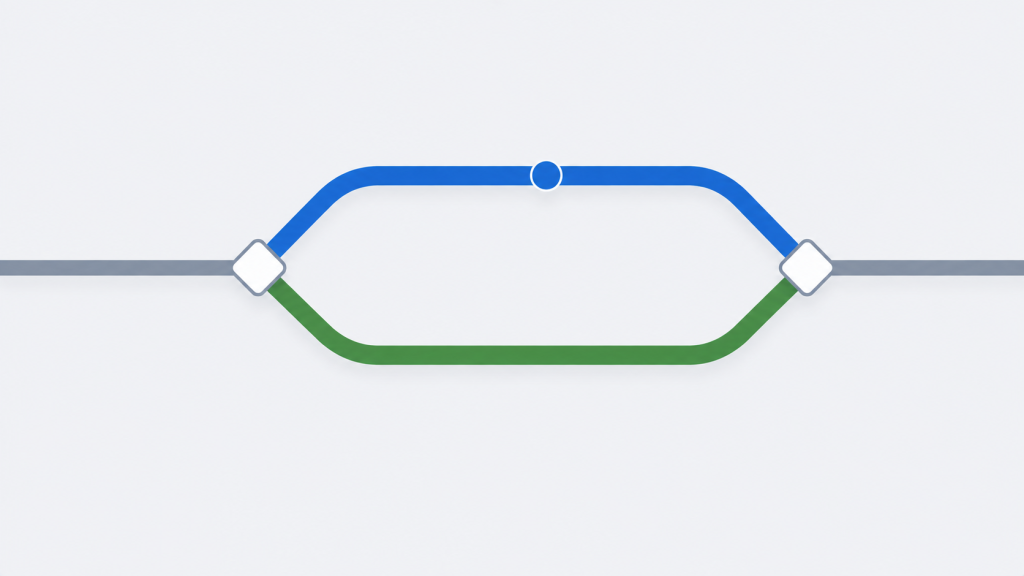
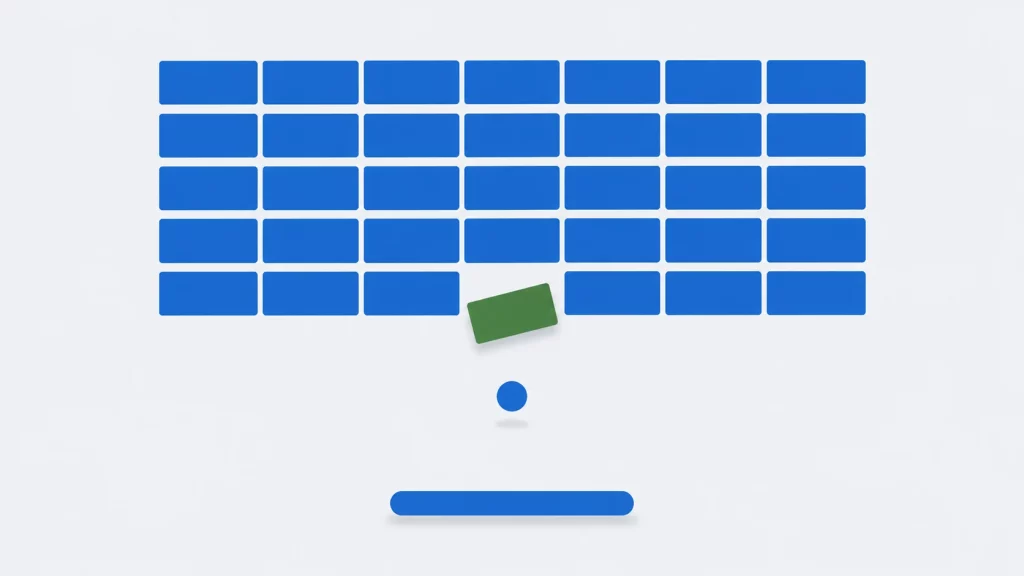
The ball moves one cell diagonally per tick, so on each tick up to three cells can block it: the one beside it, the one above or below it, and the diagonal cell it is heading for. Looking only at the diagonal cell is the obvious approach, and it has a hole. When a brick sits beside the ball and another sits above it, with the diagonal cell between them empty, the ball passes through the gap between two solid bricks.
breakout_step(), and the test suite builds this exact board: both bricks are removed, the score rises by 10, and the ball moves down and to the left.
breakout_step() checks the side cell and the vertical cell first, flipping dx or dy for each one that is solid, and looks at the diagonal only if both are clear. In the corner case both bricks are hit, both directions reverse and the ball comes back the way it came. The test suite builds exactly that board and checks that both bricks are gone, the score is 10 and the ball has moved down and to the left.
After bouncing, the ball moves only if the cell ahead is free. That line matters more than it looks. When it was removed as an experiment, the rule tests in the first version of the suite still passed, and only the full-game test noticed: the ball eventually left the board through a wall. The suite now checks after every tick of two complete autopilot games that the ball is never inside a wall, brick or paddle, and it catches that change.
These rules work because the ball moves exactly one cell per tick, so it can only ever touch its neighbouring cells. In a pixel-based game where the ball can move farther than a brick’s width in one frame, checking neighbours is not enough and you need a swept test along the ball’s path.
cell_at() does every array lookup after its bounds checks. The brick column is computed as x / BRICK_W only once x is known to be between 0 and 59, so the index is always 0 to 19. Computing an index first and checking it afterwards reads outside the array for a ball against the right wall; with the right-wall check removed, UndefinedBehaviorSanitizer reported index 22 out of bounds for type '_Bool [20]' on the first test that reached it.
The Paddle Aims the Ball
With every move exactly one cell across and one cell up or down, the ball only ever travels at 45 degrees. The player needs some control over where it goes, so the paddle’s ends aim: a ball that lands on either of the two leftmost cells leaves heading left, either of the two rightmost cells sends it right, and the middle three keep its direction. The test suite drops the ball on each of the seven paddle cells in turn and checks the direction it leaves in.
Drawing Only What Changed
Clearing the screen and printing the whole board every tick is the simplest way to draw, and it writes the same 1,351 bytes each time. screen_diff() compares the new frame with the previous one and emits only the changed runs, each preceded by a cursor-position sequence such as ESC[5;13H, which Windows consoles understand once virtual terminal processing is switched on and POSIX terminals understand already. Over complete autopilot games, measured by autoplay in the repository:
seed 1: cleared every brick after 3703 ticks, score 500, 110 paddle hits, 0 balls lost
output per tick: 1351.0 bytes redrawing the whole screen, 22.6 bytes redrawing changed cells
seed 2: cleared every brick after 2128 ticks, score 500, 65 paddle hits, 0 balls lost
output per tick: 1351.0 bytes redrawing the whole screen, 26.2 bytes redrawing changed cells
A typical tick changes the ball’s old and new cells, perhaps a brick and a paddle end, and occasionally the score. The cursor-position sequence costs more bytes than the characters it places, so 22 to 26 bytes per tick is mostly addressing. Fewer bytes means less for the terminal to process and less time with a half-drawn frame on screen. The byte counts are deterministic and checked in CI; how much they reduce flicker depends on the terminal and was not measured.
This is the same idea curses libraries use, reduced to about fifty lines. screen_diff() needs both frames to have the same line lengths, which holds because every frame the game produces is the same shape; the status line is padded to a fixed width for that reason. The test suite applies the output to a small terminal emulator after every tick of a full game and checks that the emulated screen matches the frame.
A Game Loop on a Fixed Schedule
The simplest game loop does its work and then sleeps for the tick length. The sleep is then added to however long the work took, so the game runs slower on a slower terminal. main.c instead keeps a deadline: it adds the tick length to the previous deadline and sleeps only for whatever time remains. src/tick_timing.c in the repository compares the two with 6 ms of busy work per tick standing in for drawing:
200 ticks of 50 ms with 6 ms of work per tick (target 10000 ms):
  fixed delay:    11201 ms, 56.0 ms per tick
  fixed deadline: 10000 ms, 50.0 ms per tick
The fixed delay ran 12% slow in all three runs on the test machine, which is exactly the 6 ms of work added to each 50 ms sleep. The deadline loop finished within a millisecond of the target in all three. These are timings from one Linux machine, and sleep granularity differs by platform; on Windows, Sleep() can round up to the system timer period, so expect a coarser result there. The loop also refuses to catch up after a stall of more than 250 ms. Without that, a game resumed after the terminal was suspended would run dozens of ticks at once.
Restoring the Terminal on Every Exit
A terminal game switches the terminal out of its normal line-editing mode. term_init() clears ICANON and ECHO with termios, so keys arrive one at a time without being printed, sets VMIN and VTIME to 0 so that read() returns at once when no key is waiting, and hides the cursor. It leaves ISIG set, so Ctrl+C still raises a signal. If the program exits without undoing that, the user’s shell is left without a visible cursor and without echo. term_restore() undoes it, main() registers it with atexit(), and Ctrl+C is caught instead of killing the process: sigaction() on POSIX, SetConsoleCtrlHandler() on Windows. The handler only sets a flag, because most library functions, printf() included, are not safe to call from a signal handler, and the next call to term_key() turns the flag into KEY_QUIT. term_restore() also puts back the handlers that were installed before the game started.
The first version of term_key() returned KEY_QUIT whenever the flag was set but never cleared it. The loop in main() that drains pending keys waits for KEY_NONE, so after Ctrl+C it spun forever. The quit-with-Q path worked, which is the path a quick manual test takes. The repository’s pseudo-terminal test sends a real Ctrl+C and caught it: the program had to be killed, and the cursor was never restored. The flag is now cleared when it is reported, and the drain loop stops on quit.
The C++ Version
The C++ version plays the same game with the same rules, the same random serve and the same autopilot. It is organized the same way, with C++ doing some of the work C does by hand:
brick::Gameis a class holding its board instd::array<std::array<bool, 20>, 5>. The rules are member functions, and the test hooks are public but separate from the game’s own interface.brick::Terminalis an RAII type. Its constructor enters raw mode, installs the Ctrl+C handler and throwsstd::runtime_errorif there is no terminal; its destructor restores the terminal and the previous handlers.play()creates it as a local variable, so the terminal is restored whenplay()returns or when an exception leaves it, with noatexit()call.- Frames are
std::string, so rendering and diffing need no buffer sizes. - Timing uses
std::chrono::steady_clockandstd::this_thread::sleep_until(), which replaces the platform-specific clock and sleep functions of the C version.
These four files are the ones the game loop depends on. game.cpp, screen.cpp and terminal.cpp implement them with the same logic as the C files above and are in the repository.
// game.hpp - game rules for a terminal brick game. No I/O.
#ifndef BRICK_GAME_HPP
#define BRICK_GAME_HPP

#include <array>
#include <cstdint>
#include <string>

namespace brick {

inline constexpr int board_w = 60;              // playfield columns inside the walls
inline constexpr int board_h = 20;              // rows; the paddle is on the last
inline constexpr int brick_w = 3;
inline constexpr int brick_cols = board_w / brick_w;   // 20 bricks per row
inline constexpr int brick_rows = 5;
inline constexpr int brick_top = 2;             // rows 0-1 are open space
inline constexpr int paddle_w = 7;
inline constexpr int paddle_step = 2;
inline constexpr int start_balls = 3;
inline constexpr int brick_points = 5;
inline constexpr int lost_ball_penalty = 20;

enum class Input { none, left, right };

// Bit flags returned by Game::step().
namespace event {
inline constexpr unsigned wall = 1, paddle = 2, brick = 4,
                          ball_lost = 8, win = 16, game_over = 32;
}

class Game {
public:
    explicit Game(std::uint32_t seed);

    unsigned step(Input in);            // advance one tick; returns event flags
    std::string render() const;         // the playfield as text, one line per row

    int score() const noexcept { return score_; }
    int balls() const noexcept { return balls_; }
    int bricks_left() const noexcept { return bricks_left_; }
    bool over() const noexcept { return over_; }
    int ball_x() const noexcept { return ball_x_; }
    int ball_y() const noexcept { return ball_y_; }
    int dx() const noexcept { return dx_; }
    int dy() const noexcept { return dy_; }
    int paddle_x() const noexcept { return paddle_x_; }
    bool has_brick(int row, int col) const { return bricks_.at(row).at(col); }

    // For tests: place the ball, the paddle and the bricks by hand.
    void set_ball(int x, int y, int dx, int dy);
    void set_paddle(int x) { paddle_x_ = x; }
    void set_brick(int row, int col, bool present);
    void clear_bricks();
    void set_score(int score) { score_ = score; }

private:
    enum class Cell { empty, wall, brick, paddle, out };

    Cell cell_at(int x, int y) const;
    void hit(Cell c, int x, int y, unsigned& events);
    void serve();
    std::uint32_t next_random();

    std::array<std::array<bool, brick_cols>, brick_rows> bricks_{};
    int bricks_left_ = brick_rows * brick_cols;
    int ball_x_ = 0, ball_y_ = 0, dx_ = 1, dy_ = -1;
    int paddle_x_ = (board_w - paddle_w) / 2;
    int score_ = 0;
    int balls_ = start_balls;
    std::uint32_t rng_;
    bool over_ = false;
};

}  // namespace brick

#endif
// screen.hpp - turn a new text frame into the terminal output that draws it.
#ifndef BRICK_SCREEN_HPP
#define BRICK_SCREEN_HPP
#include <string>
#include <string_view>
namespace brick {
// Clears the screen and draws the frame in full.
std::string full_redraw(std::string_view frame);
// Only the characters that differ between two frames with the same line
// lengths, each run preceded by an ANSI cursor-position sequence.
std::string diff_redraw(std::string_view prev, std::string_view cur);
} // namespace brick
#endif// terminal.hpp - raw keyboard input and output for Windows consoles and POSIX
// terminals. The destructor restores the terminal, however the game ends.
#ifndef BRICK_TERMINAL_HPP
#define BRICK_TERMINAL_HPP
#include <string_view>
namespace brick {
enum class Key { none, left, right, pause, quit };
class Terminal {
public:
Terminal(); // throws std::runtime_error if not a terminal
~Terminal();
Terminal(const Terminal&) = delete;
Terminal& operator=(const Terminal&) = delete;
Key key(); // next pending key, or Key::none; never blocks
void write(std::string_view s);
};
} // namespace brick
#endif// main.cpp - the game loop: read keys, advance one tick, draw what changed,
// and keep ticks on a fixed schedule with std::chrono.
// Usage: brick [novice|advanced|expert]
#include "game.hpp"
#include "screen.hpp"
#include "terminal.hpp"
#include <chrono>
#include <cstdio>
#include <exception>
#include <iostream>
#include <random>
#include <string>
#include <thread>
namespace {
struct Level {
const char* name;
std::chrono::milliseconds tick;
};
constexpr Level levels[] = {{"novice", std::chrono::milliseconds(70)},
{"advanced", std::chrono::milliseconds(50)},
{"expert", std::chrono::milliseconds(35)}};
std::string status(const brick::Game& g, const std::string& msg)
{
char line[96];
std::snprintf(line, sizeof line, "Score %4d Balls %d Bricks %3d %-26s\n",
g.score(), g.balls(), g.bricks_left(), msg.c_str());
return line;
}
int play(const Level& level)
{
using clock = std::chrono::steady_clock;
brick::Terminal term; // restored when play() returns or throws
brick::Game g(std::random_device{}());
std::string prev, msg = "Arrows or A/D, P, Q";
bool paused = false, quit = false;
auto next = clock::now();
while (!quit) {
auto in = brick::Input::none;
for (brick::Key k; !quit && (k = term.key()) != brick::Key::none;) {
if (k == brick::Key::quit) quit = true;
else if (k == brick::Key::pause) paused = !paused;
else in = (k == brick::Key::left) ? brick::Input::left : brick::Input::right;
}
if (!paused && !quit) {
const unsigned ev = g.step(in);
if (ev & brick::event::win) msg = "You win!";
else if (ev & brick::event::game_over) msg = "Game over";
else if (ev & brick::event::ball_lost) msg = g.balls() == 1 ? "Last ball!" : "Ball lost";
else if (ev & brick::event::brick) msg.clear();
}
std::string cur = g.render() + status(g, paused ? "Paused" : msg);
term.write(prev.empty() ? brick::full_redraw(cur) : brick::diff_redraw(prev, cur));
prev = std::move(cur);
if (g.over())
break;
// Sleep until the next tick's start time, not for a fixed delay.
next += level.tick;
const auto now = clock::now();
if (next > now)
std::this_thread::sleep_until(next);
else if (now - next > std::chrono::milliseconds(250))
next = now; // after a stall, do not race to catch up
}
return g.score();
}
} // namespace
int main(int argc, char** argv)
{
const Level* level = &levels[0];
if (argc > 1) {
level = nullptr;
for (const Level& l : levels)
if (std::string(argv[1]) == l.name)
level = &l;
if (level == nullptr) {
std::cerr << "usage: " << argv[0] << " [novice|advanced|expert]\n";
return 1;
}
}
try {
const int score = play(*level);
std::cout << "Final score: " << score << '\n';
} catch (const std::exception& e) {
std::cerr << argv[0] << ": " << e.what() << '\n';
return 1;
}
}Build it with:
g++ -std=c++17 -Wall -Wextra -pedantic -Iinclude src/main.cpp src/game.cpp src/screen.cpp src/terminal.cpp -o brickThe two versions were checked against each other. For the same seed, the C++ autoplay program prints output byte-for-byte identical to the C one, including the board snapshot and both byte counts. Both repositories check their output against the same expected file. Agreement between two independent implementations is stronger evidence than either one passing its own tests. If you are new to C++ classes, the guide to classes in C++ covers constructors, destructors and member functions.
Testing a Game Without Playing It
The autopilot in autopilot.c predicts where a falling ball will reach the paddle row, bouncing it off the side walls on paper, and moves the paddle under it. It ignores bricks, so it is not a perfect player, but it is deterministic, and that makes whole games repeatable: the two runs in the previous section cleared all 100 bricks without losing a ball, and they do so identically every time.
The serve direction is the game’s only random choice, so seeds give two distinct autopilot games, 3,703 and 2,128 ticks long. Both games are replayed in the test suite, which checks the tick count and final score, and after every tick checks that the ball is inside the board and not inside anything solid and that the brick count and balls remaining match the board. A second test plays 300 games with random key presses under the same checks. Neither test says the game is fun; they say the rules do what this page describes.
Tests like these are worth checking against deliberate mistakes. Five were tried on the C version:
| Deliberate mistake | Caught by |
|---|---|
| Paddle aiming reversed | Paddle test |
| Side-cell check removed | Wall tests |
| Right-wall check removed | Wall test, and UBSan’s out-of-bounds report |
| Ball moves even when the cell ahead is solid | Full-game invariants (missed by the first version of the suite) |
| Screen diff misaligned after a changed run | Screen test |
Make It Your Own
- Levels. Load brick layouts from a text file where
#is a brick, and add a second board when the first is cleared. - Tougher bricks. Change
bricksfromboolto a small integer counting hits left, and draw bricks with 2 hits left differently. - Speed-up. Shorten the tick every 20 bricks, so the game gets faster as the board clears.
- Colour. Add ANSI colour sequences to the frame.
screen_diff()compares characters only, so colour codes would need to be stored alongside each character rather than in the text. - Graphics. Port
main.candterm.cto a graphics library such as raylib or SDL. The rules inbreakout.cdo not need to change.
For drawing with graphics.h and BGI on Turbo C, see graphics programming in C; that library comes from DOS-era Borland compilers and is not part of current GCC, Clang or MSVC, although third-party ports exist.
Key Takeaways
- Keep the rules free of input and output.
breakout.cnever touches the terminal, so every rule can be tested without one. - Check the side and vertical cells before the diagonal, or a diagonal ball can pass between two bricks that touch at a corner.
- Redraw only what changed. On this board that meant 22.6 bytes per tick instead of 1,351.
- Schedule ticks by deadline, not by delay. With 6 ms of work per tick, a fixed 50 ms delay ran at 56.0 ms per tick; a deadline held 50.0 ms.
- Restore the terminal on every exit path the program can intercept, including Ctrl+C, and test that path; it was the one with the bug.
- A deterministic autopilot turns a game into something CI can check: the same seed gives the same game, tick for tick, in C and in C++.
Frequently Asked Questions
Conclusion
A brick breaker game is small enough to finish in an evening and big enough to teach the parts of game programming that do not show up in a first project: collision cases that only happen at corners, a loop that has to keep time, and output that has to be economical. The version here keeps those parts separate, so each one can be read, changed and tested on its own.
The same structure scales. Swap the terminal layer for a graphics library and the rules come along unchanged. More games and game-programming guides are in the game development section.
Source Code and Tests
| Language | Repository directory | Build |
|---|---|---|
| C | mycplus/c-examples › games/brick-game |  |
| C++ | mycplus/cpp-examples › games/brick-game |  |
Both build with CMake:
cmake -S . -B build
cmake --build build
ctest --test-dir build --output-on-failure
What a green badge means, exactly:
- Compiles with GCC and Clang (C11 and C17, or C++17 and C++20) on Linux, with Clang on macOS, and with MSVC on Windows, warnings as errors in every case.
- The rules pass the unit tests described above, including the corner case, paddle aiming, lost balls, game over and winning, and the invariants over two autopilot games and 300 random-input games.
- The screen diff reproduces every frame of a full game in the test’s terminal emulator.
autoplayprints the output shown on this page, byte for byte; the C and C++ versions share the expected file.- On Linux and macOS, the game refuses to start without a terminal, and in a pseudo-terminal it responds to keys and exits with status 0, restoring the cursor, on both Q and Ctrl+C.
- Tests and autoplay run clean under AddressSanitizer and UndefinedBehaviorSanitizer.
The builds do not run the interactive game on Windows, check the timing figures, or measure flicker. The timings above came from one Linux machine.