
An array of five int values in C takes exactly 20 bytes, and nothing in those 20 bytes records how long the array is. C will compile a loop that reads a sixth element without complaint. In one run of the broken program later in this guide, that sixth read silently added 32,765 to a student’s total.
This guide teaches arrays in C from the first declaration to two-dimensional arrays, with a small real-life program for each step: test scores, a week of temperatures, a playlist and a cinema seat map. It focuses on the C language itself. If you want the array as a data structure, with insertion, deletion, searching and their cost, read the companion guide on arrays as a data structure in C and C++. Every program here was compiled and run for this article on Ubuntu 24.04 with GCC 13.3 and Clang 18 under -std=c11 and -std=c17, with -Wall -Wextra -pedantic and zero warnings, plus clean AddressSanitizer and UndefinedBehaviorSanitizer runs. The deliberately broken examples in the mistakes section are shown with the compiler and sanitizer output they produce.
What Is an Array in C?
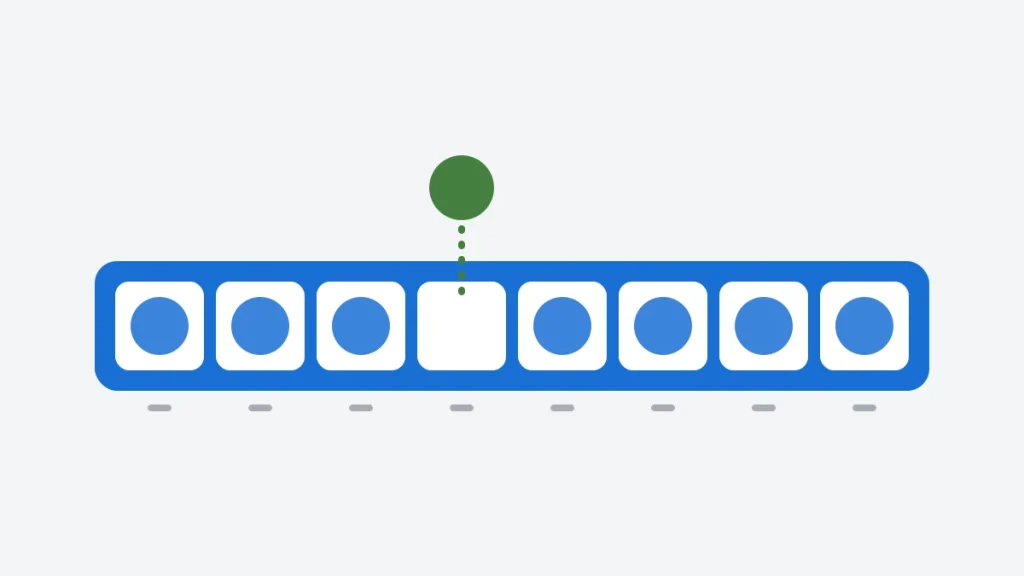
An array in C is a fixed-size sequence of elements of the same type, stored next to each other in memory and accessed by an index that starts at 0. You give its type and size when you declare it, for example int scores[5];, and the size cannot change afterwards.
Arrays solve a simple problem. Five test scores could live in five variables, score1 to score5, but then you cannot loop over them, pass them to a function as a group, or handle six scores without rewriting the code. An array keeps them under one name and lets a loop visit each one by number.
This short program prints where each element sits:
#include <stdio.h>

int main(void)
{
    int scores[5] = {78, 92, 85, 64, 90};

    printf("sizeof scores = %zu bytes, sizeof scores[0] = %zu bytes\n",
           sizeof scores, sizeof scores[0]);
    printf("index  value  byte offset from scores[0]\n");
    for (int i = 0; i < 5; i++)
        printf("%5d  %5d  %5td\n", i, scores[i],
               (char *)&scores[i] - (char *)&scores[0]);
    return 0;
}
Output:
sizeof scores = 20 bytes, sizeof scores[0] = 4 bytes
index  value  byte offset from scores[0]
    0     78      0
    1     92      4
    2     85      8
    3     64     12
    4     90     16
The offsets go up by 4 because an int is 4 bytes on this machine. That fixed spacing is why scores[i] is fast: the compiler finds element i by multiplying, not by searching. The C standard’s rules for array declarations are summarized on cppreference.
Declaring and Initializing Arrays
A declaration gives the element type, the name and the number of elements in square brackets. An initializer list in braces sets the starting values:
#include <stdio.h>

int main(void)
{
    int scores[5] = {78, 92, 85, 64, 90};        /* five ints, set at declaration */
    int empty[5] = {0};                          /* every element is 0 */
    int partial[5] = {1, 2};                     /* the rest are 0 */
    double prices[] = {2.50, 1.25, 4.00};        /* size taken from the list: 3 */
    int days_in_month[13] = {[1] = 31, [2] = 28, [3] = 31, [12] = 31};  /* C99 */

    printf("scores:  ");
    for (int i = 0; i < 5; i++)
        printf("%d ", scores[i]);
    printf("\nempty:   ");
    for (int i = 0; i < 5; i++)
        printf("%d ", empty[i]);
    printf("\npartial: ");
    for (int i = 0; i < 5; i++)
        printf("%d ", partial[i]);

    printf("\nprices has %zu elements; the first is %.2f\n",
           sizeof prices / sizeof prices[0], prices[0]);
    printf("February has %d days, April is not set: %d\n",
           days_in_month[2], days_in_month[4]);

    scores[3] = 70;                              /* change one element */
    printf("after the retake, scores[3] = %d\n", scores[3]);
    return 0;
}
Output:
scores:  78 92 85 64 90
empty:   0 0 0 0 0
partial: 1 2 0 0 0
prices has 3 elements; the first is 2.50
February has 28 days, April is not set: 0
after the retake, scores[3] = 70| Form | Example | Result |
|---|---|---|
| Full list | int scores[5] = {78, 92, 85, 64, 90}; | Every element set |
| All zero | int empty[5] = {0}; | Every element 0 |
| Partial list | int partial[5] = {1, 2}; | 1, 2, then 0, 0, 0 |
| Size from the list | double prices[] = {2.50, 1.25, 4.00}; | The compiler counts 3 elements |
| Designated (C99) | int days[13] = {[2] = 28}; | Element 2 is 28, the rest 0 |
| No initializer (local) | int scores[5]; | Values are garbage until you assign them |
Two rules to remember. When you give some initial values, every element you leave out becomes 0. When you give none to an array declared inside a function, the elements hold whatever was in memory, so assign them before you read them.
Looping Over an Array
A for loop from 0 up to, but not including, the length visits every element once. Real-life example: summarizing a student’s test scores.
/* Real-life example: summarize one student's test scores. */
#include <stdio.h>

#define ARRAY_LEN(a) (sizeof (a) / sizeof (a)[0])

int main(void)
{
    const int scores[] = {78, 92, 85, 64, 90, 73};
    const size_t n = ARRAY_LEN(scores);

    int sum = 0, best = scores[0], worst = scores[0];
    for (size_t i = 0; i < n; i++) {
        sum += scores[i];
        if (scores[i] > best)
            best = scores[i];
        if (scores[i] < worst)
            worst = scores[i];
    }
    double average = (double)sum / (double)n;

    size_t above = 0;
    for (size_t i = 0; i < n; i++)
        if (scores[i] > average)
            above++;

    printf("%zu tests, total %d, average %.2f\n", n, sum, average);
    printf("best %d, worst %d, %zu above average\n", best, worst, above);
    return 0;
}
Output:
6 tests, total 482, average 80.33
best 92, worst 64, 3 above average
The ARRAY_LEN macro divides the size of the whole array by the size of one element, so the program still works if you add a seventh score. It only works on a real array, not on a pointer, which matters as soon as the array is passed to a function. Notice too that the loops use i < n, never i <= n: the last valid index is always n - 1.
Passing Arrays to Functions
When you pass an array to a function, C does not copy it. The function receives a pointer to the first element, so it can read and change the caller’s array, and it has no way to find the length by itself. Always pass the length as a second parameter. Real-life example: a week of temperature readings.
/* Real-life example: a week of temperature readings, processed by functions. */
#include <stdio.h>

/* The array arrives as a pointer, so the length must be passed too. */
static double average(const double *t, size_t n)
{
    double sum = 0.0;
    for (size_t i = 0; i < n; i++)
        sum += t[i];
    return n > 0 ? sum / (double)n : 0.0;
}

/* Changes the caller's array: no copy was made. */
static void to_fahrenheit(double *t, size_t n)
{
    for (size_t i = 0; i < n; i++)
        t[i] = t[i] * 9.0 / 5.0 + 32.0;
}

/* A function cannot return an array, so the caller supplies the space. */
static size_t days_above(const double *t, size_t n, double limit, int *out)
{
    size_t count = 0;
    for (size_t i = 0; i < n; i++)
        if (t[i] > limit)
            out[count++] = (int)i + 1;           /* day numbers start at 1 */
    return count;
}

int main(void)
{
    double week[7] = {21.0, 23.5, 25.0, 19.5, 22.0, 27.5, 26.0};
    const size_t n = sizeof week / sizeof week[0];

    printf("average: %.2f C\n", average(week, n));

    int hot[7];
    size_t k = days_above(week, n, 24.0, hot);
    printf("days above 24 C:");
    for (size_t i = 0; i < k; i++)
        printf(" %d", hot[i]);
    printf("\n");

    to_fahrenheit(week, n);
    printf("in Fahrenheit:");
    for (size_t i = 0; i < n; i++)
        printf(" %.1f", week[i]);
    printf("\n");
    return 0;
}
Output:
average: 23.50 C
days above 24 C: 3 6 7
in Fahrenheit: 69.8 74.3 77.0 67.1 71.6 81.5 78.8
Three patterns are worth copying:
constfor read-only input.averageanddays_abovetakeconst double *, which promises not to modify the readings and lets the compiler hold the function to it.- Changing the caller’s array.
to_fahrenheitwrites through its parameter, and the caller’sweekreally changes. No copy was made. - Returning several values. A C function cannot return an array, so
days_abovefills an array the caller provides and returns how many entries it wrote.
The full story of why an array parameter is really a pointer is in the guide to pointers in C, and parameters in general are covered in functions in C.
Copying and Comparing Arrays
Arrays cannot be assigned with = or compared with ==. Use memcpy to copy and memcmp (or a loop) to compare, both from <string.h>:
#include <stdio.h>
#include <string.h>

int main(void)
{
    int today[4] = {3, 1, 4, 1};
    int saved[4];

    memcpy(saved, today, sizeof today);          /* arrays cannot be assigned with = */
    today[0] = 9;

    printf("today: %d %d %d %d\n", today[0], today[1], today[2], today[3]);
    printf("saved: %d %d %d %d\n", saved[0], saved[1], saved[2], saved[3]);

    /* Compare contents with memcmp (or a loop), never with ==. */
    int again[4] = {3, 1, 4, 1};
    printf("saved and again hold the same values: %s\n",
           memcmp(saved, again, sizeof saved) == 0 ? "yes" : "no");
    return 0;
}
Output:
today: 9 1 4 1
saved: 3 1 4 1
saved and again hold the same values: yes
saved kept the old values after today[0] changed, because memcpy made a real copy. Passing sizeof today copies the whole array, 16 bytes here. The mistakes section shows what the compiler says when you try = and == instead.
Reversing an Array in Place
Real-life example: playing a playlist backwards. Two indexes start at the ends and walk towards the middle, swapping as they go, so no second array is needed:
/* Real-life example: reverse a playlist in place. */
#include <stdio.h>

static void reverse(const char **items, size_t n)
{
    if (n < 2)
        return;
    for (size_t left = 0, right = n - 1; left < right; left++, right--) {
        const char *tmp = items[left];
        items[left] = items[right];
        items[right] = tmp;
    }
}

int main(void)
{
    const char *playlist[] = {"Intro", "Daylight", "Harbor", "Night Drive", "Outro"};
    const size_t n = sizeof playlist / sizeof playlist[0];

    reverse(playlist, n);
    for (size_t i = 0; i < n; i++)
        printf("%zu. %s\n", i + 1, playlist[i]);
    return 0;
}
Output:
1. Outro
2. Night Drive
3. Harbor
4. Daylight
5. Intro
This array holds const char * values: each element points to a song title. Reversing it moves the pointers, not the text, which is why the swap is cheap however long the titles are. The n < 2 check matters: with an empty array, n - 1 would wrap around to a huge size_t value.
Two-Dimensional Arrays
A two-dimensional array is an array of rows. char seats[4][6] is 4 rows of 6 char each, and seats[r][c] is the seat in row r, column c. Real-life example: a small cinema’s seat map.
/* Real-life example: a cinema seat map stored as a two-dimensional array. */
#include <stdbool.h>
#include <stdio.h>

#define ROWS 4
#define COLS 6

static bool book(char seats[ROWS][COLS], int row, int col)
{
    if (row < 0 || row >= ROWS || col < 0 || col >= COLS || seats[row][col] == 'X')
        return false;                            /* off the map, or already taken */
    seats[row][col] = 'X';
    return true;
}

static void show(char seats[ROWS][COLS])
{
    printf("   ");
    for (int c = 0; c < COLS; c++)
        printf("%d", c + 1);
    printf("\n");
    for (int r = 0; r < ROWS; r++) {
        printf("%c  ", 'A' + r);
        for (int c = 0; c < COLS; c++)
            putchar(seats[r][c]);
        putchar('\n');
    }
}

int main(void)
{
    char seats[ROWS][COLS];
    for (int r = 0; r < ROWS; r++)
        for (int c = 0; c < COLS; c++)
            seats[r][c] = '.';

    book(seats, 1, 2);                           /* B3 */
    book(seats, 1, 3);                           /* B4 */
    book(seats, 3, 0);                           /* D1 */
    printf("booking B3 again: %s\n", book(seats, 1, 2) ? "ok" : "refused");
    printf("booking E1: %s\n", book(seats, 4, 0) ? "ok" : "refused");

    show(seats);

    int free_seats = 0;
    for (int r = 0; r < ROWS; r++)
        for (int c = 0; c < COLS; c++)
            free_seats += seats[r][c] == '.';
    printf("%d of %d seats free\n", free_seats, ROWS * COLS);
    return 0;
}
Output:
booking B3 again: refused
booking E1: refused
   123456
A  ......
B  ..XX..
C  ......
D  X.....
21 of 24 seats free
The function parameter char seats[ROWS][COLS] tells the compiler how long each row is, which it needs in order to find seats[r][c]. The first dimension can be left out (char seats[][COLS]), but the column count cannot. book checks the row and column before writing, so a request for row E is refused instead of writing outside the array. The same row-and-column layout runs the board in the brick breaker game in C.
How a 2D array sits in memory
Memory is a single line of bytes, so C stores a two-dimensional array one row after another, an order called row-major:
#include <stdio.h>

#define ROWS 3
#define COLS 4

int main(void)
{
    int grid[ROWS][COLS] = {
        {11, 12, 13, 14},
        {21, 22, 23, 24},
        {31, 32, 33, 34},
    };

    printf("sizeof grid = %zu bytes, one row = %zu bytes\n", sizeof grid, sizeof grid[0]);

    /* Each element's distance from the first one, in bytes. */
    for (int r = 0; r < ROWS; r++) {
        for (int c = 0; c < COLS; c++) {
            long offset = (long)((char *)&grid[r][c] - (char *)&grid[0][0]);
            printf("%3ld", offset);
        }
        printf("   <- row %d\n", r);
    }
    printf("grid[2][1] = %d sits at (2 * %d + 1) * %zu = %zu bytes\n", grid[2][1], COLS,
           sizeof grid[0][0], (2 * COLS + 1) * sizeof grid[0][0]);
    return 0;
}
Output:
sizeof grid = 48 bytes, one row = 16 bytes
  0  4  8 12   <- row 0
 16 20 24 28   <- row 1
 32 36 40 44   <- row 2
grid[2][1] = 32 sits at (2 * 4 + 1) * 4 = 36 bytesElement [r][c] is r * COLS + c elements from the start. That is why a loop that walks along each row, with the column index in the inner loop as in the seat map, touches memory in order, which is usually the fastest order for a large 2D array because memory is read in sequence.
Arrays and Strings
A C string is a char array that ends with a zero byte, '\0'. char name[6] = "Sarah"; needs six elements, five letters plus the terminator. Everything in this guide applies to strings: they are passed to functions as pointers, copied with a function (strcpy, or better snprintf), and compared with strcmp, never ==. The differences between a char array and a char * string get their own article: char array vs string in C.
Common Mistakes with Arrays in C
Reading or writing past the end
C does not check array bounds. This loop runs to i <= 5 and reads a sixth element that does not exist:
/* Deliberately broken: the loop reads one element past the end. */
#include <stdio.h>

int main(void)
{
    int scores[5] = {78, 92, 85, 64, 90};
    int total = 0;
    for (int i = 0; i <= 5; i++)                 /* should be i < 5 */
        total += scores[i];
    printf("total = %d\n", total);
    return 0;
}
Output (GCC 13.3, -Wall -Wextra, no optimization: no warning):
total = 33174Compiled with -O2 instead:
out_of_bounds.c:9:24: warning: iteration 5 invokes undefined behavior [-Waggressive-loop-optimizations]Compiled with -fsanitize=address (report summarized):
AddressSanitizer: stack-buffer-overflow
  READ of size 4 at out_of_bounds.c:9
The five real scores add up to 409, so the extra 32,765 came from whatever happened to sit in memory after the array. The number changes from run to run, and the program exits normally. GCC only warned when optimization was on. AddressSanitizer stopped the program at the exact line. Build your tests with -fsanitize=address and this whole class of bug becomes visible.
Assigning or comparing arrays with = and ==
Compiler output:
$ gcc -c array_assign.c
array_assign.c:6:11: error: assignment to expression with array type
$ clang -c array_assign.c
array_assign.c:6:11: error: array type 'int[4]' is not assignable
Assignment does not compile at all. Comparison does compile, because both array names turn into pointers, so == asks whether the two arrays are the same array:
Compiler output, then the program’s output:
$ gcc -Wall -Wextra array_compare.c
array_compare.c:8:30: warning: comparison between two arrays [-Warray-compare]
$ clang -Wall -Wextra array_compare.c
array_compare.c:8:30: warning: array comparison always evaluates to false [-Wtautological-compare]
$ ./array_compare
a == b: not equal
Two arrays with identical contents compare as “not equal”. Use memcpy and memcmp, as in the copying section.
Using sizeof inside a function
Inside a function, an array parameter is a pointer, so sizeof gives the size of a pointer (8 bytes on a 64-bit system), not of the array. GCC warns about it with -Wsizeof-array-argument. Compute the length where the array is declared and pass it in, as functions.c does.
Reading an uninitialized local array
int totals[7]; inside a function holds leftover values. Either initialize it (int totals[7] = {0};) or assign every element before reading any of them.
Arrays in C vs the Array Data Structure
This guide covers how arrays work in the C language. The companion guide treats the array as a data structure. Use this table to pick the one that answers your question:
| Question | Where it is answered |
|---|---|
| How do I declare, initialize, loop over or pass an array in C? | This guide |
| Why does my array parameter lose its length? How do I copy or compare arrays? | This guide |
| How do 2D arrays work in C, and how are they laid out in memory? | This guide |
| How do I insert, delete or search in an array, and how fast is each operation? | Arrays as a data structure in C and C++ |
How do arrays compare with linked lists, or with std::array and std::vector in C++? | Arrays as a data structure in C and C++ |
When the size is only known while the program runs, an array with a fixed size is not enough. That is where malloc and realloc come in, covered with a growing array example in the guide to pointers.
Key Takeaways
- An array is a fixed-size block of same-type elements, indexed from 0 to
n - 1. Fiveints take 20 bytes, and the length is stored nowhere. - Initialize what you declare. Any element left out of an initializer list is 0. A local array with no initializer holds garbage.
- Loop with
i < n, neveri <= n. TheARRAY_LENidiom getsnfrom the array itself, but only where the array is declared. - Arrays are passed to functions as pointers. Pass the length too, use
constfor read-only arrays, and fill a caller-provided array instead of trying to return one. - Use
memcpyandmemcmp.=does not compile on arrays, and==compares addresses. - 2D arrays are stored row by row, so loop with the column index innermost.
- C does not check bounds. One read past the end changed a total by 32,765 without any error. AddressSanitizer caught it at the exact line.
Conclusion
Arrays are the first data structure most C programmers meet and the one they keep using. Every buffer, string, image row and lookup table is an array underneath. The rules are few: fixed size, zero-based index, no bounds checking, and decay to a pointer when passed to a function. Most array bugs come from forgetting one of them.
Once these feel natural, the next steps are arrays whose size is decided at run time with malloc, and arrays of structures that hold real records. Both are covered in the C programming section.
Source Code and Tests

All programs on this page are in the arrays/arrays-in-c directory of the MYCPLUS C examples repository.
Build and test:
cmake -S . -B build
cmake --build build
ctest --test-dir build --output-on-failure
What the build checks. The programs compile with GCC and Clang under C11 and C17 with -Wall -Wextra -pedantic -Werror, and with MSVC under /W4 /WX. Every demo prints exactly the output shown here. Unit tests cover the temperature functions (an empty array, the strict “above” comparison, exact conversions of 0, 100 and -40 degrees), the reversal for every length from 0 to 7, and seat booking, including taken seats and every out-of-range row and column. On Linux, the build also checks that = on arrays still fails to compile, that == still draws a warning, and that AddressSanitizer still reports the out-of-bounds read. The tests and demos run clean under AddressSanitizer and UndefinedBehaviorSanitizer.
What I Verified
Everything in the Ubuntu column was run for this article on Ubuntu 24.04 (x86-64, GCC 13.3, Clang 18, CMake 3.28, MinGW-w64 GCC 13). The WSL and Windows columns come from the run_all.sh and run_all.ps1 scripts in the repository.
| Check | Ubuntu 24.04 | WSL (Ubuntu 24.04) | Windows 11 |
|---|---|---|---|
Builds with warnings as errors (GCC and Clang on Linux, MSVC /W4 /WX on Windows), C11 and C17 | GCC and Clang, C11 and C17: passed, zero warnings | GCC 13.3, C11 and C17: passed, zero warnings (Clang not installed) | MSVC /W4 /WX, C11 and C17: built |
| Tests (unit tests and byte-for-byte output checks; on Linux also the pitfall checks) | 10 of 10 passed in all four configurations | 10 of 10 passed in C11 and C17 | 9 of 9 passed in C11 and C17 (the pitfall checks are Linux-only) |
| AddressSanitizer and UndefinedBehaviorSanitizer over the tests and demos | Clean | Clean | Not applicable |
| Programs and tests cross-compiled with MinGW-w64, warnings as errors | Passed | Not run | Not applicable |
| 10 deliberate mistakes injected into the code to check the unit tests | All 10 caught | Not run | Not run |
Not covered: 32-bit builds (where pointer sizes differ), Clang on WSL, compilers other than GCC, Clang and MSVC, and any timing. The out-of-bounds total varies from run to run, so the build checks only that AddressSanitizer reports it, not the number.