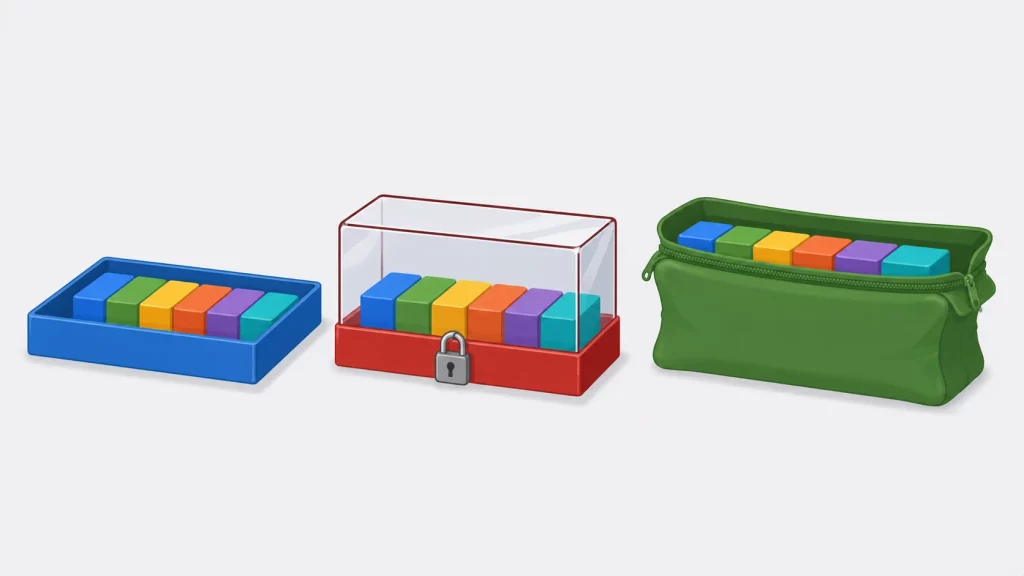
These two lines look like the same declaration written two ways:
char  arr[] = "mycplus";
char *ptr   = "mycplus";
They are not. Writing arr[0] = 'M' works. Writing the same thing through ptr killed the process with a segmentation fault in the test for this article — exit code 139 — and the reason is visible in the kernel’s own memory map: the array lives in a mapping marked rw-p, while the literal behind the pointer sits in one marked r--p.
This guide covers what a char array actually is, what a “string” means in C and in C++, and where the differences bite: modifiability, sizeof, array decay, buffer overflows, and what std::string changes. Every program below was compiled and run for this article on Ubuntu 24.04 with GCC 13.3, using gcc -std=c11 -Wall -Wextra and g++ -std=c++17 -Wall -Wextra, including runs under AddressSanitizer. Memory permissions were read from /proc/self/maps at run time rather than assumed, and every output block, compiler warning and address is captured verbatim.
The Short Answer
What is the difference between a char array and a string in C? There is no string type in C. A “string” is a convention: a sequence of characters ending in a \0 byte. A char array is the storage; a string is what the contents mean. char arr[] = "hi" gives you an array of three chars that happens to follow the convention.
What is the difference between char[] and char*? char arr[] creates your own modifiable copy of the characters. char *ptr = "..." stores the address of a string literal you do not own and must not write to.
What about C++? std::string is a real type that owns and manages its characters and grows on demand, so its ordinary operations do not produce the fixed-buffer overflows a char array can. In C++, prefer it unless you are talking to a C API.
What Is a Char Array, and What Is a String?
A char array is a fixed-size block of memory holding characters, declared like char name[20]. A string in C is not a type at all — it is any sequence of characters terminated by a null byte (\0). A C string is stored in an array of character type, but not every char array holds a string: an array without a terminating \0 is just bytes, and passing it to strlen or printf("%s") is undefined behaviour. C++ adds std::string, a genuine type that stores its own length and manages its own memory.
The normative wording for literals, and why writing to one is undefined, is in cppreference’s string literal page.
That distinction explains most of the confusion. In Python or Java, a string is an object with a length. In C, the length is not stored anywhere — it is discovered by walking forward until a zero byte appears. Everything else follows from that one design decision.
char a[] = "hi";      /* 3 bytes: 'h', 'i', '\0'  — a valid string */
char b[] = {'h','i'}; /* 2 bytes: 'h', 'i'        — NOT a string   */
a can be printed with %s. b cannot; printf("%s", b) would read past the end of the array looking for a terminator that was never written.
Char Array vs String: The Comparison
| Property | char arr[] | char *ptr = "…" | std::string (C++) |
|---|---|---|---|
| What it is | An array you own | A pointer to a literal you don’t own | An object that owns its characters |
| Where the characters live | Stack, static, or wherever you declared it | Static storage; not modifiable | Inside the object (short) or the heap (long) |
| Modifiable | Yes | No — undefined behaviour | Yes |
| Size known at | Fixed after creation; compile time for ordinary arrays | Not known from the pointer | Run time, stored in the object |
sizeof returns | Whole array in bytes | Pointer size (8 on 64-bit) | Object size, constant regardless of contents (32 bytes in the libstdc++ build tested) |
| Length | strlen, walks to the \0 | strlen, walks to the \0 | .size(), stored, O(1) |
| Can grow | No | No | Yes, automatically |
| Overflow risk | Yes — strcpy will write past the end | Yes, if you copy into it | Not a fixed-buffer overflow; may throw on allocation failure |
Needs \0 | Yes | Yes | No, handled internally |
char[] vs char*: The Difference That Causes Crashes
This is the pair that trips people up, because both give you something you can pass to printf("%s").
char  arr[] = "mycplus";      /* copies 8 bytes into an array you own */
const char *lit = "mycplus";  /* stores the address of a string literal */
char arr[] = "mycplus" allocates 8 bytes — seven characters plus the terminator — and copies the literal into them. The array is yours. const char *lit = "mycplus" allocates only a pointer, and points it at the literal wherever the compiler decided to store it. You did not get a copy.
The consequence is not subtle:
char  arr[] = "mycplus";
const char *lit = "mycplus";

arr[0] = 'M';                 /* fine: writing to your own array */
printf("arr after arr[0]='M': %s\n", arr);

char *writable = (char *)lit;
writable[0] = 'M';            /* undefined behaviour */
Output:
arr after arr[0]='M': Mycplus
about to write through the literal pointer...
Segmentation fault
The process died with exit code 139, which is 128 + 11 — killed by SIGSEGV. Note that the program compiled with zero warnings, because the cast to char * is exactly what silences the compiler.
Why it crashes, measured rather than asserted
Most explanations stop at “string literals are read-only”. Here is that claim checked against the kernel. This program declares the same seven characters four ways and then looks up each address in /proc/self/maps:
char        arr[]  = "mycplus";     /* automatic storage: the stack */
const char *lit    = "mycplus";     /* points into read-only data   */
char       *heap   = malloc(8);     /* the heap                     */
static char stat[] = "mycplus";     /* static storage               */
Output:
object           perms      mapping
--------------------------------------------------------------
arr  (stack)     rw-p       [stack]
heap (malloc)    rw-p       [heap]
stat (static)    rw-p       /home/claude/chararr/segments
lit  (literal)   r--p       /home/claude/chararr/segments
Three of the four are in rw-p mappings — readable and writable. On this GCC/Linux build the string literal is in an r--p mapping: readable, not writable. The C standard does not require that placement — it gives literals static storage duration and leaves modification undefined — but placing them in read-only memory is what mainstream implementations do, and it is what turns “undefined” into a reliable crash here. That is the segfault, straight from the operating system’s page permissions rather than from a rule of thumb.
Note also that the literal and the static array are both in the executable’s own mapping, but with different permissions. They are in different sections of the same file.
The practical rule: if you write char *p = "literal", write const char *p = "literal" instead. The const makes the compiler reject the write at compile time rather than letting the hardware reject it at run time. If you need to modify the characters, declare an array.
Array Decay: Why sizeof Lies Inside a Function
The second difference is about types, and it produces a bug that survives testing because it only appears when the array crosses a function boundary.
static void by_value(char param[14]) {
    printf("  inside function: sizeof(param) = %zu\n", sizeof param);
}

int main(void) {
    char arr[] = "Hello, World!";
    printf("in main:          sizeof(arr)   = %zu\n", sizeof arr);
    printf("                  strlen(arr)   = %zu\n", strlen(arr));
    by_value(arr);
}
Output:
in main:          sizeof(arr)   = 14   (the whole array)
                  strlen(arr)   = 13   (characters, no NUL)
  inside function: sizeof(param) = 8
Fourteen in main, eight inside the function. The parameter declared as char param[14] is not an array at all — C converts array parameters to pointers, so sizeof reports the size of a char *. GCC says so directly:
warning: 'sizeof' on array function parameter 'param' will return size of 'char *'
         [-Wsizeof-array-argument]
Also worth noting: sizeof is 14 and strlen is 13. sizeof counts the terminator; strlen does not. Confusing the two is how off-by-one buffer bugs start.
arr and &arr are the same address and different types
The old version of this article stated that arr and &arr are “the same”. They hold the same address, but they are different types, and the difference is measurable:
arr      = 0x7ffc2c79b18a   (type char *      after decay)
&arr     = 0x7ffc2c79b18a   (type char (*)[14])
&arr[0]  = 0x7ffc2c79b18a

arr  + 1 = 0x7ffc2c79b18b   (+1 byte)
&arr + 1 = 0x7ffc2c79b198   (+14 bytes)
Same starting address, three ways of writing it. But adding one moves arr forward by a single character and moves &arr forward by the whole array — fourteen bytes — because &arr has type “pointer to array of 14 chars”. The type is not decoration; it determines the arithmetic.
The compiler names these types precisely when you get a format specifier wrong, which is a convenient way to inspect them. Compiling the old article’s code produced:
warning: format '%lu' expects argument of type 'long unsigned int',
         but argument 2 has type 'char (*)[14]'
For more on how pointer types compose, see our guide to pointers to pointers in C.
Strings in C: The Terminator Is the Whole Contract
Because C stores no length, the \0 is load-bearing. Three consequences follow.
Computing a C string’s length with strlen is O(n). strlen walks the array. Calling it inside a loop condition turns a linear loop into a quadratic one — a classic accidental performance bug.
Your buffer must hold one more byte than the text. Room for “hello” means six bytes, not five. This off-by-one is a common beginner buffer bug.
Nothing checks the size for you. strcpy writes until it finds a terminator in the source, regardless of how big the destination is:
warning: 'char* strcpy(char*, const char*)' writing 40 bytes into
         a region of size 8 overflows the destination [-Wstringop-overflow=]
==541==ERROR: AddressSanitizer: stack-buffer-overflow
WRITE of size 40 at 0x7feb92900088 thread T0
#0 in strcpy
#1 in main /home/claude/chararr/overflow.cpp:12Forty bytes into an eight-byte array. GCC caught this one statically because both sizes were visible at compile time. When the source size is not known at compile time, catching it needs a runtime tool such as a sanitizer, or a static analyser — the compiler alone will not. For the safe input patterns that avoid this, see how to compare strings in C, which covers fgets and bounded reads.
The char type itself has a few surprises of its own — signedness in particular — covered in data types in C.
std::string in C++: What Actually Changes
std::string is a class that owns a buffer, records its own length, and resizes when needed.
char        arr[] = "mycplus";
std::string str   = "mycplus";

std::cout << "char array : sizeof=" << sizeof(arr)
          << "  strlen=" << std::strlen(arr) << "\n";
std::cout << "std::string: size="   << str.size()
          << "  sizeof(object)=" << sizeof(str) << "\n";

str += " programming tutorials";     // grows automatically
Output:
char array : sizeof=8  strlen=7  (fixed at compile time)
std::string: size=7  sizeof(object)=32  (object is a handle)

after +=   : "mycplus programming tutorials"  size=29
sizeof(str) is 32 regardless of what the string contains, because the object is a handle. The characters live elsewhere — and where depends on how many there are:
short  : length=5   capacity=15  sizeof(object)=32  data lives INSIDE the object (SSO)
long   : length=53  capacity=53  sizeof(object)=32  data lives on the HEAP
This is the small string optimisation. Up to 15 characters, libstdc++ stores the text inside the 32-byte object itself, avoiding a heap allocation entirely. Beyond that it allocates. The test above determined which by checking whether data() pointed inside the object’s own footprint — so short strings are not merely cheap, they involve no allocation at all.
Two more practical points. str.size() is O(1) because the length is stored, unlike strlen. And str.c_str() hands you a null-terminated const char * whenever you need to call a C API, which is how the two worlds meet.
Which Should You Use?
In C++, use std::string unless you have a specific reason not to. The overflow test above is the argument: the std::string version absorbed the same 39-character assignment without a fixed-buffer overflow, because it grew its storage to fit, while the fixed array version was an AddressSanitizer report. You do not have to be right about the size, because you do not have to state a size.
In C, you have no std::string, so the question becomes which flavour of char array:
char arr[N]— a fixed buffer, when you know the maximum size. Stack-allocated, fast, no cleanup. Watch the bounds yourself.const char *p = "literal"— for text you will only read. Costs one pointer. Theconstis not optional in practice; it is what stops you writing to read-only memory.malloc— when the size is only known at run time. You own the free. See malloc versus calloc for choosing between them.
A fixed array is not automatically the safe choice. It is safe from lifetime bugs, since it lives as long as its scope, but not from overflow. char buf[8] plus strcpy is exactly the crash shown above.
Key Takeaways
- C has no string type. A string is a char array whose contents end in
\0. The array is the storage; the terminator is the convention. char arr[] = "x"copies;char *p = "x"does not. The array is yours and writable. The literal is not — writing through the pointer produced a SIGSEGV, and/proc/self/mapsshowed the literal in anr--pmapping while the array was inrw-p.- Write
const char *, notchar *, for literals. It moves the error from run time to compile time. - Arrays decay to pointers when passed to functions.
sizeofmeasured 14 inmainand 8 inside the function, on the same array. sizeofcounts the terminator,strlendoes not — 14 against 13 for"Hello, World!".arrand&arrare the same address with different types.arr + 1moved one byte;&arr + 1moved fourteen.sizeof(std::string)is 32 whatever it holds. Up to 15 characters live inside the object with no heap allocation; longer ones move to the heap.- In C++, prefer
std::string. The same 39-character assignment that overflowed an 8-byte array was absorbed by growing the storage instead.
Frequently Asked Questions
Conclusion
The confusion between char arrays and strings comes from C treating them as the same thing when they are not. The array is storage with a size known to the compiler. The string is a convention about what the last byte means, known to nobody but the programmer. Every trap in this article — the segfault, the decayed sizeof, the off-by-one buffer, the silent overflow — comes from that gap between what the compiler knows and what the code assumes.
C++ closed the gap by making the string a real type that carries its own length. C did not, which is why C string handling remains a matter of tracking sizes by hand and why the tooling matters so much: -Wall -Wextra caught two of the bugs above at compile time and AddressSanitizer caught the third at run time. The rest of the C programming section covers the neighbouring ground.