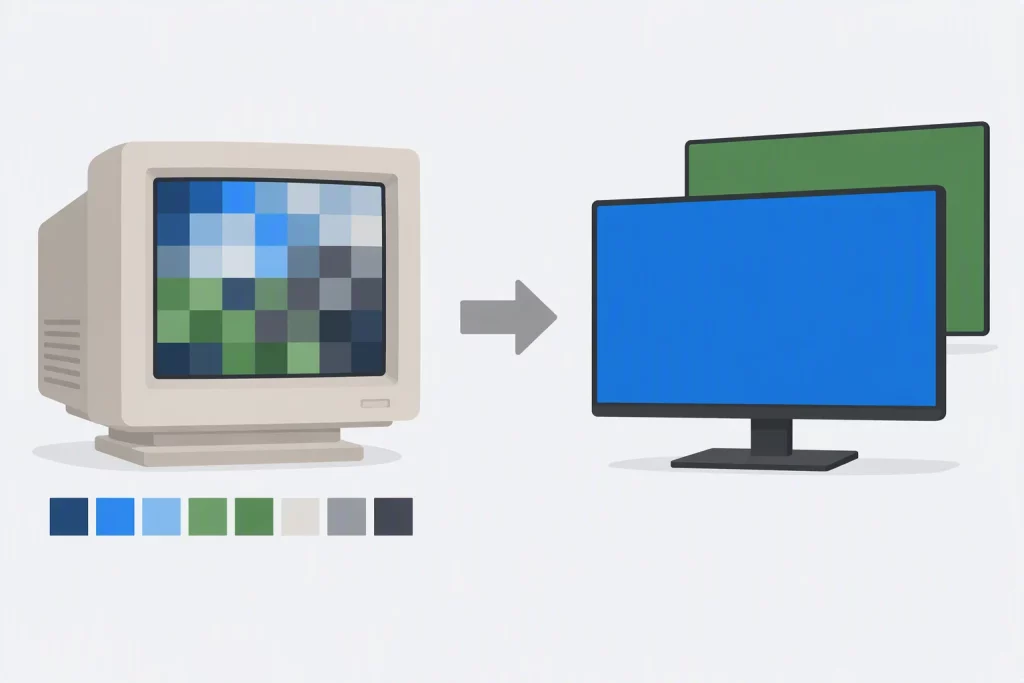

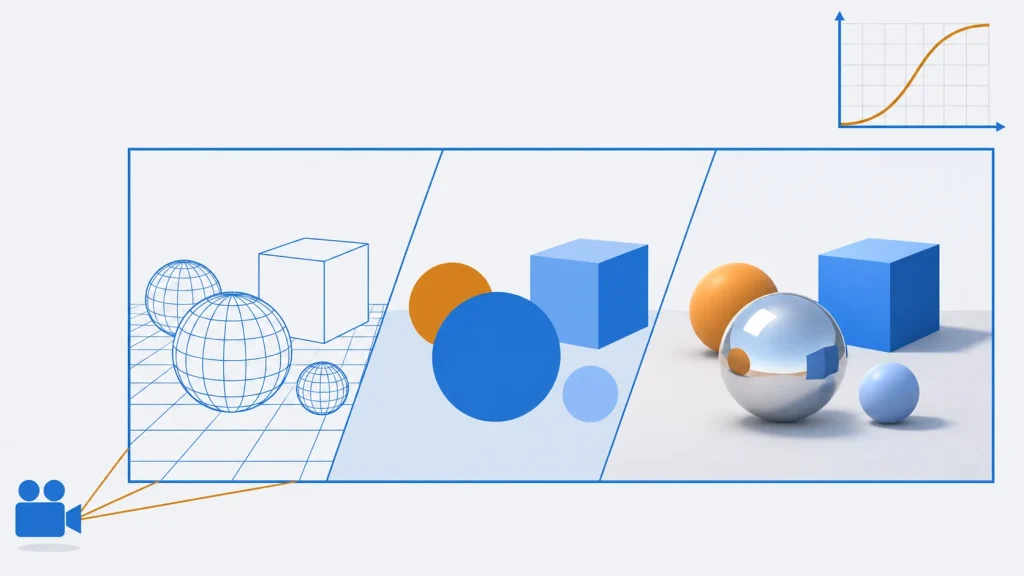
The graphics in a modern AAA game come from a small set of technologies working together: a low-level graphics API such as Direct3D 12 or Vulkan to talk to the GPU, shaders that run on it, ray tracing for realistic light, and high dynamic range (HDR) rendering with tone mapping to turn that light into an image a screen can show. Almost all of it is written in C++, the language of every major engine and of the APIs’ own samples.
This guide explains how each of those pieces works and how they fit into one frame, with C++ you can build and run. Every example is in our open-source cpp-examples repository on GitHub, with tests that run on every change: a CPU ray tracer, tone mapping in C++ and GLSL, and first steps in Vulkan and Direct3D 12. API versions and engine features were checked against Khronos, Microsoft, Apple and Epic Games sources in November 2026.
What Is Graphics Programming in AAA Game Development?
Graphics programming in AAA games is the work of turning a game’s world into images, usually 60 or more times a second. It’s done mostly in C++ through low-level GPU APIs such as Direct3D 12, Vulkan and Metal, with shaders written in HLSL or GLSL. Modern games combine rasterization with hardware ray tracing and render in HDR before tone mapping each frame for the display.
AAA game graphics at a glance
| Main language | C++ (engines, renderers and API samples) |
|---|---|
| PC and Xbox API | Direct3D 12 (Shader Model 6.9, DXR 1.2 in 2026) |
| Cross-platform API | Vulkan 1.4 (Khronos, open and royalty-free) |
| Apple API | Metal 4 (2025) |
| Shader languages | HLSL, GLSL, Metal Shading Language, Slang |
| GPU ray tracing | Since 2018 (DXR); Vulkan ray tracing since 2020 |
| HDR output | HDR10 with the PQ curve (SMPTE ST 2084) |
| Common tone curves | Reinhard, ACES filmic |
| Companion code | github.com/mycplus/cpp-examples (graphics folder) |
How a Frame Is Rendered
Every frame goes through the same broad steps, split between the CPU and the GPU:
- On the CPU, the game updates its logic, animation and physics, works out which objects the camera can see (culling), and records command lists: the draw calls and state changes for the GPU. In Direct3D 12, Vulkan and Metal, several CPU threads can record commands at once.
- On the GPU, vertex shaders transform each model’s triangles to screen space, the rasterizer works out which pixels each triangle covers, and pixel (fragment) shaders compute a colour for each one. Many engines first write material data to a G-buffer and light it in a separate pass, which is called deferred shading.
- Ray tracing adds effects that rasterization approximates poorly: accurate shadows, reflections and global illumination. Most games use it on top of rasterization, an approach called hybrid rendering.
- Post-processing adds anti-aliasing, upscaling (such as DLSS, FSR, XeSS or MetalFX), bloom and motion blur.
- Tone mapping converts the HDR result to the range of the display, and the frame is presented.
Choosing a Graphics API in 2026
The graphics API decides which platforms you reach and how much control you have. The modern APIs, Direct3D 12, Vulkan and Metal, are called “explicit” or low-level: the application, not the driver, manages memory, synchronization and command submission. That’s more work, but it cuts CPU overhead and lets engines spread rendering across many threads.
| API | Platforms | Shader language | Status in 2026 |
|---|---|---|---|
| Direct3D 12 | Windows 10 and 11, Xbox | HLSL | Microsoft’s main API; Shader Model 6.9 and DirectX Raytracing (DXR) 1.2 reached retail in February 2026 (DirectX blog) |
| Vulkan | Windows, Linux, Android, Nintendo Switch; macOS and iOS through MoltenVK | GLSL or HLSL, compiled to SPIR-V | An open, royalty-free standard from Khronos; version 1.4 since December 2024, with regular updates |
| Metal | macOS, iOS, iPadOS, visionOS | Metal Shading Language | Apple’s only modern API; Metal 4 (June 2025) added MetalFX frame interpolation and denoising (AppleInsider) |
| OpenGL | Windows, Linux; deprecated on Apple platforms | GLSL | Stable at version 4.6 since 2017, with no new features; fine for learning |
| WebGPU | Browsers: Chrome, Edge, Firefox, Safari | WGSL | Shipping in Chrome, Edge, Firefox and Safari since late 2025, with some platforms still in progress (web.dev) |
PlayStation consoles don’t use any of these: Sony provides its own low-level APIs to licensed developers. That’s why big engines put their renderer behind an abstraction layer with one back end per API.
For a smaller, older example of a Direct3D program in C++, see our guide to DirectX components.
Vulkan from C++: Creating an Instance and Finding the GPU
Every Vulkan program starts the same way: create a VkInstance, which connects your program to the Vulkan drivers on the system, then enumerate the physical devices (GPUs) and pick one. This program does that and reports what each GPU offers, including whether it supports hardware ray tracing:
#include <vulkan/vulkan.h>

#include <cstdint>
#include <cstdio>
#include <cstring>
#include <vector>

static const char* type_name(VkPhysicalDeviceType t) {
    switch (t) {
        case VK_PHYSICAL_DEVICE_TYPE_INTEGRATED_GPU: return "integrated GPU";
        case VK_PHYSICAL_DEVICE_TYPE_DISCRETE_GPU: return "discrete GPU";
        case VK_PHYSICAL_DEVICE_TYPE_VIRTUAL_GPU: return "virtual GPU";
        case VK_PHYSICAL_DEVICE_TYPE_CPU: return "CPU (software)";
        default: return "other";
    }
}

static bool has_extension(VkPhysicalDevice gpu, const char* name) {
    uint32_t count = 0;
    vkEnumerateDeviceExtensionProperties(gpu, nullptr, &count, nullptr);
    std::vector<VkExtensionProperties> exts(count);
    vkEnumerateDeviceExtensionProperties(gpu, nullptr, &count, exts.data());
    for (const auto& e : exts)
        if (std::strcmp(e.extensionName, name) == 0) return true;
    return false;
}

int main() {
    // 1. Describe the application and the Vulkan version it needs.
    VkApplicationInfo app{};
    app.sType = VK_STRUCTURE_TYPE_APPLICATION_INFO;
    app.pApplicationName = "mycplus-vulkan-device-info";
    app.applicationVersion = VK_MAKE_API_VERSION(0, 1, 0, 0);
    app.apiVersion = VK_API_VERSION_1_1;

    // 2. Create the instance: the connection between the program and the driver(s).
    VkInstanceCreateInfo info{};
    info.sType = VK_STRUCTURE_TYPE_INSTANCE_CREATE_INFO;
    info.pApplicationInfo = &app;

    VkInstance instance = VK_NULL_HANDLE;
    if (VkResult r = vkCreateInstance(&info, nullptr, &instance); r != VK_SUCCESS) {
        std::fprintf(stderr, "vkCreateInstance failed: %d (is a Vulkan driver installed?)\n",
                     static_cast<int>(r));
        return 1;
    }

    // 3. Ask how many GPUs there are, then fetch them (Vulkan's two-call pattern).
    uint32_t gpu_count = 0;
    vkEnumeratePhysicalDevices(instance, &gpu_count, nullptr);
    std::vector<VkPhysicalDevice> gpus(gpu_count);
    vkEnumeratePhysicalDevices(instance, &gpu_count, gpus.data());
    std::printf("Vulkan devices: %u\n", gpu_count);

    for (VkPhysicalDevice gpu : gpus) {
        VkPhysicalDeviceProperties props{};
        vkGetPhysicalDeviceProperties(gpu, &props);
        std::printf("\n%s (%s)\n", props.deviceName, type_name(props.deviceType));
        std::printf("  Vulkan API %u.%u.%u\n", VK_API_VERSION_MAJOR(props.apiVersion),
                    VK_API_VERSION_MINOR(props.apiVersion), VK_API_VERSION_PATCH(props.apiVersion));
        std::printf("  max 2D texture: %u x %u\n", props.limits.maxImageDimension2D,
                    props.limits.maxImageDimension2D);

        // 4. Queue families: the kinds of work this GPU accepts.
        uint32_t qcount = 0;
        vkGetPhysicalDeviceQueueFamilyProperties(gpu, &qcount, nullptr);
        std::vector<VkQueueFamilyProperties> families(qcount);
        vkGetPhysicalDeviceQueueFamilyProperties(gpu, &qcount, families.data());
        for (uint32_t i = 0; i < qcount; ++i) {
            const VkQueueFlags f = families[i].queueFlags;
            std::printf("  queue family %u: %u queue(s)%s%s%s\n", i, families[i].queueCount,
                        (f & VK_QUEUE_GRAPHICS_BIT) ? " graphics" : "",
                        (f & VK_QUEUE_COMPUTE_BIT) ? " compute" : "",
                        (f & VK_QUEUE_TRANSFER_BIT) ? " transfer" : "");
        }

        // 5. Hardware ray tracing is an optional device extension.
        const bool rt = has_extension(gpu, "VK_KHR_ray_tracing_pipeline") &&
                        has_extension(gpu, "VK_KHR_acceleration_structure");
        std::printf("  ray tracing pipeline: %s\n", rt ? "yes" : "no");
    }

    vkDestroyInstance(instance, nullptr);
    return gpu_count > 0 ? 0 : 2;
}
A few things to notice:
- Vulkan uses plain C structs with an
sTypefield that names the struct; this lets drivers check and extend them. - Lists are fetched with a two-call pattern: call once with a null pointer to get the count, then again to fill a vector.
- Queue families describe what kinds of work a GPU accepts; a renderer needs at least one with
VK_QUEUE_GRAPHICS_BIT. - Hardware ray tracing is an optional extension, so a game checks for it and falls back to rasterized effects when it’s missing.
How we tested it: we built this program with g++ 13 and clang++ 18, as C++17 and C++20 with warnings as errors, on Ubuntu 24.04. We ran it on Mesa 25.2’s lavapipe, a Vulkan driver that runs on the CPU, so it works without a GPU. It printed llvmpipe (LLVM 20.1.2, 256 bits) (CPU (software)), Vulkan API 1.4.318 and one queue family with graphics, compute and transfer, and it reported ray tracing pipeline: yes: lavapipe has supported ray tracing in software since Mesa 24.1 (Phoronix on lavapipe ray tracing). It also ran clean under AddressSanitizer, including leak checks.
Direct3D 12 from C++: Device, Ray Tracing Tier and Command Queue
Direct3D 12 follows the same pattern with COM interfaces. DXGI enumerates the adapters, D3D12CreateDevice creates the device, and CheckFeatureSupport tells you which features, such as the DirectX Raytracing tier, the driver supports. The command queue is where every frame’s command lists are submitted:
#include <windows.h>
#include <d3d12.h>
#include <dxgi1_6.h>
#include <wrl/client.h>

#include <cstdio>
#include <cwchar>

using Microsoft::WRL::ComPtr;

static const char* dxr_tier(D3D12_RAYTRACING_TIER t) {
    switch (t) {
        case D3D12_RAYTRACING_TIER_NOT_SUPPORTED: return "not supported";
        case D3D12_RAYTRACING_TIER_1_0: return "1.0";
        default: return "1.1 or later";
    }
}

int main() {
    // 1. A DXGI factory enumerates the adapters (GPUs) in the system.
    ComPtr<IDXGIFactory6> factory;
    if (FAILED(CreateDXGIFactory2(0, IID_PPV_ARGS(&factory)))) {
        std::printf("CreateDXGIFactory2 failed\n");
        return 1;
    }

    // 2. Take the first high-performance hardware adapter that can create a device.
    ComPtr<IDXGIAdapter1> adapter;
    ComPtr<ID3D12Device> device;
    for (UINT i = 0; factory->EnumAdapterByGpuPreference(i, DXGI_GPU_PREFERENCE_HIGH_PERFORMANCE,
                                                         IID_PPV_ARGS(&adapter)) != DXGI_ERROR_NOT_FOUND;
         ++i) {
        DXGI_ADAPTER_DESC1 desc{};
        adapter->GetDesc1(&desc);
        if (desc.Flags & DXGI_ADAPTER_FLAG_SOFTWARE) continue;  // hardware first
        if (SUCCEEDED(D3D12CreateDevice(adapter.Get(), D3D_FEATURE_LEVEL_11_0, IID_PPV_ARGS(&device)))) {
            std::wprintf(L"Adapter: %ls\n", desc.Description);
            break;
        }
    }

    // 3. No usable GPU (for example on a CI machine): use WARP instead.
    if (!device) {
        ComPtr<IDXGIAdapter> warp;
        if (FAILED(factory->EnumWarpAdapter(IID_PPV_ARGS(&warp))) ||
            FAILED(D3D12CreateDevice(warp.Get(), D3D_FEATURE_LEVEL_11_0, IID_PPV_ARGS(&device)))) {
            std::printf("No Direct3D 12 device available\n");
            return 2;
        }
        std::printf("Adapter: WARP (software)\n");
    }

    // 4. Ask the driver which DirectX Raytracing tier it supports.
    D3D12_FEATURE_DATA_D3D12_OPTIONS5 opts5{};
    if (SUCCEEDED(device->CheckFeatureSupport(D3D12_FEATURE_D3D12_OPTIONS5, &opts5, sizeof(opts5))))
        std::printf("DXR tier: %s\n", dxr_tier(opts5.RaytracingTier));

    // 5. Every frame is recorded into command lists and submitted to a queue.
    D3D12_COMMAND_QUEUE_DESC qdesc{};
    qdesc.Type = D3D12_COMMAND_LIST_TYPE_DIRECT;
    ComPtr<ID3D12CommandQueue> queue;
    if (FAILED(device->CreateCommandQueue(&qdesc, IID_PPV_ARGS(&queue)))) {
        std::printf("CreateCommandQueue failed\n");
        return 3;
    }
    std::printf("Direct command queue created\nPASS\n");
    return 0;
}
ComPtr is a smart pointer from the Windows Runtime Library that calls Release() for you, and IID_PPV_ARGS passes the interface ID and pointer in one go. A full renderer continues from here with a swap chain, command allocators and lists, descriptor heaps, and fences to keep the CPU and GPU in step; Microsoft’s DirectX-Graphics-Samples repository walks through each of these.
How we tested it: Direct3D 12 only runs on Windows, so we compiled this program with MinGW-w64 (gcc 13, warnings as errors) on Linux but couldn’t run it ourselves. The repository’s GitHub Actions workflow builds it with Visual C++ at /W4 /WX and runs it on a Windows runner; those runners have no GPU, which is why the program falls back to WARP, Microsoft’s software renderer.
Shaders: Programs That Run on the GPU
A shader is a small program that the GPU runs in parallel, once for each vertex, pixel or ray. Shaders compute positions and colours; they aren’t a physics simulation, although compute shaders can run general work, such as particles or cloth, on the GPU.
Game shaders are written in HLSL (Direct3D, and increasingly Vulkan too), GLSL (Vulkan and OpenGL) or the Metal Shading Language, and compiled ahead of time: to DXIL for Direct3D 12 with Microsoft’s DXC compiler, or to SPIR-V for Vulkan. Slang, a newer shading language that compiles to all of these, has been hosted by Khronos since late 2024.
This GLSL fragment shader is a typical full-screen post-processing pass: it reads the HDR image the frame was rendered into, applies exposure and a tone curve, and writes the result. We’ll see the curve itself in C++ in the HDR section below.
#version 450
// Full-screen pass: read the HDR scene colour, apply exposure and the ACES
// curve, and write the result. The swap chain image is an sRGB format,
// so the GPU applies the sRGB encoding when the shader writes to it.

layout(set = 0, binding = 0) uniform sampler2D hdrScene;
layout(push_constant) uniform Params {
    float exposureStops;
} params;

layout(location = 0) in vec2 uv;
layout(location = 0) out vec4 outColour;

vec3 acesFitted(vec3 x) {
    const float a = 2.51, b = 0.03, c = 2.43, d = 0.59, e = 0.14;
    return clamp((x * (a * x + b)) / (x * (c * x + d) + e), 0.0, 1.0);
}

void main() {
    vec3 hdr = texture(hdrScene, uv).rgb * exp2(params.exposureStops);
    outColour = vec4(acesFitted(hdr), 1.0);
}
How we tested it: we compiled this shader to SPIR-V with Khronos’s glslangValidator 15.1 (glslangValidator -V tonemap.frag), and the repository’s tests compile it again on every change.
Ray Tracing, Explained
Ray tracing simulates light by following rays. Real light travels from light sources into the camera, but almost all of it never reaches the camera, so ray tracers work backwards: they send rays from the camera through each pixel into the scene. Turner Whitted’s 1980 paper set out the classic version:
- Fire a primary ray from the camera through the pixel and find the nearest surface it hits.
- From that point, fire a shadow ray towards each light. If anything blocks it, the point is in shadow.
- If the surface is shiny, fire a reflection ray in the mirror direction and add the colour it finds.
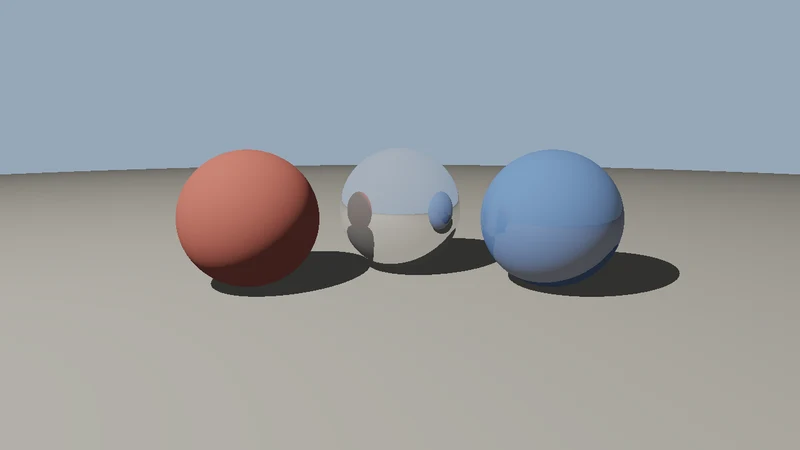
Here’s the heart of our CPU ray tracer: the ray-sphere intersection test and the shading function that follows those three steps.
// Solve |origin + t*dir - centre|^2 = r^2 for the nearest t > epsilon.
inline std::optional<double> intersect(const Ray& ray, const Sphere& s) {
    const Vec3 oc = ray.origin - s.centre;
    const double b = dot(oc, ray.dir);
    const double c = dot(oc, oc) - s.radius * s.radius;
    const double disc = b * b - c;
    if (disc < 0) return std::nullopt;  // the ray misses the sphere
    const double root = std::sqrt(disc);
    const double eps = 1e-6;
    if (const double t = -b - root; t > eps) return t;  // hit from outside
    if (const double t = -b + root; t > eps) return t;  // origin inside
    return std::nullopt;
}

// Inside struct Scene. trace() returns the nearest hit; in_shadow() fires a shadow ray.
// Returns linear (HDR) radiance: values can be greater than 1.
Vec3 shade(const Ray& ray, int depth = 0) const {
    const auto hit = trace(ray);
    if (!hit) return sky_colour;
    const Material& m = spheres[hit->object].material;

    Vec3 colour = m.albedo * 0.05;  // a little ambient light
    if (!in_shadow(hit->point, hit->normal)) {
        const Vec3 l = normalize(light_pos - hit->point);
        const double lambert = std::max(0.0, dot(hit->normal, l));
        colour = colour + m.albedo * light_colour * lambert;
    }
    if (m.reflectivity > 0 && depth < 3) {
        const Vec3 r = ray.dir - hit->normal * (2 * dot(ray.dir, hit->normal));
        const Ray bounce{hit->point + hit->normal * 1e-4, normalize(r)};
        colour = colour * (1 - m.reflectivity) + shade(bounce, depth + 1) * m.reflectivity;
    }
    return colour;
}
The intersect function solves a quadratic equation: a point on the ray is origin + t * dir, and it lies on the sphere when its distance from the centre equals the radius. shade calls itself for reflections, up to three bounces, and returns linear HDR colour: the light is 1.6 times brighter than “white”, so values above 1.0 are normal until tone mapping.
How we tested it: the full program, about 200 lines of C++17 with no libraries, renders a red sphere, a mirror sphere and a blue sphere, standing on a much larger sphere that serves as the ground, to a PPM image. We built it with g++ 13 and clang++ 18, as C++17 and C++20 with warnings as errors, and every build produced a byte-identical image. Its 15 unit tests check hits, misses, tangent rays, rays that start inside a sphere, shadows and mirror reflections, and it runs clean under AddressSanitizer and UndefinedBehaviorSanitizer. A 1280×720 render took about a quarter of a second on one CPU core.
Ray tracing on the GPU
A game can’t test every ray against every triangle, so GPU ray tracing organizes the scene into an acceleration structure, usually a bounding volume hierarchy (BVH), and dedicated hardware traverses it. Microsoft announced DirectX Raytracing (DXR) in March 2018, NVIDIA’s RTX 20 series brought the first hardware for it later that year, and Khronos finalized the Vulkan ray tracing extensions in 2020. AMD, Intel and Apple GPUs now accelerate ray tracing too.
Real-time ray tracing still has a small budget: often one or two rays per pixel. Games produce a clean image from those few, noisy samples with denoisers and with sampling techniques such as ReSTIR (2020), which reuses good light samples across pixels and frames. A few games now require ray tracing hardware, such as Indiana Jones and the Great Circle (2024) and DOOM: The Dark Ages (2025), and some offer full path tracing, such as the Overdrive mode in Cyberpunk 2077. Opacity micromaps and shader execution reordering, which make ray tracing faster on foliage and complex materials, are part of DXR 1.2, which reached retail in February 2026.
HDR Rendering and Tone Mapping
HDR rendering means calculating light in floating-point values without a cap at 1.0, the way light works in reality: the sun is thousands of times brighter than a shadow. It’s different from HDR photography, which merges several exposures into one picture, and from an HDR display, which can show a wider range than a standard (SDR) screen.
Because a display has a limited range, the last step of the frame is tone mapping: a curve that compresses HDR values into that range while keeping detail in both shadows and highlights. Here are three classic curves in C++, plus exposure and the sRGB encoding used by ordinary screens:
// Reinhard (2002): x / (1 + x). Never reaches 1, so nothing ever clips to white.
inline double reinhard(double x) { return x / (1.0 + x); }

// Extended Reinhard: maps `white` (the brightest value in the scene) to exactly 1.
inline double reinhard_extended(double x, double white) {
    return x * (1.0 + x / (white * white)) / (1.0 + x);
}

// Krzysztof Narkowicz's 2016 curve fit of the ACES filmic tone curve.
inline double aces_fitted(double x) {
    const double a = 2.51, b = 0.03, c = 2.43, d = 0.59, e = 0.14;
    return std::clamp((x * (a * x + b)) / (x * (c * x + d) + e), 0.0, 1.0);
}

// Exposure in photographic stops: +1 doubles the light, -1 halves it.
inline double expose(double x, double stops) { return x * std::exp2(stops); }

// Linear 0..1 to the sRGB transfer curve (IEC 61966-2-1), as 0..1.
inline double linear_to_srgb(double x) {
    x = std::clamp(x, 0.0, 1.0);
    return x <= 0.0031308 ? 12.92 * x : 1.055 * std::pow(x, 1.0 / 2.4) - 0.055;
}

// The final step before writing a pixel: 0..1 to an 8-bit value.
inline int to_8bit(double x) { return static_cast<int>(std::clamp(x, 0.0, 1.0) * 255.0 + 0.5); }
Clipping (simply cutting values above 1.0) turns everything bright into flat white. Reinhard (2002) never reaches white, which can look dull. The ACES-style filmic curve, here in Krzysztof Narkowicz’s widely used fit, gives a film-like S-curve: more contrast in the mid-tones and a smooth roll-off into white. Our demo program prints how each curve treats the same values:
  HDR in |    clamp Reinhard   ext.Rh     ACES | 8-bit sRGB (ACES)
    0.00 |    0.000    0.000    0.000    0.000 | 0
    0.05 |    0.050    0.048    0.048    0.044 | 59
    0.18 |    0.180    0.153    0.153    0.267 | 141
    0.50 |    0.500    0.333    0.334    0.616 | 206
    1.00 |    1.000    0.500    0.502    0.804 | 232
    2.00 |    1.000    0.667    0.672    0.915 | 245
    4.00 |    1.000    0.800    0.812    0.973 | 252
    8.00 |    1.000    0.889    0.917    1.000 | 255
   16.00 |    1.000    0.941    1.000    1.000 | 255
middle grey at +1 stop, ACES: 0.504
Middle grey (0.18) comes out brighter and punchier with ACES, and values from 8 upwards reach white smoothly instead of clipping at 1.0.
How we tested it: 12 unit tests check each curve’s key points, that every curve is monotonic (brighter in means brighter out) from 0 to 64, and that the sRGB encoding matches published reference values. g++ and clang++ printed exactly the same table.
For HDR displays, the game outputs a wider range instead of squeezing everything into SDR, usually in the HDR10 format, which encodes brightness with the PQ curve (SMPTE ST 2084) up to 10,000 nits. Games still tone map, but to the brightness the player’s display can actually show, which is why HDR games ask you to calibrate peak brightness.
Real-Time Global Illumination
Global illumination (GI) is light that bounces: the red glow a red wall casts on a white floor, or the soft light that fills a room from a window. It’s one of the hardest effects to do in real time, and games use several techniques, often together:
| Technique | How it works | Trade-off |
|---|---|---|
| Baked lightmaps | Bounced light is precomputed offline and stored in textures | Very fast and high quality, but static: moving lights and objects don’t update it |
| Light probes | Lighting is sampled at points in space, and dynamic objects read the nearest probes | Cheap, but low detail |
| Screen-space GI (SSGI) | Traces against the depth and colour of the current frame | Dynamic, but misses anything off screen |
| Voxel GI | Traces cones through a coarse voxel copy of the scene, as in CRYENGINE’s SVOGI | Dynamic, but memory-hungry and blurry |
| Ray-traced GI and path tracing | Traces real rays, with denoising and sample reuse such as ReSTIR | The most accurate, and the most expensive |
Unreal Engine 5’s Lumen, which shipped with Unreal Engine 5.0 in 2022, mixes several of these: it traces against screen data, simplified signed distance fields of the scene, and hardware ray tracing when it’s available. In Unreal Engine 5.8 (June 2026), Epic added a cheaper Lumen Lite mode based on probes, aimed at 60 fps on lower-end hardware, and declared MegaLights, its system for hundreds of shadow-casting lights, production-ready (GameFromScratch on Unreal Engine 5.8).
Where Game Engines Fit
Few studios write all of this from scratch. Commercial engines such as Unreal Engine and in-house engines such as id Software’s id Tech and EA’s Frostbite provide the renderer, and graphics programmers extend and tune it: writing shaders and render passes, adding API back ends, and profiling frames with tools such as PIX, RenderDoc, NVIDIA Nsight and Xcode’s Metal debugger. The same building blocks shown above, devices, queues, shaders, rays and tone curves, are at the core of each engine.
If you’d rather learn from a smaller engine’s code, see our profiles of Horde3D, a compact open-source C++ renderer, and Godot, whose renderer runs on Vulkan, Direct3D 12 and Metal, or the story of Amazon’s CryEngine-based Lumberyard. For many more, browse our directory of C++ game engines.
Common Misconceptions About Game Graphics
- “Ray tracing follows light from the light source to the camera.” Real-time and most offline ray tracers trace from the camera into the scene, then towards the lights, because almost no light from a source ever reaches the camera.
- “Vulkan is open source.” Vulkan is an open, royalty-free standard. Drivers that implement it can be open source, such as Mesa’s, or proprietary, such as NVIDIA’s Windows driver.
- “HDR rendering is HDR photography.” HDR rendering computes light without an upper limit; HDR photography merges exposures; HDR displays show a wider range. A game can render in HDR and still output SDR.
- “DirectX 12 runs on every console.” It runs on Windows and Xbox. PlayStation and Nintendo consoles use their own APIs, and the original Nintendo Switch also supports Vulkan.
- “Shaders simulate physics.” Shaders compute geometry and colour. Physics engines mostly run on the CPU, though compute shaders can run some simulations on the GPU.
- “Ray tracing replaces rasterization.” Most games still rasterize what the camera sees and use ray tracing for lighting effects. Only full path tracing modes come close to replacing it.
Key Takeaways
- AAA graphics programming is done mostly in C++ through low-level APIs: Direct3D 12 on Windows and Xbox, Vulkan across many platforms, and Metal on Apple devices.
- A frame is CPU work plus GPU work: the CPU records command lists; the GPU runs vertex shaders, rasterization, pixel shaders, ray tracing and post-processing.
- Ray tracing sends rays from the camera, then shadow and reflection rays; GPUs make it fast with acceleration structures, and denoisers clean up the few rays a game can afford.
- Games render light in HDR and tone map it at the end, with curves such as Reinhard or ACES, or output HDR10 to HDR displays.
- Real-time global illumination mixes techniques, from baked lightmaps to probes, screen-space tracing and ray tracing, as Unreal Engine’s Lumen does.
- All the examples here are tested C++ in our cpp-examples repository, from a CPU ray tracer to Vulkan and Direct3D 12 setup.
Conclusion
The graphics in a AAA game look like magic, but they rest on ideas you can write in a few hundred lines of C++: find the GPU, record commands, shade pixels, trace rays and tone map the result. The engines do this at an enormous scale, with years of optimization, but the building blocks are the same, and understanding them makes you a far more effective graphics or engine programmer. Clone the examples, change the scene, try a different tone curve, and you’ll see each idea at work.
For more on making games, from engines to game design, browse our game development hub.