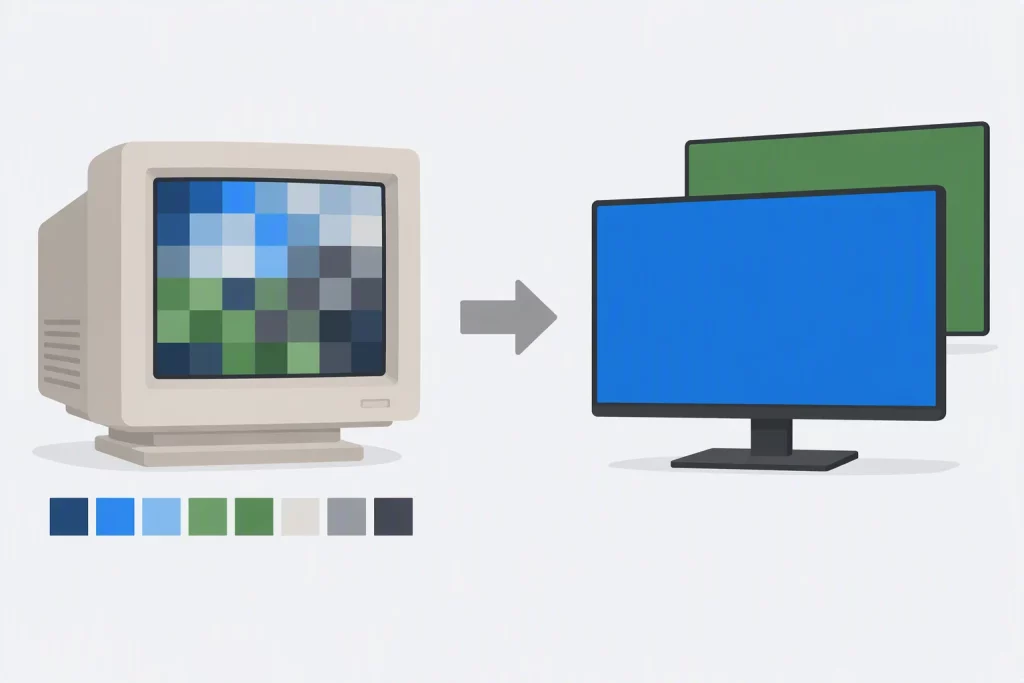
Classic DirectX was a family of about a dozen APIs for graphics, sound, input, networking and media. Of the nine shown in the table below, one is still the recommended way to do its job on Windows today: Direct3D. The rest were replaced, folded into something else, or removed. Code written against them still turns up in maintenance work, in emulators, in game preservation projects and in old tutorials, and it helps to know what each one did and what to use instead.
This guide covers the history of DirectX from Windows 95 to DirectX 12 Ultimate, what every classic component was for and what replaced it, the graphics ideas that outlived DirectDraw (pixel formats, palettes, pitch and double buffering), and a complete Direct3D 11 program that does the job a DirectDraw sample used to do. The three C programs were compiled with GCC 13.3 and Clang 18.1.3 under -std=c11 and -std=c17 with -Wall -Wextra -pedantic and no warnings, and run on Ubuntu 24.04 (x86-64), with a clean AddressSanitizer and UndefinedBehaviorSanitizer run under GCC; every output block is captured verbatim. The Direct3D 11 programs were cross-compiled with MinGW-w64 GCC 13 with no warnings but were not run for this article; the repository’s Windows build runs the headless one.
The Short Answer
Is DirectX still used? Yes. Direct3D 12 and Direct3D 11, together with DXGI for swap chains and display output, are Microsoft’s current graphics APIs for Windows. Microsoft still ships DirectX 12 updates through the Agility SDK; the latest retail release when this was written was version 1.619.6, from September 2026.
Should you learn DirectDraw or Direct3D Retained Mode? Only to maintain or study old code. Microsoft’s documentation says DirectDraw is no longer recommended, and Retained Mode was dropped from Windows with Vista.
What replaced the other components? DirectSound gave way to XAudio2, DirectInput to XInput and then GameInput, and DirectShow to Media Foundation. The table further down has the full mapping.
What Is DirectX?
DirectX is Microsoft’s collection of low-level Windows APIs for games and multimedia. It began in 1995 as a way for Windows 95 games to reach graphics, sound and input hardware without going through the slower general-purpose Windows layers. Today the name mostly means Direct3D 12 and Direct3D 11, plus DXGI, Direct2D, DirectWrite and the audio and input APIs that replaced the 1990s ones.
Most DirectX APIs are sets of COM interfaces (XInput and DirectXMath are exceptions: plain C and C++ functions). You create an object through a factory function such as D3D11CreateDevice, call methods on interface pointers, check every HRESULT, and release the object when you are done. That model has not changed since the 1990s, which is why old DirectX code still reads as familiar even when the specific APIs are gone. Microsoft’s own reference for the first DirectX 2-D API, the DirectDraw documentation, is still online and opens with a note that DirectDraw is no longer recommended for use.
A Short History of DirectX
Before Windows 95, PC games ran under DOS and usually used a 32-bit DOS extender such as DOS/4GW to reach protected mode and write to the hardware directly. Windows 95 put an operating system between the game and the hardware, and games that needed full-screen mode, fast blitting and low-latency sound had no good way through it. DirectX was Microsoft’s answer.
- February 1995: RenderMorphics. Microsoft bought RenderMorphics, the London company behind the Reality Lab 3-D API, and its engineers built the first Direct3D from that work.
- September 1995: the Windows Game SDK. DirectX 1.0 shipped on September 30, 1995, under the name Windows Game SDK, with DirectDraw, DirectSound and DirectPlay. The “DirectX” name came from a journalist mocking the Direct-everything naming, and the team adopted it.
- 1996: Direct3D arrives. Direct3D first shipped with DirectX 2.0 in June 1996 and again in DirectX 3.0 that September, with two modes: a low-level immediate mode and a high-level, scene-graph retained mode.
- 1997: DirectX 5 (there is no DirectX 4). Microsoft developed versions 4 and 5 at the same time, found little developer interest in 4, and skipped it. In its March 1997 announcement Microsoft described DirectX as two layers: a low-level DirectX Foundation layer for hardware access, and a high-level DirectX Media layer for streaming, animation and synchronization (Microsoft press release).
- 1999: DirectX 6.1 and 7. DirectMusic arrived in DirectX 6.1 in February 1999. DirectX 7 followed in September 1999.
- 2000: DirectX 8. Vertex and pixel shaders made the graphics pipeline programmable, and DirectDraw stopped being developed: Direct3D 8 took over its 2-D work, while the DirectDraw 7 interfaces stayed available for existing programs.
- 2002–2009: DirectX 9, 10 and 11. DirectX 9 arrived in December 2002. Direct3D 10 was tied to Windows Vista. Direct3D 11 shipped in 2009 for Windows 7 and Windows Vista SP2.
- 2010: the last standalone DirectX SDK. The June 2010 DirectX SDK was the final separate release. From Windows 8 onward, the headers and libraries are part of the Windows SDK.
- 2015–today: DirectX 12. Direct3D 12 shipped with Windows 10 and gives the application explicit control over memory and command submission. DirectX 12 Ultimate, announced in March 2020, groups DirectX Raytracing 1.1, variable-rate shading, mesh shaders and sampler feedback into one feature level shared with the Xbox Series X.
| Version | Released | What changed |
|---|---|---|
| DirectX 1.0 | September 1995 | DirectDraw, DirectSound, DirectPlay for Windows 95 games |
| DirectX 2.0 | June 1996 | First Direct3D, with immediate and retained modes |
| DirectX 5.0 | 1997 | Foundation and Media layers; no DirectX 4 was released |
| DirectX 6.1 | February 1999 | DirectMusic |
| DirectX 8.0 | November 2000 | Programmable shaders; DirectDraw folded into Direct3D |
| DirectX 10 | 2006 | Introduced with Windows Vista; a redesigned Direct3D |
| DirectX 11 | 2009 | Windows 7 and Vista SP2; compute shaders and tessellation |
| DirectX 12 | 2015 | Windows 10; explicit, low-overhead Direct3D |
| DirectX 12 Ultimate | 2020 | Raytracing, mesh shaders, variable-rate shading, sampler feedback |
Release dates for the early versions differ by a few days between sources, so the table gives months.
The Classic DirectX Components and What Replaced Them
The Foundation layer held the APIs that talk to hardware: DirectDraw, Direct3D Immediate Mode, DirectSound, DirectMusic, DirectInput and DirectPlay. The Media layer held higher-level services built on top: Direct3D Retained Mode, DirectAnimation, DirectShow and DirectX Transform. Here is each one, what it did, and what new code uses instead.
| Component | What it did | Use today | Status |
|---|---|---|---|
| Direct3D Immediate Mode | Low-level 3-D rendering on the graphics card | Direct3D 12 or Direct3D 11 | Current |
| DirectDraw | 2-D surfaces, blitting, page flipping, palettes | Direct3D 11/12 with DXGI; Direct2D for 2-D drawing | No longer recommended |
| Direct3D Retained Mode | Scene graph of frames, meshes, lights and cameras | A scene graph in your engine or framework | Removed in Windows Vista |
| DirectSound | Wave mixing, playback and capture | XAudio2; WASAPI for low-level audio | Superseded |
| DirectMusic | Message-based music and MIDI playback | No direct successor; XAudio2 plus audio middleware | Not available to 64-bit programs |
| DirectInput | Joysticks, gamepads, force feedback, keyboard and mouse | GameInput; XInput for Xbox-style controllers | Superseded |
| DirectPlay | Multiplayer sessions over modem, LAN and Internet | Winsock or a platform networking service | Optional Windows feature |
| DirectShow | Media playback and video capture | Media Foundation, MediaPlayer, IMFMediaEngine | Legacy |
| DirectAnimation, DirectX Transform | Animated media and image effects | Web standards such as CSS and SVG | Deprecated |
DirectDraw
DirectDraw gave a program direct access to video memory as surfaces: a primary surface that is the visible screen, back surfaces you draw into, and off-screen surfaces for sprites. It handled display-mode changes, page flipping, colour-keyed blits and palettes. Microsoft’s documentation now states that, since Direct3D 9, all 2-D functionality is covered by Direct3D and by Direct2D. For new code that means Direct3D 11 or 12 for anything game-like, and Direct2D when you want vector shapes and text drawn into a Direct3D surface.
Direct3D Immediate Mode and Retained Mode
Immediate mode is the ancestor of every Direct3D you can use today: the application submits geometry and state, and the driver renders it. Retained mode sat on top of it as a scene graph. You built a tree of frames, each holding a position and orientation relative to its parent, and attached visuals such as meshes to them. One mesh could hang from many frames, which is how a forest or a fleet drew many copies of one model.
Retained mode was not updated after DirectX 3.0, and Windows Vista stopped shipping its runtime, d3drm.dll. The toolchain shows the same split today. MinGW-w64 11 still ships the d3drm.h header, so code that uses it compiles, but there is no import library to link against:
/usr/bin/x86_64-w64-mingw32-ld: cannot find -ld3drm: No such file or directory
collect2: error: ld returned 1 exit status
The idea of a scene graph lives on in game engines and frameworks; it just stopped being part of the operating system.
DirectSound and DirectMusic
DirectSound mixed and played wave data with low latency and hardware acceleration where the sound card offered it. Microsoft’s XAudio2 documentation describes XAudio2 as DirectSound’s replacement, and XAudio2 is what new game audio code should use. DirectMusic worked a level higher, with message-based music that a synthesizer turned into sound and soundtracks that could change with the action on screen. It is not available to 64-bit programs. Microsoft’s later audio APIs, XACT and then XAudio2, play sound but have no equivalent of its adaptive-music engine, so that job moved to audio middleware.
DirectInput
DirectInput read joysticks, gamepads, wheels and force-feedback devices, and could also read the keyboard and mouse. XInput later simplified Xbox-controller input. Microsoft’s current recommendation is GameInput, which its documentation describes as a functional superset of DirectInput, XInput and Raw Input. GameInput is available on Windows 10 (May 2019 update) and later through a NuGet package.
DirectPlay
DirectPlay managed multiplayer sessions over modems, local networks and the Internet, independent of the transport underneath. It is now a Windows feature that is off by default, found under Legacy Components in Turn Windows features on or off, and older games that use it may ask you to enable it. New code uses Winsock directly or the networking service of the platform it ships on.
DirectShow, DirectAnimation and DirectX Transform
DirectShow played and captured audio and video through a graph of filters. Microsoft now marks it as a legacy feature and points new code at MediaPlayer, IMFMediaEngine and Media Foundation capture (DirectShow documentation). DirectAnimation and DirectX Transform provided animation and image effects, largely for web content, and are deprecated.
DirectX Tool Kit and DirectXMath
Two newer libraries fill gaps the 1990s SDKs left. DirectXMath is a SIMD-friendly header-only library for vectors, matrices and quaternions. The DirectX Tool Kit (DirectXTK for Direct3D 11, DirectXTK12 for Direct3D 12) provides sprite batching, texture loading, basic effects and audio helpers. Both are maintained by Microsoft on GitHub; DirectXTK12 had NuGet releases as recently as May 2026.
Graphics Concepts That Outlived DirectDraw
The DirectDraw API is history, but the ideas it taught are still in Direct3D programs today: how a colour is stored in a pixel, how rows of pixels are laid out in memory, and how a frame reaches the screen without flicker. The three C programs below are portable and need no Windows headers, so you can run them anywhere.
Pixel formats: 32-bit and 16-bit colour
A pixel format says how many bits each pixel uses and which bits hold which colour channel. The 1990s modes were 8-bit indexed (256 colours from a palette), 16-bit “high colour”, 24-bit “true colour”, and 32-bit modes in which the fourth byte is either unused (XRGB) or an alpha channel (ARGB). The common 16-bit layout is RGB565: 5 bits of red, 6 of green and 5 of blue, with green getting the extra bit because the eye is most sensitive to it. Some hardware used RGB555 instead, so code had to ask the surface which one it had.
/* color_formats.c - how a pixel colour is laid out in memory:
 * 32-bit XRGB8888 and 16-bit RGB565. */
#include <stdint.h>
#include <stdio.h>

static uint32_t pack_xrgb8888(uint8_t r, uint8_t g, uint8_t b)
{
    return (uint32_t)r << 16 | (uint32_t)g << 8 | (uint32_t)b;
}

static uint16_t pack_rgb565(uint8_t r, uint8_t g, uint8_t b)
{
    /* Keep the top 5, 6 and 5 bits of each 8-bit channel. */
    return (uint16_t)((r >> 3) << 11 | (g >> 2) << 5 | (b >> 3));
}

static void dump_bytes(const char *label, const void *p, size_t n)
{
    const unsigned char *bytes = p;
    printf("%-26s", label);
    for (size_t i = 0; i < n; i++)
        printf(" %02X", bytes[i]);
    putchar('\n');
}

int main(void)
{
    const uint16_t probe = 1;
    printf("This machine is %s-endian\n\n",
           *(const unsigned char *)&probe == 1 ? "little" : "big");

    uint32_t green32 = pack_xrgb8888(0, 255, 0);
    uint16_t green16 = pack_rgb565(0, 255, 0);
    printf("XRGB8888 green value:      0x%08X\n", (unsigned)green32);
    dump_bytes("  bytes in memory:", &green32, sizeof green32);
    printf("RGB565 green value:        0x%04X\n", (unsigned)green16);
    dump_bytes("  bytes in memory:", &green16, sizeof green16);

    /* RGB565 cannot store every 8-bit value exactly. */
    uint16_t grey = pack_rgb565(150, 150, 150);
    unsigned r5 = grey >> 11, g6 = (grey >> 5) & 0x3F, b5 = grey & 0x1F;
    printf("\nRGB(150,150,150) as RGB565 = 0x%04X\n", (unsigned)grey);
    printf("  expanded back to 8 bits:  RGB(%u,%u,%u)\n",
           (r5 << 3) | (r5 >> 2), (g6 << 2) | (g6 >> 4), (b5 << 3) | (b5 >> 2));
    return 0;
}
Output:
This machine is little-endian

XRGB8888 green value:      0x0000FF00
  bytes in memory:         00 FF 00 00
RGB565 green value:        0x07E0
  bytes in memory:         E0 07

RGB(150,150,150) as RGB565 = 0x94B2
  expanded back to 8 bits:  RGB(148,150,148)
Two things are worth reading out of that output. First, the value and the bytes are not the same thing. Pure green in RGB565 is the value 0x07E0, but on a little-endian x86 or ARM machine it sits in memory as E0 07, low byte first. Code that writes pixels byte by byte, or reads them from a file, has to account for that. Second, 16-bit colour loses information: grey RGB(150,150,150) comes back as RGB(148,150,148), because red and blue keep only 5 bits and green keeps 6. Today’s swap chains normally use DXGI_FORMAT_B8G8R8A8_UNORM or DXGI_FORMAT_R8G8B8A8_UNORM, and the same byte-order question applies. For these 8-bit-per-channel formats the name lists the channels in memory order, so a B8G8R8A8 pixel starts with its blue byte; the repository’s Windows test checks exactly that.
Palettes and 8-bit indexed colour
In an indexed mode, each pixel is one byte, and that byte is an index into a 256-entry colour look-up table, the palette. The palette holds the real RGB values. Changing a palette entry changes every pixel that uses it, without touching the image.
/* palette_fade.c - an 8-bit indexed image fades to black by changing
 * only its 256-entry palette; the pixel bytes are never written. */
#include <stdint.h>
#include <stdio.h>

typedef struct { uint8_t r, g, b; } rgb;

enum { W = 4, H = 2 };

static void show(const uint8_t pixels[H][W], const rgb palette[256], int step)
{
    printf("step %d:", step);
    for (int y = 0; y < H; y++)
        for (int x = 0; x < W; x++) {
            rgb c = palette[pixels[y][x]];
            printf(" (%3u,%3u,%3u)", c.r, c.g, c.b);
            if (x == W - 1 && y == 0) printf("\n       ");
        }
    putchar('\n');
}

static unsigned checksum(const uint8_t pixels[H][W])
{
    unsigned sum = 0;
    for (int y = 0; y < H; y++)
        for (int x = 0; x < W; x++)
            sum = sum * 31u + pixels[y][x];
    return sum;
}

int main(void)
{
    const uint8_t pixels[H][W] = { { 1, 2, 3, 1 }, { 3, 2, 1, 0 } };
    rgb base[256] = { [0] = {0, 0, 0}, [1] = {255, 0, 0},
                      [2] = {0, 200, 0}, [3] = {40, 80, 255} };
    rgb palette[256];

    unsigned before = checksum(pixels);
    for (int step = 0; step <= 4; step += 2) {
        for (int i = 0; i < 256; i++) {          /* scale every entry */
            palette[i].r = (uint8_t)(base[i].r * (4 - step) / 4);
            palette[i].g = (uint8_t)(base[i].g * (4 - step) / 4);
            palette[i].b = (uint8_t)(base[i].b * (4 - step) / 4);
        }
        show(pixels, palette, step);
    }
    printf("pixel checksum before %u, after %u\n", before, checksum(pixels));
    return 0;
}
Output:
step 0: (255,  0,  0) (  0,200,  0) ( 40, 80,255) (255,  0,  0)
        ( 40, 80,255) (  0,200,  0) (255,  0,  0) (  0,  0,  0)
step 2: (127,  0,  0) (  0,100,  0) ( 20, 40,127) (127,  0,  0)
        ( 20, 40,127) (  0,100,  0) (127,  0,  0) (  0,  0,  0)
step 4: (  0,  0,  0) (  0,  0,  0) (  0,  0,  0) (  0,  0,  0)
        (  0,  0,  0) (  0,  0,  0) (  0,  0,  0) (  0,  0,  0)
pixel checksum before 3604719997, after 3604719997
The image faded to black, yet the pixel checksum is identical before and after: only 256 palette entries changed, not the pixels. That was the appeal of palette animation on 1990s hardware, where rewriting 768 bytes of palette was far cheaper than rewriting a 64,000-byte 320×200 screen. Modern swap chains have no 8-bit palettized format, so the same effect is done in a pixel shader that looks colours up in a small texture.
Pitch (stride): why rows are wider than the image
A surface’s pitch, also called its stride, is the number of bytes from the start of one row to the start of the next. It is often larger than the width times the bytes per pixel, because drivers pad rows for alignment. Any code that writes into a surface’s memory must step through rows by the pitch the API reports, never by width * 4.
/* pitch.c - why a surface's row stride (pitch) is not width * bytes-per-pixel.
 * Draws a diagonal into a padded 6x6 surface, once with the pitch and once
 * with the width, then prints what the display would show. */
#include <stdint.h>
#include <stdio.h>
#include <string.h>

enum { WIDTH = 6, HEIGHT = 6, BPP = 4, PITCH = 32 }; /* 32 > 6 * 4 = 24 */

static void show(const char *title, const uint8_t *surface)
{
    printf("%s\n", title);
    for (int y = 0; y < HEIGHT; y++) {
        printf("  ");
        for (int x = 0; x < WIDTH; x++)          /* the display reads with PITCH */
            putchar(surface[(size_t)y * PITCH + (size_t)x * BPP] ? '#' : '.');
        putchar('\n');
    }
}

int main(void)
{
    static uint8_t surface[HEIGHT * PITCH];

    memset(surface, 0, sizeof surface);
    for (int i = 0; i < WIDTH; i++)
        surface[(size_t)i * PITCH + (size_t)i * BPP] = 0xFF;
    show("Row offset = y * pitch:", surface);

    memset(surface, 0, sizeof surface);
    for (int i = 0; i < WIDTH; i++)
        surface[(size_t)i * (WIDTH * BPP) + (size_t)i * BPP] = 0xFF;
    show("Row offset = y * width * 4:", surface);
    return 0;
}
Output:
Row offset = y * pitch:
  #.....
  .#....
  ..#...
  ...#..
  ....#.
  .....#
Row offset = y * width * 4:
  #.....
  ......
  .....#
  ....#.
  ...#..
  ......
The surface is 6 pixels wide with 4 bytes per pixel, but each row occupies 32 bytes rather than 24. Stepping by the real pitch draws a clean diagonal. Stepping by width * 4 puts row 1 and row 2 into the invisible padding at the end of row 0 and row 1, so two of the six pixels vanish; the first pixel lands correctly and the last three run backwards. On a real 1024-pixel-wide surface the same bug produces a sheared image. In Direct3D 11 the pitch comes back in D3D11_MAPPED_SUBRESOURCE::RowPitch when you map a texture, and the rule is unchanged.
Double buffering, page flipping and tearing
Drawing straight to the visible screen shows half-finished frames. Double buffering fixes that: draw the next frame into an invisible back buffer, then make it visible in one step. DirectDraw offered two ways to do that step:
- Blitting: copy the back buffer onto the front buffer. Windowed DirectDraw programs had to do this, because the primary surface was the whole desktop.
- Page flipping: keep both buffers in video memory and tell the display hardware to scan out the other one. Nothing is copied; front and back swap roles each frame.
If the swap happens while the monitor is part-way through drawing the screen, the top shows one frame and the bottom the next. That is tearing, and the cure is to swap during the vertical blank, the gap between refreshes.
Modern Windows does this through a DXGI swap chain. The flip presentation model lets the Desktop Window Manager compose straight from your back buffers, without the copy the older blit model needed, and it works in a window as well as full-screen. It requires between 2 and 16 buffers and does not allow multisampled back buffers. Present(1, 0) waits for one vertical blank, which is the old “flip on vsync” in one argument.
Clipping, lost surfaces and lost devices
A windowed DirectDraw program had to attach a clipper to the primary surface so it would not draw over other windows. With the flip model, each window owns its swap chain and the compositor handles overlap, so there is no clipper to manage.
DirectDraw surfaces could be lost when another program changed the display mode, so programs checked IsLost() each frame and called Restore(). The modern equivalent is a removed device: if the driver is updated, crashes or the GPU is disconnected, Present returns DXGI_ERROR_DEVICE_REMOVED or DXGI_ERROR_DEVICE_RESET, and the application must recreate its device and every resource it made from it.
Checking HRESULTs correctly
Most DirectX methods return an HRESULT (a few, such as ClearRenderTargetView, return nothing). Test it with the SUCCEEDED() and FAILED() macros, not by comparing against S_OK or DD_OK. A negative HRESULT means failure, and there is more than one success code. S_FALSE is the usual example:
#include <windows.h>
#include <ddraw.h>

static_assert(S_FALSE == 1, "S_FALSE is a success code with the value 1");
static_assert(SUCCEEDED(S_FALSE) && S_FALSE != S_OK, "success is not only S_OK");
static_assert(FAILED(DDERR_SURFACELOST), "DirectDraw errors are negative HRESULTs");
All three assertions hold when compiled against the MinGW-w64 headers. A check written as hr == S_OK treats S_FALSE as an error; a check written as hr != DD_OK does the same.
From DirectDraw to Direct3D 11: The Same Program, Rewritten
A classic DirectDraw sample had a familiar shape: create a window, create the DirectDraw object, set a cooperative level, create front and back surfaces, attach a clipper in windowed mode, then loop: check for lost surfaces, draw into the back buffer, flip or blit, repeat. Most of those steps still exist in some form; the two that do not, claiming the display and clipping, went away because the desktop compositor took them over.
| Step | DirectDraw (DirectX 7 and earlier) | Direct3D 11 with DXGI |
|---|---|---|
| Create the API object | DirectDrawCreate / DirectDrawCreateEx | D3D11CreateDevice |
| Claim the display | SetCooperativeLevel, SetDisplayMode | Not needed in a window; DXGI handles full-screen |
| Front and back buffers | Primary surface plus a back surface | Swap chain with BufferCount = 2 |
| Windowed clipping | CreateClipper, SetHWnd, SetClipper | Not needed; the compositor clips |
| Draw into the back buffer | Blt, Lock and write pixels | Render-target view, ClearRenderTargetView, shaders |
| Show the frame | Flip(NULL, DDFLIP_WAIT) or Blt to the primary | Present(1, 0) |
| Recover from loss | IsLost() then Restore() | Handle DXGI_ERROR_DEVICE_REMOVED by recreating the device |
| Release objects | Release() by hand | Microsoft::WRL::ComPtr releases automatically |
Here is the complete modern program. It opens a 640×480 window, creates a Direct3D 11 device and a two-buffer flip-model swap chain, clears the back buffer to a colour that drifts each frame, and presents it on the vertical blank.
// d3d11_clear.cpp - a window, a Direct3D 11 device and a flip-model swap chain.
// Each frame clears the back buffer to a slowly changing colour and presents it.
#define WIN32_LEAN_AND_MEAN
#define NOMINMAX
#include <windows.h>
#include <d3d11.h>
#include <dxgi1_2.h>
#include <wrl/client.h>
#include <cmath>
#include <cstdio>

using Microsoft::WRL::ComPtr;

namespace {
ComPtr<ID3D11Device>           g_device;
ComPtr<ID3D11DeviceContext>    g_context;
ComPtr<IDXGISwapChain1>        g_swapChain;
ComPtr<ID3D11RenderTargetView> g_rtv;

bool Check(HRESULT hr, const char* what)
{
    if (SUCCEEDED(hr)) return true;
    char buf[128];
    std::snprintf(buf, sizeof buf, "%s failed: HRESULT 0x%08lX\n",
                  what, static_cast<unsigned long>(hr));
    OutputDebugStringA(buf);
    return false;
}

bool CreateTargetView()
{
    ComPtr<ID3D11Texture2D> backBuffer;
    return Check(g_swapChain->GetBuffer(0, IID_PPV_ARGS(&backBuffer)), "GetBuffer") &&
           Check(g_device->CreateRenderTargetView(backBuffer.Get(), nullptr, &g_rtv),
                 "CreateRenderTargetView");
}

bool InitD3D(HWND hwnd)
{
    UINT flags = D3D11_CREATE_DEVICE_BGRA_SUPPORT;
#ifdef _DEBUG
    flags |= D3D11_CREATE_DEVICE_DEBUG;  // needs the Graphics Tools optional feature
#endif
    if (!Check(D3D11CreateDevice(nullptr, D3D_DRIVER_TYPE_HARDWARE, nullptr, flags,
                                 nullptr, 0, D3D11_SDK_VERSION,
                                 &g_device, nullptr, &g_context), "D3D11CreateDevice"))
        return false;

    // The swap chain must come from the factory that created the device.
    ComPtr<IDXGIDevice>   dxgiDevice;
    ComPtr<IDXGIAdapter>  adapter;
    ComPtr<IDXGIFactory2> factory;
    if (!Check(g_device.As(&dxgiDevice), "QueryInterface(IDXGIDevice)") ||
        !Check(dxgiDevice->GetAdapter(&adapter), "GetAdapter") ||
        !Check(adapter->GetParent(IID_PPV_ARGS(&factory)), "GetParent(IDXGIFactory2)"))
        return false;

    DXGI_SWAP_CHAIN_DESC1 desc = {};      // Width/Height 0 = the window's client size
    desc.Format           = DXGI_FORMAT_B8G8R8A8_UNORM;
    desc.SampleDesc.Count = 1;            // flip model does not allow MSAA back buffers
    desc.BufferUsage      = DXGI_USAGE_RENDER_TARGET_OUTPUT;
    desc.BufferCount      = 2;            // front + back: double buffering
    desc.SwapEffect       = DXGI_SWAP_EFFECT_FLIP_DISCARD;  // Windows 10 and later
    if (!Check(factory->CreateSwapChainForHwnd(g_device.Get(), hwnd, &desc,
                                               nullptr, nullptr, &g_swapChain),
               "CreateSwapChainForHwnd"))
        return false;
    factory->MakeWindowAssociation(hwnd, DXGI_MWA_NO_ALT_ENTER);
    return CreateTargetView();
}

void Resize(UINT width, UINT height)
{
    if (!g_swapChain || width == 0 || height == 0) return;   // not ready, or minimised
    g_context->OMSetRenderTargets(0, nullptr, nullptr);
    g_rtv.Reset();                        // every reference to a buffer must go first
    if (Check(g_swapChain->ResizeBuffers(0, width, height, DXGI_FORMAT_UNKNOWN, 0),
              "ResizeBuffers"))
        CreateTargetView();
}

bool RenderFrame(unsigned frame)
{
    const float t = static_cast<float>(frame) * 0.02f;
    const float colour[4] = { 0.5f + 0.5f * std::sin(t),
                              0.5f + 0.5f * std::sin(t + 2.1f),
                              0.5f + 0.5f * std::sin(t + 4.2f), 1.0f };

    // Flip-model presentation unbinds the back buffer, so bind it every frame.
    g_context->OMSetRenderTargets(1, g_rtv.GetAddressOf(), nullptr);
    g_context->ClearRenderTargetView(g_rtv.Get(), colour);

    const HRESULT hr = g_swapChain->Present(1, 0);           // 1 = wait for vertical blank
    if (hr == DXGI_ERROR_DEVICE_REMOVED || hr == DXGI_ERROR_DEVICE_RESET) {
        Check(g_device->GetDeviceRemovedReason(), "Device removed");
        return false;                     // a real application recreates the device here
    }
    return Check(hr, "Present");
}

LRESULT CALLBACK WndProc(HWND hwnd, UINT msg, WPARAM wp, LPARAM lp)
{
    switch (msg) {
    case WM_SIZE:    Resize(LOWORD(lp), HIWORD(lp)); return 0;
    case WM_DESTROY: PostQuitMessage(0);             return 0;
    }
    return DefWindowProcW(hwnd, msg, wp, lp);
}
} // namespace

int WINAPI WinMain(HINSTANCE inst, HINSTANCE, LPSTR, int show)
{
    WNDCLASSW wc = {};
    wc.lpfnWndProc   = WndProc;
    wc.hInstance     = inst;
    wc.hCursor       = LoadCursor(nullptr, IDC_ARROW);
    wc.lpszClassName = L"D3D11Clear";
    if (!RegisterClassW(&wc)) return 1;

    HWND hwnd = CreateWindowW(wc.lpszClassName, L"Direct3D 11 clear", WS_OVERLAPPEDWINDOW,
                              CW_USEDEFAULT, CW_USEDEFAULT, 640, 480,
                              nullptr, nullptr, inst, nullptr);
    if (!hwnd || !InitD3D(hwnd)) return 1;
    ShowWindow(hwnd, show);

    MSG msg = {};
    unsigned frame = 0;
    while (msg.message != WM_QUIT) {
        if (PeekMessageW(&msg, nullptr, 0, 0, PM_REMOVE)) {  // drain input first
            TranslateMessage(&msg);
            DispatchMessageW(&msg);
        } else if (!RenderFrame(frame++)) {
            DestroyWindow(hwnd);
        }
    }
    return static_cast<int>(msg.wParam);
}
A few details in it are easy to get wrong:
- The swap chain comes from the device’s own factory. Walking from the device to its adapter and then to
IDXGIFactory2means the swap chain is created by the factory that owns the device’s adapter, rather than by a second factory created separately. - Resizing needs every buffer reference released first.
ResizeBuffersfails while any render-target view still points at a back buffer, soResizeunbinds the target and resetsg_rtvbefore calling it. Width and height of zero, which arrive when the window is minimized, are skipped. - The render target is bound every frame. With the flip model,
Presentunbinds the back buffer from the pipeline, so binding it once at start-up only works for the first frame. ComPtrreplaces manualReleasecalls. It is a reference-counting smart pointer for COM objects: copying one callsAddRef, and destroying or resetting one callsRelease. That makes it closer tostd::shared_ptrthan tostd::unique_ptr, except that the count lives inside the COM object. The article on smart pointers in C++ covers the ownership rules it follows.- The message loop drains input before rendering.
PeekMessageWwithPM_REMOVEprocesses every waiting message, and only when the queue is empty does the program draw a frame.
It is written to build with Visual Studio’s MSVC or with MinGW-w64, the two Windows options covered in the guide to C++ compilers:
x86_64-w64-mingw32-g++ -std=c++17 -Wall -Wextra -O2 -mwindows -o d3d11_clear.exe d3d11_clear.cpp -ld3d11
FLIP_DISCARD needs Windows 10 or later. The program was compiled for this article with MinGW-w64 but not run, because no Windows machine was available; the repository’s Windows build runs a separate headless test, described below, that exercises the same device and clear calls on Microsoft’s WARP software rasterizer.
If you are going further than clearing the screen, the overview of graphics technologies in AAA game development covers what DirectX 12 Ultimate features such as raytracing and mesh shaders are used for.
Key Takeaways
- Direct3D is the one classic DirectX component still recommended for new code, as Direct3D 12 or Direct3D 11 with DXGI.
- Each retired API has a named successor: XAudio2 for DirectSound, GameInput for DirectInput, Media Foundation for DirectShow, and Direct3D or Direct2D for DirectDraw.
- A pixel value and its bytes in memory are different things: RGB565 green is
0x07E0but is stored asE0 07on little-endian machines. - Step through surface rows by the reported pitch, not by
width * 4; the wrong stride loses pixels into row padding. - Double buffering survives as the DXGI flip model, which presents from the back buffer without a copy and works in a window.
- Lost surfaces became removed devices, and the recovery is still to recreate what you lost.
- Test HRESULTs with
SUCCEEDEDandFAILED, because success has more than one value.
Frequently Asked Questions
Conclusion
Most of classic DirectX is gone, but almost none of it was wasted. The surfaces, palettes, pitches and flips of DirectDraw became textures, formats, row pitches and swap chains; the scene graph of Retained Mode moved into engines; DirectSound and DirectInput handed their jobs to XAudio2 and GameInput. When you meet DirectX code from the late 1990s, the table above tells you what each call was for and what it maps to now.
If you are starting fresh, start with Direct3D 11 for a gentler learning curve or Direct3D 12 for full control, and keep the old vocabulary for reading other people’s code. More graphics and engine material is collected in the game development section.
Source Code and Tests
The programs on this page live in two repositories, one per language.
- C programs:
mycplus/c-examples/graphics/pixel-formats - Direct3D 11 programs:
mycplus/cpp-examples/graphics/d3d11-clear


To build the C programs and compare their output with this page:
bash tests/run_tests.sh gcc
bash tests/sanitizers.sh gcc
What the builds check. The pixel-formats workflow compiles the three C programs with GCC and Clang under C11 and C17 with warnings as errors, runs them, and compares their output with the output on this page; a second job runs them under AddressSanitizer and UndefinedBehaviorSanitizer, and a third builds them with MSVC at /W4 /WX and compares the same output. The d3d11-clear workflow builds both Direct3D programs with MSVC and with MinGW-w64, warnings as errors, and runs warp_clear_test on Windows, which clears a texture to green on the WARP software rasterizer and checks that the first pixel reads back as 00 FF 00 FF, the same blue-green-red-alpha byte order the pixel-format program prints. No job opens a window, so the windowed program is built but not run.