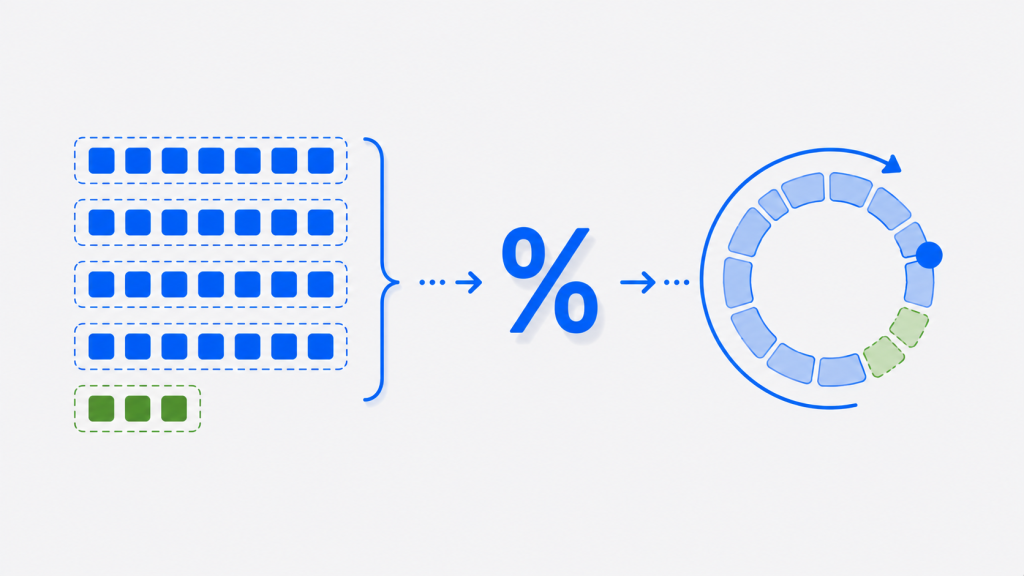
The modulus operator (%) in C++ returns the remainder of dividing one integer by another. It’s one of the most useful operators in programming — powering everything from checking whether a number is even or odd to wrapping values around a range, cycling through arrays, and building clocks and calendars.
This guide covers the modulus operator from the basics through the parts most tutorials skip: how it behaves with negative numbers (a common source of bugs), how to do modulus on floating-point numbers with fmod(), how C++ modulus differs from Python’s, real-world use cases, and the pitfalls to avoid.
All code examples in this guide compile cleanly under the C++17 standard and were tested to produce the output shown.
What Is the Modulus Operator?
When you divide one integer by another, you get a quotient and a remainder. The modulus operator gives you that remainder. For any division A / B:
- A is the dividend
- B is the divisor (also called the modulus)
- Q is the quotient
- R is the remainder
The relationship is A = B × Q + R, and A % B gives you R. For example, 17 % 5 is 2, because 17 divided by 5 is 3 with a remainder of 2.
The key rule to remember: in C++, the % operator works only on integer types. Using it directly on a float or double is a compile error — for those you use fmod(), covered below.
Basic Syntax and Examples
The modulus operator sits between two integer operands, just like + or *:
#include <iostream>

int main()
{
    std::cout << "17 % 5 = " << 17 % 5 << "\n";   // remainder of 17 / 5
    std::cout << "8 % 3 = "  << 8 % 3  << "\n";    // remainder of 8 / 3
    std::cout << "10 % 2 = " << 10 % 2 << "\n";    // remainder of 10 / 2

    return 0;
}
Output:
17 % 5 = 2
8 % 3 = 2
10 % 2 = 0
When the divisor divides the dividend exactly (like 10 % 2), the remainder is 0 — which is the basis of the most common use of modulus, testing divisibility.
Prefer to watch? Here’s a short video walkthrough of the modulus operator in action:
Checking for Even or Odd Numbers
The classic use of % is checking whether a number is even or odd. A number is even if it leaves no remainder when divided by 2:
#include <iostream>

int main()
{
    int number = 7;

    if (number % 2 == 0)
        std::cout << number << " is even\n";
    else
        std::cout << number << " is odd\n";

    return 0;
}
Output:
7 is oddMore generally, x % n == 0 tells you whether x is divisible by n — the same trick works for checking multiples of any number.
The Modulus Operator with Negative Numbers
This is where many programmers get caught out, so it’s worth understanding clearly. In C++, when negative numbers are involved, the result of % takes the sign of the dividend (the left operand):
#include <iostream>

int main()
{
    std::cout << "-7 % 3 = "  << (-7 % 3)  << "\n";
    std::cout << "7 % -3 = "  << (7 % -3)  << "\n";
    std::cout << "-7 % -3 = " << (-7 % -3) << "\n";

    return 0;
}
Output:
-7 % 3 = -1
7 % -3 = 1
-7 % -3 = -1
Since C++11, this behavior is guaranteed by the standard: integer division truncates toward zero, and the remainder follows the sign of the dividend. So -7 % 3 is -1, not 2. This matters a lot when you use % to wrap values — if the input can be negative, the result can be negative too, which can produce a negative array index and crash your program. The fix is shown in the pitfalls section below.
Floating-Point Modulus with fmod()
Because % only works on integers, trying 7.5 % 2.0 won’t compile. For floating-point remainders, use std::fmod() from the <cmath> header:
#include <iostream>
#include <cmath>

int main()
{
    std::cout << "fmod(7.5, 2.0) = "  << std::fmod(7.5, 2.0)  << "\n";
    std::cout << "fmod(-7.5, 2.0) = " << std::fmod(-7.5, 2.0) << "\n";

    return 0;
}
Output:
fmod(7.5, 2.0) = 1.5
fmod(-7.5, 2.0) = -1.5
fmod() computes the floating-point remainder of x / y. Like the integer %, its result takes the sign of the first argument. (If you specifically need the IEEE-style remainder that rounds to the nearest integer quotient, std::remainder() is the alternative — but fmod() is what matches the behavior of % for most everyday use.)
C++ Modulus vs Python Modulus
A subtle but important difference trips up developers who switch between the two languages: C++ and Python compute modulus differently for negative numbers.
| Expression | C++ result | Python result |
|---|---|---|
-7 % 3 | -1 | 2 |
7 % -3 | 1 | -2 |
-7 % -3 | -1 | -1 |
In C++, the result follows the sign of the dividend (the left operand). In Python, the result follows the sign of the divisor (the right operand). Neither is “wrong” — they’re different conventions (truncated division vs floored division). If you’re porting code between C++ and Python, this difference is a genuine source of bugs, so it’s worth checking any modulus operation that could involve negative values.
Practical Use Cases
Beyond even/odd checks, modulus solves a surprising number of everyday problems.
Converting seconds to hours, minutes, and seconds:
#include <iostream>

int main()
{
    int totalSeconds = 3725;

    int hours   = totalSeconds / 3600;
    int minutes = (totalSeconds / 60) % 60;
    int seconds = totalSeconds % 60;

    std::cout << hours << "h " << minutes << "m " << seconds << "s\n";

    return 0;
}
Output:
1h 2m 5sCycling through a range (wrapping): modulus keeps a value within 0 to n-1, which is perfect for cycling through the days of a week or rotating through a fixed set of options:
#include <iostream>
#include <string>

int main()
{
    std::string weekdays[7] = {"Mon", "Tue", "Wed", "Thu", "Fri", "Sat", "Sun"};

    // Assign 10 tasks across 7 days, wrapping around
    for (int i = 0; i < 10; i++)
    {
        int dayIndex = i % 7;   // always stays between 0 and 6
        std::cout << "Task " << i + 1 << " -> " << weekdays[dayIndex] << "\n";
    }

    return 0;
}
Output:
Task 1 -> Mon
Task 2 -> Tue
Task 3 -> Wed
Task 4 -> Thu
Task 5 -> Fri
Task 6 -> Sat
Task 7 -> Sun
Task 8 -> Mon
Task 9 -> Tue
Task 10 -> Wed
Building a circular buffer: modulus is what makes a circular (ring) buffer work — a fixed-size array where new data overwrites the oldest once it fills up. The write position wraps back to the start using %:
#include <iostream>

int main()
{
    const int SIZE = 5;
    int buffer[SIZE] = {0};   // fixed-size circular buffer
    int head = 0;

    // Insert 8 values into a buffer that holds only 5 —
    // older values get overwritten as we wrap around.
    for (int value = 1; value <= 8; value++)
    {
        buffer[head] = value;
        head = (head + 1) % SIZE;   // wraps back to 0 after SIZE-1
    }

    std::cout << "Buffer contents: ";
    for (int i = 0; i < SIZE; i++)
        std::cout << buffer[i] << " ";
    std::cout << "\n";

    return 0;
}
Output:
Buffer contents: 6 7 8 4 5After writing 8 values into a 5-slot buffer, the first three (1, 2, 3) have been overwritten by 6, 7, 8, while positions 3 and 4 still hold 4 and 5. Circular buffers are widely used for streaming data, audio processing, and keeping a rolling history of recent events — and % is the single line that makes the wraparound work.
Other common uses include running an action every nth iteration of a loop (if (i % 10 == 0)) and generating pseudo-random values within a range.
std::modulus Function Object
The C++ standard library also provides std::modulus, a function object (in <functional>) that performs the % operation. It’s useful when you need to pass modulus as a callable to an algorithm:
#include <iostream>
#include <functional>
#include <vector>

int main()
{
    std::vector<int> numbers = {1, 2, 3, 4, 5};
    std::modulus<int> mod;

    for (int n : numbers)
        std::cout << n << (mod(n, 2) == 0 ? " is even\n" : " is odd\n");

    return 0;
}
Output:
1 is odd
2 is even
3 is odd
4 is even
5 is oddCommon Mistakes and Pitfalls
- Using
%on floating-point numbers.7.5 % 2.0is a compile error — usestd::fmod()from<cmath>instead. - Dividing by zero.
x % 0is undefined behavior and will typically crash your program, exactly like division by zero. Always ensure the right operand isn’t zero. - Assuming the result is always positive. As shown above,
-7 % 3is-1in C++. If you use%to compute an array index and the value can be negative, you can get a negative index. The safe wrapping formula is((x % n) + n) % n, which always yields a result in0ton-1. - Expecting Python’s behavior. If you’ve come from Python, remember that C++ modulus of a negative number has the opposite sign convention.
Here’s the safe wrapping pattern in practice:
#include <iostream>

int wrapIndex(int x, int n)
{
    return ((x % n) + n) % n;   // always 0 .. n-1, even if x is negative
}

int main()
{
    std::cout << wrapIndex(-1, 5) << "\n";   // 4, not -1
    std::cout << wrapIndex(7, 5)  << "\n";   // 2
    return 0;
}
Output:
4
2
Frequently Asked Questions
Conclusion
The modulus operator is deceptively simple — it just returns a remainder — but it's one of the most versatile tools in C++. It powers even/odd checks, value wrapping, array cycling, time calculations, and countless algorithms. The two things that trip people up are its behavior with negative numbers (the result follows the dividend's sign, unlike Python) and the fact that it only works on integers (use fmod() for floating point).
Master those edge cases — and remember the safe wrapping formula ((x % n) + n) % n — and you'll avoid the bugs that catch most developers. To keep building your C++ knowledge, explore our complete guide to C++ programming basics and our full C++ programming tutorials.