
Laout managers applet demo
This applet demonstrates various layout managers. The applet itself uses a border layout with a JPanel in the center, a […]
This applet demonstrates various layout managers. The applet itself uses a border layout with a JPanel in the center, a […]
This is a Java class that uses some trigonometry and vector mathematics in its implementation. An object of type MovingBall holds data about a “ball” that has a color, radius, position, speed, and direction. The ball is restricted to moving around inside a rectangle in the xy-plane. The ball can draw itself in a graphics context and will move when it is told to move.
Text Tool [code=’java’]/******************************************************* * MYCPLUS Sample Code – https://www.mycplus.com * * * * This code is made available as a
This Java code is a simple console-based calculator that allows users to perform various mathematical operations. The calculator supports addition,
This Java program demonstrates the essential concepts of exception handling using the try-catch-finally construct. Exception handling is crucial for dealing with unexpected errors that may occur during program execution.
Set up a Server that will receive packets from a client and send packets to a client. Also set up

This source code demonstrates a Bank Operations using Threads in Java.
This applet simulates a network chat, in which the user chats with someone over a network. Here, there is no
A ColorChooserApplet shows six scroll bars that the user can manipulate to set the red, gree, blue, hue, brightness, and
This program evaluates postfix expressions entered by the user. The expressions can use non-negative real nubmers and the operators +,
A little applet that demonstrates JRadionButton with a group of radio buttons that control the background color of a label.
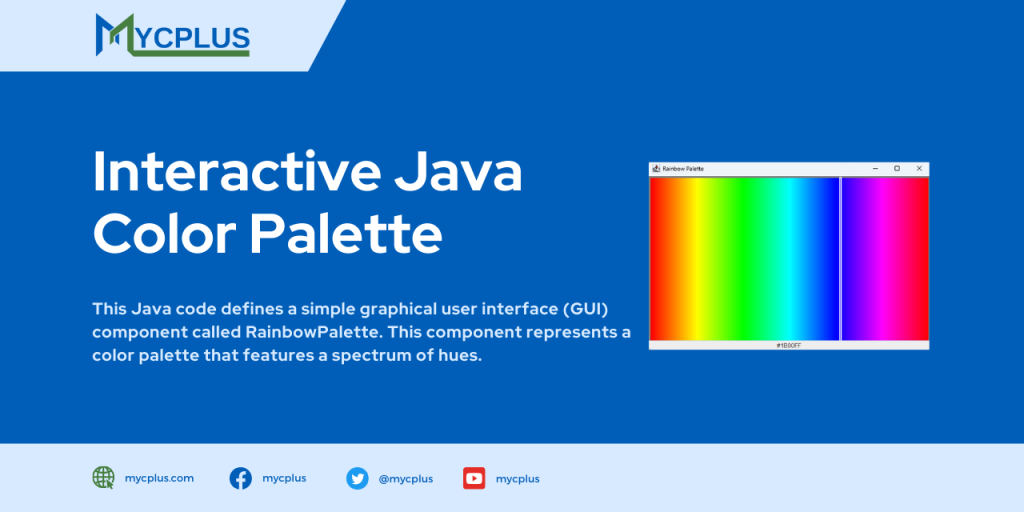
This Java code defines a simple graphical user interface (GUI) component called RainbowPalette. This component represents a color palette that features a spectrum of hues. Users can interact with the palette by clicking on different colors, and the selected color’s HEX value is displayed in a text box below the palette.