

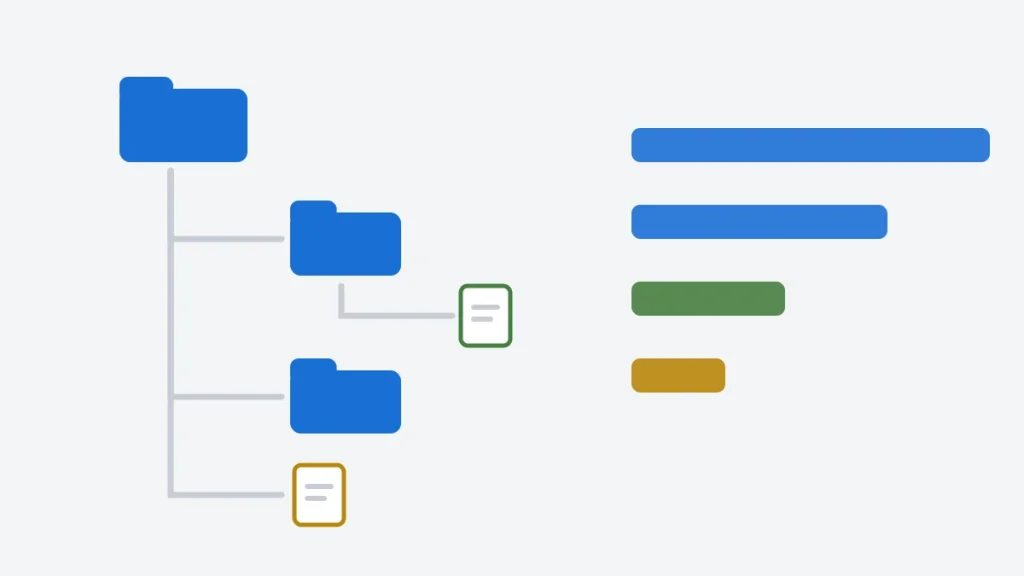
Standard C has no function for listing a directory. The C library can open, read and write files, but it has no concept of a folder; stdio.h cannot tell you what a directory contains. To list one you need the operating system’s API: POSIX opendir() and readdir() on Linux and macOS, or FindFirstFileW() and FindNextFileW() on Windows.
This guide starts with the shortest working code for each system. It then builds one small portable layer on top of both and uses it for three real tools: a dir/ls-style listing, a tree view that prints a directory’s structure, and a finder that shows which files are filling a disk. Along the way it covers the mistakes that make directory code fail in practice: calling stat() on the wrong path, following symbolic links into an endless loop, recursing into . and .., and overflowing a fixed-size path buffer. Every program was compiled and tested with GCC and Clang on Ubuntu and with MSVC on Windows.
How to List Files in a Directory in C
On Linux and macOS, open the directory with opendir(), call readdir() until it returns NULL, and close it with closedir(). These functions are declared in <dirent.h> and defined by POSIX:
/* The shortest correct way to list a directory on Linux or macOS. */
#define _POSIX_C_SOURCE 200809L
#include <dirent.h>
#include <stdio.h>

int main(int argc, char **argv)
{
    const char *path = argc > 1 ? argv[1] : ".";
    DIR *dir = opendir(path);
    if (dir == NULL) {
        perror(path);
        return 1;
    }
    struct dirent *entry;
    while ((entry = readdir(dir)) != NULL)
        printf("%s\n", entry->d_name);       /* includes "." and "..", in no particular order */
    closedir(dir);
    return 0;
}
Output:
café.txt
src
.
empty.txt
.secret
notes.txt
..
docs
On Windows, call FindFirstFileW() with a search pattern such as .\*, then FindNextFileW() until it fails, and close the handle with FindClose():
/* The shortest correct way to list a directory on Windows. */
#define WIN32_LEAN_AND_MEAN
#include <windows.h>
#include <stdio.h>

int main(void)
{
    WIN32_FIND_DATAW data;
    HANDLE find = FindFirstFileW(L".\\*", &data);    /* the pattern, not the directory */
    if (find == INVALID_HANDLE_VALUE) {
        fprintf(stderr, "FindFirstFileW failed: error %lu\n", (unsigned long)GetLastError());
        return 1;
    }
    do {
        wprintf(L"%ls\n", data.cFileName);          /* includes "." and ".." */
    } while (FindNextFileW(find, &data));
    FindClose(find);
    return 0;
}
Both versions show three things that surprise people the first time:
- The entries
.and..are included. They are the directory itself and its parent. Skip them before doing anything else, or a recursive walk descends into them forever. - The order is not sorted.
readdir()returns entries in whatever order the file system stores them;café.txtcame first above only by chance. Sort the names yourself if order matters. - You get names, not paths.
readdir()returnsnotes.txt, notfixture/notes.txt. Anything that needs the file itself, such as its size, must combine the two.
POSIX and Windows directory APIs compared
| Task | Linux and macOS (POSIX) | Windows |
|---|---|---|
| Open a directory | opendir(path) | FindFirstFileW(L"path\\*", &data), which also returns the first entry |
| Next entry | readdir(dir) returns a struct dirent * | FindNextFileW(handle, &data) |
| Close | closedir(dir) | FindClose(handle) |
| Entry name | entry->d_name | data.cFileName (UTF-16) |
| Size, time, type | fstatat() or stat() on the entry | Already in WIN32_FIND_DATAW: nFileSizeHigh/Low, ftLastWriteTime, dwFileAttributes |
| Hidden files | Convention: the name starts with . | The FILE_ATTRIBUTE_HIDDEN attribute |
| Walk a whole tree | nftw(), or recursion over readdir() | Recursion over FindFirstFileW() |
| Header | <dirent.h>, <sys/stat.h> | <windows.h> |
C++17 programs can use std::filesystem::directory_iterator and recursive_directory_iterator, which wrap these same calls behind one interface. In C, you write that wrapper yourself, which is what the rest of this article does.
A Portable Directory Layer
The programs below should not care which system they run on, so one header describes a directory entry in the same terms everywhere, and two source files implement it:
#ifndef FS_H
#define FS_H

/* A small portable layer over directory listing: POSIX opendir/readdir/fstatat
   on Linux and macOS, FindFirstFileW/FindNextFileW on Windows. Names are UTF-8
   on every platform, and "." and ".." are never returned. */

#include <stdbool.h>
#include <stddef.h>

typedef enum { FS_FILE, FS_DIR, FS_LINK, FS_OTHER } fs_kind;

#define FS_NAME_MAX 1024     /* bytes of UTF-8, including the terminating '\0' */
#define FS_PATH_MAX 4096

typedef struct {
    char name[FS_NAME_MAX];
    fs_kind kind;            /* a symbolic link is reported as a link, never followed */
    long long size;          /* bytes; 0 for directories */
    long long mtime;         /* last modification, seconds since 1970-01-01 UTC */
    bool hidden;             /* name starts with '.', or (Windows) the hidden attribute */
} fs_entry;

typedef struct fs_dir fs_dir;

/* Opens a directory for reading. On failure returns NULL and writes a
   reason ("no such directory", "permission denied", ...) to err. */
fs_dir *fs_opendir(const char *path, char *err, size_t err_len);

/* Reads the next entry: returns 1 and fills *e, 0 at the end, -1 on error. */
int fs_readdir(fs_dir *d, fs_entry *e);

void fs_closedir(fs_dir *d);

/* Reads a whole directory into a new array sorted with directories first,
   then by name (byte order). Returns false on error; free(*out) when done. */
bool fs_list(const char *path, fs_entry **out, size_t *count, char *err, size_t err_len);

/* Builds "dir/name" into buf. Returns false, leaving buf unchanged, if the
   result would not fit: a path is never silently cut short. */
bool fs_join(char *buf, size_t cap, const char *dir, const char *name);

/* Free space on the volume holding path, for the current user. */
bool fs_free_space(const char *path, unsigned long long *bytes);

/* Formats a time as "YYYY-MM-DD HH:MM", in UTC or local time. */
void fs_format_time(long long t, bool utc, char *buf, size_t cap);

/* Creates a file of the given size and modification time, or a directory
   (size < 0), with a UTF-8 path. Used by the test fixture and the demos. */
bool fs_make(const char *path, long long size, long long mtime);

/* Windows: switches the console to UTF-8 so names such as "café.txt" display
   correctly. Does nothing on other systems, where terminals already use UTF-8. */
void fs_console_utf8(void);

#endif
Each entry is a structure holding the name and the facts a listing needs: its kind, size, modification time and whether it is hidden. Two design choices matter:
- Names are always UTF-8. Linux file names are already bytes, usually UTF-8. Windows names are UTF-16, so the Windows code converts them. That keeps
strcmp,printfand the rest of the program the same on both systems. - Symbolic links are reported, never followed. A link is listed as
FS_LINK, so a walker cannot be led in a circle.
The POSIX implementation
int fs_readdir(fs_dir *d, fs_entry *e)
{
    for (;;) {
        errno = 0;
        struct dirent *de = readdir(d->dir);
        if (de == NULL)
            return errno == 0 ? 0 : -1;
        if (strcmp(de->d_name, ".") == 0 || strcmp(de->d_name, "..") == 0)
            continue;
        if (strlen(de->d_name) >= sizeof e->name)
            continue;                    /* cannot happen with NAME_MAX of 255 */

        /* fstatat looks the name up inside the directory being read, not the
           current directory, and AT_SYMLINK_NOFOLLOW reports a link as a link. */
        struct stat st;
        if (fstatat(dirfd(d->dir), de->d_name, &st, AT_SYMLINK_NOFOLLOW) != 0)
            continue;                    /* deleted since readdir saw it */
        strcpy(e->name, de->d_name);
        e->kind = S_ISDIR(st.st_mode) ? FS_DIR : S_ISREG(st.st_mode) ? FS_FILE
                : S_ISLNK(st.st_mode) ? FS_LINK : FS_OTHER;
        e->size = e->kind == FS_DIR ? 0 : (long long)st.st_size;
        e->mtime = (long long)st.st_mtime;
        e->hidden = de->d_name[0] == '.';
        return 1;
    }
}
The important call is fstatat(dirfd(d->dir), de->d_name, &st, AT_SYMLINK_NOFOLLOW). It looks the name up inside the directory being read, through the open directory’s file descriptor, so it works whatever the program’s current directory is. AT_SYMLINK_NOFOLLOW makes it describe a symbolic link itself rather than what the link points to. Without both, the code has the two most common directory-listing bugs, shown in the common mistakes section.
readdir() also has a d_type field that often gives the entry type without a stat() call. It is not part of POSIX, and on some file systems it is always DT_UNKNOWN, so code that relies on it alone breaks on those systems. Calling fstatat() is always correct and also provides the size and time.
The Windows implementation
int fs_readdir(fs_dir *d, fs_entry *e)
{
    for (;;) {
        if (d->have_pending)
            d->have_pending = false;
        else if (!FindNextFileW(d->find, &d->data))
            return GetLastError() == ERROR_NO_MORE_FILES ? 0 : -1;

        const WIN32_FIND_DATAW *f = &d->data;
        if (wcscmp(f->cFileName, L".") == 0 || wcscmp(f->cFileName, L"..") == 0)
            continue;
        if (!to_utf8(f->cFileName, e->name, (int)sizeof e->name))
            continue;
        DWORD a = f->dwFileAttributes;
        if ((a & FILE_ATTRIBUTE_REPARSE_POINT) && f->dwReserved0 == IO_REPARSE_TAG_SYMLINK)
            e->kind = FS_LINK;
        else if (a & FILE_ATTRIBUTE_DIRECTORY)
            e->kind = FS_DIR;
        else
            e->kind = FS_FILE;
        e->size = e->kind == FS_DIR ? 0 : (long long)(((ULONGLONG)f->nFileSizeHigh << 32) | f->nFileSizeLow);
        e->mtime = from_filetime(f->ftLastWriteTime);
        e->hidden = e->name[0] == '.' || (a & FILE_ATTRIBUTE_HIDDEN) != 0;
        return 1;
    }
}
Windows returns the size, time and attributes with each name, so no second call is needed. Two conversions do the work:
- Names:
WideCharToMultiByte(CP_UTF8, ...)converts the UTF-16 name to UTF-8. The olderFindFirstFileA()returns names in the system’s ANSI code page instead, which cannot represent every character, so names in other alphabets come back with?in place of the characters that do not fit. - Console output: converting to UTF-8 is only half the job. The Windows console still decodes program output with its own code page, usually an old OEM one such as 437, so
fs_console_utf8()callsSetConsoleOutputCP(CP_UTF8)at the start of each program. Mistake 7 below shows what happens without it. - Times: a
FILETIMEcounts 100-nanosecond ticks since January 1, 1601. Subtracting 116,444,736,000,000,000 ticks and dividing by 10,000,000 gives seconds since 1970, the same scale as POSIXst_mtime:
static long long from_filetime(FILETIME ft)
{
    ULARGE_INTEGER v;
    v.LowPart = ft.dwLowDateTime;
    v.HighPart = ft.dwHighDateTime;
    return (long long)((v.QuadPart - 116444736000000000ULL) / 10000000ULL);
}
The rest of the layer, in fs_common.c, is shared. fs_list() reads a whole directory into an array and sorts it with directories first, then by name. fs_join() builds dir/name and refuses, rather than truncates, a path that does not fit. Forward slashes work as path separators on Windows too, so the same code builds paths on both systems.
Listing a Directory: dirlist
dirlist is a small ls -l or dir. It shows each entry’s modification time, type and size, sorted with directories first, and a summary line:
/* dirlist: lists one directory, like "ls -l" on Linux or "dir" on Windows.

   usage: dirlist [-a] [-d | -f] [-u] [-s] [DIRECTORY]
     -a  include hidden entries      -d  directories only     -f  files only
     -u  show times in UTC           -s  show free space on the volume
   Exit status: 0 on success, 2 if the directory cannot be read. */
#include "fs.h"
#include "walk.h"

#include <stdio.h>
#include <stdlib.h>
#include <string.h>

int main(int argc, char **argv)
{
    fs_console_utf8();
    bool all = false, dirs_only = false, files_only = false, utc = false, show_free = false;
    const char *path = ".";
    for (int i = 1; i < argc; i++) {
        if (strcmp(argv[i], "-a") == 0)
            all = true;
        else if (strcmp(argv[i], "-d") == 0)
            dirs_only = true;
        else if (strcmp(argv[i], "-f") == 0)
            files_only = true;
        else if (strcmp(argv[i], "-u") == 0)
            utc = true;
        else if (strcmp(argv[i], "-s") == 0)
            show_free = true;
        else if (argv[i][0] == '-' || i != argc - 1) {
            fprintf(stderr, "usage: dirlist [-a] [-d | -f] [-u] [-s] [DIRECTORY]\n");
            return 2;
        } else
            path = argv[i];
    }

    fs_entry *list;
    size_t n;
    char err[128];
    if (!fs_list(path, &list, &n, err, sizeof err)) {
        fprintf(stderr, "dirlist: %s: %s\n", path, err);
        return 2;
    }

    printf("Directory: %s\n\n%-16s  %-5s  %13s  %s\n", path, utc ? "Modified (UTC)" : "Modified", "Type", "Size", "Name");
    size_t files = 0, dirs = 0, skipped = 0;
    long long bytes = 0;
    for (size_t i = 0; i < n; i++) {
        const fs_entry *e = &list[i];
        bool is_dir = e->kind == FS_DIR;
        if ((e->hidden && !all) || (dirs_only && !is_dir) || (files_only && is_dir)) {
            skipped++;
            continue;
        }
        char when[32], size[32];
        fs_format_time(e->mtime, utc, when, sizeof when);
        if (is_dir)
            size[0] = '\0';
        else
            with_commas(e->size, size, sizeof size);
        const char *type = is_dir ? "<DIR>" : e->kind == FS_LINK ? "<LNK>" : e->kind == FS_OTHER ? "<OTH>" : "";
        printf("%-16s  %-5s  %13s  %s\n", when, type, size, e->name);
        if (is_dir)
            dirs++;
        else {
            files++;
            bytes += e->size;
        }
    }
    char total[32];
    with_commas(bytes, total, sizeof total);
    printf("\n%zu director%s, %zu file%s, %s bytes", dirs, dirs == 1 ? "y" : "ies", files, files == 1 ? "" : "s", total);
    if (skipped)
        printf(" (%zu not shown)", skipped);
    putchar('\n');
    if (show_free) {
        unsigned long long free_bytes;
        if (fs_free_space(path, &free_bytes)) {
            with_commas((long long)free_bytes, total, sizeof total);
            printf("%s bytes free\n", total);
        }
    }
    free(list);
    return 0;
}
The examples in this article list a small test folder that make_fixture creates with fixed sizes and dates, so the output is the same on every machine. The -u option prints times in UTC for the same reason; without it, dirlist uses local time.
Output:
Directory: fixture

Modified (UTC)    Type            Size  Name
2023-11-14 22:13  <DIR>                 docs
2023-11-14 22:13  <DIR>                 src
2024-06-01 12:00                     7  café.txt
2023-11-14 22:13                     0  empty.txt
2024-06-01 12:00                    10  notes.txt

2 directories, 3 files, 17 bytes (1 not shown)
The hidden file .secret is counted but not shown. -a includes it:
Output:
Directory: fixture

Modified (UTC)    Type            Size  Name
2023-11-14 22:13  <DIR>                 docs
2023-11-14 22:13  <DIR>                 src
2023-11-14 22:13                    42  .secret
2024-06-01 12:00                     7  café.txt
2023-11-14 22:13                     0  empty.txt
2024-06-01 12:00                    10  notes.txt

2 directories, 4 files, 59 bytes
-d shows only directories and -f only files:
Output:
Directory: fixture/docs

Modified (UTC)    Type            Size  Name
2023-11-14 22:13                 1,234  guide.md

0 directories, 1 file, 1,234 bytes (1 not shown)
The same listing from the Windows build, run on Windows 11 with -a -u -s (-s adds the free space on the drive, which naturally differs from machine to machine):
Directory: dirlist-fixture

Modified (UTC)    Type            Size  Name
2023-11-14 22:13  <DIR>                 docs
2023-11-14 22:13  <DIR>                 src
2023-11-14 22:13                    42  .secret
2024-06-01 12:00                     7  café.txt
2023-11-14 22:13                     0  empty.txt
2024-06-01 12:00                    10  notes.txt

2 directories, 4 files, 59 bytes
24,406,134,784 bytes free
The entries, sizes and times match the Linux output line for line, including the UTF-8 name, even though the two systems read them through completely different APIs.
A few details in dirlist.c are worth copying into your own code:
- Directory sizes are left blank. On Linux
stat()reports a directory’s own size, usually 4,096 bytes for the list of names, not the size of its contents. Printing it confuses readers, so the layer reports 0 and the listing shows nothing. - Sizes have thousands separators from a small function,
with_commas(), rather than the'flag ofprintf, which is a POSIX extension and depends on the locale. - The exit status is 2 when the directory cannot be read, with the reason (“no such directory”, “permission denied”) on standard error, so scripts can tell failure apart from an empty directory.
Printing the Directory Structure as a Tree
The tree command shows a folder and everything below it, indented by depth. This one reads the whole tree into memory first, which makes it easy to sort each level and to add up the size of every directory before printing it:
static bool read_dir(char *path, size_t len, int depth_left, bool with_hidden, node *dir)
{
    fs_entry *list;
    size_t n;
    char err[128];
    if (!fs_list(path, &list, &n, err, sizeof err)) {
        if (strcmp(err, "out of memory") == 0)
            return false;
        dir->error = strstr(err, "no such") ? "no such directory"
                   : strstr(err, "not a directory") ? "not a directory"
                   : strstr(err, "permission") ? "permission denied" : "cannot be read";
        return true;
    }
    dir->children = calloc(n ? n : 1, sizeof *dir->children);
    if (dir->children == NULL) {
        free(list);
        return false;
    }
    bool ok = true;
    for (size_t i = 0; i < n && ok; i++) {
        if (list[i].hidden && !with_hidden)
            continue;
        node *c = &dir->children[dir->count];
        c->name = copy(list[i].name);
        if (c->name == NULL) {
            ok = false;
            break;
        }
        dir->count++;
        c->kind = list[i].kind;
        c->hidden = list[i].hidden;
        c->size = list[i].size;
        c->mtime = list[i].mtime;
        if (c->kind == FS_DIR && depth_left != 0) {
            if (!fs_join(path, FS_PATH_MAX, path, c->name)) {
                c->error = "path too long";
                continue;
            }
            ok = read_dir(path, strlen(path), depth_left - 1, with_hidden, c);
            path[len] = '\0';            /* back to this directory's path */
        }
        dir->size += c->size;
    }
    free(list);
    return ok;
}
read_dir() is recursive: for each subdirectory it appends the name to the path, calls itself, and then cuts the path back to where it was. The whole walk uses a single path buffer instead of allocating a new string at every level. Because the layer never follows symbolic links and never returns . or .., the recursion always ends.
The printing is a second, simpler recursion that passes down a prefix string of | and segments:
static void print_children(const node *dir, char *prefix, size_t plen, int levels, bool sizes, struct totals *t)
{
    for (size_t i = 0; i < dir->count; i++) {
        const node *c = &dir->children[i];
        bool last = i + 1 == dir->count;
        printf("%s%s", prefix, last ? "`-- " : "|-- ");
        if (sizes) {
            char s[32];
            with_commas(c->size, s, sizeof s);
            printf("[%9s]  ", s);
        }
        printf("%s%s", c->name, c->kind == FS_DIR ? "/" : "");
        if (c->kind == FS_LINK)
            printf("  (link, not followed)");
        if (c->error)
            printf("  [%s]", c->error);
        putchar('\n');

        if (c->kind == FS_DIR) {
            t->dirs++;
            if (levels != 1 && plen + 5 < FS_PATH_MAX) {
                strcpy(prefix + plen, last ? "    " : "|   ");
                print_children(c, prefix, plen + 4, levels - 1, sizes, t);
                prefix[plen] = '\0';
            }
        } else
            t->files++;
    }
}
Output:
fixture
|-- docs/
|   |-- images/
|   |   `-- logo.png
|   `-- guide.md
|-- src/
|   |-- main.c
|   `-- util.c
|-- café.txt
|-- empty.txt
`-- notes.txt

3 directories, 7 files
With -s, every entry shows its size, and every directory shows the total of everything inside it. docs is 6,234 bytes because it holds guide.md (1,234) and images (5,000):
Output:
[    6,713]  fixture
|-- [    6,234]  docs/
|   |-- [    5,000]  images/
|   |   `-- [    5,000]  logo.png
|   `-- [    1,234]  guide.md
|-- [      420]  src/
|   |-- [      300]  main.c
|   `-- [      120]  util.c
|-- [       42]  .secret
|-- [        7]  café.txt
|-- [        0]  empty.txt
`-- [       10]  notes.txt

3 directories, 8 files
-L 1 limits the output to the first level. With -s as well, the whole tree is still read, so the directory totals stay correct:
Output:
[    6,671]  fixture
|-- [    6,234]  docs/
|-- [      420]  src/
|-- [        7]  café.txt
|-- [        0]  empty.txt
`-- [       10]  notes.txt

2 directories, 3 files
Reading the tree into memory costs memory in proportion to the number of entries. For a disk with millions of files, a streaming walk that prints as it goes and keeps only the current path is the better design; nftw() on POSIX works that way.
Real-World Example: What Is Filling the Disk?
When a server’s disk fills up, the first question is which files are largest. bigfiles walks the tree, collects every regular file with its path, and sorts by size:
static bool collect(const node *n, char *rel, size_t len, struct list *out)
{
    for (size_t i = 0; i < n->count; i++) {
        const node *c = &n->children[i];
        char *path = rel;
        if (!fs_join(path, FS_PATH_MAX, len ? rel : "", c->name))
            continue;
        if (c->kind == FS_DIR) {
            if (!collect(c, path, strlen(path), out))
                return false;
        } else if (c->kind == FS_FILE) {
            if (out->count == out->cap) {
                size_t cap = out->cap ? out->cap * 2 : 64;
                struct found *bigger = realloc(out->items, cap * sizeof *bigger);
                if (bigger == NULL)
                    return false;
                out->items = bigger;
                out->cap = cap;
            }
            out->items[out->count].size = c->size;
            strcpy(out->items[out->count].path, path);
            out->count++;
        }
        rel[len] = '\0';
    }
    return true;
}
Output:
7 files, 6,671 bytes in fixture

        5,000   74%  docs/images/logo.png
        1,234   18%  docs/guide.md
          300    4%  src/main.c
On a real system you would point it at a log or upload directory, for example bigfiles /var/log 20. Symbolic links are not followed, so a link to a large file elsewhere is not counted twice, and a link to / cannot send the walk across the whole machine.
Common Mistakes When Listing Directories in C
1. Calling stat() on the bare name from readdir()
This is the most common directory bug in C. readdir() returns notes.txt, and stat("notes.txt", ...) looks for that name in the current directory, not in the directory being listed. pitfalls/stat_wrong_path.c lists the test folder both ways:
Output:
stat(name)               fstatat(dir, name)   name
fails: no such file      7 bytes              café.txt
fails: no such file      directory            docs
fails: no such file      0 bytes              empty.txt
fails: no such file      10 bytes             notes.txt
fails: no such file      directory            src
stat(name) failed for 5 of 5 entries; fstatat() for 0
Every stat() call fails, because the program is not running inside fixture. It is worse when it does not fail: if the current directory happens to contain a file with the same name, stat() silently reports that file’s size. Use fstatat(dirfd(dir), name, ...), as the layer does, or join the directory and the name into a full path first.
2. Following symbolic links while walking
stat() follows symbolic links. A link that points to its own directory, or to any directory above it, then makes the tree infinitely deep. pitfalls/symlink_loop.c creates a folder with a link self -> . and walks it with stat():
Output:
lstat("loop/self"): a symbolic link, not followed
stat("loop/self"):  a directory (the link was followed)

A walker that follows links:
  depth  1: loop/self
  depth  2: loop/self/self
  ...
  depth 39: ...f/self/self/self/self/self/self
  depth 40: ...f/self/self/self/self/self/self
  stopped at depth 41: Too many levels of symbolic links
40 directories visited, all of them the same oneThe walk only stopped because Linux refuses to resolve a path that passes through more than 40 symbolic links (the ELOOP error), after visiting the same directory 40 times. Without that limit it would run until the path no longer fit in memory. Use lstat() or fstatat(..., AT_SYMLINK_NOFOLLOW), which describe the link itself, and decide explicitly whether to follow links. Tools that must follow them, such as find -L, remember the device and inode number of every directory they enter and skip any they have already visited.
3. Forgetting to skip . and ..
Every directory contains . (itself) and .. (its parent). A recursive walk that does not skip them descends into . again and again. When the check was removed from the layer as a test, the unit tests did not finish within 30 seconds: each level contains both . and .., so the work doubles with every level of depth. Skip both names before doing anything else with an entry.
4. Building paths in a fixed-size buffer
Path lengths are not small. Linux allows paths of 4,096 bytes, and Windows allows about 32,767 characters with long-path support enabled. Copying a directory and a name into char path[32] with strcpy and strcat writes past the buffer as soon as they are longer:
/* Pitfall: building a path in a fixed-size buffer with strcpy and strcat.

   Directory names and file names have no small fixed length, so
   "directory" + "/" + "name" can be longer than any buffer chosen in
   advance. strcpy and strcat do not check; fs_join does.

   usage: pitfall_path_buffer checked     (refuses the long path)
          pitfall_path_buffer unchecked   (writes past the buffer: undefined behavior) */
#include "fs.h"

#include <stdio.h>
#include <string.h>

int main(int argc, char **argv)
{
    const char *dir = "projects/2024/client-reports";
    const char *name = "quarterly-summary-final-v2.xlsx";
    char path[32];

    if (argc > 1 && strcmp(argv[1], "unchecked") == 0) {
        strcpy(path, dir);                   /* 28 bytes + '\0': fits */
        strcat(path, "/");
        strcat(path, name);                  /* 61 bytes into a 32-byte buffer */
        printf("built %s\n", path);
        return 0;
    }

    if (fs_join(path, sizeof path, dir, name))
        printf("built %s\n", path);
    else
        printf("\"%s/%s\" needs %zu bytes; the buffer has %zu, so it was refused\n",
               dir, name, strlen(dir) + 1 + strlen(name) + 1, sizeof path);
    return 0;
}
The checked version refuses the path:
Output:
"projects/2024/client-reports/quarterly-summary-final-v2.xlsx" needs 61 bytes; the buffer has 32, so it was refusedThe unchecked version is undefined behavior. AddressSanitizer stops it, and GCC even warns at compile time when optimizing:
AddressSanitizer: stack-buffer-overflow ... in strcat
warning: '__builtin___strcat_chk' forming offset [32, 60] is out of the bounds [0, 32] of object 'path' with type 'char[32]' [-Warray-bounds=]
Paths come from the file system, which means from whoever created the files, so an unchecked path copy in a directory tool is an exploitable bug, not just a crash. Check the length before copying, as fs_join() does, or use snprintf and check its return value.
5. Showing the access time instead of the modification time
struct stat has three times: st_mtime (contents last modified), st_ctime (inode last changed; not creation time on Linux) and st_atime (last read). A listing that shows “date” almost always means st_mtime, which is what ls -l and Windows Explorer show. Access times are also unreliable: most Linux systems mount file systems with relatime, which updates them at most once a day.
6. Assuming readdir() returns names in order
The minimal lister above printed café.txt, src, ., empty.txt in that order: the order the file system stored them. The order differs between file systems and can change after files are added or deleted. Windows often returns names sorted on NTFS, which makes code that assumes an order work on one machine and fail on another. Sort explicitly.
7. Printing UTF-8 names to a Windows console without switching it to UTF-8
Converting names to UTF-8 makes the program’s bytes correct, but the Windows console decodes those bytes with its own code page. Before the programs called SetConsoleOutputCP(CP_UTF8), the Windows test run recorded the listing’s café.txt line as:
2024-06-01 12:00 7 caf├⌐.txtThose are the two UTF-8 bytes of é (C3 A9) drawn as two characters of code page 437. The file name on disk was fine, and so were the bytes the program wrote. The same thing happens one level up: CMake’s execute_process() decoded program output with the console code page too, until CMake 3.31 made UTF-8 its default (policy CMP0176), so a test that compared the output byte for byte failed. If a C program prints UTF-8 on Windows, switch the console to UTF-8 and tell every tool that reads its output to expect UTF-8.
How the Code Is Tested
Directory code is easy to get almost right, so the tests check exact results on a known folder.
- A fixed test folder.
make_fixturecreates 3 directories and 8 files with fixed sizes and modification times, including a hidden file and a file namedcafé.txt, using the layer’s own UTF-8 path handling on both systems. - Byte-for-byte output.
dirlist,tree,bigfilesand the pitfalls must print exactly the output shown here. The same expected files are used on Linux and Windows, which checks that both implementations agree. - Unit tests check path joining at the exact buffer limit, sorting, sizes, times, the UTF-8 name, error messages for a missing directory and a file, an empty directory, directory totals and depth limits. On Linux and macOS they also check that a symbolic link is reported as a link and that a walk through a looping link finishes.
- Deliberate mistakes.
tests/mutations.pyputs 13 mistakes into the library and confirms the tests catch each one:
| Deliberate mistake | How the tests caught it |
|---|---|
| join allows one byte too many | sanitizer: stack-buffer-overflow |
| join always adds a slash | fs_join(buf, sizeof buf, "dir/", "a") && strcmp(buf, "dir/a") == 0 failed |
| files sorted before directories | strcmp(list[i].name, names[i]) == 0 failed |
| readdir returns “.” and “..” | the tests did not finish in 30 s |
| stat on the bare name, not inside the directory | n == 6 failed |
| symbolic links are followed | list[0].kind == FS_LINK failed |
| directory size taken from stat | list[i].size == sizes[i] failed |
| hidden test inverted | list[i].hidden == (i == 2) failed |
| walk does not restore the path | root.size == 6713 && root.count == 6 failed |
| directory totals not added up | root.size == 6713 && root.count == 6 failed |
| hidden filter ignored | root.size == 6671 && root.count == 5 failed |
| depth limit ignored | root.count == 6 && root.children[0].count == 0 && root.size == 59 failed |
| comma every three digits from the left | strcmp(b, cases[i].s) == 0 failed |
Key Takeaways
- Standard C cannot list a directory. Use
opendir()/readdir()/closedir()on POSIX andFindFirstFileW()/FindNextFileW()/FindClose()on Windows, and hide the difference behind one small interface. readdir()returns bare names. Usefstatat(dirfd(dir), name, ...)or a joined path;stat(name)looks in the wrong directory.- Skip
.and.., and do not follow symbolic links in a recursive walk, or the recursion may never end. - Never build paths in fixed buffers with
strcpy/strcat. Check the length and refuse paths that do not fit. - Sort the entries yourself. Directory order depends on the file system.
- On Windows, use the wide (
W) functions, convert names to UTF-8, and switch the console to UTF-8 withSetConsoleOutputCP(CP_UTF8), or names outside the system code page are lost or garbled. - Show
st_mtime(orftLastWriteTime) as a file’s date, not the access time.
Conclusion
Listing a directory takes a dozen lines on either system. A listing that is correct with symbolic links, Unicode names, deep trees and long paths takes more care: the layer and the tree walker here come to about 500 lines for both systems together, much of it error handling. Once that layer exists, tools such as dirlist, tree and bigfiles are short, and the same source builds on Linux, macOS and Windows.
The natural next steps are filtering by name pattern (fnmatch() on POSIX, the pattern argument of FindFirstFileW() on Windows) and watching a directory for changes (inotify on Linux, ReadDirectoryChangesW() on Windows). For more C programming, see the C programming section.
Source Code and Tests

All programs on this page are in the files/directory-listing directory of the MYCPLUS C examples repository.
Build, test and run:
cmake -S . -B build
cmake --build build
ctest --test-dir build --output-on-failure
./build/tree -s .
What the build checks.
- Compilers: GCC and Clang under C11 and C17 with
-Wall -Wextra -pedantic -Werroron Linux, the same on macOS, and MSVC under/W4 /WXon Windows.pitfalls/path_buffer.cis the one program allowed to build with a warning, because the overflow is the lesson. - Output: every program prints exactly what is shown here, from the same expected files on every system.
- Sanitizers and mutations: the tests run clean under AddressSanitizer and UndefinedBehaviorSanitizer, the unchecked path copy is caught, and all 13 deliberate mistakes are caught.
What I Verified
The Ubuntu column was run for this article on Ubuntu 24.04 (x86-64, GCC 13.3, Clang 18, CMake 3.28, MinGW-w64 GCC 13, Valgrind). The Windows column comes from the repository’s run_all.ps1 script.
| Check | Ubuntu 24.04 | Windows 11 |
|---|---|---|
Builds with warnings as errors: GCC and Clang (C11 and C17) on Ubuntu, MSVC /W4 /WX (C11 and C17) on Windows | Passed | MSVC /W4 /WX, C11 and C17: built |
| CTest: unit tests and byte-for-byte outputs from the same expected files | 16 of 16 in all four configurations | 14 of 14 in C11 and in C17 (the two POSIX-only pitfalls are not built) |
café.txt (UTF-8 name) and .secret (hidden) listed correctly | Yes | Yes, on NTFS |
| AddressSanitizer and UndefinedBehaviorSanitizer, every test | 16 of 16, clean | Not applicable |
The unchecked strcat path is caught | AddressSanitizer: stack-buffer-overflow | Not applicable |
Valgrind memcheck: tests, dirlist, tree, bigfiles | No errors, no leaks | Not applicable |
| Windows code cross-compiled with MinGW-w64, warnings as errors | Passed | Not applicable |
| 13 deliberate mistakes injected into the library | 13 of 13 caught | Not run |
Symbolic-link loop and stat() on the bare name | Shown by the pitfall programs and checked by the tests | Not applicable (POSIX-only programs) |
Not covered: macOS outside CI, network file systems, directories with millions of entries, and Windows paths longer than 260 characters (long-path support was not enabled).