
Add ten cents to a C double ten times and print the total to 17 significant digits: you get 0.99999999999999989, and total == 1.0 is false. That small error is why money is the first thing to get right in a bank management system in C. Many student versions of this project store balances as float, read names with scanf("%s") and rewrite the whole data file on every save. Each of those choices can lose a customer’s money without any warning.
This article walks through a complete bank management system written in standard C11: savings and current accounts, deposits, withdrawals, transfers, monthly interest, statements and a daily report. Every amount is kept in whole cents, and every change goes into a ledger file that the program checks line by line each time it starts. The program was built and tested for this article on Ubuntu 24.04 with GCC 13.3 and Clang 18.1 under -std=c11 and -std=c17 with -Wall -Wextra -pedantic -Werror and zero warnings, and on Windows with Visual Studio’s compiler (MSVC) at /W4 /WX. All 27 tests pass, including under AddressSanitizer and UndefinedBehaviorSanitizer, and every output block below is captured from a real run. If you are new to C projects, the C mini projects for beginners are a gentler place to start; this one is the next step up.
What Is a Bank Management System in C?
A bank management system in C is a console program that keeps customer accounts and the transactions on them: it opens and closes accounts, records deposits, withdrawals and transfers, and prints balances and statements. A well-built one stores money as whole cents, saves every change to a file, and refuses any operation that breaks the bank’s rules.
The version here is a teller’s program for a small bank. It runs in any terminal, uses only the C standard library, and builds with GCC, Clang and Visual Studio. The source is split into seven .c files with a header each, which is how larger C programs are organized and what makes the code testable.
Features and Banking Rules
The program enforces these rules everywhere: at the menu, and again when it reloads its data file.
| Feature | Rule in this program |
|---|---|
| Account types | Savings (3.00% interest a year, paid monthly, never below 0.00) and current (no interest, overdraft down to -500.00) |
| Account numbers | Start at 100001 and go up by one; a closed account keeps its number, so no number is reused |
| Opening an account | Holder name of 2 to 30 characters, address of 1 to 50 (printable characters only), opening deposit of at least 1,000.00 |
| Deposits and withdrawals | 0.01 to 1,000,000.00 at a time |
| Daily cash limit | At most 5,000.00 withdrawn from one account per day; transfers do not count |
| Transfers | Between two different open accounts, written as one ledger line, so they are never half done |
| Interest | Posted once per account per calendar month, rounded half up to the cent |
| Balance limit | No balance above 999,999,999.99 |
| Closing an account | Only when the balance is exactly 0.00, after a y/n confirmation; the history stays |
| Reports | Account list with totals, search by name, statements with a running balance, daily transaction report |
There is deliberately no login or PIN. Storing a PIN in a text file teaches a dangerous habit, and proper password hashing needs a cryptography library; the section on extending the project shows how to add one safely.
How to Build and Run the Project
Download or clone the project folder from GitHub (linked in Source Code and Tests), open a terminal in it, and compile every file in src together.
GCC or Clang (Linux, macOS, WSL, or MinGW on Windows):
gcc -std=c11 -Wall -Wextra -o bank_management src/*.c
./bank_management
Visual Studio, from a Developer Command Prompt:
cl /W4 /Fe:bank_management.exe src\*.c
bank_management.exeCMake, which also builds and runs the tests:
cmake -S . -B build && cmake --build build && ctest --test-dir build --output-on-failureIn Code::Blocks or Dev-C++, create an empty console project and add all seven .c files from src to it. The most common build error with a multi-file project is an “undefined reference” from the linker, naming a function such as bank_init. It means one of the .c files was left out of the project.
The program accepts three options, in any order:
| Option | What it does |
|---|---|
--file NAME | Use another ledger file instead of bank.txt |
--today YYYY-MM-DD | Fix the date, so a test gives the same result every day |
--verify | Check the ledger, print a one-line summary and exit without the menu |
A Sample Session
Here is a teller opening a current account. The first opening deposit is below the minimum, so the program asks again. (The menu between steps is left out of these excerpts; it is printed before every choice.)
Choose an option (0-11): 1
Holder name: Ben Kim
Address: 4 Mill Lane
Account type (1 = Savings, 2 = Current): 2
Opening deposit: 999.99
The opening deposit must be at least 1,000.00.
Opening deposit: 2500.50
Opened current account 100002 for Ben Kim with 2,500.50.
Amounts are read as text and checked before anything happens. A third decimal, a minus sign and zero are all refused with the same message:
Choose an option (0-11): 2
Account number: 100001
Amount: 12.505
Please enter an amount from 0.01 to 1,000,000.00, for example 250 or 250.75.
Amount: -5
Please enter an amount from 0.01 to 1,000,000.00, for example 250 or 250.75.
Amount: 0
Please enter an amount from 0.01 to 1,000,000.00, for example 250 or 250.75.
Amount: 100
Deposited 100.00 to 100001. New balance: 1,850.75.
A current account can go overdrawn, but only by 500.00. Account 100002 started with 2,500.50 and has just withdrawn 2,900.00, so its balance is -399.50 and only 100.50 is left to take out:
Choose an option (0-11): 3
Account number: 100002
Amount: 100.51
Insufficient funds: 100002 has 100.50 available, including the 500.00 overdraft.
The daily cash limit works the same way. Account 100003 has already withdrawn 4,000.00 today, so 1,000.01 is refused. Asked for exactly 1,000.00 next, the program pays it, because reaching the limit is allowed:
Choose an option (0-11): 3
Account number: 100003
Amount: 1000.01
Daily withdrawal limit: 100003 can withdraw 1,000.00 more today.
Every message names the rule and the number that matters, so the teller knows what to do next without reading the code.
How the Program Is Organized
The program is split by job, not by menu option. Each file has a header that declares only what other files need; everything else is static and invisible outside its file.
| File | Lines | Job |
|---|---|---|
main.c | 673 | Command line, start-up checks, the menu loop and one handler per menu option |
ledger.c | 438 | The ledger file: writing an entry as a line, reading a line back, loading and checking the whole file |
bank.c | 369 | The bank’s rules, and the only code that changes a balance |
report.c | 266 | Account list, search, statements and the daily report |
input.c | 171 | Safe keyboard input: whole numbers, text, amounts, yes/no and dates |
money.c | 120 | Parsing and printing amounts, and the interest calculation |
date.c | 98 | Parsing, comparing and printing dates |
The headers add 226 lines, for 2,361 in all. The comments take a large share of that, because every function has a block above it saying what it does, what it returns and which rule it enforces.
The split pays off in testing. Everything except main.c is built into a small library, and the unit tests link that same library without the menu. A test can call bank_check() on a bank built in memory and check the exact rule it breaks, with no typing involved.
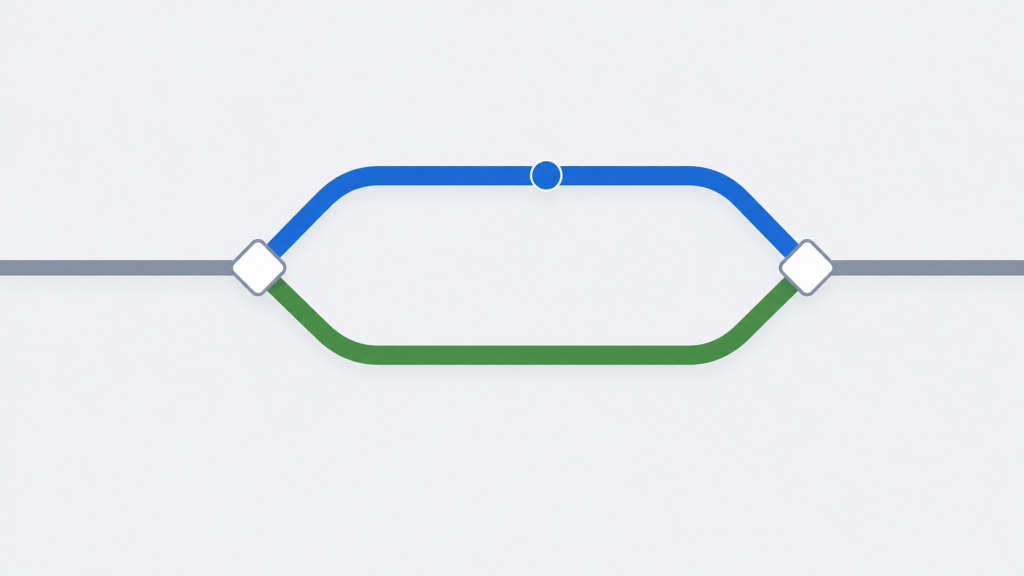
bank.c has one more job: it is the only file allowed to change a balance. main.c and report.c can read an account, but every change goes through bank_check(), which decides whether an entry is allowed, and bank_apply(), which applies it. Figure 1 shows that path.
Storing Money as Whole Cents
A double cannot hold 0.10 exactly. It stores the nearest binary fraction, and the tiny errors add up, which is how ten deposits of ten cents become 0.99999999999999989. Financial software usually avoids this by storing integers, and so does this program:
typedef long long Cents; /* money in whole cents, never float/double */A balance of 1,850.75 is the integer 185075. Adding, subtracting and comparing integers is exact, and a long long holds at least 9.2 × 10¹⁸, far more than the largest balance the program allows.
The hard part is reading an amount that a person types. strtod() returns a double, which brings the error straight back, and it also accepts 1e3, nan and hexadecimal. So money_parse() reads the digits itself:
/* Reads an amount typed by a person, such as "250", "250.7" or " 250.75 ",
 * into *out as cents. Rules: optional spaces or tabs before and after; 1 to
 * 7 digits; then optionally a point followed by exactly 1 or 2 digits.
 * Nothing else is allowed: no sign, no thousands commas, no exponent.
 * The value must be from 0.01 to 1,000,000.00 (MAX_AMOUNT).
 * Returns 1 and sets *out if the text is valid, otherwise returns 0 and
 * leaves *out unchanged.
 *
 * Why not strtod()? It returns a double, so "0.29" would come back as
 * 0.28999999999999998 and a careless (long long)(x * 100) gives 28 cents.
 * strtod() also accepts "1e3", "nan", "inf" and hexadecimal. Building the
 * value digit by digit avoids every one of those surprises.
 *
 * Overflow is impossible: at most 7 + 2 digits are ever accumulated, so
 * the value stays below 10^9, far inside a long long. */
int money_parse(const char *text, Cents *out)
{
    const char *p = text;
    Cents value = 0;
    int digits = 0;

    while (*p == ' ' || *p == '\t')
        p++;
    while (isdigit((unsigned char)*p)) {
        if (++digits > MAX_WHOLE_DIGITS)
            return 0;                       /* too many digits: stop before any overflow */
        value = value * 10 + (*p - '0');
        p++;
    }
    if (digits == 0)
        return 0;                           /* ".5", "-5", "+5", "nan" and "" end up here */
    value *= 100;                           /* whole units to cents */
    if (*p == '.') {
        p++;
        if (!isdigit((unsigned char)*p))
            return 0;                       /* "250." */
        value += (*p - '0') * 10;           /* tenths */
        p++;
        if (isdigit((unsigned char)*p)) {
            value += *p - '0';              /* hundredths */
            p++;
        }
        if (isdigit((unsigned char)*p))
            return 0;                       /* "12.505": a third decimal */
    }
    while (*p == ' ' || *p == '\t')
        p++;
    if (*p != '\0')
        return 0;                           /* "1,000", "1e3", "12abc" */
    if (value < 1 || value > MAX_AMOUNT)
        return 0;                           /* "0", "0.00", "1000000.01" */
    *out = value;
    return 1;
}
The function counts digits as it goes, so the value can never overflow: at most seven whole digits and two decimals are ever added up. Every rejected input in the sample session above (12.505, -5, 0) stops at one of the return 0 lines, and the comment on each line names the input that reaches it.
Printing goes the other way. money_format() turns 185075 into 1,850.75, adding a comma every three digits and always two decimals. The ledger file stores plain integers such as 185075, because the file is read by the program; only the screen is formatted for people.
The same approach to input runs through input.c: every answer is read as a whole line with fgets(), then checked. Nothing uses scanf(), so a typing mistake can never leave unread characters behind to be taken as the answer to the next question. Defensive programming in C covers this habit in detail.
The Ledger: Recording What Happened, Not the Balance
Most bank projects keep one record per account and overwrite its balance after each transaction. This program never stores a balance in the file at all. It keeps a ledger: one line per thing that happened, added to the end of the file and never changed afterwards. The balances are rebuilt by replaying every line each time the program starts. Martin Fowler describes the general pattern as event sourcing: every change to the state is captured as a sequence of events.
These are the first lines of the ledger after the sample session:
# MYCPLUS bank ledger v1
1|2026-12-01|OPEN|100001|S|150000|Ana Lopez|12 Harbour Road, Springfield
2|2026-12-01|OPEN|100002|C|250050|Ben Kim|4 Mill Lane
3|2026-12-01|OPEN|100003|S|100000|Carla Diaz|9 Elm Street
4|2026-12-01|DEP|100001|25075|175075
Each line starts with its entry number and date, then the type, then the fields for that type:
| Type | Fields after number and date | Meaning |
|---|---|---|
OPEN | account, S or C, amount, holder, address | A new account and its opening deposit |
DEP | account, amount, balance after | Cash deposit |
WDL | account, amount, balance after | Cash withdrawal |
XFER | from, to, amount, both balances after | Transfer between two accounts |
INT | account, month, amount, balance after | Monthly interest |
EDIT | account, holder, address | New holder name or address |
CLOSE | account | Account closed |
Holder names and addresses may not contain |, so splitting a line at every | is always safe; forbidding the separator is simpler than quoting it. They may not contain control characters either, because a name is printed to the terminal as it is, and an escape sequence hidden in a name could clear the screen or recolor the text.
In memory, one line becomes an Entry. It is a “tagged struct”: the type field says which of the other fields mean something.
/* One line of the ledger: something that happened.
 *
 * This is a "tagged struct": type is the tag, and it says which of the
 * other fields mean something (the comment on each field lists the types
 * that use it). The unused fields are simply 0 or empty. A union could
 * overlap the fields of different types and save memory, but then reading
 * the wrong member is undefined behavior that no compiler warns about. A
 * plain struct of about 150 bytes is clearer and always safe to read. */
typedef struct {
    long        seq;                  /* 1, 2, 3, ... */
    Date        date;
    EntryType   type;
    int         account;              /* the account, or the source of a transfer */
    int         other;                /* transfer target; 0 otherwise */
    AccountType account_type;         /* OPEN only */
    Cents       amount;               /* OPEN, DEPOSIT, WITHDRAW, TRANSFER, INTEREST */
    Cents       balance_after;        /* account's balance after this entry */
    Cents       other_balance_after;  /* TRANSFER only: target's balance after */
    int         month;                /* INTEREST only: 202612 */
    char        holder[NAME_SIZE];    /* OPEN and EDIT */
    char        address[ADDRESS_SIZE];/* OPEN and EDIT */
} Entry;
As the comment says, a union would save memory at the cost of safety. At 152 bytes per entry, a plain structure in C is the better trade. The type itself is an enum in C, and so are the account type and the rule codes below.
Because the ledger keeps the full history, some values never need to be stored. How much has an account withdrawn today? The program adds it up from the ledger:
/* Returns the total withdrawn in cash from account number on day.
 * This is worked out from the ledger, not stored: there is no "withdrawn
 * today" counter to forget to reset at midnight. Entries are in date
 * order, so the loop walks back from the newest and stops at the first
 * entry before day. Transfers are not cash, so they do not count. */
Cents bank_withdrawn_on(const Bank *bank, int number, Date day)
{
    Cents total = 0;

    for (size_t i = bank->entry_count; i > 0; i--) {
        const Entry *e = &bank->entries[i - 1];
        if (date_compare(e->date, day) < 0)
            break;
        if (e->type == ENTRY_WITHDRAW && e->account == number && date_compare(e->date, day) == 0)
            total += e->amount;
    }
    return total;
}
Nothing needs resetting at midnight, and the total can never drift out of step with the transactions, because it is computed from them each time.
The trade-off is start-up time: every entry since the bank opened is replayed. In practice that is fast. A test ledger of 100,011 entries, about four years of a busy branch with 200 accounts, loaded and passed every check in 30 to 35 milliseconds on the test machine. A system with decades of history would store a snapshot of every balance at the end of each month and replay only the entries after it.
One Set of Rules for the Menu and the Loader
Every change, whether a teller types it or the loader reads it from the file, is checked by the same function. bank_check() returns RULE_OK or the first rule the entry breaks:
/* Decides whether entry may be added to the bank, and returns RULE_OK or
 * the first rule it breaks. The checks run in this order:
 *   1. the date is not earlier than the previous entry's date;
 *   2. the rules for this type of entry (listed in the README);
 *   3. balance_after (and other_balance_after) equal what applying the
 *      entry would really produce.
 *
 * One set of rules for two jobs: the menu calls this before writing an
 * entry, and the loader calls it for every line it replays. So a ledger
 * edited by hand cannot sneak in an overdraft the menu would refuse.
 * Step 3 can only fail for entries read from a file, because the menu
 * fills those fields with bank_prepare(). */
Rule bank_check(const Bank *bank, const Entry *entry)
{
    const Account *a = NULL, *b = NULL;

    if (bank->entry_count > 0 &&
        date_compare(entry->date, bank->entries[bank->entry_count - 1].date) < 0)
        return RULE_DATE_BACKWARDS;

    if (entry->type == ENTRY_OPEN) {
        int next = bank_next_number(bank);
        if (entry->account != next || next > LAST_ACCOUNT)
            return RULE_WRONG_NUMBER;
        if (!amount_ok(entry->amount))
            return RULE_BAD_AMOUNT;
        if (entry->amount < MIN_OPENING)
            return RULE_OPENING_TOO_SMALL;
        if (!bank_text_ok(entry->holder, MIN_NAME_LENGTH, NAME_SIZE) ||
            !bank_text_ok(entry->address, 1, ADDRESS_SIZE))
            return RULE_BAD_TEXT;
        return RULE_OK;                         /* the balance after opening is the amount */
    }

    /* Every other entry needs an existing, open account. */
    a = bank_find_const(bank, entry->account);
    if (a == NULL)
        return RULE_NO_ACCOUNT;
    if (a->is_closed)
        return RULE_CLOSED;

    switch (entry->type) {
    case ENTRY_DEPOSIT:
        if (!amount_ok(entry->amount))
            return RULE_BAD_AMOUNT;
        if (a->balance + entry->amount > MAX_BALANCE)
            return RULE_ABOVE_MAX;
        break;
    case ENTRY_WITHDRAW:
        if (!amount_ok(entry->amount))
            return RULE_BAD_AMOUNT;
        if (entry->amount > bank_available(a))
            return RULE_INSUFFICIENT;
        if (bank_withdrawn_on(bank, a->number, entry->date) + entry->amount > DAILY_CASH_LIMIT)
            return RULE_DAILY_LIMIT;
        break;
    case ENTRY_TRANSFER:
        if (entry->other == entry->account)
            return RULE_SAME_ACCOUNT;
        b = bank_find_const(bank, entry->other);
        if (b == NULL)
            return RULE_NO_ACCOUNT;
        if (b->is_closed)
            return RULE_CLOSED;
        if (!amount_ok(entry->amount))
            return RULE_BAD_AMOUNT;
        if (entry->amount > bank_available(a))
            return RULE_INSUFFICIENT;
        if (b->balance + entry->amount > MAX_BALANCE)
            return RULE_ABOVE_MAX;
        break;
    case ENTRY_INTEREST:
        if (a->type != ACCOUNT_SAVINGS)
            return RULE_NOT_SAVINGS;
        if (a->last_interest_month >= entry->month)
            return RULE_INTEREST_PAID;
        if (entry->amount != interest_for_month(a->balance, SAVINGS_RATE_BP))
            return RULE_WRONG_INTEREST;
        if (!amount_ok(entry->amount))
            return RULE_BAD_AMOUNT;             /* an interest of 0.00 is never posted */
        if (a->balance + entry->amount > MAX_BALANCE)
            return RULE_ABOVE_MAX;
        break;
    case ENTRY_EDIT:
        if (!bank_text_ok(entry->holder, MIN_NAME_LENGTH, NAME_SIZE) ||
            !bank_text_ok(entry->address, 1, ADDRESS_SIZE))
            return RULE_BAD_TEXT;
        break;
    case ENTRY_CLOSE:
        if (a->balance != 0)
            return RULE_NOT_EMPTY;
        break;
    default:
        break;
    }

    /* Step 3: the balances written in the entry must be the real ones. */
    if (entry->type != ENTRY_EDIT && entry->type != ENTRY_CLOSE &&
        entry->balance_after != bank_balance_after(bank, entry, 0))
        return RULE_BALANCE_MISMATCH;
    if (entry->type == ENTRY_TRANSFER &&
        entry->other_balance_after != bank_balance_after(bank, entry, 1))
        return RULE_BALANCE_MISMATCH;
    return RULE_OK;
}
Using one function for both jobs closes a gap that is easy to miss. If the menu checked the overdraft but the loader did not, anyone with a text editor could add a withdrawal the menu would have refused, and the program would accept it on the next start. Here a line in the file has to pass exactly the checks the teller’s input passes.
The rule codes are an enum. main.c turns each code into a message for the teller (“Insufficient funds: 100002 has 100.50 available, including the 500.00 overdraft.”), and ledger.c turns the same code into a file error (“this would take account 100002 below its limit”).
The last check is the one only a file can fail. The menu fills in the balance-after fields itself with bank_prepare(), so they are always right. A line read from the file must carry the balance that replaying it really produces, which is how the loader spots an edited amount (shown later).
Write to the File First, Then Change Memory
Every menu option that changes data takes the same six steps: read the teller’s answers, build an Entry, let bank_prepare() fill in the entry number and balances, ask bank_check(), append the line to the file, and only then apply it in memory. Here is the withdrawal handler:
/* Option 3: pays cash out of an open account, within its available money
 * (the overdraft included) and the daily cash limit.
 * Returns 0 if input ended, otherwise 1. */
static int do_withdraw(Teller *t)
{
    const Account *a;
    Entry e;
    char error[ERROR_SIZE], amount[MONEY_TEXT_SIZE], balance[MONEY_TEXT_SIZE];

    if (!read_account(t, "Account number: ", 0, &a))
        return 0;
    if (a == NULL)
        return 1;
    e = new_entry(t, ENTRY_WITHDRAW, a->number);
    if (!read_money("Amount: ", &e.amount))
        return 0;
    Rule rule = prepare_and_check(t, &e);
    if (rule != RULE_OK) {
        explain(t, &e, rule);
        return 1;
    }
    if (!save_entry(t, &e, error, sizeof error))
        return 1;
    money_format(e.amount, amount, sizeof amount);
    money_format(e.balance_after, balance, sizeof balance);
    printf("Withdrew %s from %d. New balance: %s.\n", amount, e.account, balance);
    return 1;
}
The order of the last two steps matters, and save_entry() enforces it:
/* Write first, then change memory: appends entry to the ledger file and,
 * only if that worked, applies it to the bank in memory.
 *
 * The opposite order is dangerous: if memory changed first and the write
 * then failed, the screen would show money that the file does not have,
 * and the next start-up would silently "lose" it.
 * Returns 1 on success. If the write fails, prints
 * "Could not save: REASON. Nothing was changed.", leaves error set and
 * returns 0. If memory runs out after the write, memory and file no longer
 * agree, so the program stops; the next start reloads the file, which is
 * correct. */
static int save_entry(Teller *t, const Entry *entry, char *error, size_t error_size)
{
    if (!ledger_append(t->path, entry, t->bank.entry_count == 0, error, error_size)) {
        if (entry->type != ENTRY_INTEREST)
            printf("Could not save: %s. Nothing was changed.\n", error);
        return 0;
    }
    if (!bank_apply(&t->bank, entry)) {
        fprintf(stderr, "Out of memory. The entry was saved; run the program again to reload the ledger.\n");
        bank_free(&t->bank);
        exit(EXIT_FAILURE);
    }
    return 1;
}
A save can fail for ordinary reasons: a full disk, a file locked by another program, a USB stick pulled out. Because the write comes first, a failed save changes nothing. Here the ledger points into a folder that does not exist:
Choose an option (0-11): 1
Holder name: Ana Lopez
Address: 12 Harbour Road, Springfield
Account type (1 = Savings, 2 = Current): 1
Opening deposit: 1500
Could not save: No such file or directory. Nothing was changed.
The file side is ledger_append(). It opens the ledger in append mode, so existing lines are never rewritten, and checks every step that can fail, including fclose(), because a full disk is sometimes reported only when the buffer is finally written:
/* Adds entry to the end of the ledger at path, as one line. When
 * write_header is 1 (the bank has no entries yet) and the file is empty or
 * new, the header line goes first.
 *
 * The file is opened in "a" (append) mode, so existing lines are never
 * rewritten: the worst a crash can do is cut the newest line short, and
 * the loader detects that (a last line without '\n'). The whole text is
 * written with one fputs(), then fflush() and fclose() are both checked,
 * because a full disk may only be reported when the buffer is written
 * out. That is this program's version of an atomic write; a real bank
 * would use a database transaction (for example SQLite).
 * Returns 1 on success; otherwise puts the strerror() text in error and
 * returns 0. */
int ledger_append(const char *path, const Entry *entry, int write_header, char *error, size_t error_size)
{
    char line[LEDGER_LINE], text[LEDGER_LINE + sizeof LEDGER_HEADER + 2];
    FILE *f;

    if (!entry_to_line(entry, line, sizeof line)) {
        snprintf(error, error_size, "the entry is too long for one ledger line");
        return 0;
    }
    errno = 0;
    f = fopen(path, "a");
    if (f == NULL) {
        snprintf(error, error_size, "%s", strerror(errno));
        return 0;
    }
    /* Only an empty file gets the header, so a failed first write that
     * left the header behind cannot cause a second header line. */
    if (write_header && fseek(f, 0, SEEK_END) == 0 && ftell(f) == 0)
        snprintf(text, sizeof text, "%s\n%s\n", LEDGER_HEADER, line);
    else
        snprintf(text, sizeof text, "%s\n", line);

    int ok = fputs(text, f) >= 0 && fflush(f) == 0 && !ferror(f);
    int err = errno;
    if (fclose(f) != 0 && ok) {
        ok = 0;
        err = errno;
    }
    if (!ok)
        snprintf(error, error_size, "%s", strerror(err != 0 ? err : EIO));
    return ok;
}
The worst a crash can do here is cut the newest line short. A database such as SQLite goes further with atomic commit, where either all changes in a transaction happen or none do. For a single text file, one complete line per entry plus a check for a cut-short last line is the practical equivalent. The basics of opening, writing and checking files are in file handling in C.
Catching a Damaged Ledger
A bank must not guess about money. Many small programs skip a line they cannot read and carry on; this one stops at the first problem and names the file line, so the damage can be found and the file fixed or restored from a backup.
--verify loads and checks the ledger without opening the menu. On the ledger from the sample session:
OK: 3 account(s), 14 ledger entries, last entry 2026-12-01. Money held: 6,467.38.Now change one deposit by hand, turning 250.75 into 25,075.00 and fixing that line’s own balance so it looks consistent:
-4|2026-12-01|DEP|100001|25075|175075
+4|2026-12-01|DEP|100001|2507500|2657500
The edited line passes on its own, but the next deposit to the same account still says its balance is 1,850.75, and the replay says otherwise:
bank.txt line 6: the balance after should be 26,675.00, not 1,850.75Every later line repeats the account’s balance, so a change in one place disagrees with the lines after it. Interest makes this even stricter: the interest line must equal 3.00% / 12 of the balance at that moment, so a forged balance also breaks the interest.
The other common damage is a line cut short when the program stopped mid-write. A complete line always ends with a newline, so a last line without one is reported instead of being half used:
/* Reads the next line of f into buf (size LEDGER_LINE) and removes its
 * line ending. A line must end with '\n': without one, either the line
 * did not fit in buf (too long) or the file ended in the middle of a line
 * (the program stopped while writing it).
 * Returns 1 for a complete line, 0 at the end of the file, or -1 with the
 * reason in why. */
static int next_line(FILE *f, char *buf, char *why, size_t why_size)
{
    if (fgets(buf, LEDGER_LINE, f) == NULL)
        return 0;
    size_t len = strlen(buf);
    if (len == 0 || buf[len - 1] != '\n') {
        if (feof(f))
            snprintf(why, why_size, "the last line is incomplete (the program may have stopped while writing it)");
        else
            snprintf(why, why_size, "the line is too long");
        return -1;
    }
    buf[--len] = '\0';
    if (len > 0 && buf[len - 1] == '\r')
        buf[--len] = '\0';                      /* a ledger copied from Windows */
    return 1;
}
This is what the teller sees when the computer lost power in the middle of saving entry 14:
Bank Management System
======================
Today is 2026-12-02.
bank.txt line 15: the last line is incomplete (the program may have stopped while writing it)
The ledger was not changed. Fix or restore it, then try again.
The fix is to delete the incomplete last line (the transaction was never confirmed on screen) and start again. The program also refuses to start when the computer’s date is earlier than the last entry, because a wrong clock must not let anyone post backdated transactions:
Bank Management System
======================
Today is 2026-11-30.
Today (2026-11-30) is earlier than the last ledger entry (2026-12-01). Check the date and try again.
These checks have limits, and they are worth knowing. They catch accidents, a torn write and casual edits; they do not stop a determined person who rewrites every later line consistently. They also cannot tell that whole lines were deleted from the end of the file, because a shorter ledger is still a valid ledger. Protecting against both needs a secret key, an idea covered in the extensions below.
Monthly Interest Without Rounding Errors
Savings accounts earn 3.00% a year, paid monthly. With money in cents and the rate in basis points (300 = 3.00%), the whole calculation stays in integers:
/* Returns one month's interest on balance at rate_bp basis points a year
 * (300 = 3.00%), rounded half up to the cent, using integers only.
 *
 * A year's interest is balance * rate_bp / 10000, and a month is a twelfth
 * of that, so the divisor is 12 * 10000 = 120000. Integer division always
 * rounds down; adding half the divisor (60000) first turns that into
 * "round half up": 4.626875 becomes 4.63 and exactly 0.005 becomes 0.01.
 *
 * The product cannot overflow: MAX_BALANCE * 300 is about 3 * 10^13, and
 * a long long holds up to about 9.2 * 10^18.
 * Returns 0 when the balance is zero or negative: no interest is charged
 * or paid on a debt by this function. */
Cents interest_for_month(Cents balance, int rate_bp)
{
    if (balance <= 0)
        return 0;
    return (balance * rate_bp + 60000) / 120000;
}
These are the values from the sample session, plus the rounding boundary:
| Balance | Exact monthly interest | Posted |
|---|---|---|
| 1,850.75 | 4.626875 | 4.63 |
| 4,600.50 | 11.50125 | 11.50 |
| 5,012.50 | 12.53125 | 12.53 |
| 2.00 | 0.005 | 0.01 (exactly half rounds up) |
| 1.99 | 0.004975 | 0.00 (not posted) |
Posting interest is idempotent: running it twice in the same month pays nothing the second time, because the ledger already shows an INT line for that month and bank_check() refuses another one. In the sample session the first run posted 16.13 to two savings accounts, and the second run, a moment later, changed nothing:
Choose an option (0-11): 9
Interest for 2026-12 was already posted. Nothing was changed.
That also makes a failure partway through safe. If the disk fills up after 20 of 50 accounts, the program says so, and running the option again pays only the 30 that are missing.
One simplification is worth stating: interest is calculated on the balance at the moment it is posted. Real banks usually pay on the average daily balance over the month; that is listed below as an extension.
Reports: Statements, Account List and Daily Report
A statement lists every entry that touched the account, with a running balance. A transfer appears as “Transfer to” on one statement and “Transfer from” on the other.
Choose an option (0-11): 5
Account number: 100001

Account 100001 (Savings, open)
Holder:  Ana Lopez
Address: 14 Harbour Road, Springfield
Opened:  2026-12-01

Date         No.  Description                     Debit       Credit        Balance
2026-12-01     1  Opening deposit                           1,500.00       1,500.00
2026-12-01     4  Cash deposit                                250.75       1,750.75
2026-12-01     5  Cash deposit                                100.00       1,850.75
2026-12-01    12  Details updated                                          1,850.75
2026-12-01    13  Interest for 2026-12                          4.63       1,855.38
Balance: 1,855.38
The account list adds up the money the bank holds. An overdrawn current account counts as negative:
Choose an option (0-11): 6

Account Holder                         Type    Status         Balance
100001  Ana Lopez                      Savings open          1,855.38
100002  Ben Kim                        Current closed            0.00
100003  Carla Diaz                     Savings open          4,612.00
3 account(s): 2 open, 1 closed. Money held: 6,467.38.
The daily report lists every transaction on a date, then the totals. Transfers move money between two accounts of the same bank, so they cancel out and are left out of the net change:
Choose an option (0-11): 8
Date (YYYY-MM-DD, or Enter for today):

Transactions on 2026-12-01:
 No.  Account  Description                     Debit       Credit
   1  100001   Opening deposit                           1,500.00
   2  100002   Opening deposit                           2,500.50
   3  100003   Opening deposit                           1,000.00
   4  100001   Cash deposit                                250.75
   5  100001   Cash deposit                                100.00
   6  100002   Cash withdrawal              2,900.00
   7  100003   Cash deposit                              9,000.00
   8  100003   Cash withdrawal              4,000.00
   9  100003   Cash withdrawal              1,000.00
  10  100003   Transfer to 100002             399.50
  10  100002   Transfer from 100003                        399.50
  11  100002   Account closed
  12  100001   Details updated
  13  100001   Interest for 2026-12                          4.63
  14  100003   Interest for 2026-12                         11.50

Deposits:         6, total 14,351.25
Withdrawals:      3, total 7,900.00
Transfers:        1, total 399.50
Interest paid:    2, total 16.13
Net change in money held: 6,467.38
The totals check each other: deposits minus withdrawals plus interest (14,351.25 − 7,900.00 + 16.13) is exactly the 6,467.38 the account list shows.
Common Mistakes in Bank Management Projects
These patterns turn up again and again in bank management projects shared online. Each one is avoided in this program, and the reason is in the code comments.
- Money in
floatordouble. Rounding errors appear after a few transactions. Store whole cents in an integer type. scanf("%s", name)into a small array. A long name writes past the end of the array. Read whole lines withfgets()and check the length.- One file per customer, named after the customer. Two customers with the same name overwrite each other, and a name containing path characters can write anywhere. Give accounts numbers and keep the data in one file.
- Rewriting the data file in place. A crash halfway through the write loses the data. Append new lines, or write a temporary file and rename it.
- Calling the menu function again to “go back”. Each call adds to the call stack and never returns. Use one loop in
main()that every option returns to. - No checks on withdrawals. Without a balance check, an account can go negative without limit. Check every rule before anything is saved.
- PINs and passwords in plain text. Anyone who opens the file can read them. Hash them with a proper library, or leave login out.
conio.h,graphics.handsystem("cls"). These tie the program to one old compiler or one operating system. Standard C runs everywhere.
Ideas to Extend the Project
The program is a solid base for a larger project. Each idea below fits into the existing modules.
- Teller login with hashed PINs. Use libsodium’s high-level password hashing API (
crypto_pwhash_*, which uses Argon2id), and store only the hash, never the PIN. - Interest on the average daily balance. Replay the month’s entries day by day and average the balances instead of using the balance on the posting day.
- Monthly snapshots. Save every balance at the end of each month, and replay only the entries after the latest snapshot.
- Statement export to CSV, so a customer’s history opens in a spreadsheet.
- A tamper-evident chain. Add a hash of the previous line to every line. Use an HMAC with a secret key, because a plain hash can be recomputed by whoever edits the file. Store the last entry number and hash somewhere else too, so a deleted tail is noticed.
- SQLite instead of a text file, with one database transaction per teller action.
- File locking, so two copies of the program cannot write to the same ledger at once.
Using It as a College Project
The project works well as a final-year or semester project in a C course, as long as you understand and can explain every part of it. Examiners usually ask questions like these, and each has an answer in this article and in the comments of the code:
- Why is money stored as
long longcents instead offloat? - What happens if the power fails while the program is saving?
- How does the program stop a withdrawal that would break the overdraft limit, even if someone edits the data file?
- Why is the program split into seven files, and what does each one do?
For a project report, the module table, Figure 1, the rules table and the test results in What I Verified are ready-made material. Add one extension from the list above and you have work of your own to present. Credit the source of any code you reuse; the repository’s MIT license allows reuse with that notice kept.
Key Takeaways
- Money belongs in integers. Storing whole cents in a
long longmakes every sum exact; adoubleturns ten deposits of 0.10 into 0.99999999999999989. - A ledger is safer than a balance. Recording what happened, and rebuilding balances from it, keeps a full history and makes every number explainable.
- One rule function for every path means a hand-edited file cannot sneak in a transaction the menu would refuse.
- Write to the file first, then change memory, so a failed save never shows money that does not exist.
- Fail closed on damaged data. Stopping at the first bad line, with its line number, is better than guessing about money.
- Integer interest with half-up rounding gives the same cent on every compiler and every run.
- Splitting the program into modules is what makes it testable: the unit tests call the rules directly, without the menu.
Conclusion
A bank management system is a classic C project because it touches everything a real program needs: structured data, files, input that cannot be trusted and rules that must never be broken. The choices that matter most are not the menu or the screen layout. They are storing money as integers, keeping a history instead of a balance, checking every change with one set of rules, and refusing to guess when the data looks wrong.
Those habits carry over to any program that keeps records, from inventory to payroll. Start with the code as it is, run the tests, then pick one extension and make it your own. More projects and tutorials are in the C programming section.
Source Code and Tests

All the code on this page is in the projects/bank-management directory of the MYCPLUS C examples repository, under the MIT license.
Build and test (CMake 3.16 or later; on Windows, use a Developer Command Prompt):
cmake -S . -B build
cmake --build build
ctest --test-dir build --output-on-failure
What the build checks. Every push compiles the program with GCC and Clang under C11 and C17 with -Wall -Wextra -pedantic -Werror, and with MSVC under /W4 /WX, so a single warning fails the build. Then 27 tests run in each configuration:
- Unit tests: 2,145 checks of
money_parse,money_format, interest rounding, dates, every rulebank_check()can return, and a round trip of every entry type through the file format. - A full session: the teller session from this article, compared character by character with the expected output, then
--verifyon the ledger it wrote. - Persistence: three runs on one ledger over different dates, including the refusal to start with an earlier date.
- End of input, a bad command line, a missing file, and a holder name typed with a control character in it.
- 17 damaged ledgers: each must be rejected with exit code 2 and the exact line number and reason.
The same tests run again under AddressSanitizer and UndefinedBehaviorSanitizer. The tests do not cover concurrent use by two programs at once, which the program does not support.
What I Verified
| Check | Ubuntu 24.04 | Windows (MSVC) |
|---|---|---|
| Build with zero warnings, C11 and C17 | GCC 13.3 and Clang 18.1, -Wall -Wextra -pedantic -Werror | /W4 /WX, in GitHub Actions and on a Windows PC |
| One-line build commands from this article | gcc -std=c11 -Wall -Wextra builds with no warnings | cl /W4 builds with no warnings |
| 27 CTest cases | All pass (GitHub Actions, Ubuntu 24.04 runner) | All pass (GitHub Actions) |
| Unit tests | 2,145 checks, 0 failed | 2,145 checks, 0 failed |
| AddressSanitizer and UndefinedBehaviorSanitizer, every test | Clean, no leaks | Not applicable |
| 400 random multi-day teller sessions (7,550 ledger lines, before the final name-check fix) | No crash or sanitizer report; every ledger replayed by a separate Python model gives the same accounts and money held | Not run |
| 2,000 randomly damaged ledgers (before the final name-check fix) | No crash; every change that alters a balance is rejected, except a file cut off exactly at a line end (see “Catching a Damaged Ledger”) | Not run |
Load time of a 100,011-entry ledger (-O2, 2-CPU container, 3 runs) | 30 to 35 ms, same totals as the Python model | Not run |
| Interest and rounding values in this article | Computed independently in Python, match the program | Same tests pass |
Not covered: macOS, 32-bit builds, and two copies of the program writing to one ledger at the same time.