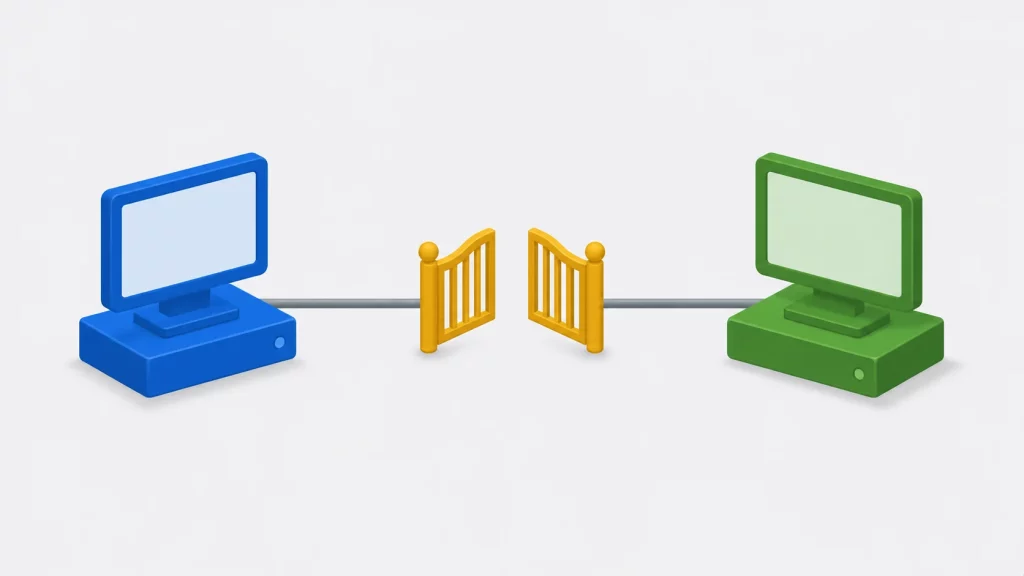

Two programs on the same Windows machine need to talk. A file is clumsy and a TCP port is more than the job needs. A named pipe fits: the server creates a pipe with a name such as \\.\pipe\mycplus-demo, and any local process can open that name, write a request and read the reply. Windows services, database engines and build tools use them all the time.
This guide builds a named pipe client and three servers in modern C++: a simple server that handles one client at a time, a multithreaded server with a std::thread per client and a single-threaded server that uses overlapped I/O to serve several clients at once. All four use RAII for handles, wide-character API calls, message-mode pipes and real error reporting. A test program starts the servers and clients together and checks every transcript. The code was built with MSVC on Windows 11 (C++17 and C++20, warnings as errors), where all seven client/server tests passed, and cross-compiled with MinGW-w64 on Linux.
The Short Answer
What is a named pipe in Windows? A named, two-way channel between a server process and its clients, opened through the file API. The server calls CreateNamedPipeW; a client opens the same name with CreateFileW; both then use ReadFile and WriteFile.
Which server design should I use? Start with one thread per client: it is the easiest to read and works well for dozens of clients. Use overlapped I/O when one thread must serve many clients, or when the server already runs an event loop.
Named pipes or sockets? Named pipes for local, Windows-only communication with Windows access control. TCP sockets when the other side may be on another machine or another operating system.
What Is a Named Pipe?
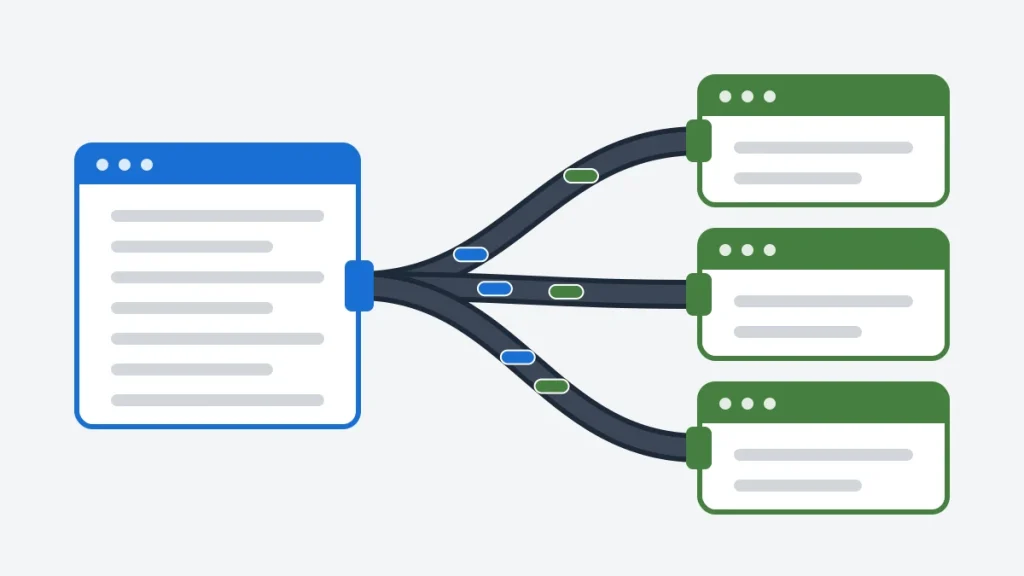
A named pipe is an inter-process communication (IPC) channel that a server creates under a name in the \\.\pipe\ namespace. Clients connect to it by name, and each connection gets its own pipe instance, so a server with four instances can talk to four clients at once. Data can flow as a byte stream or as separate messages.
Three ideas cover most of the API:
- The name. A pipe’s full name is
\\ServerName\pipe\PipeName, whereServerNameis a period for the local computer. Names are not case-sensitive and can be up to 256 characters long. The examples here prefix every name withmycplus-so they cannot collide with another program’s pipes. - Instances. Every call to
CreateNamedPipeWwith the same name creates one more instance, and each instance serves one client at a time. The server decides how many instances may exist; when all of them are busy, a new client getsERROR_PIPE_BUSYand has to wait. - Byte mode or message mode. In byte mode, a pipe behaves like a TCP stream: three writes of 10 bytes may arrive as one read of 30. In message mode, every
WriteFileis one message and the reader can get it back whole. All four programs here use message mode, because a request/reply protocol needs message boundaries.
Microsoft’s Named Pipes documentation covers the full API, including pipes reached over the network.
Named Pipes vs Sockets
Named pipes are not the only way for two processes to talk. This table compares them with the two socket types you are most likely to consider instead.
| Feature | Named pipe | TCP socket on localhost | Unix domain socket |
|---|---|---|---|
| Operating systems | Windows (Linux has FIFOs, a different API) | All | Linux, macOS; Windows 10 1803 and later |
| Address | \\.\pipe\name | IP address and port | Path in the file system |
| Message boundaries | Yes, in message mode | No, a byte stream | Yes, with SOCK_DGRAM or SOCK_SEQPACKET |
| Access control | Windows security descriptor on the pipe | Firewall rules; any local user can connect | File permissions on the socket path |
| Remote clients | Possible over SMB; can be rejected | Yes | No |
| API | CreateNamedPipeW, ConnectNamedPipe, ReadFile, WriteFile | Winsock or BSD sockets | BSD sockets |
If the other end may run on another machine, the TCP client and server in C article builds the same kind of echo protocol over sockets, and UDP sender and receiver in C shows what changes when messages may be lost.
Three Ways to Serve Clients
The client is the same for every server. What changes is how a server waits for its clients:
- One instance, one thread (
pipe_server). The simplest possible server: it waits for a client, serves it until it leaves, then waits for the next. A second client has to wait. - One thread per client (
thread_server). The main thread accepts connections and hands each one to a newstd::thread. Every call is blocking, which keeps the code short. - One thread, overlapped I/O (
overlapped_server). A fixed number of instances, each with its ownOVERLAPPEDstructure and event. One thread starts every operation without waiting for it, then waits for whichever finishes first.
Every server answers each message with ECHO and the message in capitals, so a test can tell which reply belongs to which request.
The Shared Helpers
All four programs include one header. It holds four small pieces that every named pipe program needs and that the Win32 API does not provide:
UniqueHandle, a move-only owner for aHANDLE, in the same spirit asstd::unique_ptr(see smart pointers in C++). Every handle is closed exactly once, on every path, including early returns. The C++ memory management guide explains the RAII idea behind it.error_text, which turns an error code intoerror 231 (ERROR_PIPE_BUSY). It prints the symbolic name instead of theFormatMessagetext, because that text is translated on non-English Windows and would make test output depend on the language.read_messageandwrite_message, which send and receive one whole message.read_messagehandles the case where a message is longer than its 512-byte buffer (see “Messages Longer Than the Buffer” below).pipe_path, which builds the full wide-character pipe name.
// pipe_common.h - small helpers shared by the named pipe examples:
// a RAII wrapper for Windows handles, readable error messages, and the
// conversion from a short pipe name to the full \\.\pipe\ path.
#pragma once

#ifndef WIN32_LEAN_AND_MEAN
#define WIN32_LEAN_AND_MEAN
#endif
#ifndef NOMINMAX
#define NOMINMAX
#endif
#include <windows.h>

#include <string>
#include <utility>

// Owns one HANDLE and closes it exactly once. Move-only, like std::unique_ptr.
class UniqueHandle {
public:
    UniqueHandle() = default;
    explicit UniqueHandle(HANDLE h) : h_(h) {}
    ~UniqueHandle() { reset(); }
    UniqueHandle(const UniqueHandle&) = delete;
    UniqueHandle& operator=(const UniqueHandle&) = delete;
    UniqueHandle(UniqueHandle&& other) noexcept : h_(std::exchange(other.h_, INVALID_HANDLE_VALUE)) {}
    UniqueHandle& operator=(UniqueHandle&& other) noexcept
    {
        if (this != &other) {
            reset();
            h_ = std::exchange(other.h_, INVALID_HANDLE_VALUE);
        }
        return *this;
    }

    HANDLE get() const { return h_; }
    bool valid() const { return h_ != INVALID_HANDLE_VALUE && h_ != nullptr; }
    void reset()
    {
        if (valid())
            CloseHandle(h_);
        h_ = INVALID_HANDLE_VALUE;
    }

private:
    HANDLE h_ = INVALID_HANDLE_VALUE;
};

// "error 5 (ERROR_ACCESS_DENIED)". The symbolic names are printed instead of
// FormatMessage text, because that text is translated on non-English Windows.
inline std::string error_text(DWORD code)
{
    const char* name = nullptr;
    switch (code) {
    case ERROR_FILE_NOT_FOUND:     name = "ERROR_FILE_NOT_FOUND"; break;
    case ERROR_ACCESS_DENIED:      name = "ERROR_ACCESS_DENIED"; break;
    case ERROR_BROKEN_PIPE:        name = "ERROR_BROKEN_PIPE"; break;
    case ERROR_PIPE_BUSY:          name = "ERROR_PIPE_BUSY"; break;
    case ERROR_NO_DATA:            name = "ERROR_NO_DATA"; break;
    case ERROR_PIPE_CONNECTED:     name = "ERROR_PIPE_CONNECTED"; break;
    case ERROR_MORE_DATA:          name = "ERROR_MORE_DATA"; break;
    case ERROR_SEM_TIMEOUT:        name = "ERROR_SEM_TIMEOUT"; break;
    case ERROR_IO_PENDING:         name = "ERROR_IO_PENDING"; break;
    default: break;
    }
    std::string text = "error " + std::to_string(code);
    if (name != nullptr)
        text += std::string(" (") + name + ")";
    return text;
}

// "demo" becomes L"\\.\pipe\mycplus-demo". The prefix keeps the examples'
// pipes apart from other programs' pipes on the same machine.
inline std::wstring pipe_path(const std::string& name)
{
    std::wstring path = L"\\\\.\\pipe\\mycplus-";
    for (char c : name)
        path += static_cast<wchar_t>(static_cast<unsigned char>(c));
    return path;
}

// Reads one whole message from a message-mode pipe. Returns false when the
// other end has closed the pipe (or on any other error, stored in *error).
inline bool read_message(HANDLE pipe, std::string& message, DWORD* error)
{
    message.clear();
    char buffer[512];
    for (;;) {
        DWORD got = 0;
        if (ReadFile(pipe, buffer, static_cast<DWORD>(sizeof buffer), &got, nullptr)) {
            message.append(buffer, got);
            return true;                       // the message is complete
        }
        const DWORD e = GetLastError();
        if (e == ERROR_MORE_DATA) {            // the message is longer than the buffer
            message.append(buffer, got);
            continue;
        }
        *error = e;
        return false;
    }
}

inline bool write_message(HANDLE pipe, const std::string& message, DWORD* error)
{
    DWORD written = 0;
    if (!WriteFile(pipe, message.data(), static_cast<DWORD>(message.size()), &written, nullptr)
        || written != message.size()) {
        *error = GetLastError();
        return false;
    }
    return true;
}

// The reply every server sends: the request in capitals, so a test can tell
// which reply belongs to which request.
inline std::string make_reply(const std::string& request)
{
    std::string reply = "ECHO ";
    for (char c : request)
        reply += (c >= 'a' && c <= 'z') ? static_cast<char>(c - 'a' + 'A') : c;
    return reply;
}
A Simple Named Pipe Server
A named pipe server needs five steps:
- Create a pipe instance with
CreateNamedPipeW. - Wait for a client with
ConnectNamedPipe. - Read requests and write replies with
ReadFileandWriteFile. - Disconnect the client with
DisconnectNamedPipe, which makes the instance ready for the next client. - Close the instance handle (here,
UniqueHandledoes it).
// pipe_server.cpp - the simplest named pipe server. It creates one pipe
// instance, serves one client at a time, and answers every message.
//
// usage: pipe_server [name] [clients]    defaults: demo 1
#include "pipe_common.h"

#include <cstdlib>
#include <iostream>
#include <string>

int main(int argc, char** argv)
{
    const std::string name = argc > 1 ? argv[1] : "demo";
    const int clients = argc > 2 ? std::atoi(argv[2]) : 1;
    const std::wstring path = pipe_path(name);

    // FILE_FLAG_FIRST_PIPE_INSTANCE: fail if another process already owns this
    // pipe name, so no other program can pose as this server.
    // PIPE_REJECT_REMOTE_CLIENTS: accept clients on this computer only.
    UniqueHandle pipe(CreateNamedPipeW(
        path.c_str(),
        PIPE_ACCESS_DUPLEX | FILE_FLAG_FIRST_PIPE_INSTANCE,
        PIPE_TYPE_MESSAGE | PIPE_READMODE_MESSAGE | PIPE_WAIT | PIPE_REJECT_REMOTE_CLIENTS,
        1,          // one instance: one client at a time
        4096, 4096, // output and input buffer sizes (advisory)
        0,          // default timeout for WaitNamedPipe
        nullptr));  // default security: see "Security: Who Can Connect"
    if (!pipe.valid()) {
        std::cout << "server: CreateNamedPipe failed: " << error_text(GetLastError()) << '\n';
        return 1;
    }
    std::cout << "server: listening on pipe mycplus-" << name << std::endl;

    for (int served = 0; served < clients; ++served) {
        // Wait for a client. If one connected between CreateNamedPipe and this
        // call, ConnectNamedPipe fails with ERROR_PIPE_CONNECTED: that is success.
        if (!ConnectNamedPipe(pipe.get(), nullptr) && GetLastError() != ERROR_PIPE_CONNECTED) {
            std::cout << "server: ConnectNamedPipe failed: " << error_text(GetLastError()) << '\n';
            return 1;
        }
        std::cout << "server: client connected\n";

        std::string request;
        DWORD error = 0;
        while (read_message(pipe.get(), request, &error)) {
            std::cout << "server: received \"" << request << "\"\n";
            if (!write_message(pipe.get(), make_reply(request), &error))
                break;
        }
        if (error != ERROR_BROKEN_PIPE)            // anything else is a real failure
            std::cout << "server: read failed: " << error_text(error) << '\n';

        FlushFileBuffers(pipe.get());              // let the client read the last reply
        DisconnectNamedPipe(pipe.get());           // ready for the next client
        std::cout << "server: client disconnected\n";
    }
    return 0;
}
Three details are easy to get wrong:
ERROR_PIPE_CONNECTEDis success. If a client connects in the short gap betweenCreateNamedPipeWandConnectNamedPipe, the call returnsFALSEwith this code. A server that treats everyFALSEas an error drops that client.ERROR_BROKEN_PIPEis the normal end. When the client closes its handle, the nextReadFilefails with it. Only other codes are worth reporting.FlushFileBuffersbeforeDisconnectNamedPipe. Disconnecting throws away any data the client has not read yet. Flushing first waits until the client has read the last reply.
The server takes the pipe name and the number of clients to serve as arguments. A real server would loop forever; the count lets the tests stop it cleanly.
A Named Pipe Client
The client opens the pipe with CreateFileW, exactly as if it were a file, then switches its handle to message mode. That second step matters: Microsoft’s client documentation notes that the handle CreateFile returns starts in byte-read mode, even when the server created a message-mode pipe.
// pipe_client.cpp - connects to a named pipe server, sends each argument as
// one message, and prints the reply.
//
// usage: pipe_client [name] [message...]    defaults: demo "hello"
#include "pipe_common.h"

#include <iostream>
#include <string>
#include <vector>

// Opens the pipe, waiting for a free instance. Gives up after about 5 seconds.
static UniqueHandle connect(const std::wstring& path)
{
    for (int attempt = 0; attempt < 50; ++attempt) {
        UniqueHandle pipe(CreateFileW(path.c_str(), GENERIC_READ | GENERIC_WRITE, 0, nullptr,
                                      OPEN_EXISTING, 0, nullptr));
        if (pipe.valid())
            return pipe;

        const DWORD error = GetLastError();
        if (error == ERROR_PIPE_BUSY)
            WaitNamedPipeW(path.c_str(), 100);    // every instance is busy: wait for one
        else if (error == ERROR_FILE_NOT_FOUND)
            Sleep(100);                           // the server has not created the pipe yet
        else {
            std::cout << "client: CreateFile failed: " << error_text(error) << '\n';
            return UniqueHandle();
        }
    }
    std::cout << "client: no server after 5 seconds\n";
    return UniqueHandle();
}

int main(int argc, char** argv)
{
    const std::string name = argc > 1 ? argv[1] : "demo";
    std::vector<std::string> messages(argv + (argc > 2 ? 2 : argc), argv + argc);
    if (messages.empty())
        messages.push_back("hello");

    UniqueHandle pipe = connect(pipe_path(name));
    if (!pipe.valid())
        return 1;

    // A client handle starts in byte mode; switch it to message mode so each
    // ReadFile returns one whole reply.
    DWORD mode = PIPE_READMODE_MESSAGE;
    if (!SetNamedPipeHandleState(pipe.get(), &mode, nullptr, nullptr)) {
        std::cout << "client: SetNamedPipeHandleState failed: " << error_text(GetLastError()) << '\n';
        return 1;
    }

    for (const std::string& message : messages) {
        DWORD error = 0;
        std::string reply;
        if (!write_message(pipe.get(), message, &error) || !read_message(pipe.get(), reply, &error)) {
            std::cout << "client: transfer failed: " << error_text(error) << '\n';
            return 1;
        }
        std::cout << "client: sent \"" << message << "\", got \"" << reply << "\"\n";
    }
    return 0;    // closing the handle tells the server this client is done
}
The connect function handles the two ways a connection attempt can fail on a healthy system. ERROR_PIPE_BUSY means the pipe exists but every instance is serving a client, so the client calls WaitNamedPipeW and tries again. ERROR_FILE_NOT_FOUND means no server has created the pipe yet. Either way, the client gives up after about five seconds instead of hanging forever.
Running the Client and Server
Build with CMake (see “Source Code and Tests” below), then start the server in one terminal, asking it to serve two clients:
> pipe_server demo 2
server: listening on pipe mycplus-demo
Run two clients from a second terminal:
> pipe_client demo hello "named pipes"
client: sent "hello", got "ECHO HELLO"
client: sent "named pipes", got "ECHO NAMED PIPES"
> pipe_client demo "second client"
client: sent "second client", got "ECHO SECOND CLIENT"
The server’s terminal now shows both conversations, and the server exits after the second client leaves:
server: listening on pipe mycplus-demo
server: client connected
server: received "hello"
server: received "named pipes"
server: client disconnected
server: client connected
server: received "second client"
server: client disconnected
These are the lines the simple test checks on every build.
A Multithreaded Named Pipe Server
To serve several clients at once, a server needs several instances. The thread server creates a new instance for every client and passes it to a std::thread, which owns it until the client leaves:
// thread_server.cpp - a multithreaded named pipe server. The main thread
// waits for clients; each connected client gets its own std::thread.
//
// usage: thread_server [name] [clients]    defaults: demo 3
#include "pipe_common.h"

#include <cstdlib>
#include <iostream>
#include <mutex>
#include <sstream>
#include <string>
#include <thread>
#include <vector>

static std::mutex print_mutex;    // one line at a time on std::cout

static void say(const std::string& line)
{
    std::lock_guard<std::mutex> lock(print_mutex);
    std::cout << line << std::endl;
}

// Runs on its own thread and owns its pipe instance until the client leaves.
static void serve(UniqueHandle pipe, int id)
{
    std::string request;
    DWORD error = 0;
    while (read_message(pipe.get(), request, &error)) {
        say("server: client " + std::to_string(id) + " sent \"" + request + "\"");
        if (!write_message(pipe.get(), make_reply(request), &error))
            break;
    }
    if (error != ERROR_BROKEN_PIPE)
        say("server: client " + std::to_string(id) + " failed: " + error_text(error));
    FlushFileBuffers(pipe.get());
    DisconnectNamedPipe(pipe.get());
    say("server: client " + std::to_string(id) + " disconnected");
}   // the UniqueHandle closes this instance here

int main(int argc, char** argv)
{
    const std::string name = argc > 1 ? argv[1] : "demo";
    const int clients = argc > 2 ? std::atoi(argv[2]) : 3;
    const std::wstring path = pipe_path(name);

    std::vector<std::thread> workers;
    int result = 0;
    for (int id = 1; id <= clients; ++id) {
        // A new instance for every client. Only the first may claim the name.
        const DWORD open_mode = PIPE_ACCESS_DUPLEX | (id == 1 ? FILE_FLAG_FIRST_PIPE_INSTANCE : 0);
        UniqueHandle pipe(CreateNamedPipeW(
            path.c_str(), open_mode,
            PIPE_TYPE_MESSAGE | PIPE_READMODE_MESSAGE | PIPE_WAIT | PIPE_REJECT_REMOTE_CLIENTS,
            PIPE_UNLIMITED_INSTANCES, 4096, 4096, 0, nullptr));
        if (!pipe.valid()) {
            say("server: CreateNamedPipe failed: " + error_text(GetLastError()));
            result = 1;
            break;
        }
        if (id == 1)
            say("server: listening on pipe mycplus-" + name);

        if (!ConnectNamedPipe(pipe.get(), nullptr) && GetLastError() != ERROR_PIPE_CONNECTED) {
            say("server: ConnectNamedPipe failed: " + error_text(GetLastError()));
            result = 1;
            break;
        }
        say("server: client " + std::to_string(id) + " connected");
        workers.emplace_back(serve, std::move(pipe), id);
    }

    for (std::thread& worker : workers)
        worker.join();    // wait for every client to finish before exiting
    return result;
}
The design follows directly from the API:
- Only the first instance claims the name.
FILE_FLAG_FIRST_PIPE_INSTANCEis set for instance 1 only. Later instances of the same pipe must not use it, or they would fail too. - Every instance must pass the same
nMaxInstances.CreateNamedPipeWrequires it; here every call passesPIPE_UNLIMITED_INSTANCES(255). - Ownership moves into the thread.
std::move(pipe)hands theUniqueHandletoserve, so each instance is closed by the thread that used it, and the main thread cannot touch it by mistake. std::coutneeds a lock. Several threads print at once. Withoutprint_mutex, their lines would interleave.- The server joins its threads. Returning from
mainwhile workers are still running would end the process and cut their clients off mid-conversation. The tests check that every client finishes.
One thread per client costs a stack per connection (1 MB of reserved address space by default on Windows), which is fine for tens or hundreds of clients. For thousands, the overlapped design scales better.
An Overlapped I/O Named Pipe Server
Overlapped I/O lets one thread start a read, a write or a connect, and return immediately. When the operation finishes, Windows signals the event in its OVERLAPPED structure. The server below keeps four instances, each with its own event and state, and waits on all four events with WaitForMultipleObjects:
// overlapped_server.cpp - one thread serves several clients at once with
// overlapped (asynchronous) I/O. Every pipe instance has an OVERLAPPED
// structure with its own event, and WaitForMultipleObjects reports which
// instance finished an operation.
//
// usage: overlapped_server [name] [clients]    defaults: demo 3
#include "pipe_common.h"

#include <cstdlib>
#include <iostream>
#include <string>
#include <vector>

namespace {

constexpr DWORD kInstances = 4;    // WaitForMultipleObjects allows up to 64

enum class State { Connecting, Reading, Writing };

struct Instance {
    UniqueHandle pipe;
    UniqueHandle event;
    OVERLAPPED overlapped{};
    State state = State::Connecting;
    char buffer[512];
    std::string request;
    std::string reply;
    int client = 0;              // 0 while no client is connected
    bool connect_pending = false;  // false: the client arrived before ConnectNamedPipe
};

// Starts an asynchronous connect. Returns false on a real error.
bool start_connect(Instance& in)
{
    in.state = State::Connecting;
    if (ConnectNamedPipe(in.pipe.get(), &in.overlapped))
        return false;    // overlapped ConnectNamedPipe should never return TRUE
    switch (GetLastError()) {
    case ERROR_IO_PENDING:
        in.connect_pending = true;     // the event is signaled when a client arrives
        return true;
    case ERROR_PIPE_CONNECTED:
        in.connect_pending = false;    // a client arrived already: no I/O to wait for,
        SetEvent(in.event.get());      // so signal the event by hand
        return true;
    case ERROR_NO_DATA:
        DisconnectNamedPipe(in.pipe.get());    // a client came and went: listen again
        return start_connect(in);
    default:
        return false;
    }
}

// Starts an asynchronous read or write. ERROR_IO_PENDING is the normal case;
// a call that finished at once signals the event too, so both are handled in
// the same place: the main loop.
bool start_io(Instance& in)
{
    BOOL ok;
    if (in.state == State::Reading)
        ok = ReadFile(in.pipe.get(), in.buffer, static_cast<DWORD>(sizeof in.buffer), nullptr, &in.overlapped);
    else
        ok = WriteFile(in.pipe.get(), in.reply.data(), static_cast<DWORD>(in.reply.size()),
                       nullptr, &in.overlapped);
    return ok || GetLastError() == ERROR_IO_PENDING || GetLastError() == ERROR_MORE_DATA;
}

}    // namespace

int main(int argc, char** argv)
{
    const std::string name = argc > 1 ? argv[1] : "demo";
    const int clients = argc > 2 ? std::atoi(argv[2]) : 3;
    const std::wstring path = pipe_path(name);

    std::vector<Instance> instances(kInstances);
    std::vector<HANDLE> events;
    for (DWORD i = 0; i < kInstances; ++i) {
        Instance& in = instances[i];
        in.event = UniqueHandle(CreateEventW(nullptr, TRUE, FALSE, nullptr));    // manual reset
        in.overlapped.hEvent = in.event.get();
        in.pipe = UniqueHandle(CreateNamedPipeW(
            path.c_str(),
            PIPE_ACCESS_DUPLEX | FILE_FLAG_OVERLAPPED | (i == 0 ? FILE_FLAG_FIRST_PIPE_INSTANCE : 0),
            PIPE_TYPE_MESSAGE | PIPE_READMODE_MESSAGE | PIPE_WAIT | PIPE_REJECT_REMOTE_CLIENTS,
            kInstances, 4096, 4096, 0, nullptr));
        if (!in.event.valid() || !in.pipe.valid() || !start_connect(in)) {
            std::cout << "server: setting up instance " << i << " failed: "
                      << error_text(GetLastError()) << '\n';
            return 1;
        }
        events.push_back(in.event.get());
    }
    std::cout << "server: listening on pipe mycplus-" << name << " with " << kInstances
              << " instances" << std::endl;

    int connected = 0;
    int finished = 0;
    while (finished < clients) {
        const DWORD signaled = WaitForMultipleObjects(static_cast<DWORD>(events.size()),
                                                      events.data(), FALSE, INFINITE);
        const DWORD i = signaled - WAIT_OBJECT_0;
        if (i >= kInstances) {
            std::cout << "server: WaitForMultipleObjects failed: " << error_text(GetLastError()) << '\n';
            return 1;
        }
        Instance& in = instances[i];

        DWORD bytes = 0;
        const bool no_io = in.state == State::Connecting && !in.connect_pending;
        const BOOL ok = no_io || GetOverlappedResult(in.pipe.get(), &in.overlapped, &bytes, FALSE);
        const DWORD error = ok ? static_cast<DWORD>(ERROR_SUCCESS) : GetLastError();
        ResetEvent(in.event.get());

        bool next_ok = true;
        if (in.state == State::Connecting) {
            if (!ok) {
                std::cout << "server: connect failed: " << error_text(error) << '\n';
                return 1;
            }
            in.client = ++connected;
            std::cout << "server: client " << in.client << " connected on instance " << i << '\n';
            in.request.clear();
            in.state = State::Reading;
            next_ok = start_io(in);
        } else if (in.state == State::Reading && (ok || error == ERROR_MORE_DATA)) {
            in.request.append(in.buffer, bytes);
            if (error == ERROR_MORE_DATA) {
                next_ok = start_io(in);              // read the rest of the message
            } else {
                std::cout << "server: client " << in.client << " sent \"" << in.request << "\"\n";
                in.reply = make_reply(in.request);
                in.state = State::Writing;
                next_ok = start_io(in);
            }
        } else if (in.state == State::Writing && ok && bytes == in.reply.size()) {
            in.request.clear();
            in.state = State::Reading;
            next_ok = start_io(in);
        } else {
            next_ok = false;    // the client closed its end, or the transfer failed
            if (error != ERROR_BROKEN_PIPE)
                std::cout << "server: client " << in.client << " failed: " << error_text(error) << '\n';
        }

        if (!next_ok) {
            if (in.state != State::Connecting && in.client != 0) {
                std::cout << "server: client " << in.client << " disconnected\n";
                ++finished;
            }
            in.client = 0;
            DisconnectNamedPipe(in.pipe.get());    // recycle the instance for a new client
            if (finished < clients && !start_connect(in)) {
                std::cout << "server: reconnect failed: " << error_text(GetLastError()) << '\n';
                return 1;
            }
        }
    }
    // Instances still waiting for a client have a ConnectNamedPipe pending that
    // uses their OVERLAPPED and event. Cancel it and wait for the cancellation
    // before those objects are destroyed.
    for (Instance& in : instances) {
        DWORD ignored = 0;
        if (CancelIoEx(in.pipe.get(), &in.overlapped))
            GetOverlappedResult(in.pipe.get(), &in.overlapped, &ignored, TRUE);
    }
    std::cout << "server: clients served: " << finished << std::endl;
    return 0;
}
Each instance moves through three states: Connecting, Reading and Writing. Whenever its event fires, the loop checks the result with GetOverlappedResult, decides what the instance should do next and starts that operation. When a client leaves, the instance is disconnected and goes back to Connecting, ready for the next client.
Four details make the difference between a server that works and one that works only in testing:
- A connect that is already done has no I/O to check. If a client arrived before
ConnectNamedPipe, the call returnsERROR_PIPE_CONNECTED, and the server sets the event by hand. There is no pending operation, so callingGetOverlappedResulton it would be wrong.connect_pendingrecords the difference, as Microsoft’s overlapped server example does with itsfPendingIOflag. - One operation per instance at a time. All three operations on an instance share one event, so a completed event could belong to any of them if two were in flight. The state machine starts the next operation only after the previous one has finished.
- Manual-reset events. The events are created manual-reset, and the loop resets each one after reading its result.
- Pending I/O must end before its
OVERLAPPEDis destroyed. When the server finishes, instances that are still listening have aConnectNamedPipein progress that refers to theirOVERLAPPEDand event.CancelIoExcancels it, andGetOverlappedResultwithTRUEwaits for the cancellation, before those objects go out of scope.
WaitForMultipleObjects can wait on at most 64 handles. Beyond that, the usual tool is an I/O completion port, which lets a small pool of threads serve thousands of instances.
Messages Longer Than the Buffer
A message-mode pipe keeps message boundaries, but it does not make every message fit your buffer. When a message is longer than the buffer passed to ReadFile, Windows returns as much as fits, and ReadFile fails with ERROR_MORE_DATA. The rest of the message is still in the pipe, waiting for the next read.
read_message in the shared header handles this by appending each piece and reading again until ReadFile succeeds. The overlapped server does the same inside its Reading state. The long-simple and long-overlapped tests send a 1,500-byte message through 512-byte buffers to check both paths, and the client’s reply must come back complete.
The client’s switch to message mode matters here too. A client handle left in byte mode never sees ERROR_MORE_DATA: its first read returns 512 bytes as a success, and the reply arrives cut short.
Security: Who Can Connect to a Named Pipe
A named pipe is a securable object, and the defaults are more open than most people expect. With a null security descriptor, CreateNamedPipeW gives full control to the LocalSystem account, administrators and the creator owner, and read access to the Everyone group and the anonymous account. The examples add two flags on top:
FILE_FLAG_FIRST_PIPE_INSTANCEmakesCreateNamedPipeWfail withERROR_ACCESS_DENIEDif any instance of the name already exists. Without it, another process that creates the same pipe name first can sit in front of your server and receive your clients’ requests. Theduplicate-nametest starts a second server on a name that is in use and checks that it fails with exactly that error.PIPE_REJECT_REMOTE_CLIENTSrefuses connections from other computers. Pipes are reachable over the network by default, through the\\ServerName\pipe\form of the name.
A production server usually goes further: it passes a SECURITY_ATTRIBUTES with a DACL that allows only the users or service accounts that need access. A server can also learn who the client is with GetNamedPipeClientProcessId, or act as the client with ImpersonateNamedPipeClient. Named Pipe Security and Access Rights lists the access rights involved.
Common Mistakes with Named Pipes
- Treating
ERROR_PIPE_CONNECTEDas a failure. It means a client connected early. The connection is fine. - Reading a message-mode pipe through a byte-mode handle. Client handles start in byte mode. Call
SetNamedPipeHandleStatewithPIPE_READMODE_MESSAGE. - Ignoring
ERROR_MORE_DATA. Long messages arrive in pieces. Keep reading untilReadFilesucceeds. - Calling
DisconnectNamedPipewithoutFlushFileBuffers. The client may lose the last reply. - Forgetting
DisconnectNamedPipebefore reusing an instance.ConnectNamedPipeon an instance that still belongs to a departed client fails withERROR_NO_DATA, and the next client is never served. Thesimpletest catches this. - Passing narrow strings to the generic function names.
CreateNamedPipe("\\\\.\\pipe\\x", ...)compiles only whenUNICODEis not defined, and Visual Studio defines it for new projects. Call theWfunctions withL"..."strings, as the examples do. - Printing a
DWORDwith%d.DWORDis unsigned. Use%luwithprintf, orstd::cout. - Creating every instance with
FILE_FLAG_FIRST_PIPE_INSTANCE. Only the first instance may use it; the second would fail withERROR_ACCESS_DENIED.
Key Takeaways
- A named pipe is a local, named, two-way channel between processes on Windows, opened with the file API.
- Each instance serves one client. More instances mean more simultaneous clients.
- Use message mode for request/reply protocols, and remember that client handles start in byte mode.
ERROR_PIPE_CONNECTEDmeans success,ERROR_BROKEN_PIPEmeans the other side closed andERROR_MORE_DATAmeans keep reading.- One thread per client is the simplest multi-client design; overlapped I/O serves many clients from one thread.
- Claim the name with
FILE_FLAG_FIRST_PIPE_INSTANCE, and reject remote clients unless you need them.
Conclusion
Named pipes give Windows programs a fast, local channel with message boundaries and Windows security built in. The API is small, but the details carry the weight: which error codes mean success, which mode a handle is in, when an overlapped operation is really finished. Wrapping handles in RAII and reading whole messages in one helper takes most of those details off the table, and the three servers show how far the same client can go, from one client at a time to many clients on one thread.
For more C++ topics, from the language basics to systems programming, see the C++ section.
Source Code and Tests

All programs on this page are in the networking/named-pipes directory of the MYCPLUS C++ examples repository.
Build and test (Windows, in a Developer PowerShell or any shell with CMake and MSVC):
cmake -S . -B build
cmake --build build --config Release
ctest --test-dir build -C Release --output-on-failure
What the build checks.
- Compilers: MSVC with
/W4 /WX /permissive-in C++17 and C++20, and a MinGW-w64 cross-compile from Linux with-Wall -Wextra -pedantic -Werror -Wconversion. - Seven client/server scenarios. A test program starts the servers and clients as separate processes and compares the full transcript with an expected file: two clients in turn, three clients at once on each multi-client server, a 1,500-byte message on the simple and overlapped servers, a second server trying to take a name in use and a client with no server.
- Concurrent runs. When three clients run at once, the order in which a server meets them varies, so those transcripts replace the client and instance numbers with
#and sort the server’s lines. Every message and every reply is still checked.
What I Verified
The Windows column comes from run_all.ps1 in the repository, run on Windows 11 (build 26300) with MSVC. The Linux column was run for this article on Ubuntu 24.04 (x86-64, MinGW-w64 GCC 13).
| Check | Ubuntu 24.04 | Windows 11 |
|---|---|---|
| Build with warnings as errors | MinGW-w64 cross-compile, C++17 and C++20: all 5 programs passed | MSVC /W4 /WX /permissive-, C++17 and C++20: passed |
| CTest: 7 client/server scenarios | Not applicable (the programs run only on Windows) | 7 of 7 in C++17 and in C++20 |
| Deliberate mistakes: 6 bugs that a test must catch | Not applicable | All 6 caught |
Not covered: pipes between two computers (the servers reject remote clients), 32-bit builds and Windows versions before Windows 10.