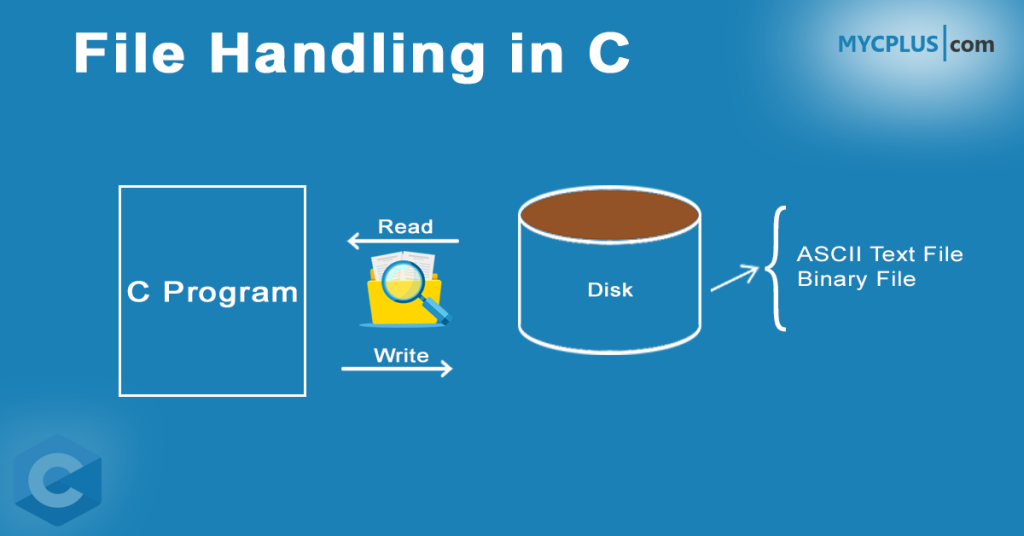
File handling is an essential part of any programming language as it allows programs to store and retrieve data from files on a computer’s storage device. In C programming, file handling is implemented using the standard input/output functions provided by the C standard library.
This article will cover the basics of file handling in C programming, including opening and closing files, reading from and writing to files, and processing binary and text files. We will also discuss some common file operations, such as creating and deleting files, and working with file pointers.
Whether you are a beginner or an experienced programmer, understanding file handling in C programming is essential for developing applications that can store and retrieve data in a persistent and reliable manner. So, let’s get started!
Table of Contents
- What is a File in C?
- Importance of File Handling in C Programming
- How Files are Manipulated in C?
- How to Create a File in C?
- How to Read a File using C program?
- C Program to Display the Contents of a File on Screen
- C Program to Write Contents to a File
- How to Append Data to a File in C?
- Closing a File
- How to Read Text from a File using C?
- How to Read and Write Binary Files in C?
What is a File in C?
In C programming, a file is a named collection of related information that is stored on a computer’s storage device, such as a hard disk, solid-state drive, or USB drive. A file can contain any type of data, including text, binary data, images, audio, video, or program code.
In C, a file is typically accessed using a file pointer, which is a variable that holds the memory address of a structure containing information about the file. This structure, called FILE, is defined in the standard C library and contains information such as the file name, file mode, and the current position within the file.
There are two main types of files in C programming: text files and binary files. Text files contain data that is human-readable and can be opened and edited using a text editor. Binary files, on the other hand, contain non-textual data that is encoded in binary format and is typically processed by computer programs.
1. What is ASCII Text file?
In C programming, an ASCII text file is a type of text file that uses the ASCII (American Standard Code for Information Interchange) character set to represent text. ASCII is a standard character encoding that assigns a unique numerical value to each character, including letters, digits, punctuation marks, and other symbols. ASCII text files are human-readable and can be opened and edited using a text editor.
In an ASCII text file, each character is represented using a single byte (8 bits) of information, allowing for a maximum of 256 possible characters. This includes the standard ASCII characters as well as extended ASCII characters that are specific to certain languages or regions.
2. What is a Binary file?
A binary file is a type of file that contains non-textual data encoded in binary format, meaning that the data is represented using a sequence of 1s and 0s. Binary files are typically used to store executable code, images, audio, video, or other types of data that cannot be easily represented as text.
Binary files can be either processed sequentially or can be processed using random access techniques. In C, processing a file using random access techniques involves moving the current file position to an appropriate place in the file before reading or writing data.
Importance of File Handling in C Programming
File handling is an important aspect of programming because it allows programs to read data from and write data to files, which are external storage devices. This is essential for many programs that need to store data beyond the lifetime of a program’s execution.
Here are some specific reasons why file handling is important in programming:
- Persistent Data Storage: Files allow data to be stored outside of the program’s memory, so it can be accessed even after the program has terminated. This is important for programs that need to save data between runs, or for programs that need to share data with other programs.
- Data Processing: Many programs process large amounts of data, and files provide an efficient means of storing and processing this data. This is particularly true for programs that work with text or binary files.
- Configuration Files: Many programs use configuration files to store settings that are used each time the program is run. This allows users to customize the behavior of the program without changing the program’s source code.
- Interprocess Communication: Programs running on the same computer can use files to communicate with each other. This allows programs to share data or coordinate tasks.
How Files are Manipulated in C?
Now let’s see how files are created and processed in C programming language. In C, fopen() function is used to get a pointer to file which can be used by compiler to perform input and output operations on files. The standard form of the function is:
FILE *fopen(const char *filename, const char *mode);
A file can be opened in different modes depending upon the requirements. The fopen() function uses the following modes to open the file.
- r – open for reading
- w – open for writing (file need not exist)
- a – open for appending (file need not exist)
- r+ – open for reading and writing, start at beginning
- w+ – open for reading and writing (overwrite file)
- a+ – open for reading and writing (append if file exists)
Once you have opened a file, you can use various functions to read from or write to the file using the file pointer. Here are some examples:
fputc()– writes a single character to a filefputs()– writes a string to a filefprintf()– writes formatted text to a filefgetc()– reads a single character from a filefgets()– reads a string from a filefscanf()– reads formatted input from a file
How to Create a File in C?
To create a file in C, you can use the fopen() function, which takes two arguments: the name of the file to be created and the file mode. The file mode specifies the type of access that will be granted to the file.
#include <stdio.h>

int main() {
   FILE *fp;
   fp = fopen("example.txt", "w");
   fprintf(fp, "This is an example file.");
   fclose(fp);
   return 0;
}
In this program, the fopen() function is called with the file name “example.txt” and the file mode “w”, which stands for “write mode”. This mode creates a new file if it does not exist, or truncates the file if it already exists.
The fopen() function returns a pointer to a FILE structure, which is assigned to the variable fp. The fprintf() function is then used to write the text “This is an example file.” to the file using the file pointer fp. Finally, the fclose() function is called to close the file and release the system resources used by it.
After running this program, a new file named “example.txt” should be created in the current directory with the text “This is an example file.” written to it.
How to Read a File using C program?
When an ‘r’ is used as parameter to fopen() , the file is opened for reading, a ‘w’ is used to indicate a file to be used for writing, and an ‘a’ indicates that you desire to append additional data to the data already in an existing file. Most C compilers have other file attributes available; check your Reference Manual for details. Using the ‘r’ indicates that the file is assumed to be a text file. Opening a file for reading requires that the file already exist. If it does not exist, the file pointer will be set to NULL and can be checked by the program. Here is a small C program that reads a file and display its contents on screen.
C Program to Display the Contents of a File on Screen
#include <stdio.h>

void main()
{
   FILE *fopen(), *fp;
   int c;
   fp = fopen("prog.c","r");
   c = getc(fp) ;
   while (c!= EOF){
        putchar(c);
	c = getc(fp);
   }

   fclose(fp);
}
C Program to Write Contents to a File
When a file is opened for writing, ‘w’ , it will be created if it does not already exist and it will be reset if it does, resulting in the deletion of any data already there. Using the w indicates that the file is assumed to be a text file. Here is the program to create a file and write some data into the file.
#include <stdio.h>

int main()
{
   FILE *fp;
   fp = fopen("file.txt","w");
   // Create a file and add text
   fprintf(fp,"%s","This is just an example :)");
   fclose(fp);

   return 0;
}
How to Append Data to a File in C?
If a file is opened in append mode, it will be created with an empty content if it does not already exist. If the file exists, the input pointer will be positioned at the end of the existing data, so that new data will be added to the end of the file. When the file is opened in append mode with “a” flag, it is assumed to be a text file. The following program demonstrates how to append text to an existing text file that already contains some text.
#include <stdio.h>

int main()
{
    FILE *fp;
    fp = fopen("file.txt","a");
    fprintf(fp,"%s","This is just an example :)"); // append some text
    fclose(fp);

    return 0;
}
The job of actually outputting to the file is nearly identical to the outputting we have already done to the standard output device. The only real differences are the new function names and the addition of the file pointer as one of the function arguments. In the example program, fprintf() replaces our familiar printf() function name, and the file pointer defined earlier is the first argument within the parentheses. The remainder of the statement looks like, and in fact is identical to, the printf() statement.
Closing a File
Closing a file in C is an important step in file handling because it releases the system resources used by the file and ensures that any pending data is written to the file.
To close a file in C, you can use the fclose() function, which takes a single argument: a file pointer that points to the file you want to close.
Here is an example program that opens a file, writes some text to it, and then closes the file:
#include <stdio.h>

int main() {
   FILE *fp;
   fp = fopen("example.txt", "w");
   fprintf(fp, "This is an example file.");
   fclose(fp);
   return 0;
}
It is important to always close a file after you are done working with it, even if your program terminates abnormally. This ensures that any pending data is written to the file and that system resources are released.
How to Read Text from a File using C?
Now for our first program that reads text from a file. This program begins with the familiar include, some data definitions, and the file opening statement which should require no explanation except for the fact that an ‘r’ is used here because we want to read it.
#include <stdio.h>

void main()
{
    FILE * fp;
    char c;
    fp = fopen("TENLINES.TXT", "r");
    if (fp == NULL)
        printf("File doesn't existn");
    else
    {
        do
        {
            c = getc(fp);
            //get one character from the file
            putchar(c);
            //display it on the monitor
        } while (c != EOF);
         //repeat until EOF (end of file)
     }
     fclose(fp);
}
This C program uses the fopen() function to open the file named “TENLINES.TXT” in read mode. If the file does not exist or cannot be opened, the program displays an error message. If the file exists, then it uses a do-while loop to read each character from the file using the getc() function. The loop continues until the end of the file is reached, which is indicated by the EOF (end of file) constant. The program displays each character on the screen using the putchar() function.
How to Read and Write Binary Files in C?
There are two main functions used to read and write binary files in C Programming i.e. fread() and fwrite(). Both of these functions uses pointer to a memory location which can be array. Because they accept pointers, you can also use these functions with any other data structures as well. Standard declaration of fread() and fwrite() is as below:
size_t fread(void *ptr, size_t size, size_t nmemb, FILE *stream)

size_t fwrite(const void *ptr, size_t size, size_t nmemb, FILE *stream)
Now let’s look a the following two programs to read and write binary files.
Read Contents of Binary File
#include <stdio.h>

int main () {
   FILE *fp;
   char c[] = "Reading Binary File";
   char buffer[100];

   // Open file for both reading and writing
   fp = fopen("file.txt", "w+");

   // Write data to the file
   fwrite(c, strlen(c) + 1, 1, fp);

   // Seek to the beginning of the file
   fseek(fp, 0, SEEK_SET);

   // Read and display data
   fread(buffer, strlen(c) + 1, 1, fp);
   printf("%sn", buffer);
   fclose(fp);

   return(0);
}
File handling in C++ works differently as discussed in C++ file handling tutorial. There is a separate article i.e. C++ tutorial for Java Programmers.